
Introduction
Thank you for purchasing the ChooChoo 67-Inch Tall Freestanding Bathroom Storage Cabinet. This manual provides essential information for the safe assembly, operation, and maintenance of your new cabinet. Please read these instructions carefully before assembly and retain them for future reference.
Safety Information
To ensure safe use of this product, please observe the following:
- Ensure the cabinet is correctly assembled and securely fastened to prevent tipping.
- Always use the provided anti-tip device to secure the cabinet to a wall. This is crucial for preventing accidents, especially in households with children or pets.
- Keep the cabinet away from excessively wet floors to prevent damage to the material.
- Do not overload shelves. Distribute weight evenly.
- Avoid climbing or standing on the cabinet.
Package Contents
Before beginning assembly, verify that all parts and hardware are present. Refer to the assembly guide included in the package for a complete list of components.
Note: The assembly guide contains detailed diagrams and step-by-step instructions for each component.
Setup and Assembly
Assembly is required for this product. Follow the step-by-step instructions provided in the included assembly guide. It is recommended to assemble the cabinet on a soft, clean surface to prevent scratches.
- Unpack Components: Carefully remove all parts from the packaging and lay them out. Check against the parts list in the assembly guide.
- Assemble Frame: Follow the guide to connect the main panels using the provided hardware. Ensure all connections are secure but do not overtighten screws.
- Install Shelves: Insert the adjustable shelves into the desired positions. The cabinet features adjustable shelf pins for flexible storage.
- Attach Doors and Drawer: Mount the doors and install the drawer according to the instructions. Ensure doors open and close smoothly and the drawer slides correctly.
- Install LED Light: Connect the LED light system as directed in the assembly guide.
- Secure Anti-Tip Device: This is a critical step. Attach the anti-tip device to the back of the cabinet and then secure it to a wall stud using appropriate hardware.
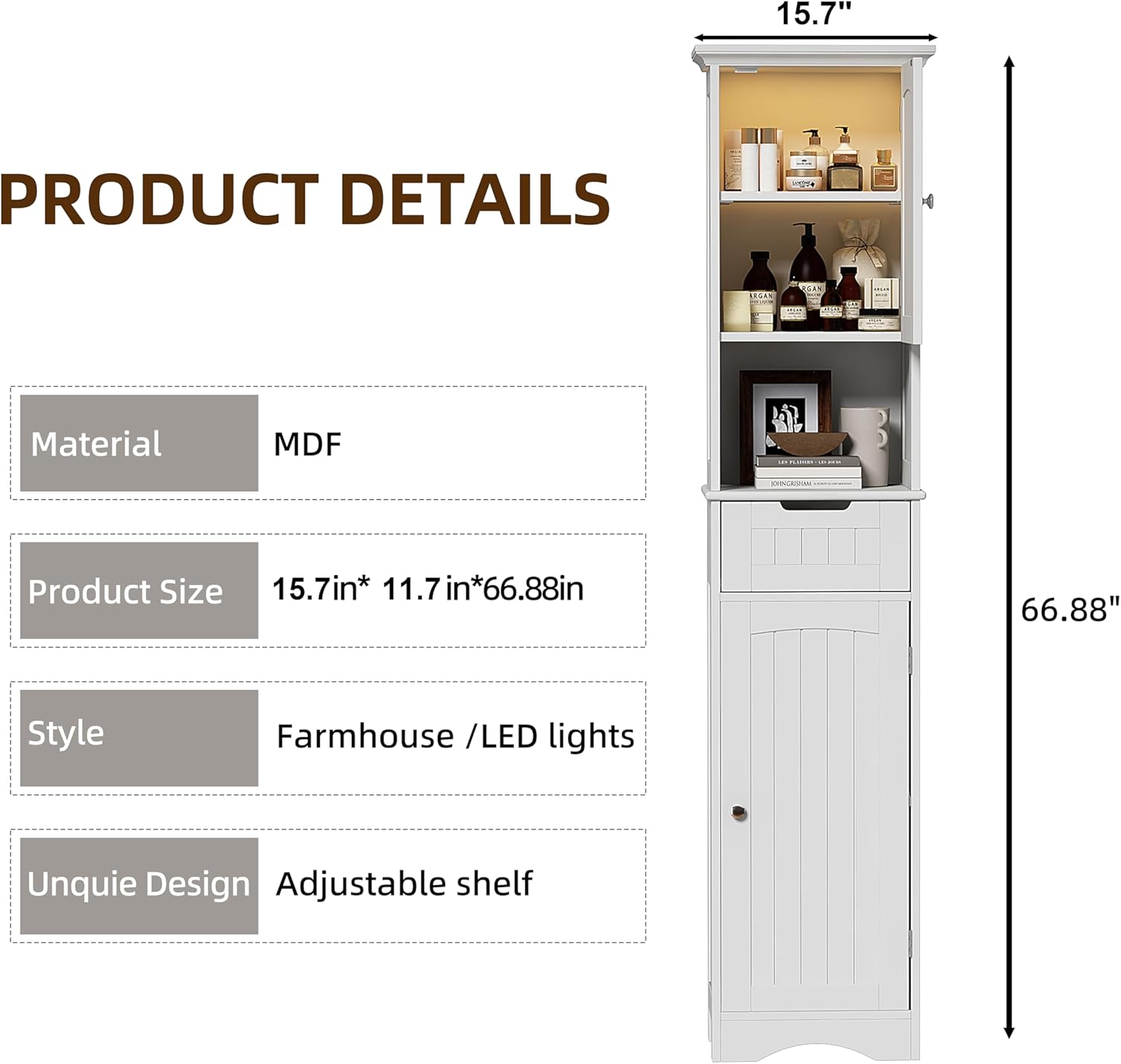
Image: Product details showing dimensions (15.7in x 11.7in x 66.88in) and material (MDF). This image illustrates the overall structure and key features for assembly reference.
Operating Instructions
Adjustable Shelves
The cabinet features adjustable shelves to accommodate items of various heights. To adjust a shelf:
- Empty the shelf of all contents.
- Remove the shelf pins from their current holes.
- Insert the shelf pins into the desired new holes, ensuring they are level.
- Place the shelf onto the pins.
LED Light Operation
The upper compartment of the cabinet is equipped with an LED light for convenient illumination. The light is typically activated by a switch or sensor located near the light fixture. Refer to the assembly guide for specific details on how to power and operate the LED light.

Image: A close-up view of the upper cabinet compartment with the LED light illuminated, showing its magnetic door attraction and convenient lighting for easier item retrieval.
Drawer and Doors
The cabinet includes one drawer and two doors for enclosed storage. Ensure the drawer slides smoothly and the doors close completely. The doors feature magnetic attraction to keep them securely shut.
Maintenance and Care
- Cleaning: Wipe the cabinet surfaces with a soft, damp cloth. Avoid abrasive cleaners or harsh chemicals, as they may damage the finish.
- Moisture Protection: While the cabinet is coated with a waterproof finish, it is important to keep it away from standing water or excessively wet conditions to prevent long-term damage. Promptly wipe up any spills.
- Hardware Check: Periodically check all screws and fasteners to ensure they remain tight. Retighten if necessary.
- LED Light: If the LED light stops working, check its power connection. If it's a replaceable bulb, ensure it's correctly installed. Consult the assembly guide for specific LED component details.
Troubleshooting
| Problem | Possible Cause | Solution |
|---|---|---|
| Cabinet is wobbly or unstable. | Screws are loose; anti-tip device not secured; uneven floor. | Tighten all assembly screws. Ensure the anti-tip device is properly installed and secured to a wall stud. Place shims under the cabinet feet if the floor is uneven. |
| Doors do not close properly or are misaligned. | Hinges are loose or incorrectly installed; cabinet frame is not square. | Check hinge installation and tighten screws. Ensure the cabinet frame is assembled squarely. Adjust hinges if they are adjustable. If a door panel is too long, verify it matches the parts list and contact support if incorrect. |
| Drawer does not slide smoothly. | Drawer slides are misaligned or damaged; obstructions in the track. | Ensure drawer slides are correctly installed and aligned. Check for any debris in the tracks. |
| LED light is not working. | Power connection issue; faulty LED component. | Check all power connections for the LED light. Ensure the power source is active. If issues persist, refer to the LED light section of the assembly guide or contact support. |
| Damaged or missing parts upon arrival. | Shipping damage; packaging error. | Do not proceed with assembly. Contact customer support immediately with your purchase details and a description of the issue. |
Specifications
- Model: SC2301-WH-LED
- Brand: ChooChoo
- Material: MDF (Medium-Density Fiberboard)
- Color: White (Hardware: Silver)
- Dimensions (W x D x H): Approximately 15.7 inches x 11.8 inches x 67 inches (39.9 cm x 30 cm x 169.9 cm)
- Weight: Approximately 41.45 lbs (18.8 kg)
- Features: LED Light, Adjustable Shelves, 2 Doors, 1 Drawer, Anti-tip Device
- Assembly Required: Yes
- Mounting Type: Floor Mount
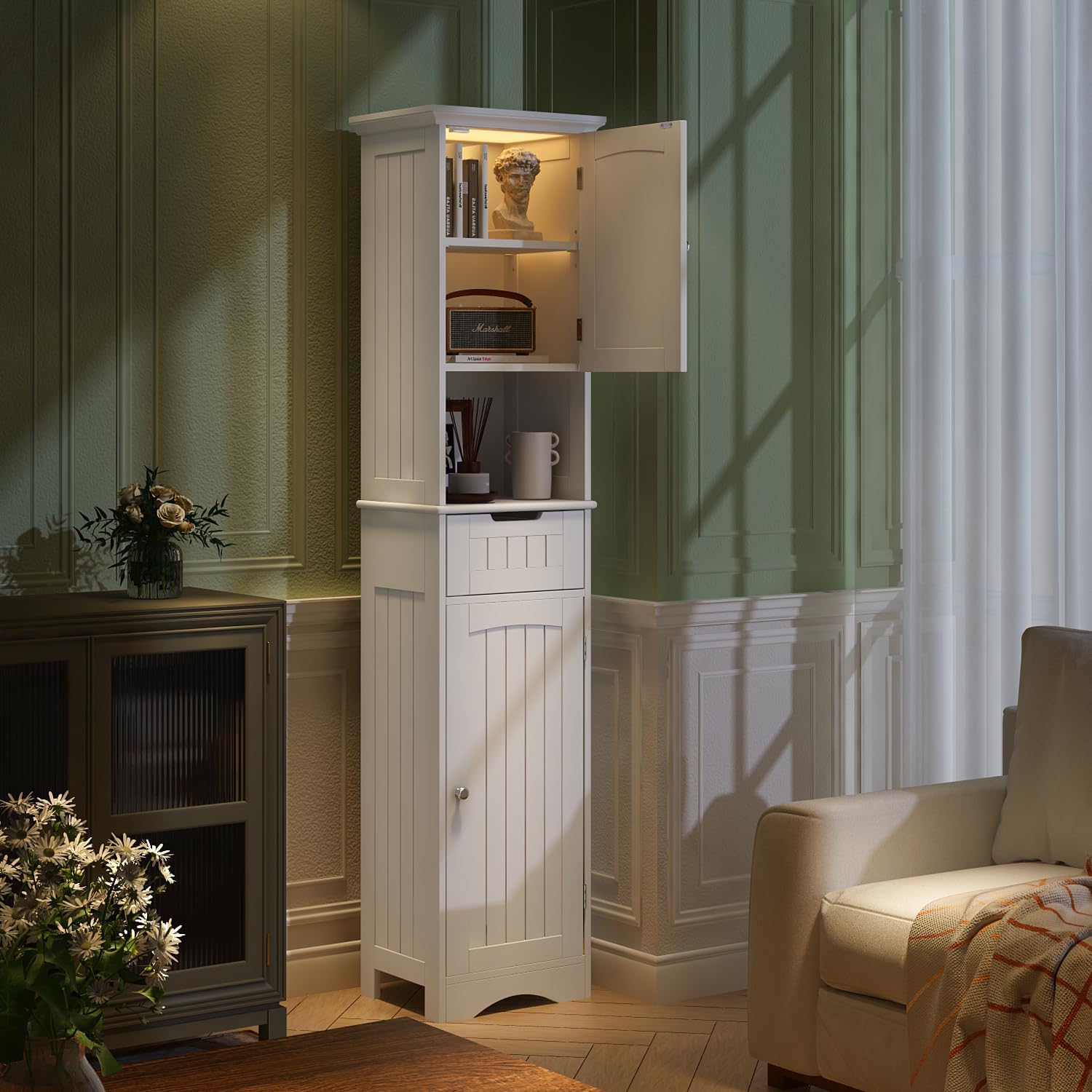
Image: The ChooChoo storage cabinet (Model SC2301-WH-LED) shown in a bathroom, highlighting its tall, narrow design and white finish. This image provides a visual reference for the product's appearance and scale.
Warranty and Support
For warranty information, please refer to the documentation included with your purchase or contact the retailer. If you require assistance with assembly, missing parts, or have any questions regarding your ChooChoo storage cabinet, please contact ChooChoo customer support through the retailer's platform or their official website.
Please have your model number (SC2301-WH-LED) and purchase date ready when contacting support.