
VERTU H1
VERTU H1 Smart Watch User Manual
Model: H1
Introduction
Welcome to the user manual for your new VERTU H1 Smart Watch. This guide provides detailed instructions on how to set up, operate, maintain, and troubleshoot your device. The VERTU H1 combines aerospace-grade carbon fiber and a sapphire crystal display with advanced smart features, including comprehensive health monitoring, extensive sports modes, and seamless Android compatibility. Please read this manual carefully to ensure optimal performance and longevity of your smartwatch.

Image: The VERTU H1 Smart Watch in white and gold, showcasing its elegant design and sapphire display.
What's in the Box
Upon opening your VERTU H1 Smart Watch package, please verify that all the following items are included:
- VERTU H1 Smart Watch (METAWATCH 1)
- Wireless charger
- User Manual (this document)
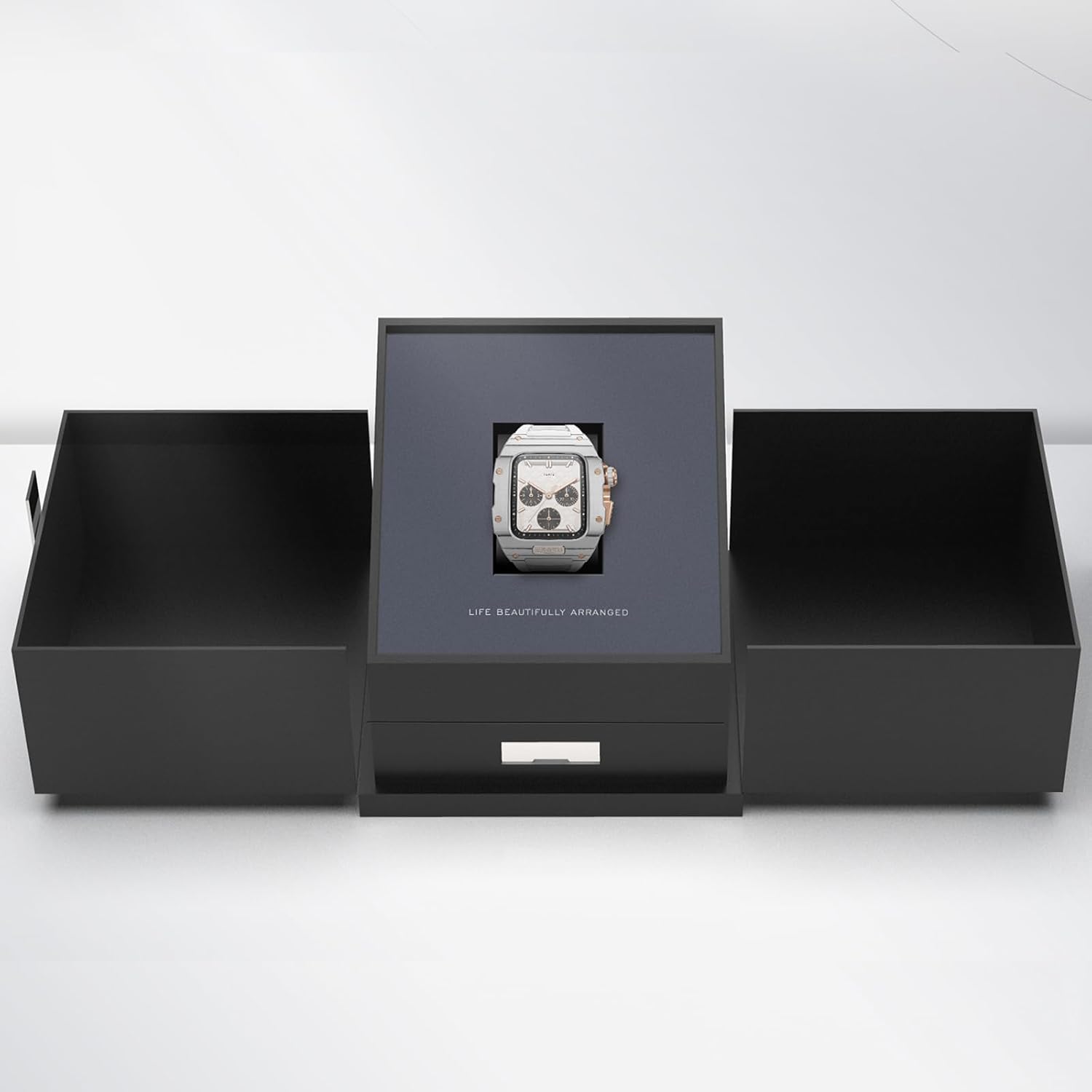
Image: The VERTU H1 Smart Watch presented within its elegant black packaging, indicating the unboxing experience.
Setup
1. Charging the Smart Watch
Before first use, fully charge your VERTU H1 Smart Watch. Place the watch on the provided wireless charger. The screen will indicate charging status. A full charge typically takes approximately 2 hours.
2. Powering On/Off
- Power On: Press and hold the side button until the VERTU logo appears.
- Power Off: Press and hold the side button, then select 'Power Off' on the screen.
3. App Installation and Pairing
To unlock the full functionality of your VERTU H1, you need to pair it with your Android smartphone via the dedicated app.
- Scan the QR code in the manual or on the watch screen (if available) to download the 'VERTU WATCH' application from the Google Play Store.
- Ensure Bluetooth is enabled on your smartphone.
- Open the 'VERTU WATCH' app and follow the on-screen instructions to create an account or log in.
- In the app, select 'Add Device' or 'Pair New Device'. The app will search for your VERTU H1.
- Select your watch from the list of discovered devices. Confirm the pairing request on both your watch and smartphone.

Image: An illustration showing the internal chip of the VERTU H1 Smart Watch and its connection to the companion mobile application, symbolizing the pairing process.
4. Initial Configuration
After successful pairing, the app will guide you through initial settings such as language selection, time format, and personal profile setup (e.g., age, height, weight for accurate health and fitness tracking).
Operating Instructions
Navigation
- Touchscreen: Swipe left/right, up/down to navigate through menus and notifications. Tap to select.
- Side Button: Press to return to the home screen or wake the device. Long press for power options.
- Digital Crown: Rotate to scroll through lists or zoom in/out. Press to select or return to the previous screen.
Making and Answering Calls
With the VERTU H1 connected to your smartphone, you can make and answer calls directly from your wrist.
- Answering Calls: When a call comes in, tap the green answer icon on the watch screen.
- Making Calls: Access the dialer or contacts list on your watch to initiate a call.
Notifications
Receive notifications from your paired smartphone directly on your watch. Swipe down from the top of the screen to view recent notifications.
Customization
Personalize your watch experience:
- Watch Faces: Long press the home screen to change watch faces. More options are available in the 'VERTU WATCH' app.
- Settings: Access the settings menu on the watch to adjust brightness, vibration, and other preferences.
OTA Updates
The VERTU H1 supports Over-The-Air (OTA) updates. Ensure your watch is connected to the app and has sufficient battery for seamless software upgrades, which enhance features and performance.
Health Monitoring Features
The VERTU H1 Smart Watch provides continuous, real-time monitoring of vital health metrics to help you stay informed about your well-being.
Heart Rate Monitoring
The watch continuously tracks your heart rate throughout the day. View your current heart rate and historical data in the 'Heart Rate' section on the watch or in the app.
Blood Oxygen (SpO2) Monitoring
Monitor your blood oxygen levels to assess your respiratory health. Access the 'Oximetry' function on your watch for on-demand measurements or view trends in the app.

Image: The VERTU H1 Smart Watch screen showing detailed health metrics, including oximetry (blood oxygen saturation) and heart rate data, with graphs illustrating trends.
Sleep Tracking
The watch automatically monitors your sleep patterns, including deep sleep, light sleep, and wake times. Review your sleep quality analysis in the 'Sleep' section of the app.

Image: The VERTU H1 Smart Watch displaying sleep tracking data, showing duration of deep sleep and overall sleep time.
Sedentary Reminder & Drinking Water Reminder
The watch can remind you to move after periods of inactivity and prompt you to drink water, promoting healthier habits throughout your day. Configure these reminders in the 'VERTU WATCH' app.
Fitness Tracking Features
The VERTU H1 is equipped with advanced features to support your fitness journey, offering comprehensive monitoring of your workout sessions.
100+ Sports Modes
Choose from over 100 built-in sports modes, including outdoor running, indoor running, outdoor walking, and many more. Select your activity to track specific metrics relevant to your workout.

Image: The VERTU H1 Smart Watch screen showing a list of available sports modes, including outdoor running, indoor running, and outdoor walking.
Activity Tracking
The watch automatically tracks your daily activities, including steps taken, distance covered, and calories burned. View your daily activity rings and progress in the 'Daily Activities' section on the watch or in the app.
Built-in GPS
For outdoor activities, the built-in GPS accurately records your route, distance, and pace, providing detailed insights into your performance without needing your phone.
Maintenance
Cleaning Your Smart Watch
Regular cleaning helps maintain the appearance and functionality of your watch.
- Wipe the screen and case with a soft, lint-free cloth. If necessary, dampen the cloth slightly with water.
- Clean the FKM strap with mild soap and water, then rinse thoroughly and dry.
- Avoid using harsh chemicals, abrasive materials, or compressed air, as these can damage the watch.
Water Resistance (IP68)
The VERTU H1 Smart Watch is IP68 waterproof, meaning it is protected against dust ingress and can withstand immersion in water up to 1.5 meters for 30 minutes. While suitable for daily wear and activities like swimming, it is not recommended for diving or high-pressure water activities. Avoid exposing the watch to hot water, steam, or corrosive liquids.
Battery Care
- Charge the watch regularly, avoiding complete discharge for extended periods.
- Store the watch in a cool, dry place when not in use.
- Use only the provided wireless charger.
Troubleshooting
If you encounter issues with your VERTU H1 Smart Watch, try the following solutions:
| Problem | Possible Solution |
|---|---|
| Watch won't power on | Ensure the watch is fully charged. Connect it to the wireless charger for at least 30 minutes. |
| Unable to pair with smartphone | Ensure Bluetooth is enabled on your phone. Restart both the watch and the phone. Clear Bluetooth cache on your phone. Try pairing again through the 'VERTU WATCH' app. |
| Inaccurate health/fitness data | Ensure the watch is worn snugly on your wrist, about one finger's width above the wrist bone. Clean the sensor on the back of the watch. Update your personal information in the app. |
| Short battery life | Reduce screen brightness. Turn off unnecessary notifications. Limit continuous heart rate monitoring if not needed. Ensure no background apps are draining power. |
| Watch is unresponsive | Perform a force restart by pressing and holding the side button for approximately 10-15 seconds until the watch restarts. |
If the issue persists, please refer to the support section or contact customer service.
Specifications
| Feature | Detail |
|---|---|
| Model Name | H1 (Internal: METAWATCH 1) |
| Brand | VERTU |
| Screen Size | 1.85 Inches (Sapphire Crystal Display) |
| Case Material | Aerospace-grade Carbon Fiber |
| Strap Material | Fluoroelastomer (FKM) |
| Operating System | Android-based |
| Connectivity | Bluetooth |
| Battery Capacity | 260 mAh |
| Water Resistance | IP68 |
| Special Features | Activity Tracker, Built-in GPS, Heart Rate/Blood Oxygen Detection, Phone Call, Sedentary Reminder, 100+ Sports Modes |
Warranty and Support
Warranty Information
Your VERTU H1 Smart Watch comes with a standard manufacturer's warranty. Please refer to the warranty card included in your product packaging for specific terms, conditions, and duration. Keep your proof of purchase for warranty claims.
Customer Support
For technical assistance, troubleshooting beyond this manual, or warranty inquiries, please contact VERTU customer support. Contact details can typically be found on the official VERTU website or on the product packaging.
Ask a question about this manual
Ask about setup, troubleshooting, compatibility, parts, safety, or missing instructions. Manuals+ will review the question and use this page’s manual context to help answer it.