
1. Safety Instructions
Please read and understand all safety warnings and instructions before operating this device. Failure to follow the warnings and instructions may result in electric shock, fire, and/or serious injury.
- General Safety: This pressure washer is constructed from high-quality materials. The entire device is waterproof and leak-proof.
- Overload and Overheat Protection: The unit features automatic protection against overload and overheating. It will automatically shut off if these conditions occur, minimizing safety risks.
- Battery Safety: Use only the specified charger for the provided batteries. Do not expose batteries to extreme temperatures or direct sunlight. Do not short-circuit battery terminals.
- Water Safety: Always ensure the water source is clean and free of debris to prevent damage to the pump. Do not direct the water jet at people, animals, or electrical equipment.
- Personal Protective Equipment: Always wear appropriate eye protection and protective clothing when operating the pressure washer.
2. Product Overview and Components
The GISAM Cordless Pressure Washer is a portable cleaning solution designed for various outdoor tasks. It features a powerful motor and versatile nozzles for efficient cleaning.

Figure 2.1: All included components of the GISAM Cordless Pressure Washer.
Included Components:
- 1 x Pressure Washer Unit
- 1 x 6-in-1 Multifunctional Nozzle
- 1 x 180° Rotating Nozzle
- 1 x Foam Pot (Sprayer)
- 1 x Copper Extension Rod
- 1 x Hose Connector
- 1 x Water Filter
- 1 x 5m Inlet Hose
- 2 x 4000 mAh Lithium-ion Batteries (21V)
- 1 x Battery Charger (Euro Plug)
- 1 x Carrying Bag
- 1 x User Manual
3. Setup
3.1 Charging the Batteries
Before first use, fully charge both 4000 mAh batteries. Connect the charger to a power outlet and then to the battery. The charging time is approximately 2-3 hours per battery. A fully charged battery provides 30-40 minutes of operation.

Figure 3.1: Battery specifications and charging information.
3.2 Attaching the Nozzle and Extension Rod
- Insert the desired nozzle (6-in-1 or rotating nozzle) onto the end of the extension rod. Align the card slot and rotate to fix it securely.
- Attach the extension rod assembly to the main pressure washer unit. Ensure it clicks into place firmly.

Figure 3.2: Nozzle and rotating head installation steps.
3.3 Connecting the Water Source
The pressure washer supports multiple water sources:
- Tap Water: Connect the 5m inlet hose directly to a tap.
- Bucket/Bottled Water: Attach the water filter to one end of the 5m inlet hose and submerge the filter into a bucket or container of water. The filter ensures a clean water supply, preventing debris from entering the pump.
Connect the other end of the 5m inlet hose to the pressure washer unit's water inlet. Ensure all connections are tight to prevent leaks.

Figure 3.3: Portable cleaning setup with water filter.
4. Operating Instructions
4.1 Powering On/Off
Insert a charged battery into the battery slot on the pressure washer. To start the unit, press and hold the trigger. Release the trigger to stop the unit.
4.2 Using the 6-in-1 Multifunctional Nozzle
The 6-in-1 nozzle allows you to select different spray patterns by rotating the nozzle head. The available patterns include:
- 0° Jet: A concentrated, high-impact stream for tough stains.
- 15° Fan: A narrow fan spray for intensive cleaning.
- 25° Fan: A medium fan spray for general cleaning.
- 40° Fan: A wide fan spray for gentle rinsing or larger areas.
- Water Column: A steady stream for watering plants or light rinsing.
- Showering Mode: A gentle, wide spray for delicate surfaces or watering.
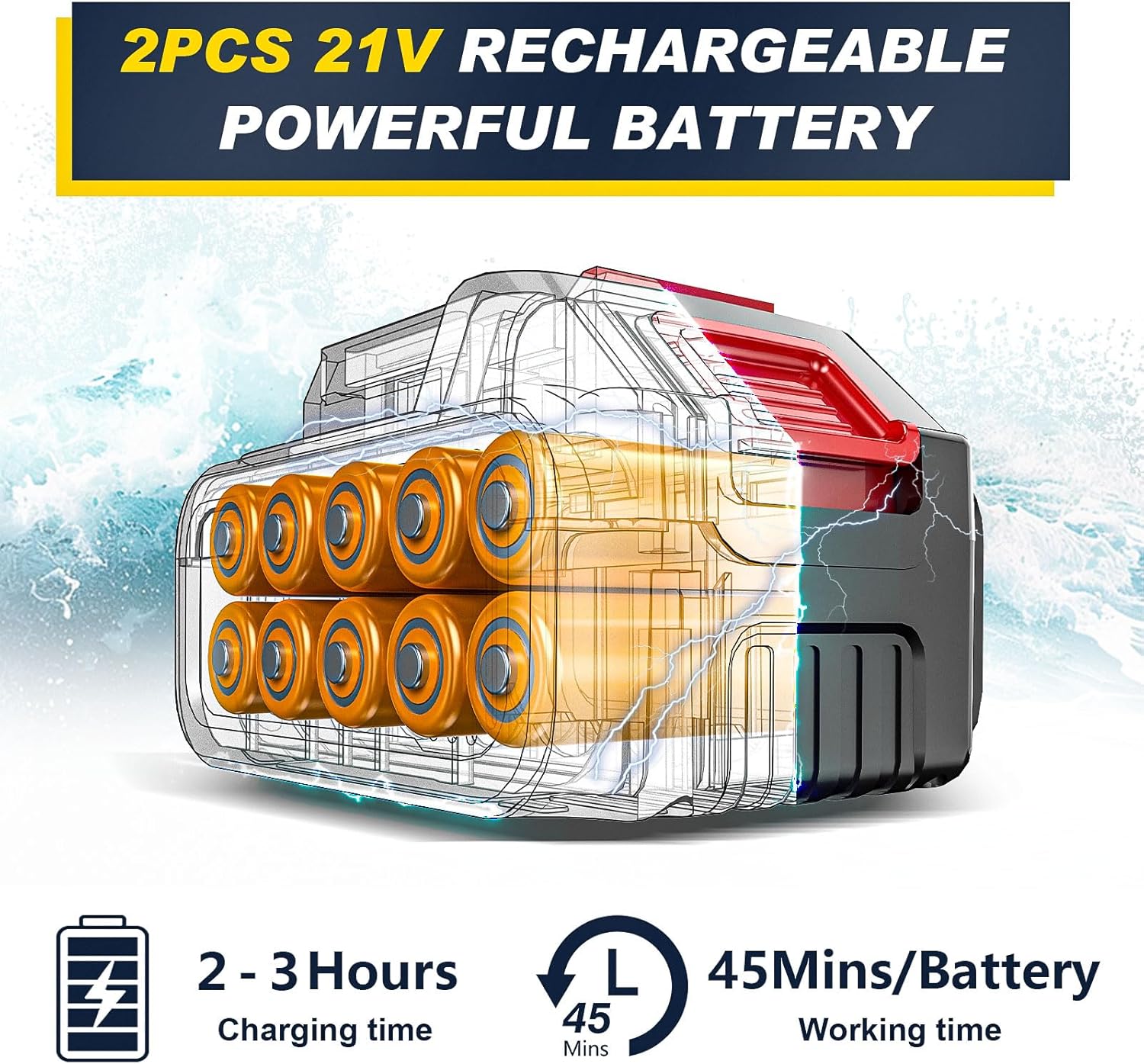
Figure 4.1: 6-in-1 Nozzle spray patterns.
4.3 Using the 180° Rotating Nozzle
The 180° rotating nozzle is designed for cleaning hard-to-reach areas and corners. Simply adjust the angle of the nozzle head to direct the spray as needed. This is particularly useful for cleaning under vehicles or high places.

Figure 4.2: 180° Rotating Nozzle for corner and high-place cleaning.
4.4 Using the Foam Pot
Fill the foam pot with your desired cleaning solution or car wash soap. Attach the foam pot to the pressure washer unit. The foam pot quickly generates rich foam, making it ideal for cleaning vehicles, windows, and other surfaces requiring soap application.
4.5 General Cleaning Applications
This pressure washer is suitable for a wide range of tasks, including:
- Washing cars, bicycles, and boats.
- Cleaning patios, decks, and driveways.
- Washing garden tools and outdoor furniture.
- Rinsing windows, walls, and fences.
- Watering plants (using the gentle spray modes).

Figure 4.3: Multiple cleaning scenarios.
5. Maintenance
5.1 Cleaning the Water Filter
Regularly inspect and clean the water filter to ensure optimal performance and prevent clogging. Remove the filter from the inlet hose and rinse it under running water to remove any accumulated debris. Reinstall the filter securely.
5.2 Battery Care
- Always store batteries in a cool, dry place away from direct sunlight.
- Do not store batteries completely discharged for extended periods. Charge them periodically if not in use.
- If the battery indicator shows low power, recharge the battery promptly to avoid deep discharge.
5.3 Storage
After each use, disconnect the hose and remove the battery. Drain any remaining water from the unit and hose. Store the pressure washer and all accessories in the provided carrying bag in a dry, protected area, away from extreme temperatures.
6. Troubleshooting
If you encounter issues with your GISAM Cordless Pressure Washer, refer to the following common problems and solutions:
| Problem | Possible Cause | Solution |
|---|---|---|
| Unit does not start | Battery not charged or improperly inserted. | Ensure battery is fully charged and correctly inserted. |
| Low water pressure | Water filter clogged; insufficient water supply; air in the system. | Clean the water filter. Ensure the water source is adequate. Prime the pump by running water through it without the nozzle for a few seconds. |
| Water leakage | Loose connections; damaged O-rings. | Check all hose and nozzle connections for tightness. Inspect O-rings for wear and replace if necessary. |
| Unit stops unexpectedly | Overheat or overload protection activated; battery depleted. | Allow the unit to cool down. Recharge or replace the battery. |
If the problem persists after attempting these solutions, please contact customer support.
7. Specifications
| Feature | Specification |
|---|---|
| Model Number | LD-MN01-21V3820 |
| Manufacturer | GISAM |
| Power Source | Battery Powered (21V) |
| Motor Power | 300W |
| Motor Speed | 24,000 rpm |
| Maximum Pressure | 60 Bar |
| Battery Type | Lithium-ion |
| Battery Capacity | 2 x 4000 mAh |
| Charging Time | 2-3 hours |
| Operating Time (per battery) | 30-40 minutes |
| Hose Length | 5 Meters |
| Wand Length | 100 Centimeters |
| Item Weight | 3 Kilograms |
| Product Dimensions (L x W x H) | 10 x 10 x 10 cm |
| Color | Yellow |
| Compliant Specification | CE |
8. Warranty and Support
Specific warranty information for the GISAM Cordless Pressure Washer LD-MN01-21V3820 is not provided in this manual. Please refer to the product packaging or contact your retailer for warranty details.
For technical support, replacement parts, or further assistance, please contact GISAM customer service through their official website or the contact information provided with your purchase.