
Introduction
This manual provides detailed instructions for the setup, operation, and maintenance of your taopodo T60-SBPE Smartwatch. Please read this manual thoroughly before using the device to ensure proper function and longevity.
Package Contents
Verify that all items are present in the package:
- taopodo T60-SBPE Smartwatch
- Charging Cable
- User Manual (this document)
Setup
1. Charging the Smartwatch
Before initial use, fully charge the smartwatch. Connect the charging cable to the charging port on the back of the watch and to a USB power source. The watch display will indicate charging status.
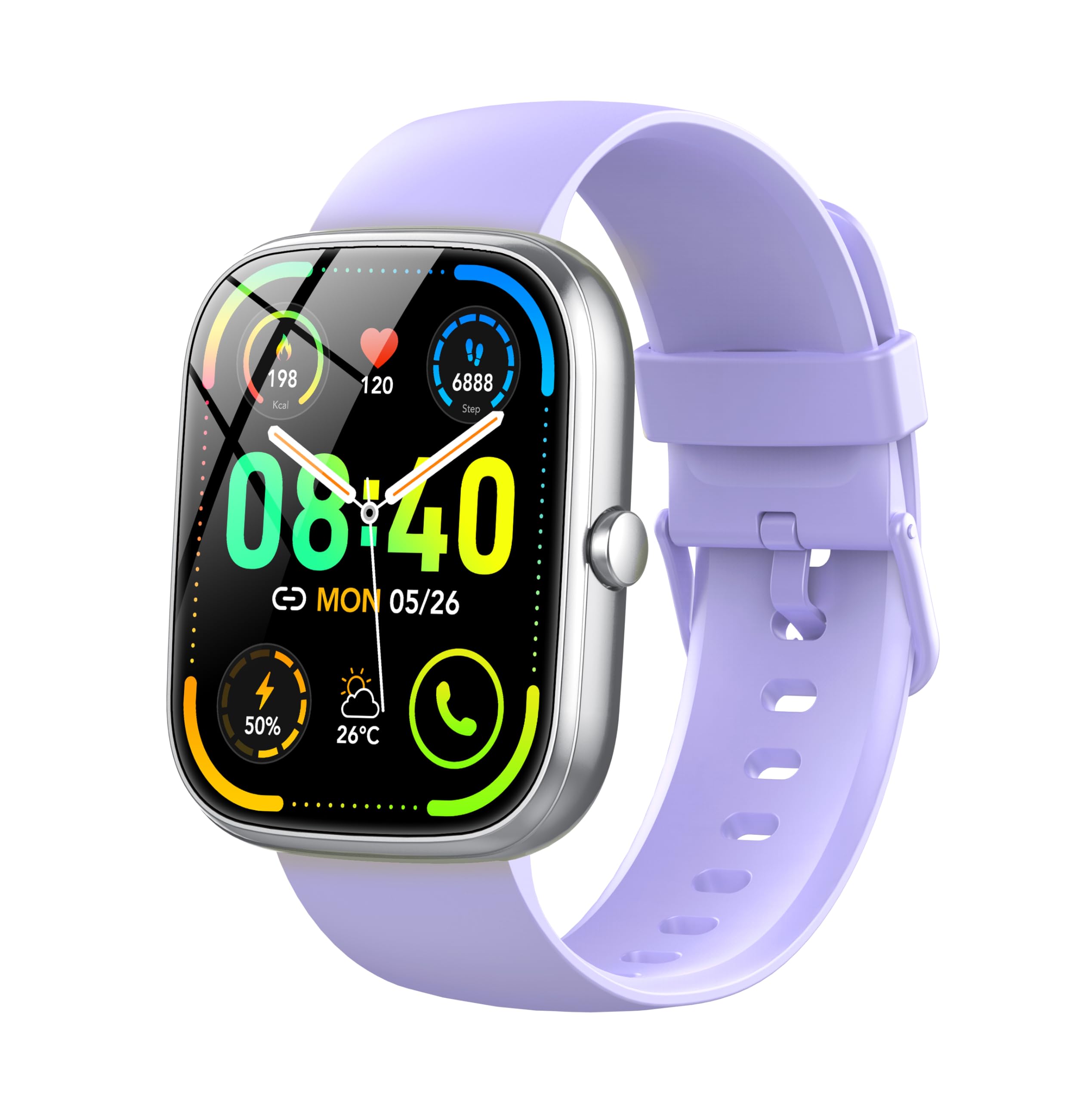
Image: The taopodo T60-SBPE Smartwatch. Ensure the charging cable's magnetic pins align correctly with the watch's charging contacts.
2. App Installation and Pairing
To unlock full functionality, download the official companion app on your smartphone. Search for the app in your device's app store (Android or iOS). Follow the in-app instructions to pair your smartwatch via Bluetooth.
- Scan the QR code in the watch manual or on the watch screen to download the app.
- Open the app and create an account or log in.
- Enable Bluetooth on your smartphone.
- In the app, select "Add Device" and choose your taopodo T60-SBPE from the list of available devices.
- Confirm the pairing request on both your phone and smartwatch.
Operating Instructions
Basic Navigation
- Power On/Off: Press and hold the side button for 3 seconds.
- Wake Screen: Raise your wrist or press the side button.
- Swipe Up: Access notifications.
- Swipe Down: Access quick settings (e.g., brightness, DND).
- Swipe Left/Right: Navigate through widgets (e.g., heart rate, activity, weather).
- Tap: Select an item or open an application.
- Side Button: Return to the home screen or open the app menu.
Making and Receiving Calls
The smartwatch supports Bluetooth calling. Ensure your watch is connected to your smartphone via Bluetooth.
- To Make a Call: Access the dial pad or contacts list on your watch. Select a contact or dial a number directly.
- To Receive a Call: When a call comes in, the watch will display the caller ID. Tap the green icon to answer or the red icon to reject.
Health Monitoring
- Heart Rate Monitor: Access the heart rate application on the watch. Ensure the watch is snug on your wrist for accurate readings.
- Sleep Monitor: Wear the watch to bed. It will automatically track your sleep patterns. View detailed data in the companion app.
- Step Counter: The watch automatically tracks your daily steps, distance, and calories burned.
Sports Modes
The watch offers over 110 sports modes. Select the desired activity from the sports menu to track your workout data.
- Open the "Sports" app on your watch.
- Scroll through the list and tap on your chosen activity (e.g., running, cycling, swimming).
- Tap "Start" to begin tracking.
- Tap "Pause" or "End" to stop the activity.
Maintenance
Cleaning
- Wipe the watch screen and body with a soft, lint-free cloth.
- For stubborn dirt, slightly dampen the cloth with water. Avoid using harsh chemicals or abrasive materials.
- Clean the charging contacts regularly to ensure efficient charging.
Water Resistance (IP68)
The taopodo T60-SBPE Smartwatch is IP68 rated, meaning it is resistant to dust and can withstand immersion in water up to 1.5 meters for up to 30 minutes. It is suitable for daily use, hand washing, and light rain. However, it is not recommended for hot showers, saunas, or diving, as steam and high water pressure can compromise the seal.
Battery Care
- Avoid fully discharging the battery frequently.
- Charge the watch regularly, even if not in use, to maintain battery health.
- Store the watch in a cool, dry place when not in use for extended periods.
Troubleshooting
| Problem | Solution |
|---|---|
| Watch does not power on. | Ensure the watch is fully charged. Connect it to the charger for at least 30 minutes. |
| Cannot pair with smartphone. |
|
| Inaccurate heart rate/step count. |
|
| Notifications not received. |
|
Specifications
| Feature | Detail |
|---|---|
| Model Name | T60-SBPE |
| Brand | taopodo |
| Screen Size | 1.91 inches |
| Connectivity Technology | Bluetooth |
| Wireless Communication Standard | Bluetooth |
| Special Features | Heart Rate Monitor, Sleep Monitor, Step Counter, Call Answering/Dialing, 110+ Sports Modes |
| Compatible Devices | Smartphone (Android, iOS) |
| Battery Composition | Lithium-ion |
| Water Resistance Level | IP68 |
| Memory Storage Capacity | 1 GB |
Warranty and Support
For warranty information and technical support, please refer to the official taopodo website or contact their customer service. Keep your purchase receipt as proof of purchase.
Contact Information: Please visit the manufacturer's official website for the most up-to-date support contact details.


