
1. Product Overview
The A2C Alloy Magnetic Golf Cart Phone Holder is designed to securely mount your smartphone to a golf cart, providing easy access to navigation, scoring apps, or communication. Constructed from durable aluminum alloy, this holder offers stability and convenience during your golf rounds.
- Robust All-Metal Body: Crafted from premium aluminum alloy for superior durability and strength, ensuring stability and lasting performance.
- Magnetic Attachment: Designed for quick and easy attachment to metal surfaces on golf carts, requiring no complex installation.
- One-Hand Operation: Features 20 heavy-duty N55 magnets precisely aligned for MagSafe compatibility (iPhone 12-17 series), allowing effortless phone attachment and removal.
- Compact and Portable: Low-profile design with carbon fiber accents and orange trim, supplied with a cotton travel pouch for easy transport and storage.
- Wide Compatibility: Directly compatible with MagSafe-enabled iPhones and MagSafe cases. Also works with non-magnetic phones and standard cases using the included metal ring.
2. Package Contents
Please ensure all items are present in the package:
- A2C Alloy Magnetic Golf Cart Phone Holder
- Metal Ring (for non-MagSafe compatible phones/cases)
- Cotton Travel Pouch
3. Setup and Installation
Follow these steps to install your A2C Magnetic Golf Cart Phone Holder:
- Identify Mounting Location: Choose a suitable metal surface on your golf cart, such as a frame pillar or dashboard area, where the holder can securely attach and your phone will be easily visible without obstructing your view or controls.
- Attach the Holder: Place the magnetic base of the A2C phone holder directly onto the chosen metal surface. The strong magnets will secure it in place. No tools or adhesives are required for this step.
- Prepare Your Phone:
- For MagSafe Compatible Phones/Cases: Simply align your iPhone (12-17 series) or MagSafe-compatible case with the magnetic surface of the holder. The magnets will snap it into place.
- For Non-MagSafe Phones/Cases: Attach the provided metal ring to the back of your phone or phone case. Ensure the ring is centered for optimal magnetic connection. Once the ring is attached, you can then magnetically connect your phone to the holder.
- Adjust Position: The holder features a flexible joint allowing 360-degree rotation. Adjust the angle and orientation of your phone for optimal viewing.

Image: Quick magnetic installation compared to traditional methods.

Image: Demonstrating the 'Snap On and Go' magnetic attachment.

Image: Compatibility with MagSafe and non-MagSafe devices.
Installation Video Guide
Video: Demonstrates the ease of installation and stability of the A2C Magnetic Golf Cart Phone Holder on various surfaces and during movement.
4. Operating Instructions
Once installed, the A2C phone holder provides a stable platform for your smartphone:
- Secure Phone Placement: Ensure your phone is firmly attached to the magnetic surface before moving the golf cart. The strong N55 magnets are designed to hold your device securely even on bumpy terrain.
- Adjust Viewing Angle: The holder allows for 360-degree rotation, enabling you to switch between portrait and landscape modes or adjust the tilt for optimal visibility.
- Full Access: The cradle-free design ensures that your phone's camera, buttons, and charging port remain unobstructed, allowing full functionality while mounted.

Image: The holder offers 360-degree adjustability for optimal viewing.

Image: Full access to phone features, including the camera, while mounted.

Image: Various applications of the phone holder on a golf cart.
5. Maintenance
To ensure the longevity and optimal performance of your A2C phone holder, follow these maintenance guidelines:
- Cleaning: Wipe the holder with a soft, damp cloth to remove dust and debris. Avoid using harsh chemicals or abrasive materials that could damage the finish.
- Storage: When not in use, store the holder in its provided cotton travel pouch to protect it from scratches and impacts.
- Inspection: Periodically check the magnetic surfaces for any signs of wear or damage. Ensure the swivel joint operates smoothly.
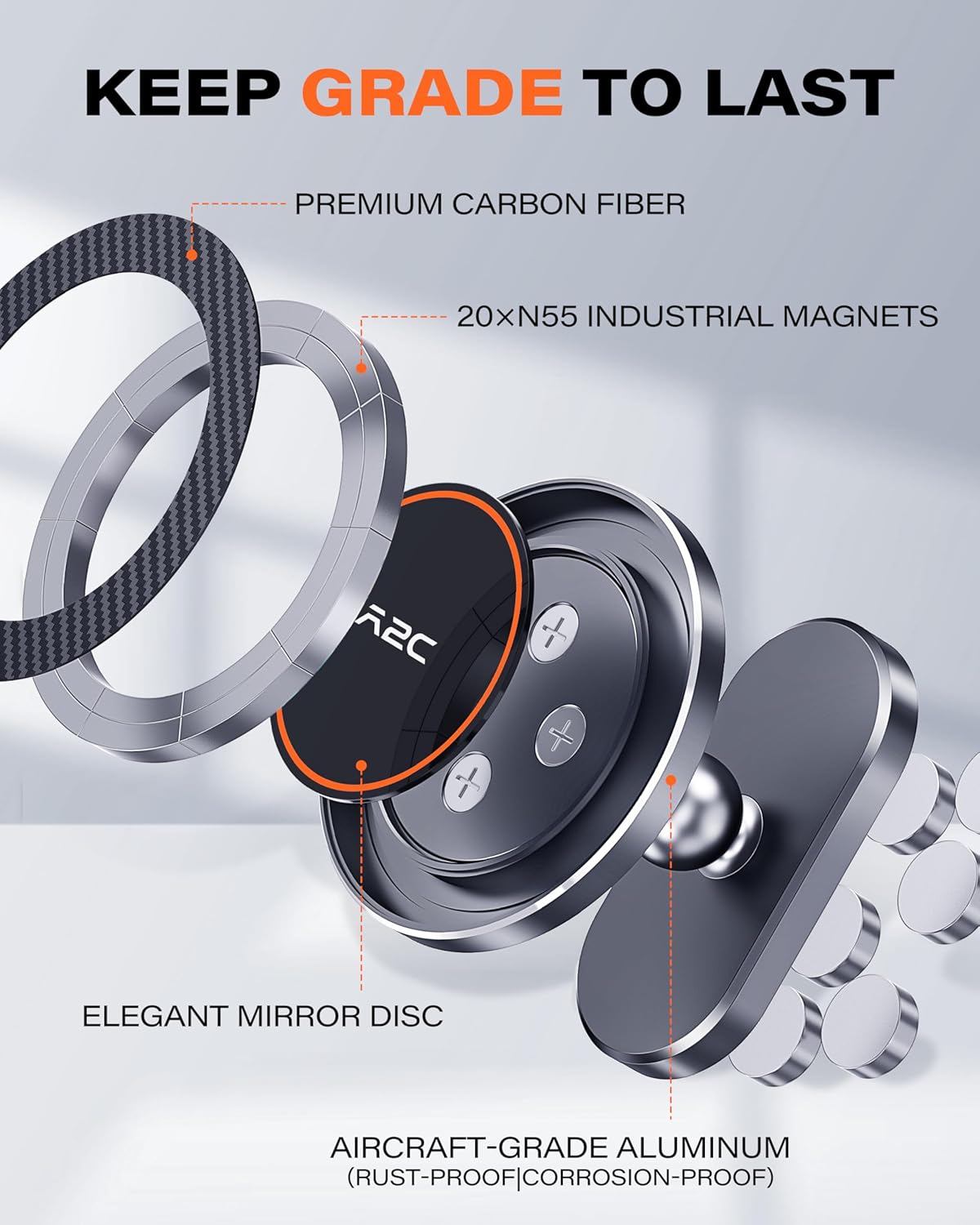
Image: Internal components highlighting durable materials.
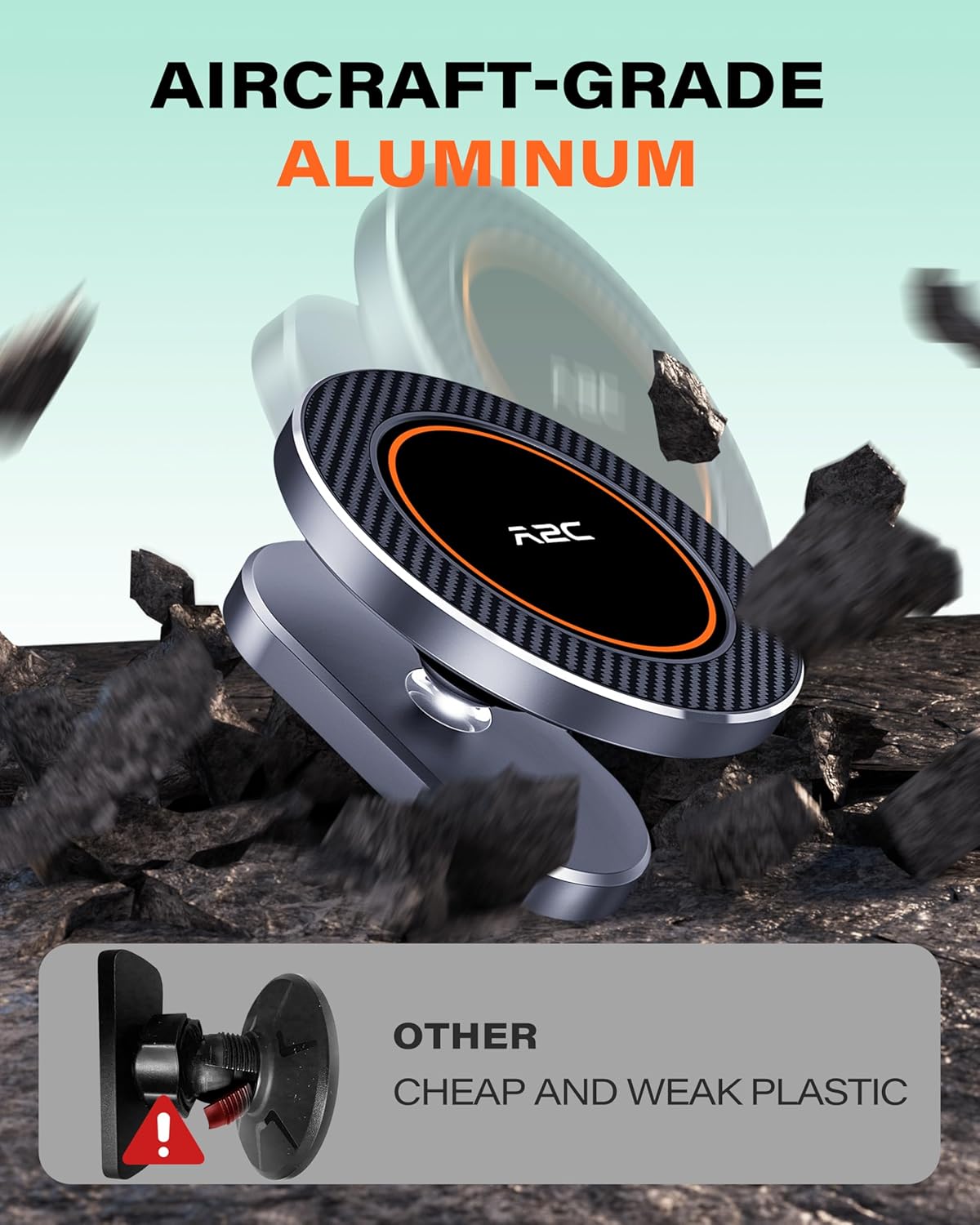
Image: Aircraft-grade aluminum construction for enhanced durability.
6. Troubleshooting
If you encounter issues with your A2C phone holder, consider the following:
- Phone Not Sticking Securely:
- Ensure your phone or case is MagSafe compatible.
- If using the metal ring, verify it is properly attached and centered on your phone or case.
- Check for any debris or obstructions between the phone and the holder's magnetic surface.
- Holder Not Attaching to Golf Cart:
- Confirm the mounting surface on the golf cart is made of a ferrous metal (magnetic material). The holder will not attach to aluminum frames or non-magnetic surfaces.
- Clean the mounting surface and the holder's magnetic base to ensure a strong connection.
- Phone Wobbles or Rotates Unintentionally:
- Ensure the phone is centered on the magnetic surface for balanced attachment.
- Check if the swivel joint is tightened sufficiently.
7. Specifications
| Feature | Detail |
|---|---|
| Product Dimensions | 5.84 x 5.84 x 2.79 cm |
| Item Weight | 130 g (0.13 Kilograms) |
| Brand | A2C |
| Model Number | WT-EU-M40S |
| Material | Aluminum |
| Mounting Type | Strong Magnetic Mount |
| Compatible Devices | Smartphones (iPhone 12-17 series, MagSafe cases, other phones with metal ring) |
| Compatible Vehicle Type | EZGO, Club Car, Yamaha, Icon, STAR EV, Cushman, Marshell, Evolution, HDK and more Golf Carts (without aluminum frames) |
| Features | Adjustable, Lightweight, One-Hand Operation, Rotatable, Rust Resistant |
| Water Resistance Level | Not Water Resistant |
| Country of Origin | China |
8. Warranty and Support
The A2C Alloy Magnetic Golf Cart Phone Holder comes with a 2-Year Warranty from the date of purchase, covering manufacturing defects.
For warranty claims, technical support, or any inquiries, please contact the manufacturer:
Manufacturer: DONGGUAN JINCHI ELECTRONIC TECHNOLOGY CO., LTD
Address: China 523000
Please retain your proof of purchase for warranty validation.