
1. Product Overview
The Daconovo PU5064 Foldable LED Light Tent is a portable and versatile photo studio designed for high-quality small product photography. It features powerful LED lighting with adjustable brightness and color temperature, multiple shooting angles, and a variety of background colors to suit diverse photographic needs. Its compact, foldable design ensures easy setup, portability, and storage.
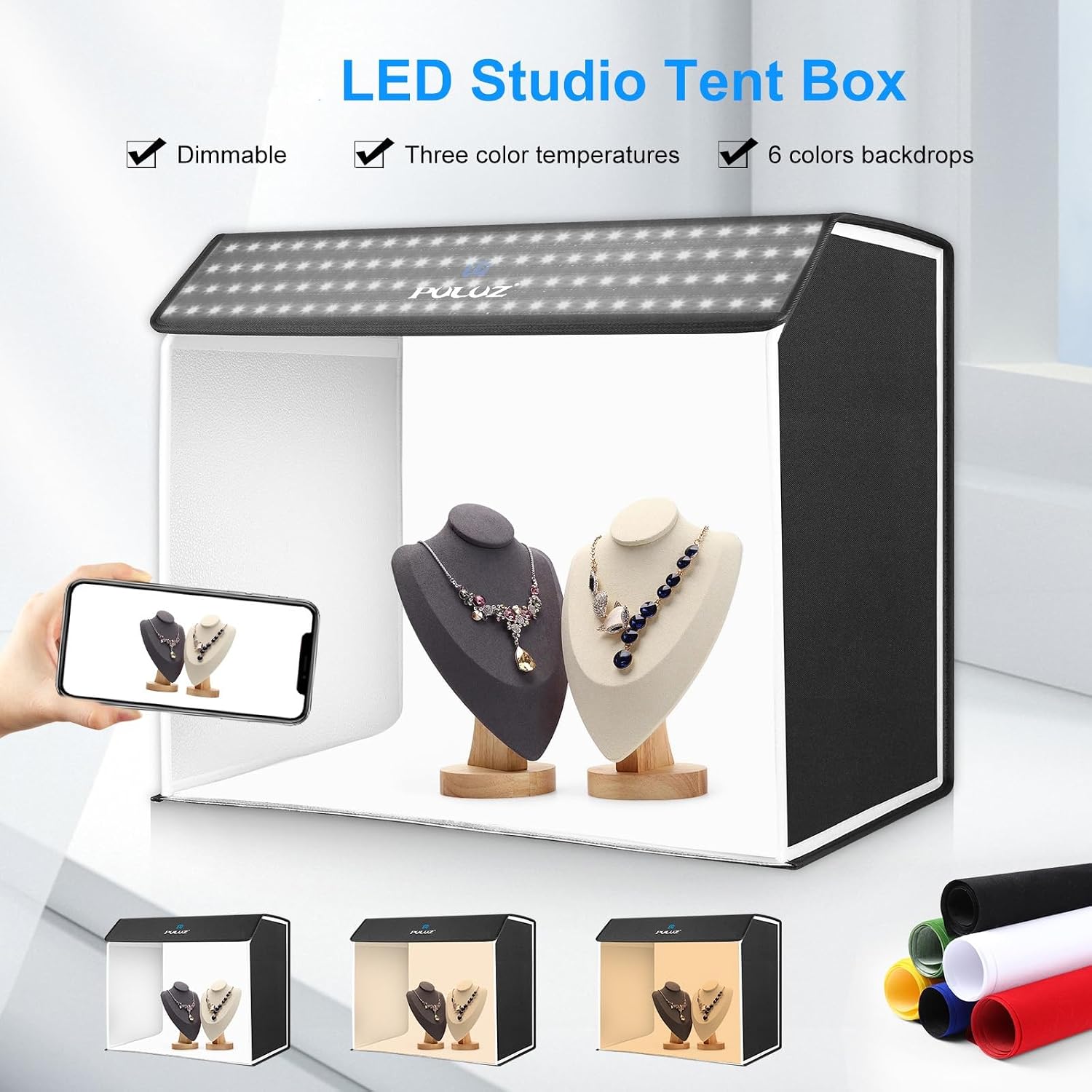
Figure 1.1: Daconovo PU5064 LED Studio Tent Box highlighting dimmable, three color temperatures, and 6 colors backdrops.
2. Package Contents
Please check the package to ensure all items are present and in good condition:
- 1 x LED Light Box
- 1 x Front Baffle
- 1 x Soft Cloth (Diffuser)
- 6 x Color Backgrounds (White, Black, Green, Yellow, Red, Blue)
- 1 x Power Adapter with Controller
- 1 x Tote Bag
3. Setup Instructions
- Unfold the Light Box: Carefully unfold the light tent from its collapsed state. The magnetic clasps will help it form its rectangular shape.
- Connect Power: Plug the DC18V 4A power adapter into the light box's power input port. Then, connect the power adapter to a suitable electrical outlet.
- Install Background: Choose one of the 6 color backgrounds. Insert it into the light box, securing it with the built-in clips or slots to create a seamless backdrop for your product.
- Optional Diffuser Installation: For highly reflective products or to achieve softer lighting, attach the included soft cloth (diffuser) inside the light box. This helps to evenly distribute light and reduce harsh reflections.

Figure 3.1: Illustration of the soft cloth diffuser effect for reflective products.
4. Operating Instructions
- Power On/Off: Use the ON/OFF button on the inline controller attached to the power cable to turn the light box on or off.
- Adjust Brightness: The light box features 672 high-quality LED beads. Use the 'Brightness+' and 'Brightness-' buttons on the controller to adjust the light intensity from 1% to 100% across 10 levels.
- Change Color Temperature: Press the 'Mode Setting' button on the controller to cycle through the three available color temperature modes: 3000K (warm light), 4500K (neutral light), and 6500K (cool white light).
- Select Shooting Angle: The light box offers flexible shooting options. Utilize the front shooting window for standard shots or the top shooting window for overhead shots. The front baffle can be used or removed as needed for creative projects.
- Utilize Backgrounds: Experiment with the 6 different color backgrounds (White, Black, Green, Yellow, Red, Blue) to achieve various photographic effects and complement your product.

Figure 4.1: Light modes and brightness control via the inline controller.
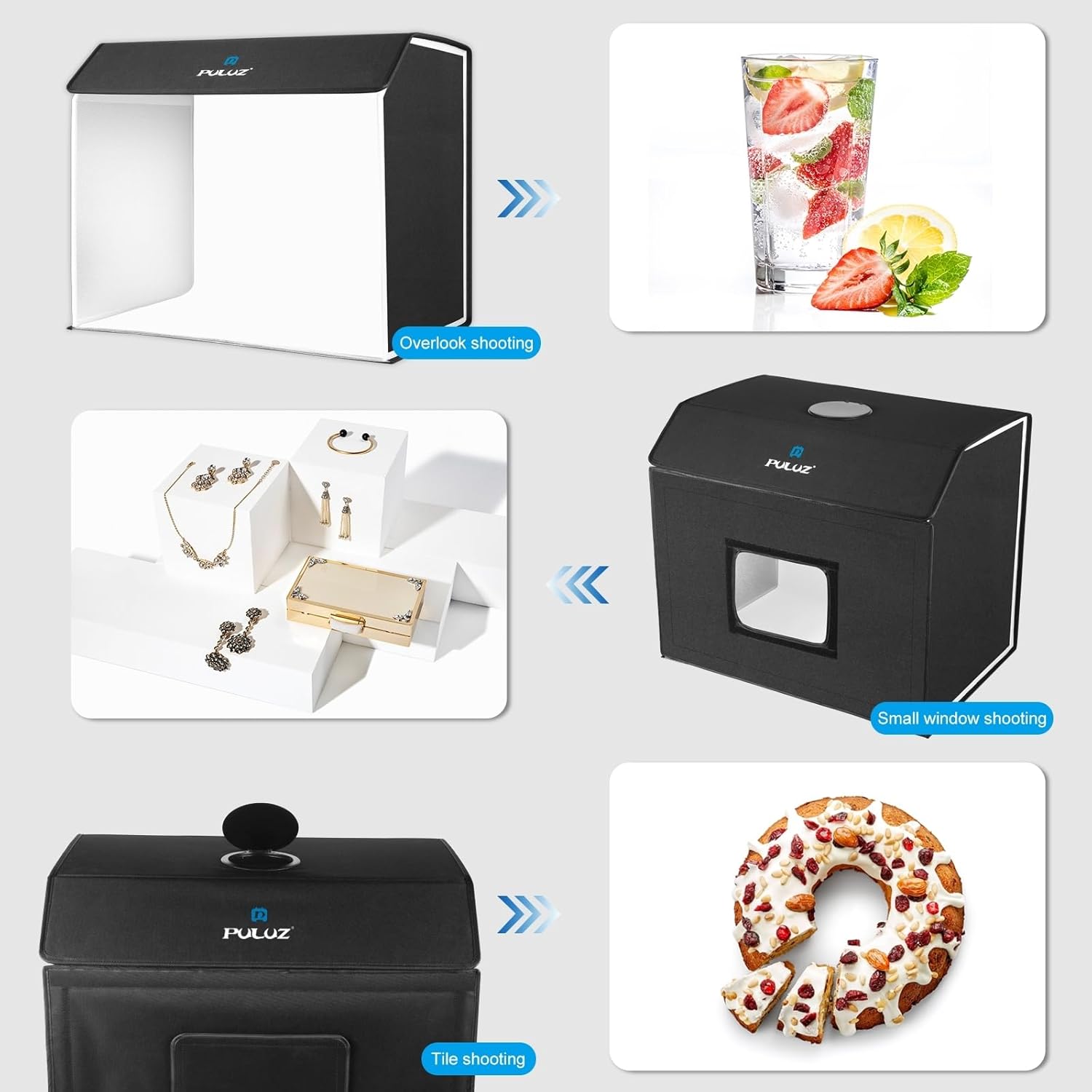
Figure 4.2: Examples of flexible shooting angles using the light box.
5. Maintenance
- Cleaning: Use a soft, dry cloth to wipe down the exterior of the light box. For the interior, gently wipe with a slightly damp cloth if necessary, ensuring it is completely dry before folding or storing.
- Storage: When not in use, fold the light box back into its compact form and store it in the provided tote bag to protect it from dust and damage. Store in a cool, dry place.
- Handling: Avoid placing heavy objects on the light box. Do not expose it to extreme temperatures or direct sunlight for prolonged periods.
6. Troubleshooting
- Lights not turning on:
- Ensure the power adapter is securely plugged into both the light box and the wall outlet.
- Check if the wall outlet is functioning correctly by plugging in another device.
- Verify that the ON/OFF button on the inline controller is pressed.
- Lights flickering or dim:
- Ensure the power adapter is providing stable power.
- Check for any loose connections.
- Adjust brightness levels using the controller.
- Uneven lighting:
- Ensure the product is centered within the light box.
- Consider using the included soft cloth (diffuser) to soften and evenly spread the light.
7. Specifications
| Feature | Specification |
|---|---|
| Model | PU5064 |
| LED Beads | 672 pcs |
| Color Temperature | 3000K-6500K (Adjustable) |
| Brightness Levels | 10 levels (1% to 100% dimmable) |
| Power Output | 72W |
| Power Input | AC 100-240V |
| Power Output (Adapter) | DC18V 4A |
| Product Dimensions (Expanded) | 62.5 x 40 x 52.5 cm / 24.6 x 15.7 x 20.6 inches |
| Backgrounds Included | 6 Colors (White, Black, Green, Yellow, Red, Blue) |

Figure 7.1: Product dimensions of the Daconovo PU5064 light tent.
8. Warranty and Support
This product comes with a standard manufacturer's warranty. For specific warranty details, please refer to the documentation provided with your purchase or contact the seller directly. If you encounter any issues or require technical assistance, please reach out to Daconovo customer support through their official website or the retailer where you purchased the product.
For further assistance, please visit the product page or contact the seller Woyelee.