
Introduction
This manual provides detailed instructions for the proper use and maintenance of your WARMTUYO 4K Night Vision Binoculars with Camera, Model J50. Please read this manual thoroughly before operating the device to ensure optimal performance and longevity.
What's in the Box
- 1 x WARMTUYO 4K Night Vision Binoculars (Model J50)
- 1 x Neck Strap
- 1 x 32GB SD Card
- 1 x USB Type-C Data Cable
- 1 x User Manual

Image: The WARMTUYO 4K Night Vision Binoculars (Model J50) displayed with its accessories, including a neck strap, 32GB SD card, and USB-C charging cable.
Product Overview
The WARMTUYO J50 Night Vision Binoculars are designed for enhanced viewing in low-light and complete darkness. Key features include:
- 4K Video Recording & 36MP Photo Capture: High-resolution imaging capabilities.
- 3.5" HD TFT Display: Large screen for comfortable viewing.
- 9-Level 850NM IR Illuminator: Adjustable infrared for various night conditions, effective up to 300 meters.
- 10X Digital Zoom: Magnify distant objects.
- 4000mAh Rechargeable Battery: Extended operating time (up to 12 hours daytime, 4-10 hours with IR).
- Included 32GB TF Card: Ready for immediate recording.
- Tripod Mountable: For stable, long-duration observation.
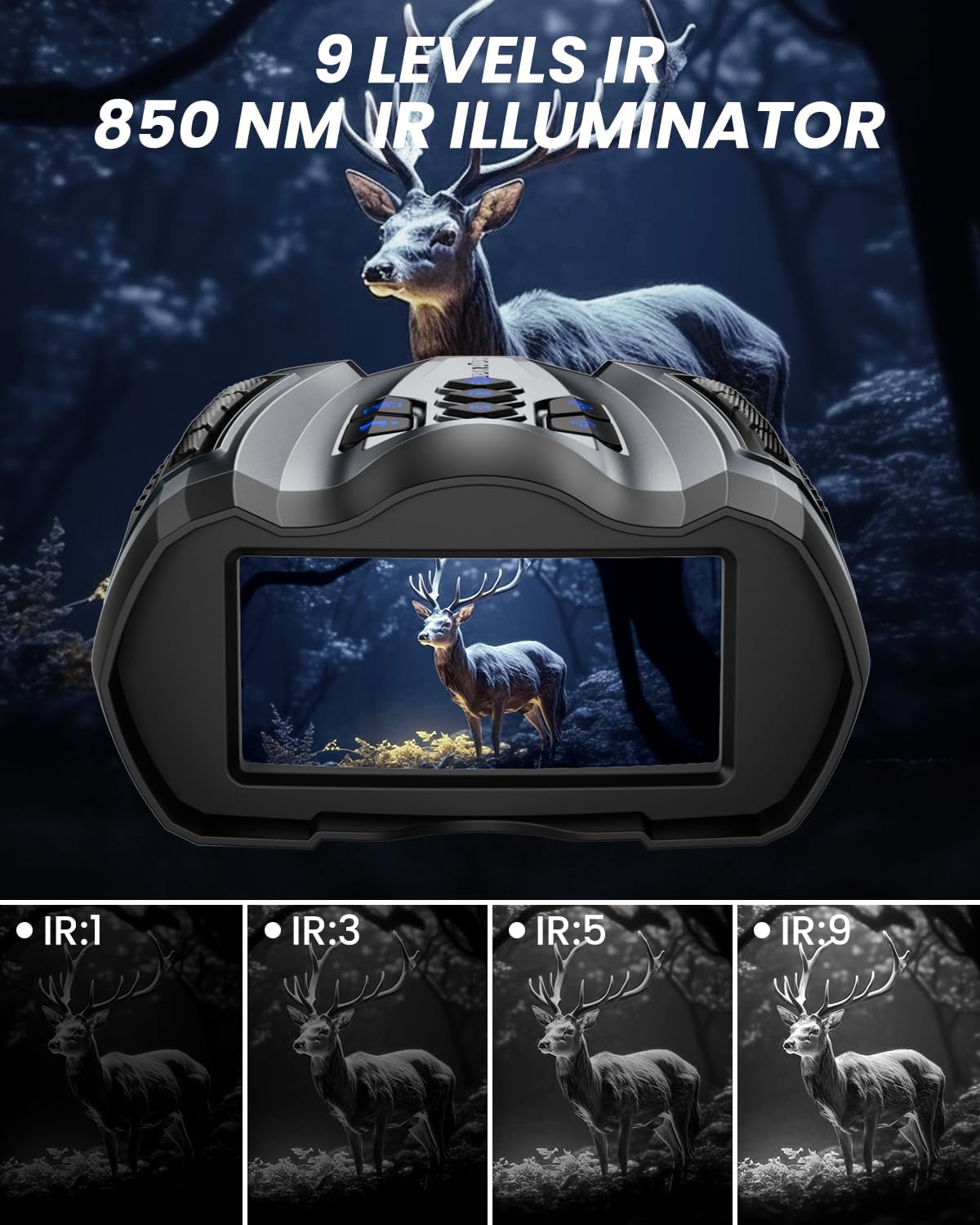
Image: A detailed view of the WARMTUYO J50 binoculars, highlighting the 3.5-inch HD display and the intuitive button layout for easy operation.
Setup
- Charging the Battery:
Connect the provided USB Type-C cable to the device's charging port (located under the silicone cover on the bottom) and to a compatible USB power adapter. The 4000mAh built-in battery provides up to 12 hours of daytime use or 4-10 hours with IR mode activated.
- Inserting the SD Card:
Locate the SD card slot next to the charging port. Insert the included 32GB TF card until it clicks into place. Ensure the card is inserted correctly to avoid damage.
- Powering On/Off:
Locate the master ON/OFF switch on the bottom of the device. Slide it to the 'ON' position. Then, press and hold the power button on the top panel to turn the device on. To power off, press and hold the power button again.
- Attaching the Neck Strap:
Thread the neck strap through the designated loops on the device for secure carrying. This is recommended for hands-free operation and to prevent accidental drops.

Image: The underside of the binoculars, illustrating the location of the Type-C charging port, memory card slot, and the main power switch, all covered by a protective flap.
Operating Instructions
1. Basic Operation
- Power Button: Press and hold to turn the device ON/OFF.
- Mode Button: Cycle through Photo, Video, and Playback modes.
- OK Button: Confirm selections in the menu or capture photos/start/stop video recording.
2. Adjusting Infrared (IR) Brightness
The device features a 9-level 850NM IR illuminator. Use the IR+ and IR- buttons to adjust the infrared brightness level. Higher levels provide clearer vision in darker conditions, up to 300 meters.

Image: Visual representation of the 9-level infrared brightness adjustment, demonstrating how increasing the IR level enhances visibility in dark environments.
Video: An official WARMTUYO product video demonstrating the 9-level infrared adjustment feature, showing how different IR levels impact visibility in low-light conditions.
3. Digital Zoom & Manual Focus
The binoculars feature 10X digital zoom. Use the Zoom In and Zoom Out buttons (often integrated with IR buttons, long-press to activate zoom) to adjust magnification. For sharp images, rotate the manual focus wheel located on the bottom of the device until the image is clear.

Image: This image demonstrates the 10X digital zoom and manual focus capabilities of the binoculars, showing how to adjust for a clear view of distant objects.
4. Photo and Video Capture
In Photo mode, press the OK button to take a 36MP picture. In Video mode, press the OK button to start recording 4K video with audio; press again to stop. All media is saved to the inserted 32GB TF card.
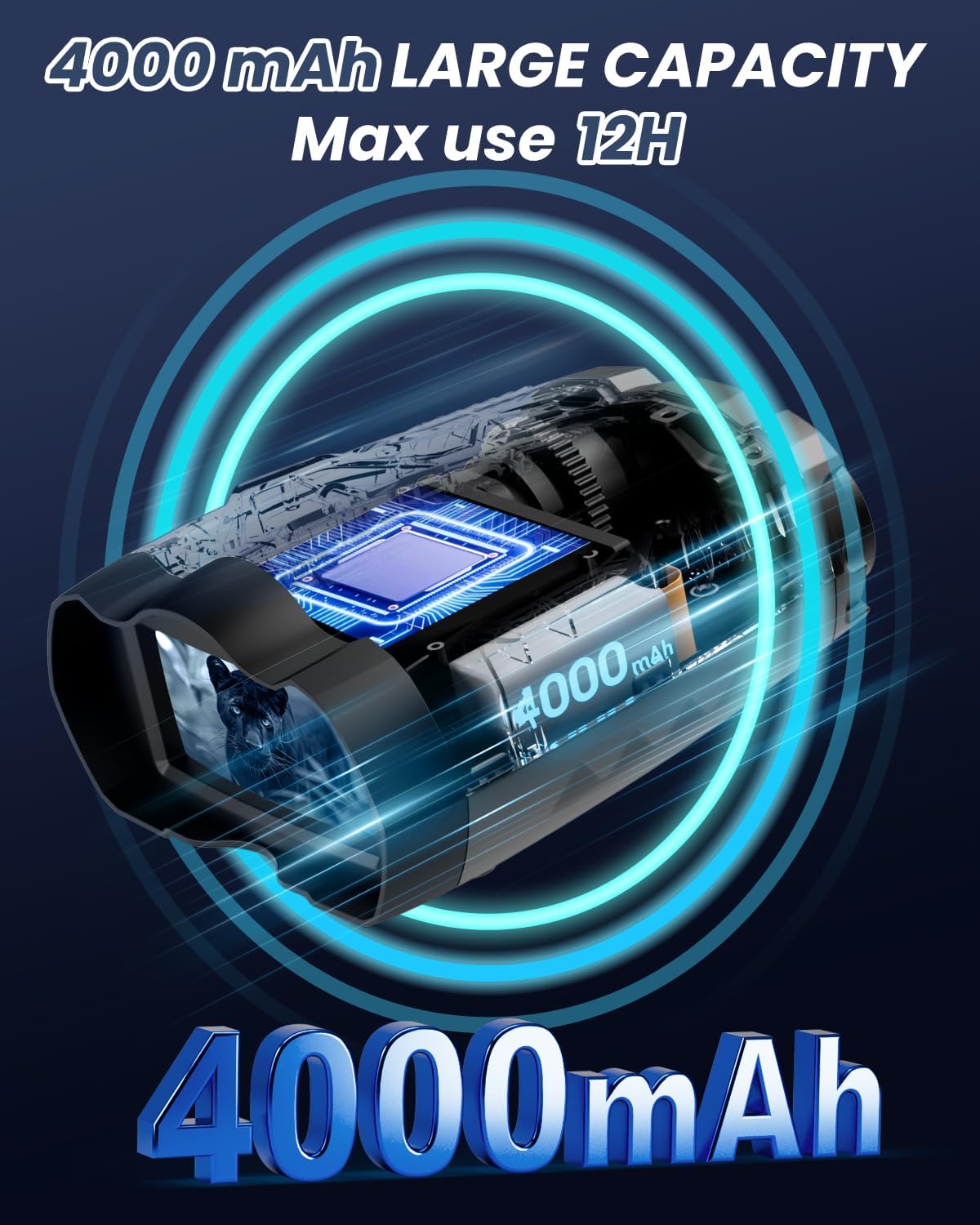
Image: Examples of the stunning 4K video and 36MP photo quality captured by the binoculars, along with a preview of the video playback function.
5. Playback Mode
Switch to Playback mode using the Mode button. Use the navigation buttons to browse through your captured photos and videos. Press OK to view a selected item.
6. Menu Navigation
Press the MENU button to access system settings. Use the navigation buttons (often the zoom/IR buttons) to scroll through options like video resolution, photo resolution, language, time setting, screen saver, screen brightness, auto power off, and date tag. Press OK to select an option and MENU again to exit.
Maintenance
- Cleaning: Use a soft, dry cloth to clean the device's exterior. For lenses, use a specialized lens cleaning cloth and solution.
- Storage: Store the binoculars in a cool, dry place away from direct sunlight and extreme temperatures.
- Battery Care: Recharge the battery regularly, even if not in use, to maintain its lifespan. Avoid fully discharging the battery for extended periods.
- Water Resistance: The device has an IP54 rating, meaning it is protected against dust and splashing water. Avoid submerging the device in water.
Troubleshooting
- Device not turning on: Ensure the master ON/OFF switch on the bottom is in the 'ON' position and the battery is charged.
- Blurred image: Adjust the manual focus wheel until the image on the display is clear.
- Poor night vision: Increase the IR brightness level using the IR+ button. Ensure there are no obstructions to the IR illuminator.
- Cannot record/take photos: Check if the SD card is properly inserted and has sufficient free space. The device may also need to be in the correct Photo or Video mode.
- Buttons unresponsive: Try turning the device off and then back on. If the issue persists, ensure the master ON/OFF switch is correctly engaged.
Specifications
| Feature | Detail |
|---|---|
| Model Number | J50 |
| Video Resolution | 4K |
| Photo Resolution | 36MP |
| Display Screen | 3.5" HD TFT |
| IR Illuminator | 850NM, 9 Levels |
| Digital Zoom | 10X |
| Battery Capacity | 4000mAh (Built-in) |
| Storage | 32GB TF Card (Included) |
| Water Resistance | IP54 |
| Product Dimensions | 6.7 x 5.5 x 0.1 inches |
| Item Weight | 1.38 pounds |
Warranty and Support
WARMTUYO offers an extended lifetime warranty for this product, requiring activation. Additionally, they provide 3 months return (no reason), 24-hour online customer service, and a 2-year guarantee for accessories.
For support, please refer to the contact information provided in your product packaging or visit the official WARMTUYO store: WARMTUYO Store.
