
1. Introduction
Thank you for purchasing the Sona 3-in-1 DC High Velocity Fan SFS 9006DC. This manual provides important information regarding the safe operation, installation, maintenance, and troubleshooting of your fan. Please read this manual thoroughly before use and retain it for future reference.
The SFS 9006DC is a versatile 9-inch fan featuring a brushless DC motor, 12 wind speeds, 3D oscillation, an ioniser function, an 8-hour timer, and a memory function. It is designed for efficient air circulation in various indoor environments.
2. Safety Instructions
To reduce the risk of fire, electric shock, or injury, always follow these basic safety precautions:
- Read all instructions before using this appliance.
- Ensure the power supply voltage matches the rating label on the fan.
- Do not operate the fan with a damaged cord or plug. If the cord is damaged, it must be replaced by the manufacturer, its service agent, or similarly qualified persons to avoid a hazard.
- Keep fingers, pencils, or any other objects out of the fan guards when the fan is operating.
- Unplug the fan from the outlet when not in use, when moving it from one location to another, and before cleaning.
- Do not use the fan in wet or damp locations such as bathrooms or laundries.
- Do not operate the fan near windows, as rain may create an electrical hazard.
- Place the fan on a stable, level surface to prevent it from tipping over.
- This appliance is not intended for use by persons (including children) with reduced physical, sensory or mental capabilities, or lack of experience and knowledge, unless they have been given supervision or instruction concerning use of the appliance by a person responsible for their safety.
- Children should be supervised to ensure that they do not play with the appliance.
3. Product Components
The Sona SFS 9006DC fan includes the following main components:
- Fan Head with 3-bladed PP fan blade and anti-rusting plastic fan guards
- Adjustable Stand/Pole
- Stable Base
- Remote Control
- Power Cord (Corded Electric)
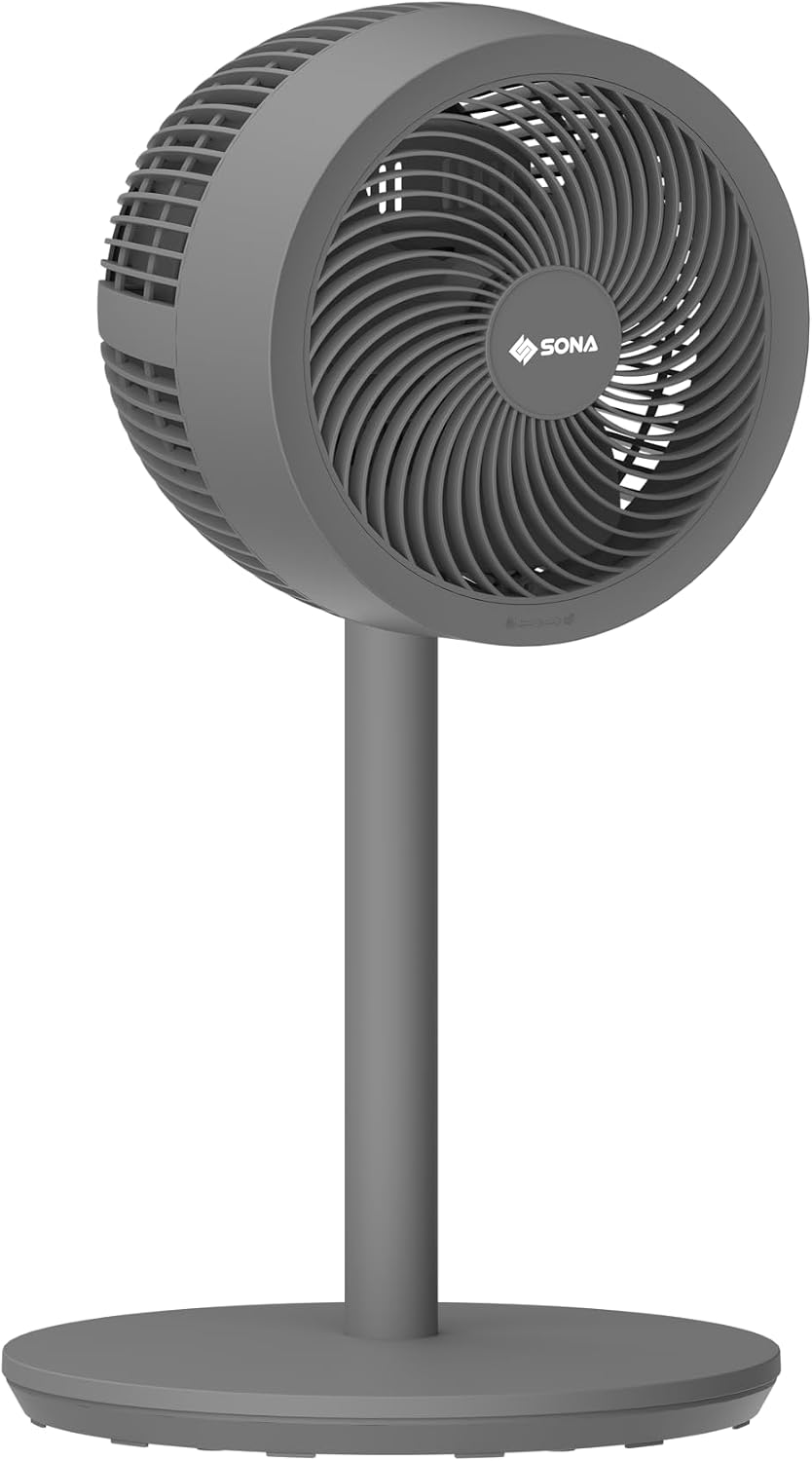
Figure 3.1: Front view of the Sona SFS 9006DC fan. This image displays the fan's main body, including the circular fan head with visible blades and the Sona logo, mounted on a sleek stand with a stable round base.

Figure 3.2: Rear view of the Sona SFS 9006DC fan. This image shows the back casing of the fan head, the rear of the stand, and the base, highlighting the fan's overall structure from behind.
4. Setup and Assembly
The Sona SFS 9006DC fan typically comes pre-assembled or requires minimal assembly. Follow these general steps:
- Unpack: Carefully remove all components from the packaging. Retain packaging for storage or future transport.
- Base Assembly (if required): If the base is separate, attach it to the main stand pole according to the markings, ensuring it is securely fastened.
- Fan Head Attachment (if required): Secure the fan head to the top of the stand pole. Ensure all locking mechanisms are engaged.
- Placement: Place the fan on a firm, level surface, ensuring there is adequate space around it for proper air circulation and oscillation.
- Power Connection: Plug the power cord into a standard electrical outlet.
5. Operating Instructions
Your Sona SFS 9006DC fan can be operated using the control panel on the unit or the included remote control.
5.1 Power On/Off
- Press the POWER button once to turn the fan on.
- Press the POWER button again to turn the fan off.
5.2 Wind Speed Adjustment
- The fan offers 12 wind speed settings.
- Press the SPEED button repeatedly to cycle through the available speeds.
5.3 3D Oscillation Function
- Press the OSC button to activate the 3D oscillation, allowing the fan head to move horizontally and vertically for wider air distribution.
- Press the OSC button again to stop oscillation.
5.4 Ioniser Function
- Press the ION button to activate the ioniser, which helps to purify the air.
- Press the ION button again to deactivate the ioniser.
5.5 Timer Function
- The fan features an 8-hour timer.
- Press the TIMER button repeatedly to set the desired operating duration (e.g., 1 hour, 2 hours, up to 8 hours). The fan will automatically turn off after the set time.
5.6 Memory Function
- The fan is equipped with a memory function that recalls the last used settings (speed, oscillation, ioniser) when the fan is turned on again.
6. Maintenance and Cleaning
Regular cleaning and maintenance will ensure optimal performance and extend the lifespan of your fan.
- Disconnect Power: Always unplug the fan from the power outlet before cleaning or performing any maintenance.
- Exterior Cleaning: Wipe the exterior surfaces of the fan with a soft, damp cloth. Do not use abrasive cleaners, solvents, or harsh chemicals, as these may damage the plastic finish.
- Fan Guards and Blades: Periodically, the fan guards may accumulate dust. Use a vacuum cleaner with a brush attachment or a soft, dry cloth to gently remove dust from the guards and blades. For thorough cleaning, the front guard may be carefully removed if designed for user access (refer to specific product diagrams if available).
- Storage: When not in use for extended periods, store the fan in a cool, dry place, preferably in its original packaging, to protect it from dust and damage.
Important: Do not immerse the fan in water or allow water to drip into the motor housing.
7. Troubleshooting
If you encounter any issues with your Sona SFS 9006DC fan, please refer to the following table before contacting customer support.
| Problem | Possible Cause | Solution |
|---|---|---|
| Fan does not turn on | No power supply Power button not pressed | Ensure the power cord is securely plugged into a working outlet. Press the POWER button on the unit or remote. |
| Weak airflow | Low speed setting Fan guards are dusty | Increase the wind speed setting. Clean the fan guards and blades as per maintenance instructions. |
| Oscillation not working | Oscillation function not activated | Press the OSC button to activate 3D oscillation. |
| Remote control not working | Dead batteries Obstruction between remote and fan | Replace batteries in the remote control. Ensure a clear line of sight between the remote and the fan's receiver. |
| Unusual noise | Loose parts Obstruction in fan blades | Unplug the fan and check for any loose components. Ensure no foreign objects are obstructing the fan blades. |
8. Specifications
| Feature | Specification |
|---|---|
| Model Number | SFS 9006DC |
| Brand | Sona |
| Type | 3-in-1 DC High Velocity Fan |
| Size | 9 inches |
| Motor Type | Brushless DC |
| Number of Speeds | 12 |
| Oscillation | 3D Oscillation |
| Special Functions | Ioniser, 8-Hour Timer, Memory Function |
| Blades | 3-Bladed PP fan blade |
| Guards | Anti-rusting plastic fan guards |
| Control Method | Remote Control, On-unit buttons |
| Power Source | Corded Electric |
| Wattage | 65 watts |
| Product Dimensions (D x W x H) | 35D x 35W x 91.5H centimetres |
| Material | Plastic |
| Color | Grey |
| Indoor/Outdoor Usage | Indoor |
9. Warranty and Support
Sona products are manufactured to high-quality standards. For warranty information, please refer to the warranty card included with your product or visit the official Sona website. Keep your purchase receipt as proof of purchase for warranty claims.
For technical support, service, or inquiries, please contact Sona customer service through the contact details provided on the official Sona website or your local retailer.