
Introduction
Thank you for purchasing the Sona SBLF 8022 DC Bladeless Fan. This manual provides important information regarding the safe operation, installation, maintenance, and troubleshooting of your new fan. Please read this manual thoroughly before use and retain it for future reference.
Safety Information
To reduce the risk of fire, electric shock, or injury, always follow these basic safety precautions:
- Ensure the power supply voltage matches the rating label on the fan.
- Do not operate the fan with a damaged cord or plug.
- Keep the fan away from water and moisture. Do not immerse in water.
- Do not insert fingers or foreign objects into any openings.
- Unplug the fan before cleaning or performing any maintenance.
- This appliance is not intended for use by persons (including children) with reduced physical, sensory, or mental capabilities, or lack of experience and knowledge, unless they have been given supervision or instruction concerning use of the appliance by a person responsible for their safety.
- Children should be supervised to ensure that they do not play with the appliance.
Package Contents
Verify that all items are present in the package:
- Sona SBLF 8022 DC Bladeless Fan Unit
- Remote Control
- Instruction Manual (this document)
Setup
Unpacking
Carefully remove the fan from its packaging. Retain the packaging for future storage or transport.
Placement
Place the fan on a firm, level surface. Ensure there is adequate space around the fan for proper airflow and oscillation. Avoid placing it near curtains or other objects that could obstruct the air intake or outlet.

Image: Front view of the Sona SBLF 8022 DC Bladeless Fan, showing its sleek tower design and the control panel at the base.
Power Connection
Plug the power cord into a standard electrical outlet. Ensure the cord is not pinched or placed under heavy objects.
Remote Control Battery Installation
Open the battery compartment on the back of the remote control. Insert the required batteries (type usually specified on the remote or in a quick start guide, assuming AAA or similar) ensuring correct polarity. Close the compartment securely.
Operating Instructions
The SBLF 8022 fan can be operated using the control panel on the unit or the provided remote control.
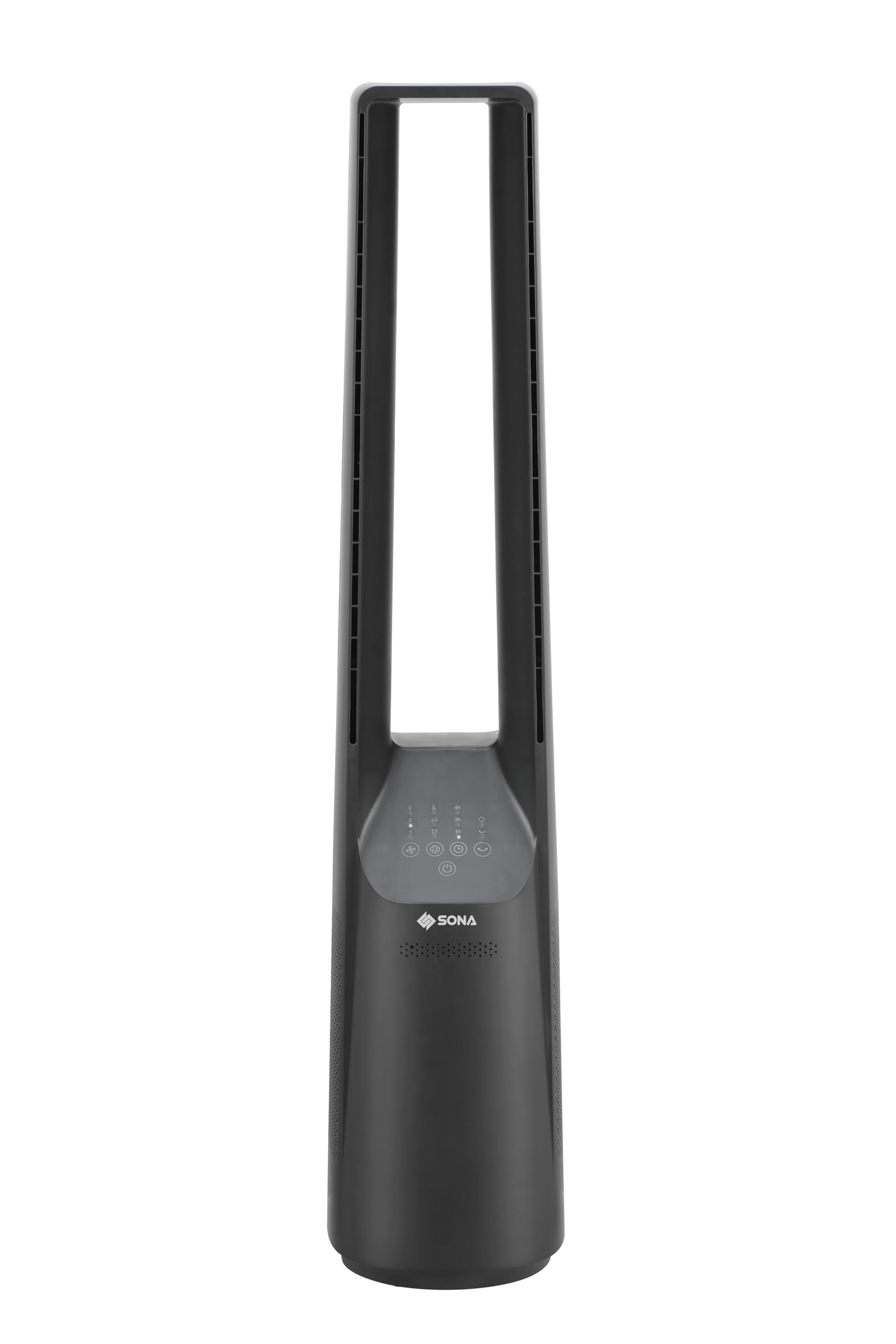
Image: Close-up of the control panel on the Sona SBLF 8022 fan, showing touch-sensitive buttons for power, speed, mode, oscillation, and timer.
Power On/Off
Press the Power button (symbol: circle with a vertical line) on the control panel or remote control to turn the fan on or off.
Speed Selection
Press the Speed button (symbol: fan blades) repeatedly to cycle through the 6 available speed settings. The current speed level will be indicated on the display.
Wind Mode Selection
Press the Mode button (symbol: wavy lines or specific mode icon) to select from the 3 wind modes: Normal, Natural, and Sleep. The fan also features a Turbo ventilation mode for stronger airflow.
Oscillation Function
Press the Oscillation button (symbol: two arrows forming an arc) to activate or deactivate the left-right oscillation function, distributing air across a wider area.
Timer Function
Press the Timer button (symbol: clock) repeatedly to set the desired operating time, up to 7 hours. The fan will automatically turn off after the set time. A pre-set timer function is also available.
Smart Memory Function
The fan is equipped with a smart memory function that recalls the last used settings (speed, mode, oscillation) when turned back on.
Eco-Saving Auto-Off Function
This function helps conserve energy by automatically turning off the fan under certain conditions (e.g., after a long period of inactivity or if a specific eco-mode is engaged). Refer to the display for indicators related to this function.
Maintenance
Regular cleaning and proper maintenance will ensure the longevity and optimal performance of your fan.
Cleaning the Exterior
Before cleaning, always unplug the fan from the power outlet. Wipe the exterior surfaces with a soft, damp cloth. Do not use abrasive cleaners, waxes, or solvents as they may damage the finish. Ensure no water enters the internal components.
Cleaning Air Intake/Outlet
Use a soft brush or a vacuum cleaner with a brush attachment to gently remove dust and debris from the air intake vents (located at the base) and the air outlet slot. Do not attempt to disassemble the fan for cleaning.
Storage
If the fan will not be used for an extended period, unplug it and store it in a cool, dry place, preferably in its original packaging, away from direct sunlight and moisture.
Troubleshooting
| Problem | Possible Cause | Solution |
|---|---|---|
| Fan does not turn on. | No power supply. Remote control batteries are dead. | Check if the power cord is securely plugged into a working outlet. Replace remote control batteries. |
| Weak airflow. | Air intake/outlet blocked. Fan speed set too low. | Clean air intake vents and outlet. Increase fan speed. |
| Fan stops unexpectedly. | Timer function activated. Eco-saving auto-off engaged. | Check timer settings. Refer to operating instructions for eco-saving function details. |
| Remote control not working. | Batteries are dead or incorrectly inserted. Obstruction between remote and fan. | Replace batteries, ensuring correct polarity. Ensure clear line of sight to the fan's receiver. |
Specifications
| Model Number | SBLF 8022 |
| Brand | Sona |
| Type | DC Bladeless Fan (Tower Fan) |
| Color | Black |
| Power Source | Corded Electric |
| Wattage | 45 watts |
| Number of Speed Levels | 6 |
| Wind Modes | 3 (plus Turbo ventilation) |
| Timer Function | Up to 7 hours (with pre-set timer) |
| Oscillation | Left-right |
| Special Features | Bladeless, Smart Memory, Eco-saving Auto-off, Remote Control |
| Dimensions (D x W x H) | 20.5D x 26W x 101H centimetres |
| Control Method | Remote, On-unit controls |
Warranty and Support
For warranty information and customer support, please refer to the warranty card included with your purchase or visit the official Sona website. Keep your proof of purchase for any warranty claims.
If you encounter any issues not covered in the troubleshooting section, please contact Sona customer service for assistance.