1. Introduction
This manual provides essential information for the safe and efficient operation of your KOTEK PI-FP10348 Portable Air Conditioner with Heat. This 4-in-1 unit offers cooling, heating, dehumidification, and fan functions, designed for rooms up to 800 sq.ft. Please read all instructions carefully before use and retain this manual for future reference.
2. Package Contents
Verify that all components are present in the package:
- 1 x Portable Air Conditioner Unit
- 1 x Exhaust Hose
- 1 x Hose Connector
- 1 x Adapter
- 1 x Window Kit
- 1 x Drain Hose
- 1 x Remote Control
- 1 x User Manual

Image: All components included in the KOTEK portable air conditioner package.
3. Product Features
- Maximum Cooling & Heating: 15000 BTU (cooling) and 11500 BTU (heating) capacity, suitable for rooms up to 800 sq.ft. Features an efficient compressor with a noise level of 52 dB and a 74° automatic swing function for effective air circulation.
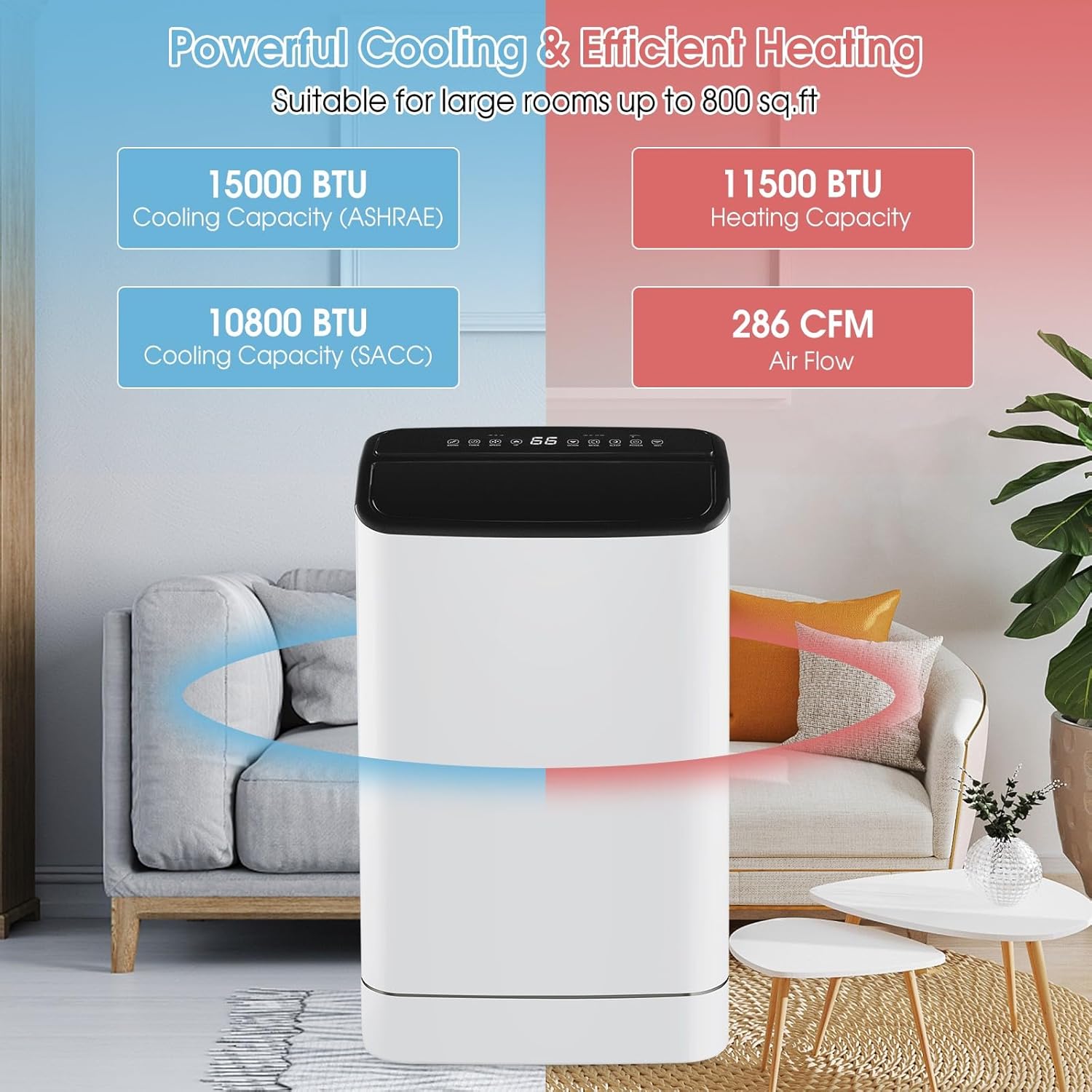
Image: Visual representation of the unit's powerful cooling and efficient heating capabilities.
- 4-in-1 Functionality: Operates as an AC unit, heater (61℉ to 88℉), dehumidifier (118 pints/day), and fan with three speeds (high, medium, low).

Image: Diagram illustrating the four primary functions of the air conditioner.
- Multiple Control Methods: Control the unit via the Smart Life APP, the top-mounted touch panel, or the included remote control (up to 26 feet range).

Image: Demonstrates control via the Smart Life mobile application.

Image: Remote control functionality and the unit's auto-swing feature.
- User-friendly & Safe Design: Features sleep mode, a 24-hour timer, automatic shut-off when the water tank is full, and auto-restart after power failure. Offers both manual and continuous drainage options.

Image: Highlights user-friendly features like sleep mode and drainage options.

Image: Detailed view of the LED touch control panel.
4. Setup & Installation
Before initial use, allow the AC unit to sit upright for at least 2 hours after unboxing to ensure proper refrigerant settling.
4.1 Window Kit Installation
The included window kit is designed for easy installation in both vertical and horizontal sliding windows (applicable window size range: 25.5"-47").
- Assemble the window slide adapter panels to fit your window opening.
- Insert the exhaust hose adapter into the window panel.
- Place the assembled window kit into the window opening and secure it.
- Connect the exhaust hose to the unit's exhaust port and then to the window kit adapter.

Image: Examples of easy installation in different window types.
4.2 Video Guide: Installation
Video: A detailed guide on how to install the portable AC unit, including window kit setup.
5. Operating Instructions
Your KOTEK portable AC unit can be controlled using the LED touch panel on the unit, the included remote control, or the Smart Life mobile application.
5.1 Control Panel & Remote Control
The LED touch control panel and remote allow you to:
- Power On/Off the unit.
- Select operating modes: Cool, Heat, Fan, Dehumidifier.
- Adjust fan speed: High, Medium, Low.
- Set desired temperature (61℉ to 88℉ for heating).
- Activate Auto Swing for wider air distribution.
- Set the 24-hour timer for automatic turn on/off.
- Engage Sleep Mode for quiet, energy-saving operation.
5.2 Smart Life APP Control
Download the Smart Life app to your smartphone to control your unit remotely. The app allows you to change modes, set temperature, adjust fan speed, and set schedules and timers for enhanced convenience.
6. Maintenance
6.1 Filter Cleaning
The unit includes 2 washable filters to ensure clean air circulation. Regularly remove and rinse the filters under running water. Allow them to dry completely before reinserting.
6.2 Drainage
The unit offers both manual and continuous drainage options. When the internal water tank is full, the unit will automatically shut off. For continuous drainage, connect the provided drain hose to the designated port.
7. Troubleshooting
If the unit is not operating as expected, please refer to the user manual for detailed troubleshooting steps. Common issues may include power supply problems, incorrect mode settings, or full water tank indicators. Ensure the unit is properly plugged in and filters are clean.
8. Specifications
| Feature | Detail |
|---|---|
| Brand | KOTEK |
| Model Number | PI-FP10348 |
| Cooling Capacity (ASHRAE) | 15000 BTU |
| Heating Capacity | 11500 BTU |
| Coverage Area | Up to 800 Sq.Ft |
| Dehumidification Capacity | 118 Pints/Day |
| Noise Level | 52 Decibels |
| Product Dimensions | 14.5"D x 17.5"W x 30.5"H |
| Item Weight | 75 pounds |
| Voltage | 115 Volts (AC) |
| Wattage | 1250 watts |
| Refrigerant | R 410A |
| Special Features | Dehumidifier, Fast Cooling, Heating And Cooling Function, Remote Controlled, WiFi Enabled |
9. Warranty & Support
For warranty information or technical support, please refer to the contact details provided in your purchase documentation or visit the KOTEK official website. The unit features an auto-restart function in case of power failure, ensuring continued operation.
9.1 Product Overview Video
Video: A brief product overview of the KOTEK portable air conditioner.


