
ZINUS WonderBox(TM) Smart Box Spring
ZINUS 9 Inch WonderBox(TM) Smart Box Spring Instruction Manual
Model: WonderBox(TM) Smart Box Spring (Queen, Grey)
Introduction
Thank you for choosing the ZINUS 9 Inch WonderBox(TM) Smart Box Spring. This instruction manual provides detailed guidance on the assembly, usage, maintenance, and troubleshooting of your new mattress foundation. Designed for quick and effortless setup, this durable metal frame box spring offers reliable support for your mattress, enhancing its comfort and lifespan.
Key features of your ZINUS WonderBox(TM) Smart Box Spring include:
- Easy Delivery & Eco-Friendly Packaging: Delivered in a compact WonderBox for convenient handling.
- Effortless Tool-Free Assembly: Snaps together in minutes without the need for additional tools.
- Customizable Height: Offers two height options (5 inches or 9 inches) for personalized comfort.
- Durable Steel Construction: Provides robust and long-lasting support for your mattress.

Figure 1.1: A cutaway view of the ZINUS WonderBox Smart Box Spring, illustrating its internal durable metal frame structure and the grey fabric cover. This design ensures robust support for your mattress.
Setup and Assembly
The ZINUS WonderBox(TM) Smart Box Spring is designed for quick and easy assembly without the need for tools. Follow these steps to set up your new foundation.
- Unpack Components: Carefully open the WonderBox packaging and remove all components. Verify that all parts are present according to the included parts list.

Figure 2.1: The ZINUS WonderBox Smart Box Spring frame after being unpacked from its compact box, ready for assembly.
- Assemble the Frame: The metal frame pieces are designed to snap together. Identify the tool-free locking brackets and align the frame sections. Push firmly until they click into place. Ensure all connections are secure.

Figure 2.2: A visual guide demonstrating the simple, tool-free assembly process of the metal frame, including connecting pieces and securing brackets.

Figure 2.3: Detail of the innovative tool-free locking brackets that facilitate quick and intuitive setup of the box spring frame.
- Install the Cover: Once the metal frame is fully assembled, carefully slide the fabric cover over the frame. The cover is designed for easy installation and should fit snugly.
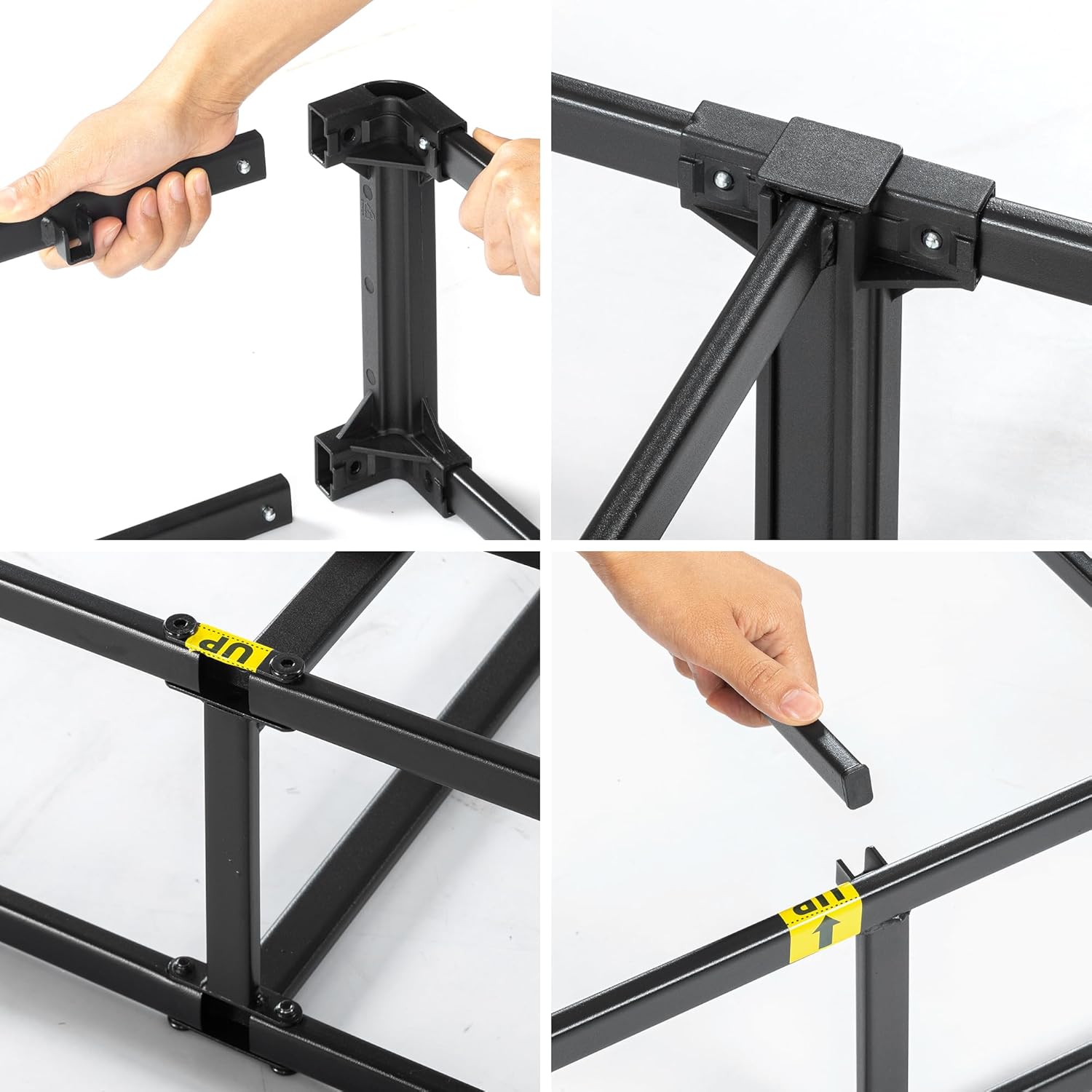
Figure 2.4: Illustrates the ease of installing the grey fabric cover onto the assembled metal frame, ensuring a neat and finished appearance.
- Place on Bed Frame: Position the assembled box spring onto your existing bed frame. Ensure it is centered and stable.
Note: A bed frame or platform bed is required to support this foundation and is sold separately.

Figure 2.5: An exploded view demonstrating the relationship between the mattress, the ZINUS box spring, and a separate bed frame.
Usage and Placement
The ZINUS WonderBox(TM) Smart Box Spring is designed to provide optimal support for your mattress.
- Mattress Placement: Once the box spring is securely placed on your bed frame, carefully position your mattress on top of the box spring. Ensure the mattress is centered and aligned.
- Height Customization: This box spring offers two height options. The standard assembly provides a 9-inch height. Refer to the assembly instructions for details on achieving a 5-inch lower profile, if desired.
- Weight Capacity: The durable steel construction is engineered to support significant weight. Refer to the specifications section for the maximum weight capacity.
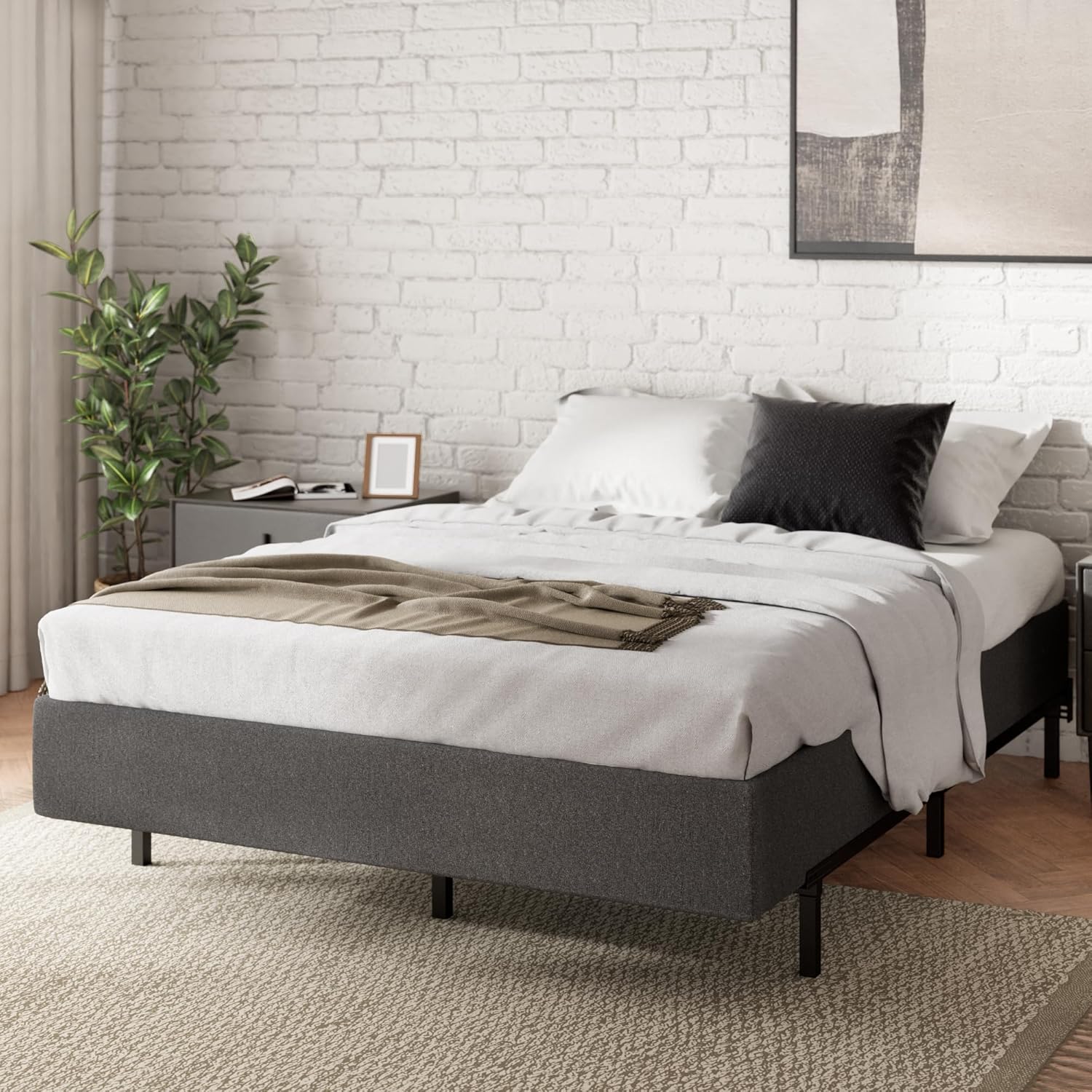
Figure 3.1: The ZINUS WonderBox Smart Box Spring, with a mattress placed on top, integrated into a bedroom environment.
Maintenance
Proper maintenance will help extend the life of your ZINUS WonderBox(TM) Smart Box Spring.
- Cleaning the Cover: The fabric cover can be spot cleaned with a mild detergent and a damp cloth. Avoid saturating the fabric. Allow to air dry completely before placing the mattress back on.
- Frame Inspection: Periodically check the metal frame connections to ensure they remain secure. If any connections feel loose, re-engage the locking brackets firmly.
- Avoid Excessive Moisture: Keep the box spring in a dry environment to prevent rust on the metal frame and mildew on the fabric cover.
Troubleshooting
If you encounter any issues with your ZINUS WonderBox(TM) Smart Box Spring, refer to the following common problems and solutions.
| Problem | Possible Cause | Solution |
|---|---|---|
| Squeaking Noise | Loose frame connections or uneven placement on bed frame. | Ensure all frame connections are fully engaged and secure. Verify the box spring is evenly seated on your bed frame. |
| Box Spring Feels Unstable | Improper assembly or not placed on a stable bed frame. | Re-check all assembly steps to ensure components are correctly locked. Confirm your bed frame is sturdy and level. |
| Difficulty Installing Cover | Cover not aligned correctly or frame not fully assembled. | Ensure the metal frame is completely and correctly assembled. Align the cover carefully with the corners of the frame before pulling it down. |
Specifications
Detailed specifications for the ZINUS 9 Inch WonderBox(TM) Smart Box Spring:
| Feature | Detail |
|---|---|
| Size | Queen |
| Product Dimensions | 78.7"L x 59.5"W x 9"H |
| Special Features | Compact Packaging, Tool-free, Easy Assembly |
| Color | Grey |
| Finish Type | Unfinished |
| Weight Capacity | 700 lbs (approximate, based on image) |

Figure 4.1: Visual representation of the ZINUS WonderBox Smart Box Spring's dimensions (78.7"L x 59.5"W x 9"H) and its impressive 700 lbs weight capacity.
Warranty and Support
ZINUS stands behind the quality of its products.
- Warranty: Your ZINUS WonderBox(TM) Smart Box Spring comes with an included 5-year warranty, ensuring peace of mind. Please retain your proof of purchase for warranty claims.
- Returns: This product is eligible for a 100-day refund/replacement return policy.
- Customer Support: For further assistance, technical support, or warranty inquiries, please visit the official ZINUS store or contact ZINUS customer service.
Visit the official ZINUS Store for more information: ZINUS Official Store
Related documentsWonderBox(TM) Smart Box Spring


Ask a question about this manual
Ask about setup, troubleshooting, compatibility, parts, safety, or missing instructions. Manuals+ will review the question and use this page’s manual context to help answer it.