
1. Introduction and Overview
The BAOFENG UV-5RM is an advanced 10W multi-frequency handheld two-way radio, designed for reliable long-range communication. As an upgraded version of the UV-5R, it features enhanced capabilities including a larger color display, increased power output, and expanded channel capacity. This radio supports multiple frequency bands including UHF, VHF, GMRS, FM, AM, and NOAA weather channels, making it versatile for various applications such as outdoor activities, professional use, and emergency preparedness. Its robust design and comprehensive features ensure clear and consistent communication. FCC ID: 2AJGM-5RM.
2. Package Contents
Upon unboxing, please verify that all the following items are included in your package:
- 1 × BAOFENG UV-5RM Radio
- 1 × 2500mAh Lithium-Ion Battery
- 1 × Original Headset
- 1 × Handheld Microphone
- 1 × BF-771 High-Gain Antenna (15-inch)
- 1 × Original Antenna
- 1 × Power Adapter
- 1 × Belt Clip
- 1 × Hand Strap
- 1 × Programming Cable
- 1 × User Manual
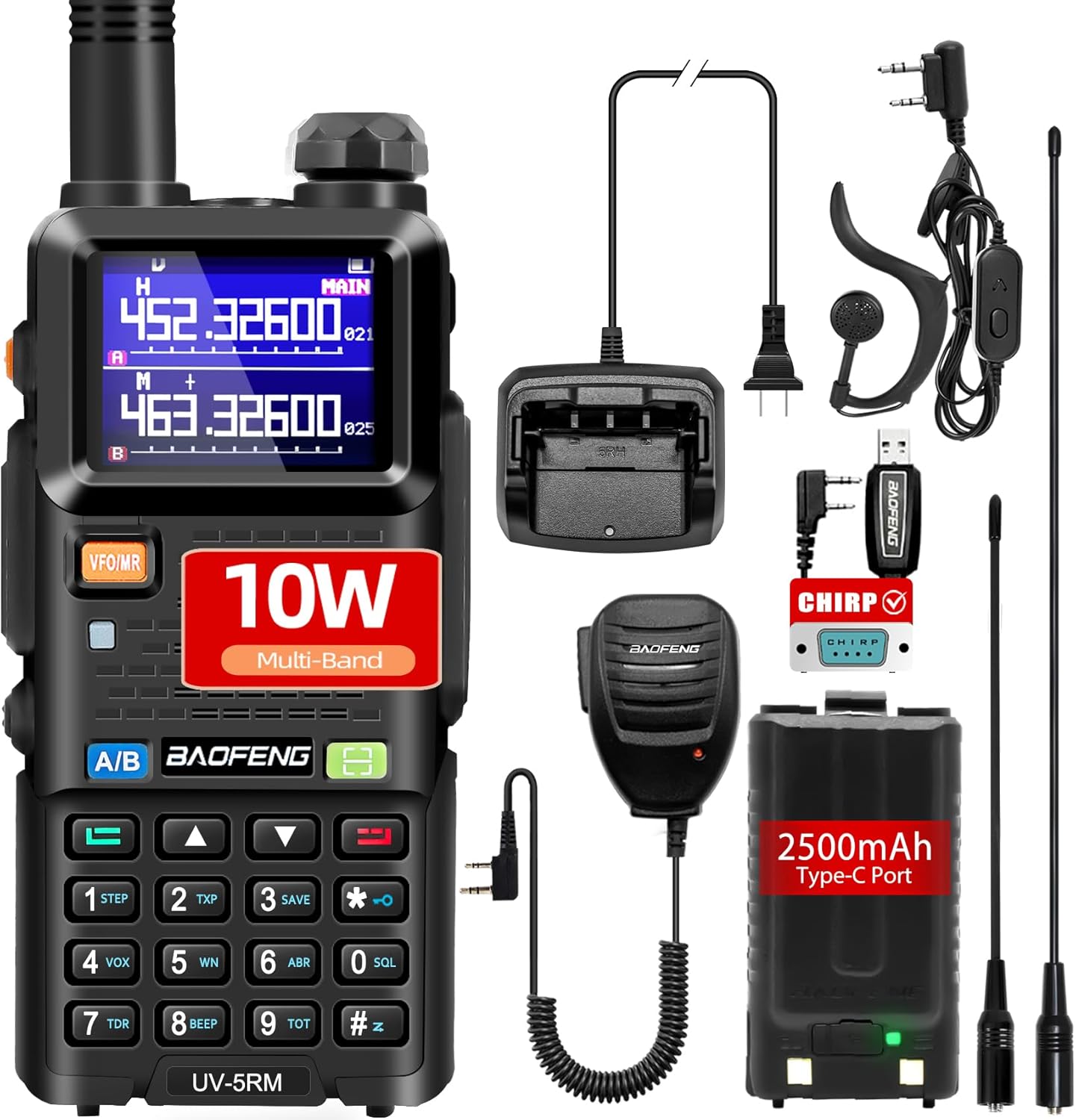
Image: The BAOFENG UV-5RM radio displayed with all its included accessories, such as the battery, antennas, charging base, handheld microphone, headset, and programming cable.
3. Product Features
3.1 Enhanced Power Output
The UV-5RM boasts a powerful 10W output, an upgrade from previous models, ensuring stronger signal transmission and reception over longer distances. It supports multiple power modes: High (10W), Medium (5W), and Low (2W), allowing users to optimize power consumption based on communication needs.

Image: Visual representation of the UV-5RM's multi-power output settings: High (10W), Medium (5W), and Low (2W).
3.2 Multi-Frequency Support
This radio offers extensive multi-band support, including:
- UHF: 300-345 MHz (RX), 350-390 MHz (RX), 400-520 MHz (TX&RX)
- VHF: 136-174 MHz (TX&RX), 220-260 MHz (RX)
- GMRS: 462-467 MHz
- FM: 87.5-108 MHz (RX)
- AM: 520-1710 kHz (RX)
- NOAA: 162.400-162.550 MHz
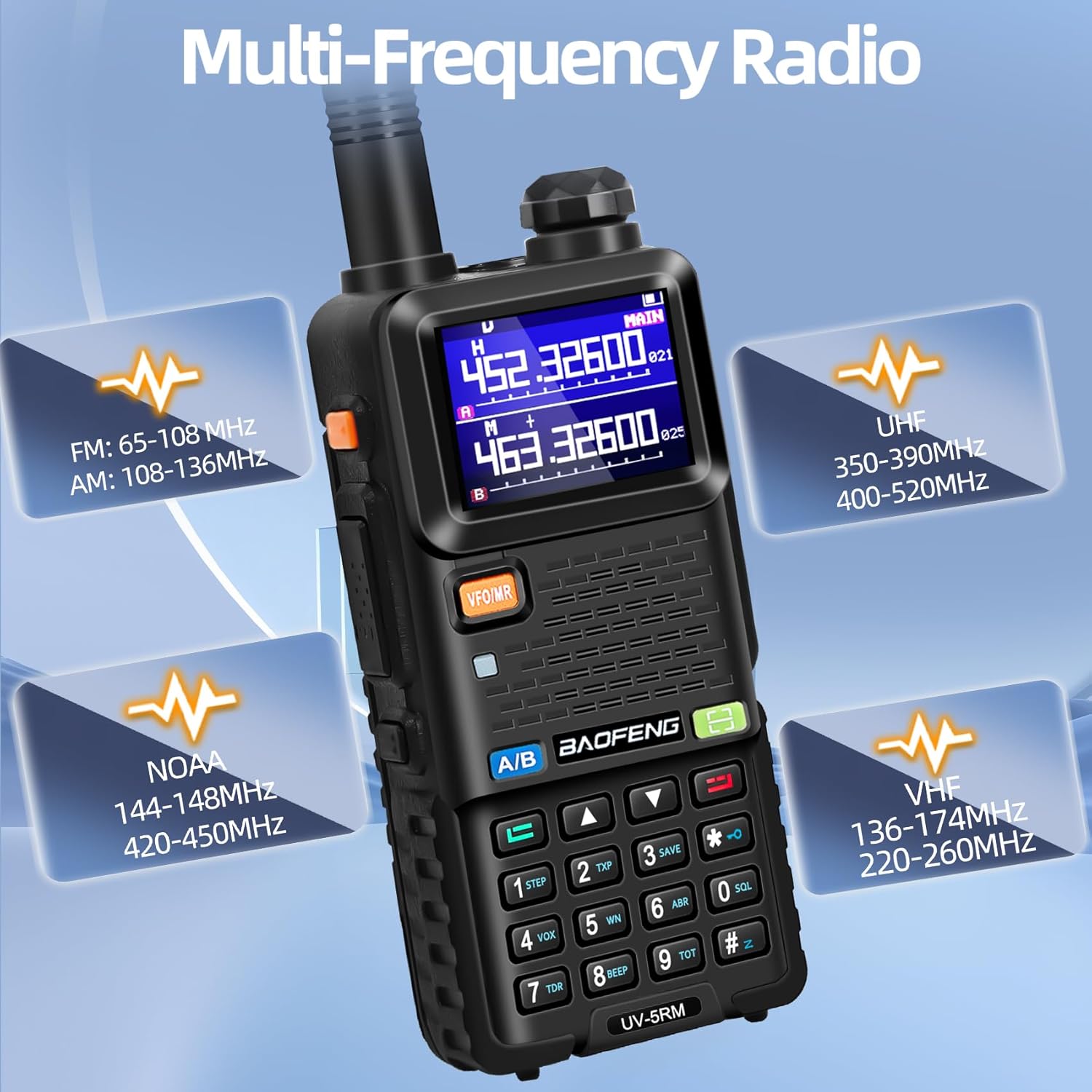
Image: The UV-5RM radio highlighting its support for various frequency bands including FM, AM, UHF, VHF, and NOAA.
3.3 Large Color Display
Equipped with a 1.8-inch color display, the UV-5RM provides clear and easy-to-read information, enhancing user experience and operational efficiency. The display is designed for visibility even in sunlight.

Image: The UV-5RM radio showcasing its larger size and 1.8-inch color screen for clear operation, with dimensions indicated.

Image: The UV-5RM radio in an outdoor setting, emphasizing its multifunctional capabilities including 10W high power, VOX, good signal, AM aviation band, PC programming, one-click band duplication, NOAA weather bands, 2500 mAh USB-C port battery, 1.9-inch color screen, and 999 memory channels.
3.4 High-Capacity Battery & Versatile Charging
The radio is powered by a 2500mAh large-capacity lithium-ion battery, providing extended operational time. It offers multiple convenient charging methods:
- Base Charger: For standard desktop charging.
- Type-C Charging Port: Allows charging via car USB ports, mobile power banks, laptops, or any USB interface device.
Battery Life:
- Normal Use: Up to 24 hours
- Pure Standby: 3-4 days
- Frequent Use: 8-12 hours
- Full Charge Time: 4-5 hours

Image: The UV-5RM radio with its 2500mAh Type-C charging battery, detailing battery life for normal use, pure standby, and full charge time.

Image: The UV-5RM radio demonstrating various charging solutions: charging base, USB wall adapter, power bank, and vehicle charging.
3.5 Long Distance Communication
The radio features a 15-inch BF-771 high-gain antenna, enabling a maximum call range of 10 miles under ideal conditions. Practical range varies based on obstructions:
- 2-3 Miles: With major obstruction to line of sight (e.g., urban areas).
- 20-25 Miles: With no sight obstruction (e.g., open terrain).
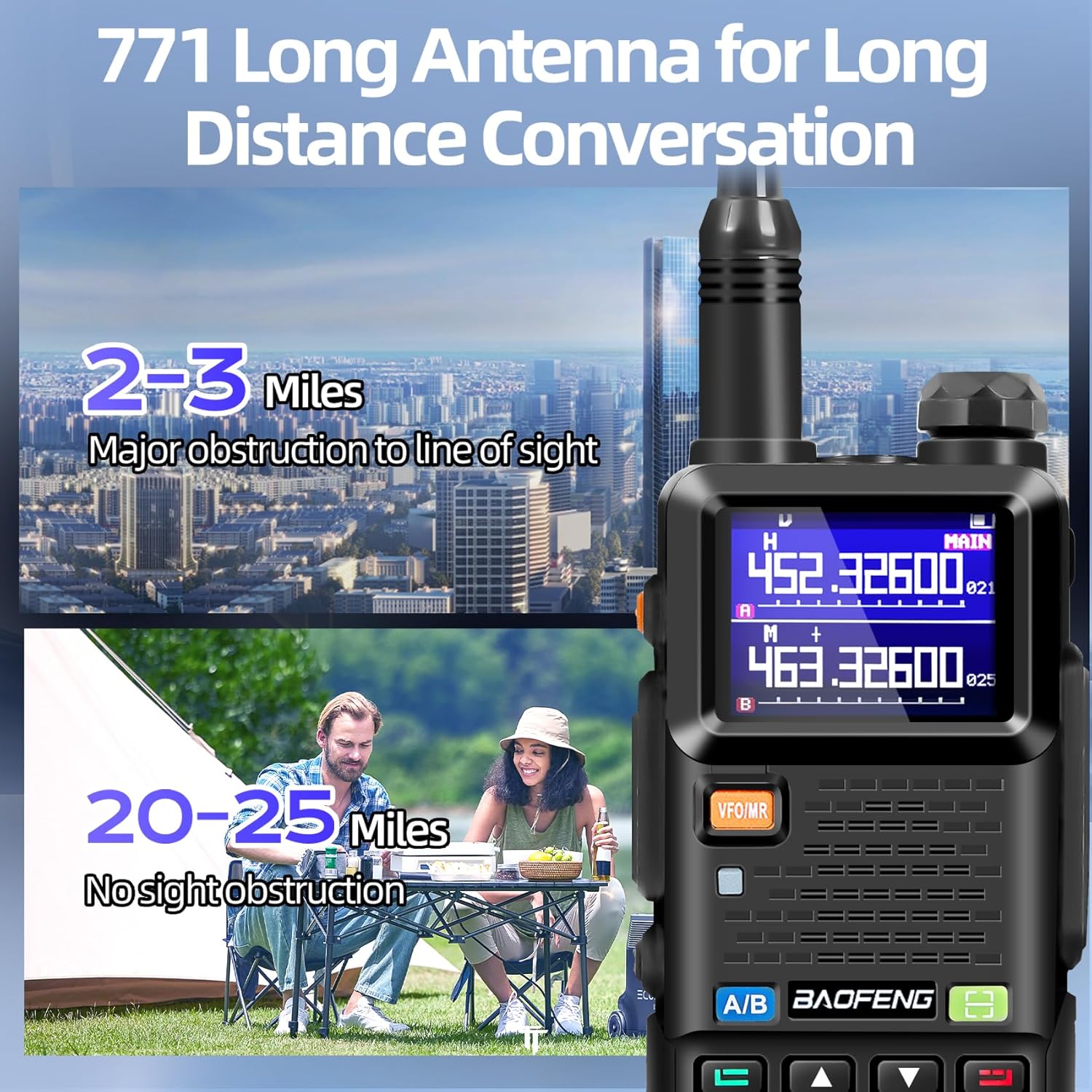
Image: The UV-5RM radio highlighting its long antenna and illustrating communication ranges with and without major obstructions.

Image: A close-up of the UV-5RM radio with a visual effect suggesting strong signal penetration through rocky terrain.
3.6 Communication Accessories
The UV-5RM comes with a hand microphone and an original headset for enhanced convenience and privacy during continuous use. The hand microphone features a 360° rotating clip and a 3.5mm headphone jack.
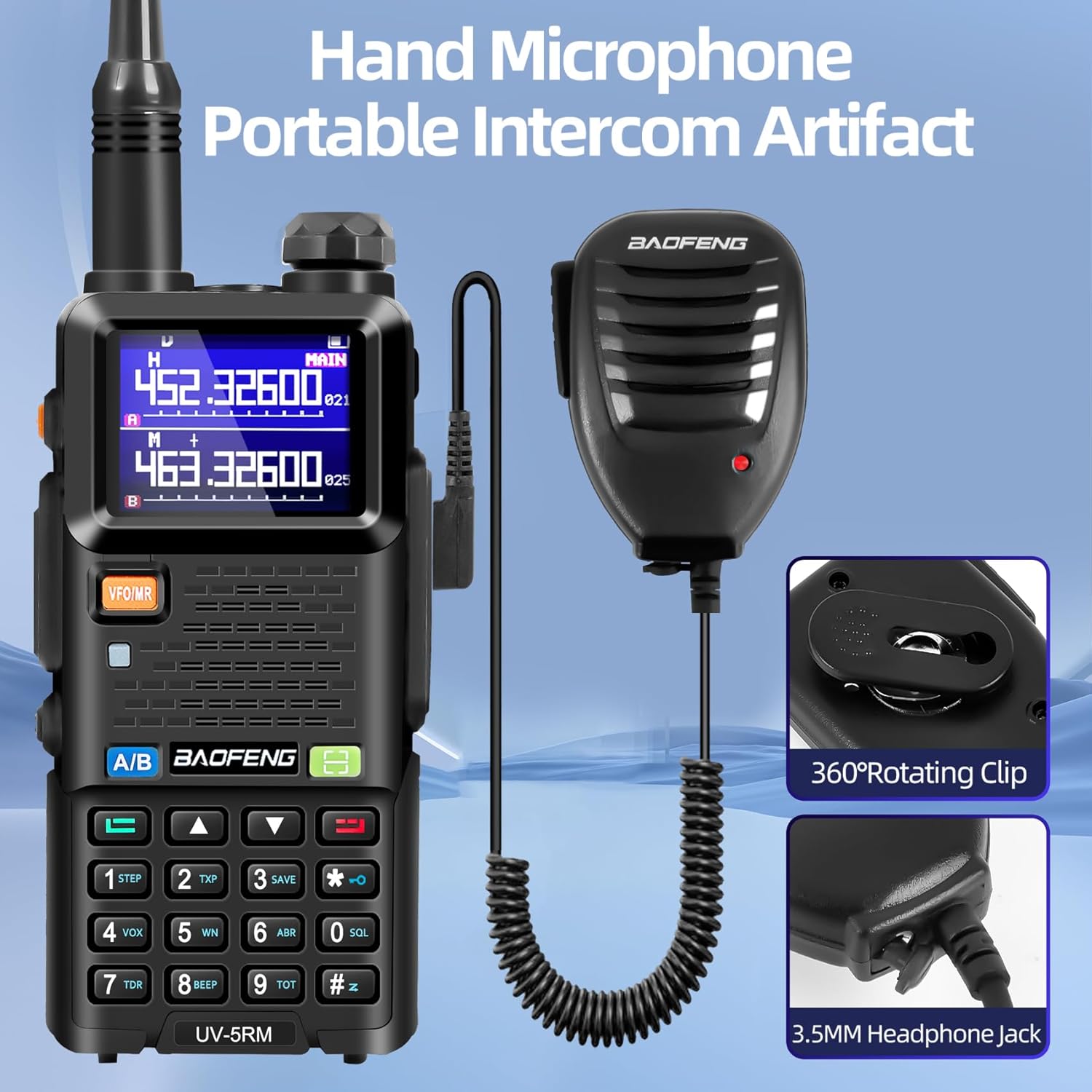
Image: The UV-5RM radio shown with its hand microphone, highlighting its 360° rotating clip and 3.5mm headphone jack.
3.7 Easy Programming
The radio supports two primary programming methods:
- One-Click Frequency Copy: Quickly scan and copy frequencies to join team conversations.
- PC Programming: Use the included programming cable and disk (or software) for detailed batch configuration of channels and settings.

Image: The UV-5RM radio illustrating its one-click frequency copy function and PC manual programming capability.
3.8 Additional Functions
- Stopwatch: Integrated stopwatch timing function.
- Flashlight: High brightness flashlight for illumination.
- Intelligent Noise Reduction: Improves call clarity by reducing background noise.
- Other Features: VOX, 104 CDCSS, 50 CTCSS options, power-on password management, DTMF, BCL, TOT functions.

Image: A hand holding the UV-5RM radio with its high brightness flashlight illuminated.

Image: The UV-5RM radio displaying its stopwatch timing function on the screen.

Image: Multiple instances of the UV-5RM radio with a visual effect indicating intelligent noise reduction for clearer audio.
3.9 Model Comparison (UV-5RM Plus vs. UV-5R)
The UV-5RM Plus offers significant enhancements over the standard UV-5R model:

Image: A side-by-side comparison of the UV-5RM Plus and UV-5R models, highlighting differences in power, channels, screen size, charging method, battery capacity, and frequency bands.
4. Setup
4.1 Battery Installation and Charging
- Align the 2500mAh lithium-ion battery with the back of the radio.
- Slide the battery upwards until it clicks securely into place.
- To charge, place the radio in the provided charging base, ensuring proper contact. Alternatively, connect a Type-C USB cable directly to the battery's Type-C port for convenient charging via a USB wall adapter, power bank, or vehicle charger.
4.2 Antenna Attachment
- Select either the original antenna or the BF-771 high-gain antenna based on your communication range needs.
- Screw the chosen antenna clockwise onto the antenna connector at the top of the radio until it is finger-tight. Do not overtighten.
4.3 Attaching Belt Clip and Hand Strap
- Attach the belt clip to the designated slot on the back of the radio using the provided screws.
- Thread the hand strap through the loop on the top side of the radio for secure carrying.
4.4 Connecting External Accessories
- Handheld Microphone: Plug the microphone's connector into the dual-pin accessory port on the side of the radio.
- Headset: Plug the headset's connector into the dual-pin accessory port on the side of the radio.
5. Operating Instructions
5.1 Powering On/Off
Rotate the volume knob clockwise to power on the radio. Rotate counter-clockwise until a click is heard to power off.
5.2 Channel Selection and Frequency Adjustment
- The radio features dual channels (A and B) displayed on the screen. Use the A/B button to switch between the active channels.
- In VFO (Frequency) mode, use the up/down arrow keys to adjust the frequency.
- In Channel mode, use the up/down arrow keys to select a stored channel.
5.3 One-Click Frequency Copy
To quickly copy a frequency from another radio:
- Press and hold the designated frequency copy button (refer to the radio's keypad layout for the specific button, often marked with a scan or copy icon).
- The radio will scan for an active frequency. Once detected, it will automatically copy and save it to a channel.
5.4 FM Radio Operation
The UV-5RM includes an FM radio function. To activate, press the dedicated FM button (if available) or navigate through the menu. Use the keypad or arrow keys to tune to desired FM stations.
5.5 NOAA Weather Radio Reception
For weather alerts, the radio can receive NOAA weather broadcasts. To access, typically press and hold the '0' button or navigate through the menu to the NOAA weather band. This feature is crucial for staying informed about weather conditions, especially in remote areas.
Video: A demonstration of the BAOFENG UV-5RM radio's NOAA weather radio reception capability, showing how to access weather broadcasts.
5.6 Flashlight Operation
The radio is equipped with a high-brightness flashlight. To activate, locate the dedicated flashlight button (often on the side of the radio) and press it. Multiple presses may cycle through different modes (e.g., steady on, strobe) or turn it off.
5.7 Scramble Function
The radio includes a scramble function for enhanced communication privacy. This feature encrypts your voice transmission, making it unintelligible to unauthorized listeners. To activate or deactivate, navigate through the radio's menu settings to the 'Scramble' option and select the desired mode.
Video: An overview of the BAOFENG UV-5RM radio, demonstrating its features including the scramble function, battery removal, and antenna options.
6. Maintenance
6.1 Cleaning
Regularly clean the radio's exterior with a soft, damp cloth. Avoid using harsh chemicals or abrasive cleaners. Ensure the accessory port covers are properly sealed to prevent dust and moisture ingress.
6.2 Battery Care
To prolong battery life, avoid fully discharging the battery frequently. Charge the battery regularly, even if the radio is not in active use. Store the battery in a cool, dry place when not in use for extended periods.
6.3 Storage
When storing the radio for long periods, remove the battery. Store the radio and accessories in a dry, dust-free environment, away from direct sunlight and extreme temperatures.
7. Troubleshooting
7.1 No Power
- Check if the battery is properly installed and charged.
- Ensure the volume knob is rotated clockwise to the 'On' position.
7.2 Poor Reception/Transmission
- Verify that the antenna is securely attached.
- Check the selected frequency or channel for activity.
- Ensure you are within the effective communication range, considering terrain and obstructions.
- Adjust the squelch level if receiving too much static or no signals.
7.3 Programming Issues
- Ensure the programming cable is correctly connected to both the radio and your PC.
- Verify that the correct programming software (e.g., CHIRP) and drivers are installed on your computer.
- Refer to the PC programming guide for detailed instructions.
7.4 Display Not Clear
- Adjust the display brightness settings in the radio's menu.
- Ensure the screen is clean and free from smudges or debris.
8. Specifications
| Feature | Specification |
|---|---|
| Item Weight | 1.65 pounds |
| Package Dimensions | 8.07 x 4.61 x 4.33 inches |
| Item Model Number | UV 5RM |
| Batteries | 1 Lithium Ion batteries required (included) |
| Manufacturer | Fujian Baofeng Electronics Co.,Ltd. |
| Color | Black-1 |
| Number of Channels | 999 |
| Special Feature | Long Range, Digital Display, Dual Band |
| Frequency Range | 300-345 MHz (UHF), 136-174 MHz (VHF), 462-467 MHz (GMRS), 87.5-108 MHz (FM), 520-1710 kHz (AM), 162.400-162.550 MHz (NOAA) |
| Talking Range Maximum | 10 Miles (ideal conditions) |
| Tuner Technology | UHF/VHF |
| Voltage | 7.4 Volts |
| Water Resistance Level | Water Repellent |
9. Warranty and Support
The BAOFENG UV-5RM radio comes with a 1-year warranty from the date of purchase.
For any questions or assistance regarding your product, please contact our professional customer service team. We are committed to providing answers and solutions within 24 hours.