
1. Introduction
Thank you for choosing the Jebao Jecob EP1000 DC Aquarium Return Pump. This pump is designed for various aquatic applications including aquariums, ponds, fountains, sumps, and hydroponics. It features a DC motor with SINE wave technology for ultra-quiet operation, an LCD controller for speed adjustment, and built-in protection mechanisms. This manual provides essential information for the safe and efficient operation and maintenance of your pump.

Image 1.1: The Jebao Jecob EP1000 DC Aquarium Return Pump and its LCD controller.
2. Safety Instructions
Please read and follow all safety instructions carefully to prevent injury or damage to the product.
- Always disconnect power before performing any maintenance or installation.
- Ensure the pump and controller are placed in a dry, well-ventilated area, away from direct sunlight or extreme temperatures.
- Do not operate the pump if the power cord or plug is damaged.
- This pump is designed for both fresh and saltwater use.
- Do not run the pump dry for extended periods, as this can cause damage.
- Keep out of reach of children.
3. Package Contents
Verify that all components are present in the package:
- Jebao Jecob EP1000 DC Return Pump
- LCD Controller
- Power Adapter
- Hose Connectors/Fittings
- Mounting Accessories (e.g., rubber feet, controller bracket)
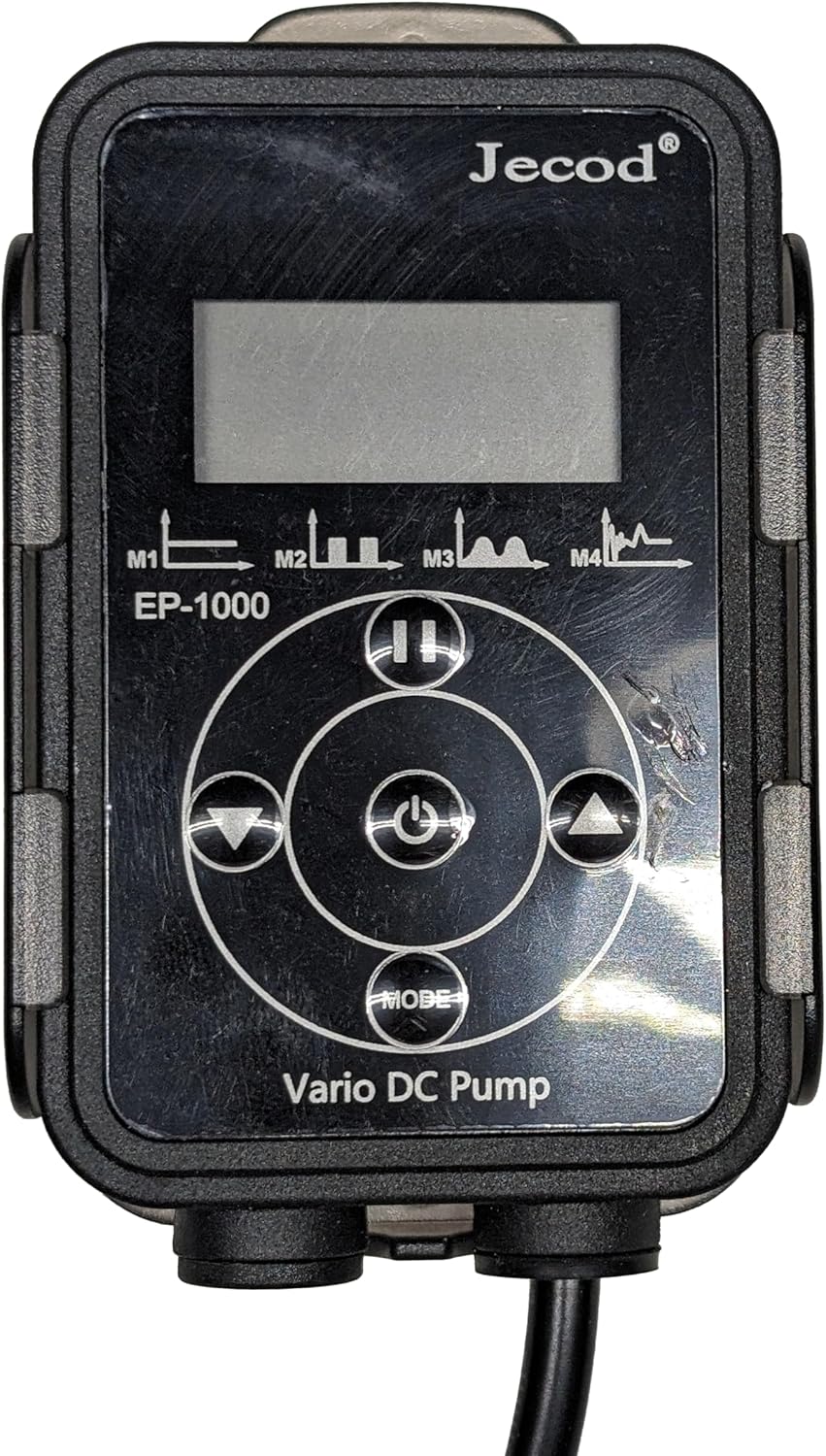
Image 3.1: Overview of all included components for the EP1000 pump system.
4. Setup
4.1 Pump Placement
The EP1000 pump can be used submerged (with bottom blowing and side draught) or externally (dry use).
- Submerged Use: Place the pump securely in your sump or water reservoir. Ensure the intake is clear of debris.
- External (Dry) Use: Position the pump on a stable, level surface outside the water. Ensure the pump is below the water level of the source to allow for gravity feeding.
4.2 Connecting Tubing
- Select the appropriate hose connector for your tubing size.
- Attach the connector securely to the pump's outlet.
- Connect your return tubing to the pump's outlet connector. Use hose clamps if necessary to prevent leaks.
4.3 Connecting Controller and Power
- Connect the pump's cable to the designated port on the LCD controller.
- Connect the power adapter to the controller.
- Plug the power adapter into a suitable electrical outlet.
5. Operating Instructions
The EP1000 features a manual control system with a visual LCD display.

Image 5.1: The LCD controller for the EP1000 pump, showing control buttons and display.
5.1 Power On/Off
- Press the Power button (central button) once to turn the pump on.
- Press and hold the Power button for a few seconds to turn the pump off.
5.2 Adjusting Flow Rate
- Use the Up (▲) and Down (▼) arrow buttons on the controller to increase or decrease the pump's flow rate. The LCD will display the current speed setting.
5.3 Pause Function
- Press the Pause button (||) to temporarily stop the pump. This is useful during feeding or maintenance.
- The pump will automatically resume operation after a preset time (typically 5-10 minutes) or when the Pause button is pressed again.
5.4 Mode Selection
- Press the MODE button to cycle through different operational modes, if available. Refer to the LCD display for mode indicators (e.g., M1, M2, M3, M4).
6. Maintenance
Regular maintenance ensures optimal performance and extends the lifespan of your pump.
6.1 Cleaning the Pump
- Disconnect the pump from power.
- Remove the pump from the water or disconnect tubing for dry use.
- Disassemble the pump housing and impeller cover.
- Clean all components with a soft brush and clean water. For stubborn deposits (e.g., calcium buildup), soak parts in a mild acid solution (like vinegar) for several hours, then scrub clean.
- Rinse all parts thoroughly before reassembly.
6.2 Impeller and Ceramic Shaft
- Inspect the impeller and ceramic shaft for any signs of wear or damage. Replace if necessary.
- The ceramic shaft is wear-resistant, contributing to a longer operational life. Ensure it is free of debris during cleaning.
7. Troubleshooting
If you encounter issues with your EP1000 pump, refer to the following table:
| Problem | Possible Cause | Solution |
|---|---|---|
| Pump not starting | No power, clogged impeller, airlock (for dry use) | Check power connection. Clean impeller. Prime pump by ensuring water flows into the intake before starting. |
| Reduced flow | Clogged intake/impeller, kinked tubing, incorrect speed setting | Clean pump and impeller. Check tubing for obstructions. Increase speed setting on controller. |
| Unusual noise/vibration | Debris in impeller, worn impeller, improper installation | Clean impeller. Inspect impeller for damage. Ensure pump is securely placed and not vibrating against surfaces. |
| Error Code (e.g., Er-03) | Dry run protection, locked rotor protection, no water detected | Ensure pump is fully submerged or primed with water for dry use. Check for obstructions preventing impeller rotation. Power cycle the pump. |
8. Specifications
Key technical specifications for the Jebao Jecob EP1000 DC Return Pump:
- Model: EP-1000
- Flow Rate: 317 GPH / 1200 LPH
- Maximum Lifting Height: 4.9 Feet (1.5 meters)
- Power Source: DC 24 Volts
- Material: Acrylonitrile Butadiene Styrene (ABS)
- Dimensions (L x W x H): 3.76" x 2.13" x 2.83"
- Item Weight: 1.69 pounds
- Features: Manual control, visual LCD display, bottom blowing, side draught, dry use capability, SINE wave technology, IC electronic detection, dry/locked rotor protection, automatic power-off upon no water, wear-resistant ceramic shaft.
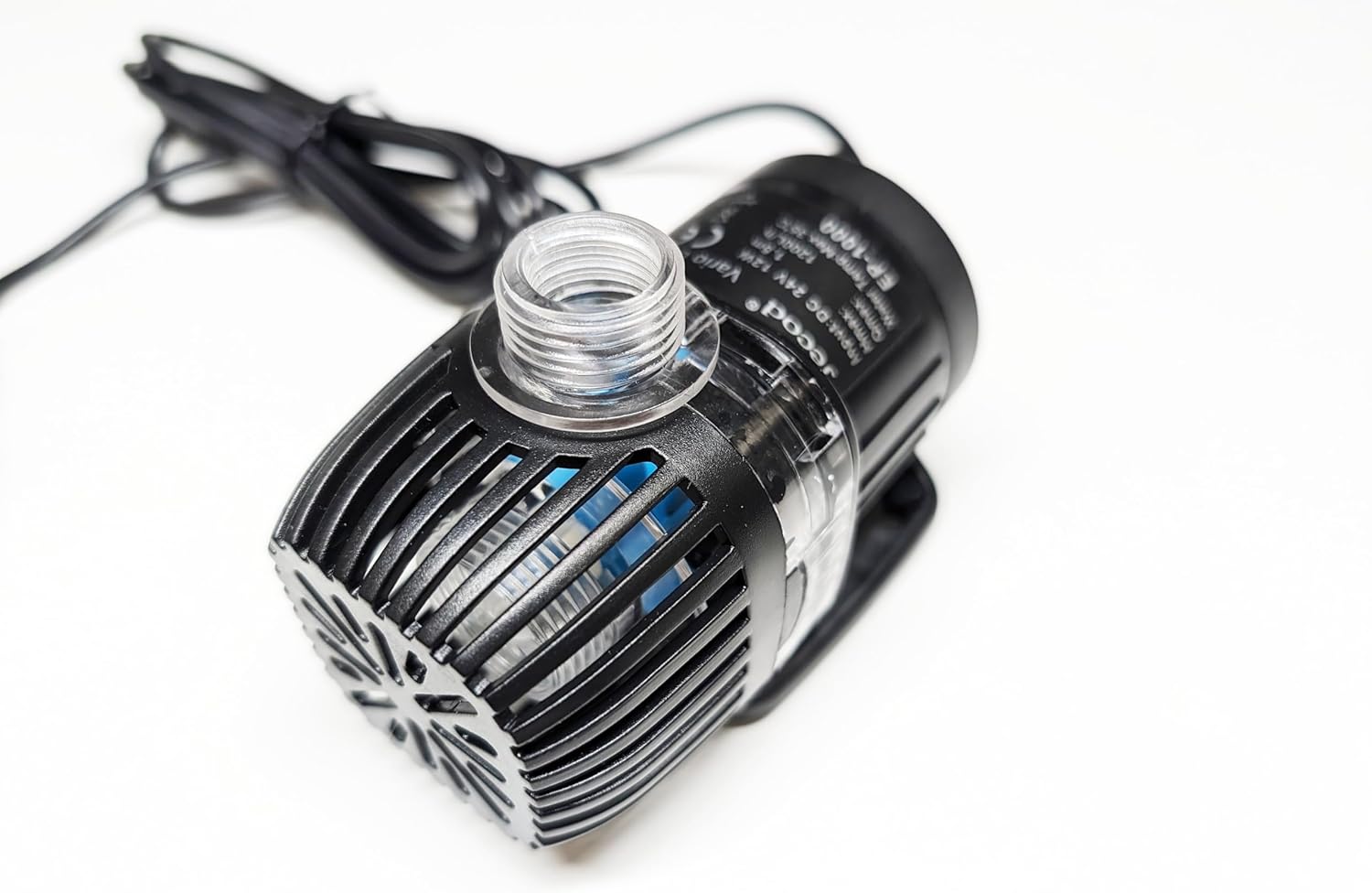
Image 8.1: Side view of the EP1000 pump, displaying technical information on its label.
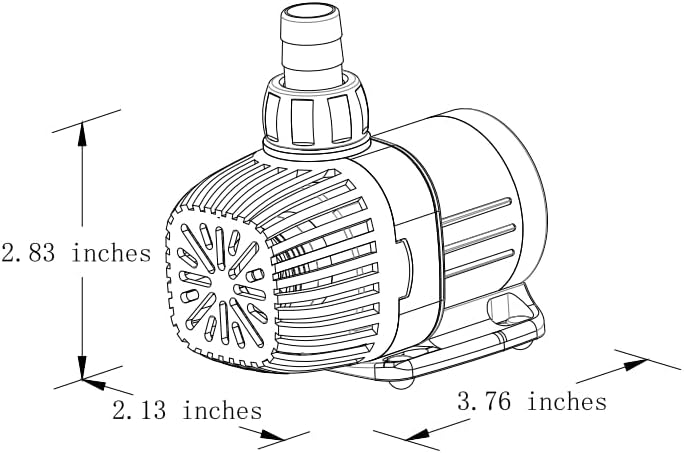
Image 8.2: Dimensional diagram of the EP1000 pump, indicating length, width, and height.
9. Warranty and Support
For warranty information or technical support, please refer to the documentation provided with your purchase or contact Jebao customer service. Keep your purchase receipt as proof of purchase.