
1. Introduction
This manual provides detailed instructions for the safe and efficient operation, installation, and maintenance of your Jebao Jecob EP5000 DC Aquarium Return Pump. Please read this manual thoroughly before using the product to ensure proper function and longevity.
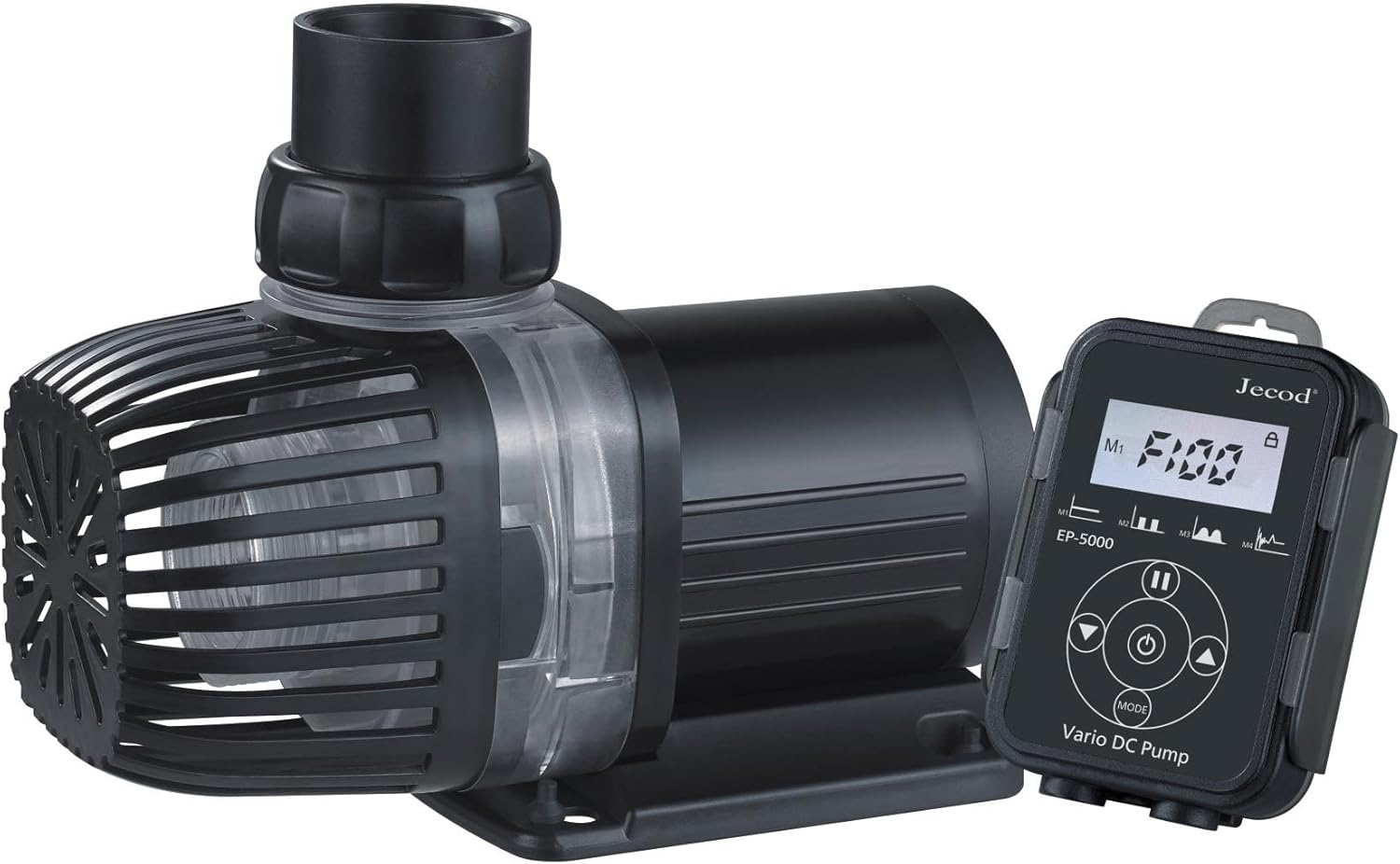
Image 1.1: The Jebao Jecob EP5000 DC Aquarium Return Pump with its LCD controller.
2. Important Safety Instructions
To reduce the risk of injury, observe the following safety precautions:
- Read all instructions carefully before installation and operation.
- Do not operate any appliance if it has a damaged cord or plug, or if it malfunctions or has been dropped or damaged in any manner.
- To avoid the possibility of the appliance plug or receptacle getting wet, position the aquarium stand and tank to one side of a wall-mounted receptacle to prevent water from dripping onto the receptacle or plug.
- A "drip loop" should be arranged by the user for each cord connecting an aquarium appliance to a receptacle. The "drip loop" is the part of the cord below the level of the receptacle, or the connector if an extension cord is used, to prevent water from traveling along the cord and coming into contact with the receptacle.
- Always unplug the appliance from the outlet when not in use, before putting on or taking off parts, and before cleaning. Never yank cord to pull plug from outlet. Grasp the plug and pull to disconnect.
- Do not use the appliance for anything other than its intended use. The use of attachments not recommended or sold by the appliance manufacturer may cause an unsafe condition.
- Do not install or store the appliance where it will be exposed to the weather or to temperatures below freezing.
- Ensure the pump is fully submerged when operating in wet applications.
- This appliance is for household use only.
3. Package Contents
Verify that all items listed below are included in your package:
- Jebao Jecob EP5000 DC Return Pump
- LCD Controller
- Power Adapter
- Various Pipe Fittings and O-rings
- Instruction Manual (this document)

Image 3.1: Contents of the Jebao Jecob EP5000 package, including the pump, controller, power supply, and various fittings.
4. Product Features
The Jebao Jecob EP5000 DC Aquarium Return Pump offers the following key features:
- Manual control system with a visual LCD display for easy adjustments.
- Designed for both bottom blowing and side draught applications, supporting dry use.
- Utilizes SINE wave technology for ultra-quiet operation.
- Integrated IC electronic detection for dry run and locked rotor protection, with automatic power-off upon no water detection.
- Equipped with a wear-resistant ceramic shaft for extended operational life.
- Suitable for both saltwater and freshwater aquarium environments.
5. Setup and Installation
Follow these steps to properly set up your EP5000 pump:
- Choose Location: Position the pump in your sump or desired water reservoir. Ensure it is placed on a stable, level surface. For dry applications, ensure proper plumbing connections are secured.
- Connect Fittings: Attach the appropriate pipe fittings to the pump's inlet and outlet. Use the provided O-rings to ensure a watertight seal. The pump can be configured for bottom intake (with the included screen) or side intake.
- Plumbing: Connect your aquarium plumbing to the pump's outlet. Ensure all connections are secure and free of leaks.
- Controller Connection: Connect the pump's cable to the LCD controller. Ensure the connection is firm.
- Power Connection: Connect the power adapter to the LCD controller, then plug the power adapter into a grounded electrical outlet. Ensure a drip loop is formed with the power cord.
- Initial Priming (Wet Use): If using submerged, ensure the pump is fully immersed in water before powering on. The pump will self-prime.
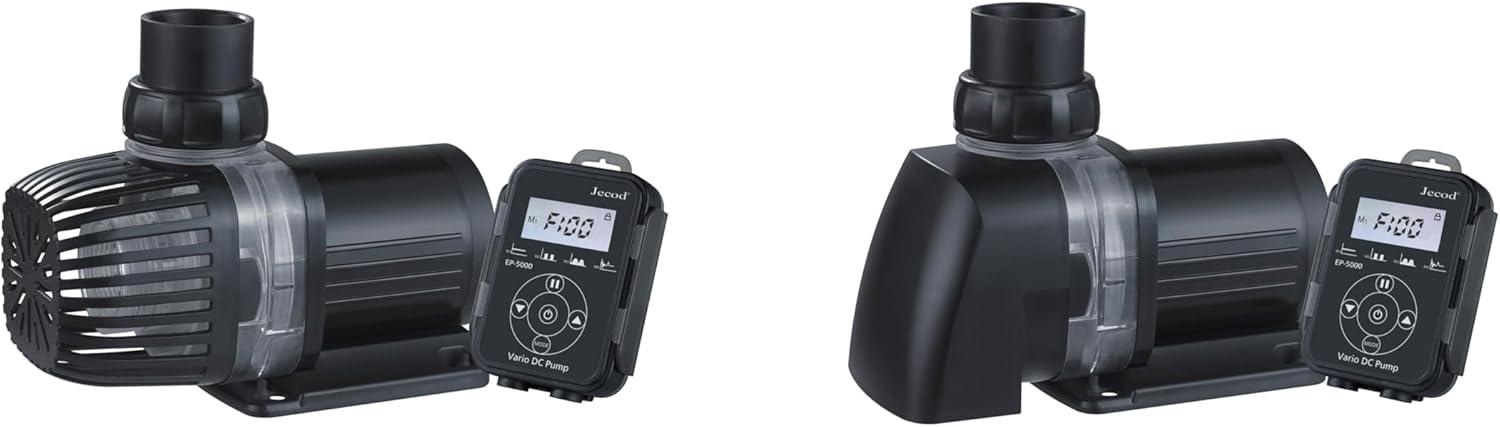
Image 5.1: The EP5000 pump configured with the bottom intake screen, ready for submerged installation.
6. Operating Instructions
The LCD controller allows for precise control of the pump's performance.
6.1 Controller Overview
The LCD controller features a display and several buttons for operation:
- Display: Shows current speed setting, power consumption, and status indicators.
- Up/Down Arrows: Adjust pump speed/flow rate.
- MODE Button: Cycles through different operating modes (if applicable).
- FEED Button: Initiates a temporary pause for feeding, typically 10 minutes.
- Lock Button: Locks the current settings to prevent accidental changes.
6.2 Basic Operation
- Power On: Once plugged in, the pump will start at its last saved setting or a default setting. The LCD will illuminate.
- Adjust Speed: Use the Up and Down arrow buttons to increase or decrease the pump's flow rate. Observe the display for the current speed level.
- Feeding Mode: Press the FEED button to temporarily stop the pump for feeding. The pump will automatically resume operation after approximately 10 minutes. Press FEED again to cancel feeding mode early.
- Lock Settings: Press the Lock button to prevent accidental changes to the pump's speed. Press again to unlock.
- Power Off: Unplug the power adapter from the electrical outlet.
7. Maintenance
Regular maintenance ensures optimal performance and extends the lifespan of your pump.
- Disconnect Power: Always unplug the pump from the power outlet before performing any maintenance.
- Disassemble: Carefully disconnect the plumbing and disassemble the pump housing. Refer to the diagrams for your specific model if available.
- Clean Impeller: Remove the impeller and clean it thoroughly with a soft brush under running water. Remove any debris, algae, or mineral deposits. The ceramic shaft should also be inspected and cleaned.
- Clean Housing: Clean the pump housing and intake screen to remove any buildup.
- Reassemble: Reassemble all parts, ensuring O-rings are properly seated and connections are secure.
- Frequency: Perform cleaning every 1-3 months, depending on water conditions and usage.
8. Troubleshooting
If you encounter issues with your EP5000 pump, refer to the following table:
| Problem | Possible Cause | Solution |
|---|---|---|
| Pump does not start or operate. | No power; power adapter or controller malfunction; impeller jammed; dry run protection activated. | Check power connection; ensure controller is connected; clean impeller for obstructions; ensure pump is submerged (if applicable). |
| Reduced flow rate. | Clogged intake or impeller; air in the system; kinked tubing. | Clean intake screen and impeller; check for air locks and release; inspect tubing for kinks or blockages. |
| Pump is noisy. | Impeller obstruction or damage; air in the system; pump not seated properly. | Clean impeller; check for air locks; ensure pump is stable and not vibrating against surfaces. |
| LCD controller not responding. | Loose connection; controller malfunction. | Check cable connection between pump and controller; unplug and replug power. |
9. Specifications
Technical specifications for the Jebao Jecob EP5000 DC Aquarium Return Pump:
- Model: EP5000
- Brand: Jebao
- Maximum Flow Rate: 5000 LPH (1320 GPH)
- Maximum Lifting Height: 13 Feet (4 meters)
- Power Source: DC
- Voltage: 24 Volts (DC)
- Material: Ceramic shaft
- Product Dimensions: 7.87"L x 5.28"W x 5"H
- Item Weight: 5.61 pounds
- Included Components: Return Pump, LCD Controller, Power Adapter, Fittings
- Application: Saltwater and Freshwater Aquariums, Ponds, Fountains, Sumps, Hydroponics
10. Warranty and Support
For warranty information or technical support, please contact your retailer or the manufacturer directly. Keep your purchase receipt as proof of purchase.
Manufacturer: JEBAO