1. Introduction
The MagentaTV One (2nd Generation) is a premium Android TV Box designed to deliver an exceptional MagentaTV experience. This device features a powerful quad-core processor, 16 GB of RAM for applications, and a high-quality remote control. It offers energy efficiency with various power-saving modes and is future-proof with its Android TV operating system and regular updates. This manual provides essential information for setting up, operating, and maintaining your device.

Image 1.1: MagentaTV One (2nd Generation) Android TV Box with its premium remote control.
2. Package Contents
Please check that all items listed below are included in your package. If any items are missing or damaged, please contact customer support.
- MagentaTV One 2.0 Device
- Premium Remote Control
- 2 x AAA Batteries (for remote control)
- 12V/1A Power Adapter with connection cable
- 1.8m HDMI Cable
- User Manual (this document)
3. Setup Guide
Follow these steps to set up your MagentaTV One (2nd Generation) device.
- Connect to TV: Connect the MagentaTV One device to your television using the supplied HDMI cable. Ensure your TV has an available HDMI input.
- Power Connection: Plug the 12V/1A power adapter into the device and then into an electrical outlet.
- Internet Connection:
- Wi-Fi: During initial setup, you will be prompted to connect to your Wi-Fi network. Select your network and enter the password.
- LAN (Ethernet): Alternatively, connect an Ethernet cable from your router to the LAN port on the MagentaTV One device.
Note: A minimum internet bandwidth of 10 Mbit/s is required for basic operation. For 4K Ultra HD streaming, a broadband connection of at least 25 Mbit/s is recommended.
- Initial Configuration: Follow the on-screen instructions to complete the initial setup, including language selection, Google account login, and MagentaTV service activation. If you are a Telekom customer, automatic connection may be available.
- 4K Ultra HD Requirements: To enjoy 4K Ultra HD content, ensure your television is 4K Ultra HD compatible (with HDCP 2.2 support on the HDMI input) and that the content and streaming service support 4K Ultra HD.
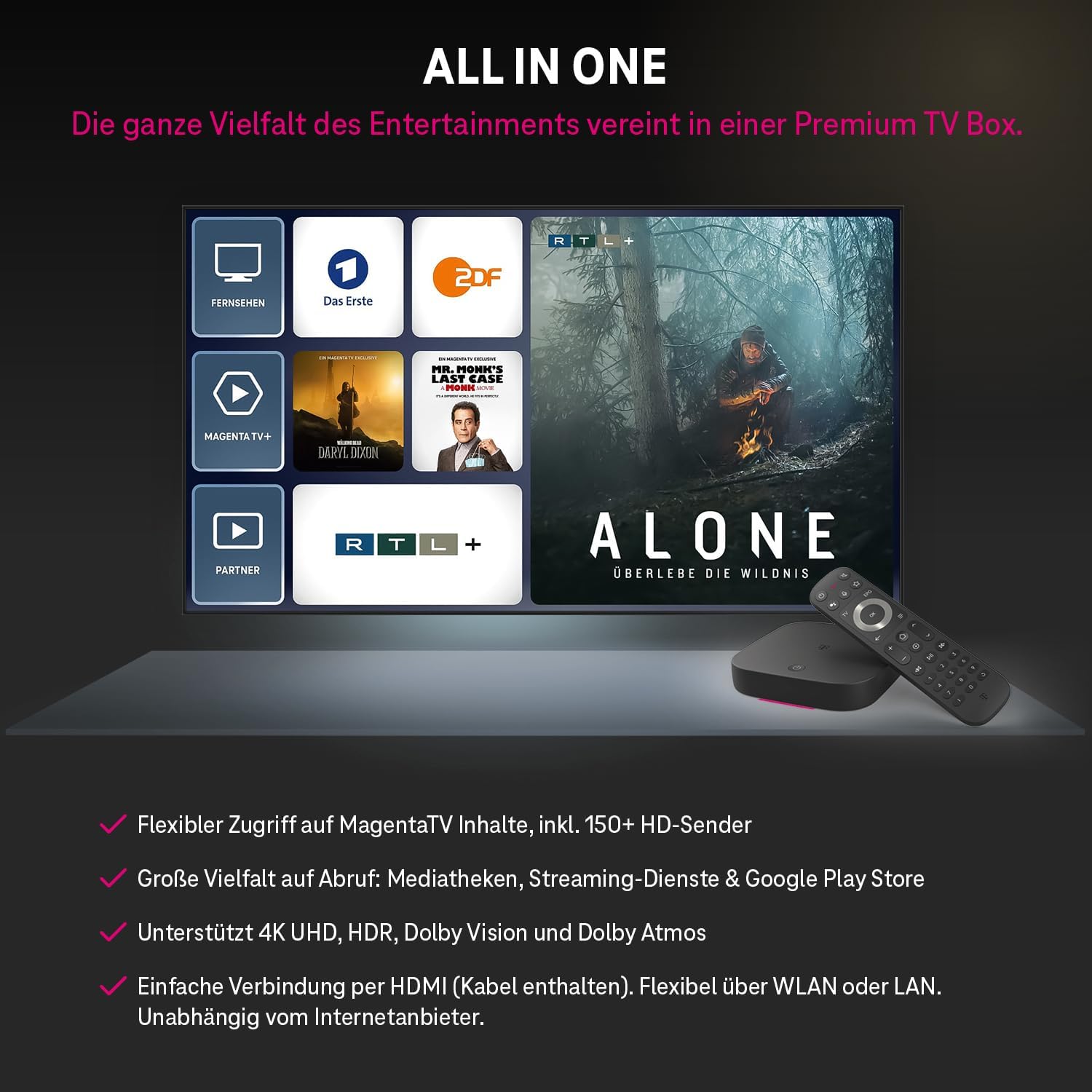
Image 3.1: The MagentaTV One interface displaying various entertainment options and streaming services.
4. Operating Instructions
4.1. Remote Control Functions
The premium remote control is designed for intuitive navigation. It features illuminated keys for use in low-light conditions and a customizable button for quick access to your favorite apps.

Image 4.1: Detailed view of the MagentaTV One remote control with key functions highlighted.
- TV Button: Instantly switch to the live TV program or return to the last channel.
- Home Button: Navigate directly to the MagentaTV home screen from anywhere.
- Star Button: Customizable for up to 6 personal favorite apps, allowing quick launch of services like Netflix, Disney+, or Paramount+.
- Magenta Voice Assistant: Press and hold the microphone button to use voice commands for searching content and more.
- Restart Button: Restart current TV broadcasts from the beginning.
- Illuminated Keypad: Keys light up when the remote is moved, enhancing usability in dark environments.
4.2. Navigating MagentaTV and Streaming Services
The MagentaTV One provides access to over 150 HD channels, time-shifted TV with Timeshift & Restart functions, and cloud storage for TV recordings. It also includes MagentaTV+ with on-demand series, movies, shows, and documentaries.
- Customizable Quick Start Bar: Personalize the quick start bar in the menu to access your preferred content and applications faster.
- Streaming Services: Access popular streaming services such as Netflix, Prime Video, Disney+, DAZN, Apple TV+, YouTube, and RTL+ via the device. Separate subscriptions may be required for these services.
- Google Play Store: Download thousands of additional applications and games from the Google Play Store.

Image 4.2: MagentaTV content being streamed simultaneously on a TV, tablet, and smartphone, demonstrating multi-device compatibility.
5. Maintenance
To ensure optimal performance and longevity of your MagentaTV One device, follow these maintenance guidelines:
- Cleaning: Use a soft, dry cloth to clean the device and remote control. Do not use liquid cleaners or abrasive materials.
- Ventilation: Ensure the device is placed in a well-ventilated area to prevent overheating. Do not block ventilation openings.
- Software Updates: The device receives regular software updates via Android TV. Ensure your device is connected to the internet to receive these updates, which improve performance and add new features.
- Battery Replacement: Replace the AAA batteries in the remote control when they are depleted.
6. Troubleshooting
If you encounter issues with your MagentaTV One, refer to the following common problems and solutions:
| Problem | Possible Cause | Solution |
|---|---|---|
| No power/Device not turning on | Power cable disconnected; Power outlet issue | Check power cable connection; Try a different power outlet. |
| No picture on TV | HDMI cable loose/faulty; Incorrect TV input selected | Ensure HDMI cable is securely connected; Select the correct HDMI input on your TV. |
| No internet connection | Wi-Fi password incorrect; Router issue; LAN cable disconnected | Re-enter Wi-Fi password; Restart your router; Check LAN cable connection. |
| Remote control not responding | Low/dead batteries; Obstruction between remote and device | Replace AAA batteries; Ensure clear line of sight to the device. |
| App crashes or slow performance | Outdated app; Insufficient memory; Software glitch | Update the app; Clear app cache; Restart the device. |
If the problem persists, please refer to the support section or contact customer service.
7. Technical Specifications
| Feature | Detail |
|---|---|
| Model Number | 40824143 |
| Dimensions (LxWxH) | 12.5 cm x 12.5 cm x 2.5 cm (approx. 125mm x 125mm x 25mm) |
| Weight | 280 Grams |
| Processor | Powerful Quad-Core Processor |
| RAM | 16 GB (for applications) |
| Operating System | Android TV 12 (updatable) |
| Video Standard | 720p/1080p/2160p (HEVC, AVC, MP@ML, MP@HL, AV1, VC1, VP8, VP9, MPEG-DASH) |
| HDR Support | HDR10/10+, HLG, Dolby Vision |
| Connectivity |
|
| Power Consumption |
|
| Supported Internet Services | RTL, Netflix, Prime Video, Disney, DAZN, Apple TV, YouTube, Google Play Store |
8. Warranty and Support
8.1. Warranty Information
The MagentaTV One (2nd Generation) comes with a standard manufacturer's warranty. Please retain your proof of purchase for warranty claims. Specific warranty terms and duration may vary by region and retailer. For detailed warranty information, please refer to the documentation provided with your purchase or visit the official Deutsche Telekom website.
8.2. Customer Support
For technical assistance, troubleshooting, or service inquiries, please contact Deutsche Telekom customer support.
- Online Support: Visit the official Deutsche Telekom website for FAQs, support articles, and contact options.
- Telephone Support: Refer to your service agreement or the Deutsche Telekom website for local customer service numbers.
- Software Updates: Ensure your device is connected to the internet to receive the latest software updates, which often resolve issues and improve functionality.


