
1. Introduction
The mingwear Smart Ring W3 is a lightweight, IP68 waterproof fitness tracker designed for continuous health and activity monitoring. This manual provides essential information for setting up, operating, and maintaining your smart ring to ensure optimal performance.
2. What's in the Box
- mingwear Smart Ring W3 x 1
- Magnetic Charging Cable x 1
- Instruction Manual x 1
3. Setup Guide
3.1 Initial Charging
Before first use, fully charge your mingwear Smart Ring W3. Connect the magnetic charging cable to the designated spot inside the ring and plug the USB-A end into a compatible power source. A full charge typically takes 0.5 to 1 hour and provides 3-5 days of use.
Video: Unboxing and Charging the mingwear Smart Ring W3. This video demonstrates the unboxing and initial charging process of the mingwear Smart Ring W3, showing how to connect the magnetic charger to the ring.
3.2 App Download and Pairing
- Scan the QR code provided in the user manual or search for the "ECTRI" app on the Google Play Store (for Android 6.0 and above) or the Apple App Store (for iOS 11.0 and above).
- Install the "ECTRI" app on your smartphone.
- Open the app and follow the on-screen instructions to create an account and pair your mingwear Smart Ring W3 via Bluetooth. Ensure Bluetooth is enabled on your phone.
- Input your personal information as requested by the app to ensure accurate health data tracking.

Image: Steps for measuring finger size, purchasing the ring, and downloading the ECTRI app.
3.3 Sizing Your Smart Ring
For accurate readings and comfort, ensure your smart ring fits correctly. Refer to the sizing guide below to determine the appropriate size for your finger. The ring should be snug but not uncomfortably tight.
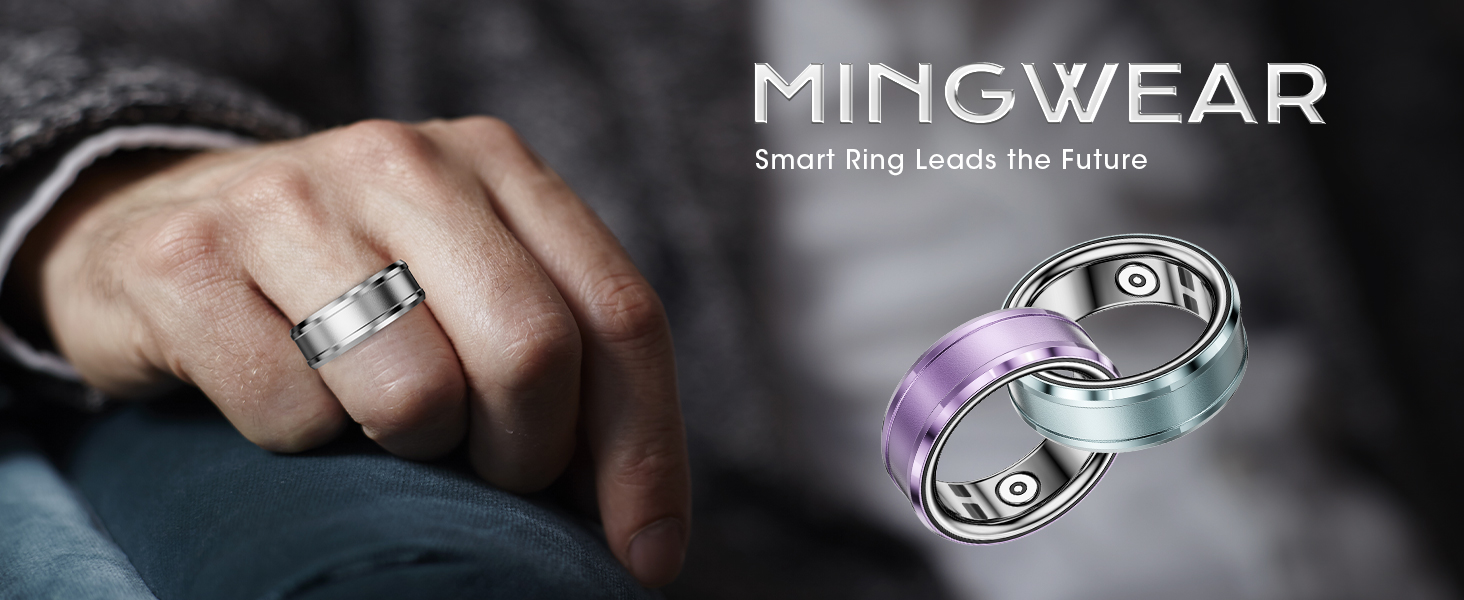
Image: Detailed guide on how to measure your finger for the correct ring size, including a conversion table for international sizes.
4. Operating Your Smart Ring
4.1 Wearing the Ring
Wear the mingwear Smart Ring W3 on any finger that feels comfortable. Its lightweight aluminum-titanium alloy design ensures it is skin-friendly and comfortable for extended wear, including during sleep.

Image: The mingwear Smart Ring W3 worn on a finger, highlighting its comfortable and stylish design.
4.2 Health Monitoring
The smart ring continuously monitors various health metrics, which can be viewed and analyzed through the "ECTRI" app. Data can be synchronized when connected to the app, or the ring can independently carry out body monitoring when not connected.
- Heart Rate Monitoring: Provides 24-hour automatic heart rate tracking. Manual measurements can also be initiated via the app.
- Sleep Tracking: Automatically tracks sleep data from 9:30 PM to 12:00 PM the next day, analyzing sleep quality (deep sleep, light sleep, awake time) and offering suggestions.
- Blood Oxygen (SpO2) Monitoring: Measures blood oxygen saturation levels.
- Body Temperature Monitoring: Tracks your body temperature.
- Stress Monitoring: Assesses stress levels.
- Blood Pressure Monitoring: Provides blood pressure measurements.
- Weight Management: Allows you to track your weight and BMI.
- Menstrual Cycle Tracking: For female users, the app can assist with period prediction.

Image: The ECTRI app interface showing a comprehensive overview of health data, including heart rate, sleep, blood pressure, and more.
Video: Overview of the mingwear Smart Ring's health tracking features, including heart rate, sleep, and blood oxygen monitoring within the app.
4.3 Exercise Tracking
The smart ring automatically tracks your exercise status, including steps, distance, and calories burned. It supports multiple exercise modes, allowing you to easily view all sports data within the app.
- Outdoor Activities: Run, Cycle, Walk.
- Indoor Activities: Treadmill, Indoor Cycle, Jump Rope, Aerobic Exercise, Strength Training, Sleep.

Image: The ECTRI app's exercise tracking screen, illustrating different activity modes and data visualization.
4.4 Remote Control Photography
The smart ring supports remote photography. Open the "ECTRI" app, navigate to the device page, and select the R3 icon for remote control photography. Simply shake your hand to capture photos.
5. Maintenance
5.1 Water Resistance
The mingwear Smart Ring W3 features IP68 waterproof technology. This means it is resistant to water and sweat, and does not need to be removed when washing hands, showering, or swimming.
5.2 Cleaning
To clean your smart ring, gently wipe it with a soft, damp cloth. Avoid using harsh chemicals or abrasive materials that could damage the finish or internal components.
6. Troubleshooting
- Ring not connecting to app: Ensure Bluetooth is enabled on your smartphone and the ring is sufficiently charged. Restart both the app and your phone if necessary.
- Inaccurate readings: Ensure the ring is worn snugly on your finger. Check that your personal information in the app (e.g., age, gender, weight) is accurate.
- Short battery life: Ensure the ring is fully charged using the provided magnetic cable. Avoid extreme temperatures, which can affect battery performance.
7. Specifications
| Feature | Specification |
|---|---|
| Brand | mingwear |
| Model Name | W3 |
| Connectivity Technology | Bluetooth |
| Water Resistance Level | IP68 Waterproof (1 Meter) |
| Battery Capacity | 18 Milliamp Hours |
| Battery Charge Time | 0.5 Hours |
| Battery Life | 3-5 Days (after 0.5-1 hour charge) |
| Band Material Type | Aluminum-Titanium Alloy |
| Supported Application | Fitness Tracker, Sleep Monitor, Heart Rate Monitor, Pedometer |
| Compatible Devices | Smartphone (Android 6.0+, iOS 11.0+) |
| Item Dimensions | 2.36 x 3.94 x 3.94 inches |
8. Warranty & Support
The mingwear Smart Ring W3 comes with a 1-year manufacturer warranty. For any questions or support, please refer to the contact information provided with your purchase or within the "ECTRI" app.