
1. Introduction
The Raddy SW001 Shortwave Radio Antenna is designed to significantly enhance the signal reception and reduce interference for compatible shortwave radios. This accessory improves audio clarity and volume, providing a more enjoyable listening experience for various radio models equipped with a telescopic antenna.
Key features include:
- Enhanced Signal Reception: Boosts radio signal strength for improved audio quality.
- Interference Reduction: Advanced technology to minimize signal disruptions.
- Easy Installation: Simple attachment to telescopic antennas.
- Improved Performance: Offers 1-2 times increase in signal strength compared to standard antennas.
- Wide Compatibility: Works with various Raddy radio models and others featuring telescopic antennas.
2. Product Overview
The Raddy SW001 antenna consists of a coiled wire element and a crocodile clip connector, designed for easy attachment to a radio's existing telescopic antenna.

Figure 2.1: The Raddy SW001 Shortwave Radio Antenna, showing its coiled wire and crocodile clip connector.
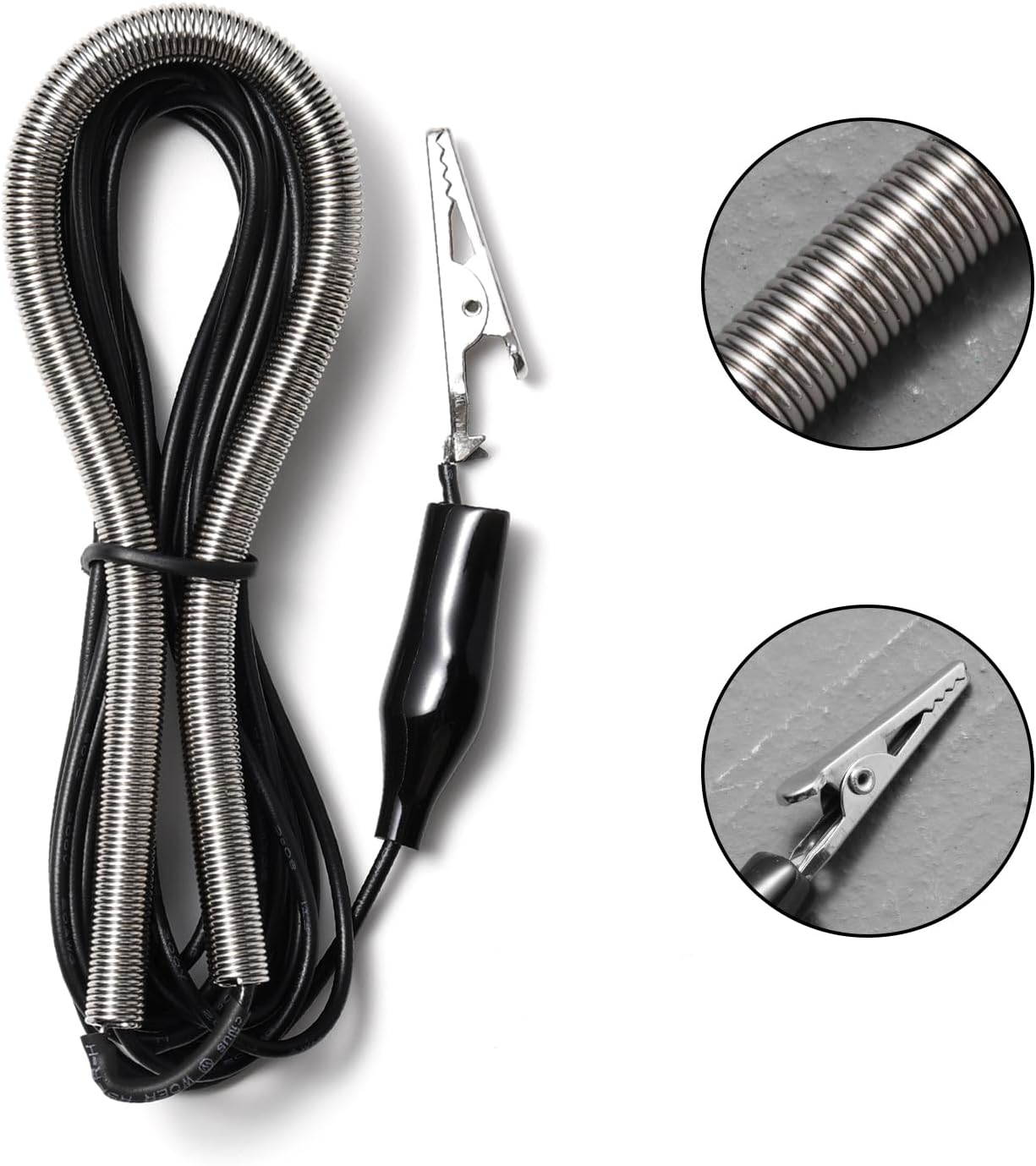
Figure 2.2: Detailed view of the crocodile clip and the coiled antenna wire, highlighting the construction.
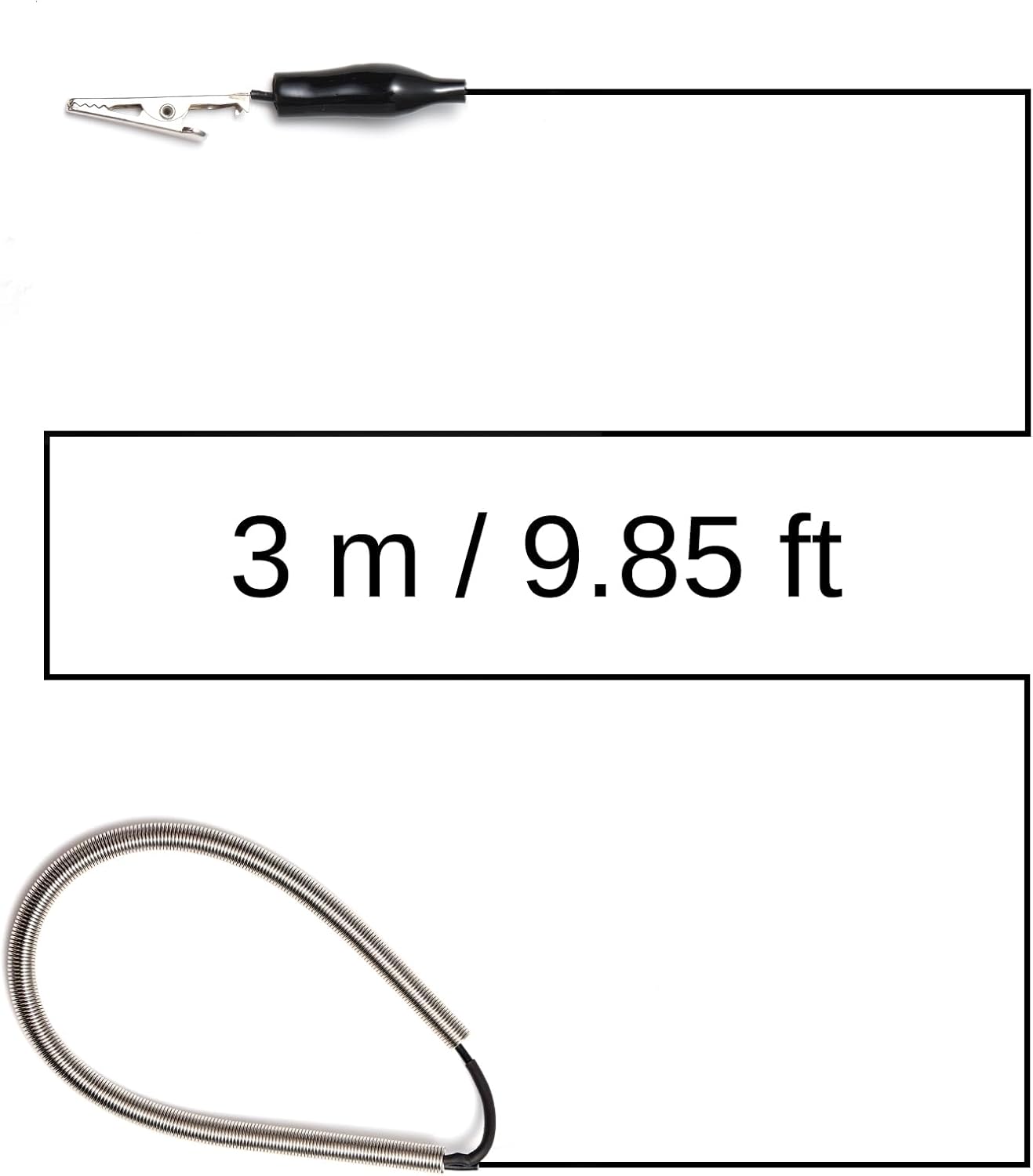
Figure 2.3: Illustration of the antenna's total length, approximately 3 meters (9.85 feet).
3. Setup and Installation
Follow these steps to properly install your Raddy SW001 antenna:
- Identify Compatible Radio: Ensure your radio has a telescopic antenna. The SW001 is designed to clip onto this type of antenna.
- Extend Radio Antenna: Fully extend the telescopic antenna on your radio.
- Attach Crocodile Clip: Carefully attach the crocodile clip of the SW001 antenna to the extended telescopic antenna of your radio. Ensure a secure connection.
- Uncoil and Position: Uncoil the 3-meter (9.85 ft) wire of the SW001 antenna and position it for optimal reception. For best results, extend the wire as much as possible and keep it away from obstructions.

Figure 3.1: The SW001 antenna connected to a Raddy RE40 radio, demonstrating the crocodile clip attachment.
4. Operating Instructions
Once installed, the Raddy SW001 antenna works passively to improve your radio's reception. Consider the following for best performance:
- Antenna Placement: Experiment with the placement of the uncoiled wire. Extending it vertically or horizontally, away from electronic devices and metal objects, can significantly impact signal quality.
- Outdoor/Window Placement: For shortwave reception, placing the antenna near a window or even temporarily outdoors (if safe and protected from elements) can yield superior results.
- Tuning: After connecting the antenna, retune your radio to desired frequencies. You should notice an improvement in signal strength and clarity.
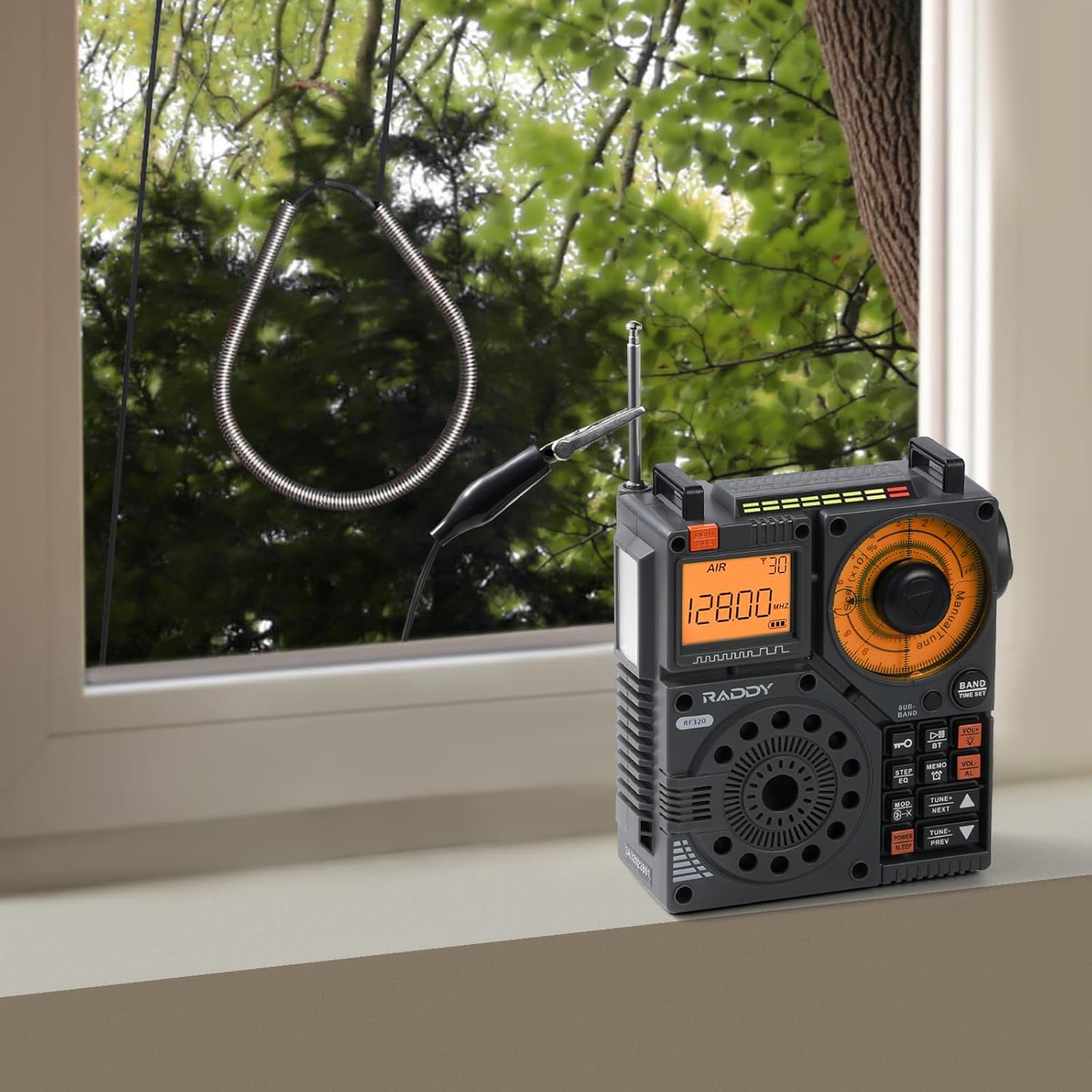
Figure 4.1: The SW001 antenna connected to a Raddy RF320 radio, positioned near a window for enhanced signal reception.
5. Maintenance
The Raddy SW001 antenna requires minimal maintenance:
- Cleaning: Wipe the antenna and clip with a soft, dry cloth if it becomes dusty. Do not use harsh chemicals or abrasive cleaners.
- Storage: When not in use, gently coil the antenna and store it in a dry, cool place away from direct sunlight and extreme temperatures.
- Inspection: Periodically check the crocodile clip and wire for any signs of damage or wear.
6. Troubleshooting
If you experience issues with your Raddy SW001 antenna, consider the following:
| Problem | Possible Cause | Solution |
|---|---|---|
| No improvement in signal. | Antenna not properly connected; poor positioning; strong local interference. | Ensure crocodile clip is securely attached to the radio's telescopic antenna. Try different antenna positions (e.g., near a window, away from electronics). |
| Signal is worse than without antenna. | Antenna is picking up more noise; incorrect radio settings. | Reposition the antenna. Check your radio's settings for external antenna input or gain control. |
| Crocodile clip does not stay attached. | Telescopic antenna too thin or clip worn. | Ensure the telescopic antenna is fully extended and rigid. If the clip is worn, contact support. |
7. Specifications
| Feature | Detail |
|---|---|
| Model | SW001 |
| Antenna Type | Shortwave Radio Antenna with Crocodile Clip |
| Cable Length | 3 meters (9.85 feet) |
| Connector Type | Crocodile Clip |
| Compatibility | Radios with telescopic antennas |
| Item Weight | 1.13 ounces |
| Package Dimensions | 5.67 x 3.94 x 0.63 inches |
| Manufacturer | Raddy |
8. Compatible Raddy Radio Models
The Raddy SW001 antenna is compatible with a wide range of Raddy radio models that feature a telescopic antenna, including but not limited to:
- Raddy RF320
- Raddy RF919
- Raddy RF750
- Raddy RF757
- Raddy RF75A
- Raddy RF886
- Raddy RF206
- Raddy RE40
This antenna can also be used with other brands of radios that have a standard telescopic antenna.

RF750

RF886

RF320

RF75A

RF919

RE40

RF757

RF206
9. Warranty and Support
For warranty information and technical support, please refer to the official Raddy website or contact their customer service directly. You can also visit the official Raddy store on Amazon for more product information and support resources.
Raddy Store on Amazon: Visit the Raddy Store