
1. Introduction
This manual provides essential instructions for the safe and effective use of your Kircuit 5V AC/DC Adapter and USB Charging Cable. This product is designed to provide reliable power and charging capabilities for compatible Shimpo Digital Force Gauges.
Compatible Models: Shimpo FG-3005, FG-3006, FG-3008, FG-3009 (also compatible with FG3005, FG3006, FG3008, FG3009).
2. Important Safety Instructions
Please read and understand all safety instructions before using this product. Failure to follow these instructions may result in electric shock, fire, or damage to the product or connected device.
- Indoor Use Only: This adapter is designed for indoor use. Do not expose it to rain, moisture, or extreme temperatures.
- Proper Voltage: Ensure the power outlet voltage is within the adapter's input range (100V-240V AC).
- Avoid Water: Do not use the adapter near water or in wet conditions. If the adapter comes into contact with liquid, disconnect it immediately.
- Ventilation: Ensure adequate ventilation around the adapter during use. Do not cover it with cloths or other materials.
- Disconnect When Not in Use: Unplug the adapter from the power outlet when not in use for extended periods.
- Handle with Care: Do not drop, disassemble, or attempt to repair the adapter. Refer all servicing to qualified personnel.
- Overcharge Protection: This adapter features built-in Dynamic IC, Charger IC, and Power fuse for rapid charging and overcharge protection. However, always monitor charging devices.
- Cable Integrity: Do not use if the cable or adapter housing is damaged.
3. Package Contents
Verify that all items are present in the package:
- 1x Kircuit 5V AC/DC Adapter
- 1x USB Charging Cable
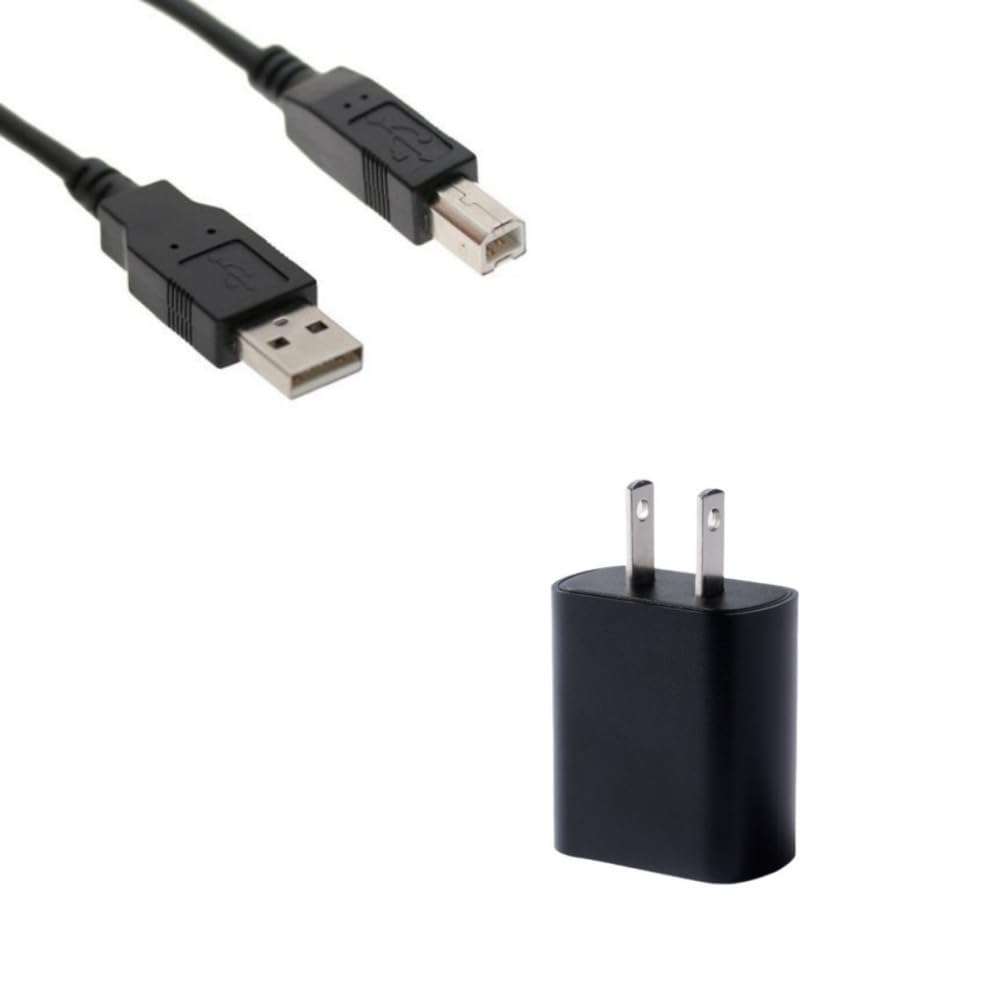
Image: Kircuit 5V AC/DC Adapter and USB Charging Cable. The image shows the black AC/DC adapter with a USB port and a separate black USB charging cable.
4. Setup
Follow these steps to set up your Kircuit adapter and cable:
- Connect USB Cable: Insert the USB-A end of the charging cable into the USB port on the Kircuit 5V AC/DC Adapter.
- Connect to Device: Insert the other end of the USB charging cable into the appropriate charging port on your Shimpo Digital Force Gauge (e.g., FG-3005, FG-3006, FG-3008, FG-3009).
- Plug into Power Outlet: Plug the Kircuit AC/DC Adapter into a standard electrical wall outlet (100V-240V AC).
- Verify Connection: Ensure all connections are secure. Your Shimpo Digital Force Gauge should now be receiving power or begin charging.
5. Operating Instructions
Once set up, the Kircuit adapter and cable can be used for two primary functions:
- Powering the Device: When connected to a power outlet and your Shimpo Digital Force Gauge, the adapter will supply continuous power, allowing you to operate the device without relying on its internal battery.
- Charging the Battery: If your Shimpo Digital Force Gauge has a rechargeable battery, connecting it to the adapter and power outlet will initiate the charging process. The device's charging indicator (if available) will typically show its charging status. Refer to your force gauge's manual for specific charging indicators.
6. Maintenance and Care
To ensure the longevity and optimal performance of your Kircuit adapter and cable, follow these maintenance guidelines:
- Cleaning: Disconnect the adapter from the power outlet and your device before cleaning. Use a soft, dry cloth to wipe the surfaces. Do not use liquid cleaners or solvents.
- Storage: Store the adapter and cable in a cool, dry place away from direct sunlight and extreme temperatures when not in use.
- Cable Management: Avoid sharp bends or kinks in the cable. Do not wrap the cable too tightly around the adapter.
- Inspection: Periodically inspect the adapter and cable for any signs of damage, such as frayed wires or cracked housing. Discontinue use if damage is found.
7. Troubleshooting
If you encounter issues with your Kircuit adapter and cable, refer to the following common problems and solutions:
- Device Not Powering On/Charging:
- Ensure the adapter is securely plugged into a working wall outlet.
- Verify that the USB cable is firmly connected to both the adapter and your Shimpo Digital Force Gauge.
- Check if the wall outlet is functional by plugging in another device.
- Inspect the adapter and cable for any visible damage. If damaged, discontinue use.
- Slow Charging:
- Ensure your device is not in heavy use while charging, as this can slow down the process.
- Confirm that the adapter's output (5V, 1.0A) matches the recommended input for your Shimpo Digital Force Gauge.
If the problem persists after trying these solutions, please contact customer support.
8. Specifications
| Brand | Kircuit |
| Manufacturer | Shenzhen Waweis Technology Co., Ltd |
| Input Voltage | 100-240V AC |
| Output Voltage/Current | 5V DC, 1.0A |
| Connector Type | USB |
| Compatible Devices | Shimpo FG-3005, FG-3006, FG-3008, FG-3009 Digital Force Gauges |
| Special Feature | Overcharge Protection |
| Color | Black |
9. Warranty and Support
For warranty information and customer support, please refer to the documentation provided with your purchase or contact the seller directly. Specific warranty terms and conditions may vary depending on the point of purchase.
If you require technical assistance or have questions not covered in this manual, please reach out to the manufacturer or authorized reseller.