
BEISAR 4C-GZTS-Z22J
BEISAR Prostate Massager and Trainer User Manual
Model: 4C-GZTS-Z22J
Introduction
The BEISAR Prostate Massager and Trainer is a versatile device designed for personal wellness. It features multiple stimulation modes including anal expansion, thrusting, and vibration, along with functions for prostate massage and glans training. This device can be controlled via a remote or a smart application, offering a customizable experience. Constructed from soft silicone, it is designed for comfortable use and is waterproof for easy cleaning.
Safety Information
- Clean the device thoroughly before and after each use with warm water and mild soap or a specialized toy cleaner.
- Ensure the device is completely dry before charging or storing.
- Do not use the device if it appears damaged or if the charging port is exposed to water.
- Discontinue use immediately if you experience any discomfort or pain.
- Keep out of reach of children.
- Consult a healthcare professional if you have any pre-existing medical conditions or concerns.
Package Contents
- BEISAR Prostate Massager and Trainer
- Wireless Remote Control
- USB Magnetic Charging Cable
- User Manual
Setup
1. Charging the Device
Before first use, fully charge the device. Connect the USB magnetic charging cable to the charging points on the device and to a USB power source. The indicator light will show charging status. A full charge typically takes 2 hours and provides approximately 1 hour of working time.
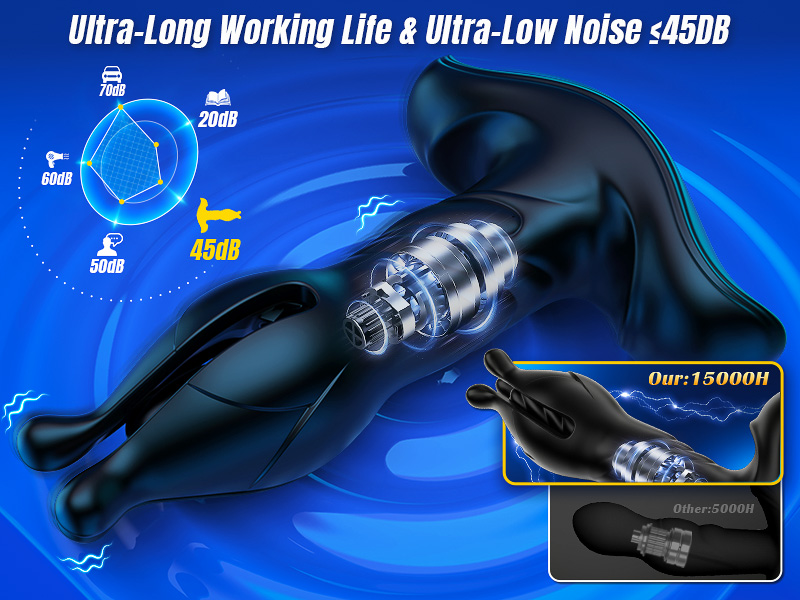
Image: Device connected to USB magnetic charging cable.
2. Remote Control Pairing
The remote control is pre-paired with the device. To activate, press the power button on the remote. The device will respond to commands from the remote.
3. App Connection (Joyhub App)
For advanced control and interactive features, download the Joyhub app. Scan the QR code provided in the packaging or visit joyhub.net/app to download. Follow the in-app instructions to register, log in, and add your device via Bluetooth. This enables AI lover mode, community features, and remote control via the app.
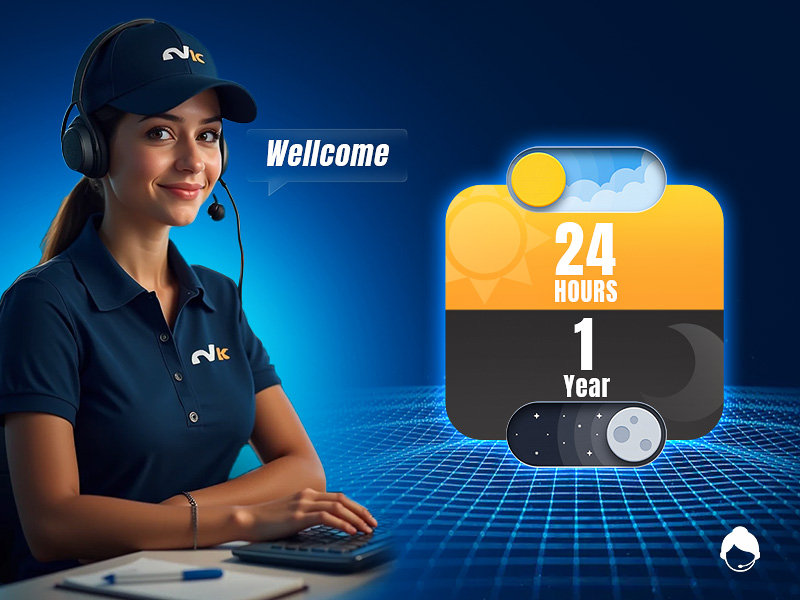
Image: Step-by-step guide for connecting the device to the Joyhub app.
Operating Instructions
1. Power On/Off
- To power on: Press and hold the power button on the device or remote for 2-3 seconds.
- To power off: Press and hold the power button on the device or remote for 2-3 seconds.
2. Mode Selection
The device offers 9 thrusting modes, 9 vibrating modes, and 9 anal expansion modes. Use the mode selection buttons on the remote or the Joyhub app to cycle through the available patterns and intensities.

Image: Illustration of the device highlighting 9 thrusting and 9 vibrating modes.
3. Anal Expansion and Prostate Massage
The device features a design for anal expansion and prostate massage. The base of the device is designed to massage the perineum. Start with lower intensity settings and gradually increase as desired.

Image: Diagram illustrating the anal expansion and tension training function.

Image: Diagram showing stimulation points for prostate, perineum, and anal areas.
4. Glans Training
The device includes 3 flexible petals designed for 360° glans training, with 9 flapping modes to enhance friction and sensation.

Image: Illustration of the glans training feature with flapping massage modes.
5. App and Remote Control Features
The smart app allows for real-time video chats and remote control of the device by a partner. It also includes a community feature for sharing experiences, various game modes, and an AI lover mode for personalized interaction.

Image: Depiction of the AI Partner mode within the Joyhub app.

Image: Overview of the Joyhub app's global real-time interaction features.

Image: Remote control functionality with a range of up to 38 feet.
Video Demonstrations
Video: Demonstration of the prostate vibrating massager's functions. This video is provided by a seller.
Video: Detailed review and demonstration of the adult male toy's features. This video is provided by a seller.
Video: Short demonstration of the device's various functions. This video is provided by a seller.
Maintenance
1. Cleaning
The device is IPX6 waterproof, allowing for easy cleaning. Wash with clean water and mild soap, then dry thoroughly. Do not submerge the remote control in water.

Image: Device being cleaned under running water and wiped dry.
2. Storage
Store the device in a cool, dry place away from direct sunlight and extreme temperatures. Keep it in its original discreet packaging to protect it from dust and damage.
Troubleshooting
| Problem | Possible Cause | Solution |
|---|---|---|
| Device does not turn on. | Low battery. | Charge the device fully. |
| Device not responding to remote. | Remote battery low or not paired. | Ensure remote has power. Re-pair if necessary (refer to app instructions). |
| App connection issues. | Bluetooth not enabled or app not updated. | Ensure Bluetooth is on. Update Joyhub app. Restart device and app. |
| Weak or inconsistent vibrations/thrusts. | Low battery. | Charge the device fully. |
Specifications
- Model Number: 4C-GZTS-Z22J
- Material: Silicone
- Color: Black
- Water Resistance Level: IPX6 Waterproof
- Package Dimensions: 7.52 x 5.35 x 2.32 inches
- Item Weight: 13.44 ounces
- Charging Time: Approximately 2 hours
- Working Time: Approximately 1 hour
- Noise Level: Under 45dB
Warranty and Support
BEISAR offers a 1-year warranty for this product. For any inquiries or support needs, please contact customer service. Responses are typically provided within 24 hours.

Image: Customer support information indicating 24-hour response time and 1-year warranty.
Ask a question about this manual
Ask about setup, troubleshooting, compatibility, parts, safety, or missing instructions. Manuals+ will review the question and use this page’s manual context to help answer it.