
Introduction
Thank you for choosing Drsaec Wireless Earbuds. This manual provides detailed instructions on how to set up, operate, and maintain your earbuds to ensure optimal performance and longevity. These earbuds feature advanced Bluetooth 5.3 technology, Hi-Fi stereo sound, ENC noise-canceling microphones, and an IP7 waterproof rating, designed for a superior audio experience.
Package Contents
- 2x Wireless Earbuds
- 1x Lightweight Charging Case
- 1x USB-C Cable
- 1x User Manual (this document)

Image: The retail packaging for the Drsaec I52 True Wireless Earbuds, showing the product name and a diagram of the earbuds and charging case.
Product Overview
The Drsaec I52 Wireless Earbuds come with a compact charging case that features an LED power display. Each earbud is designed for comfortable in-ear fit and includes touch control sensors for easy operation.

Image: The Drsaec I52 Wireless Earbuds in their open charging case, displaying the battery percentage on the front LED screen. The earbuds are deep purple.
Key Features:
- Bluetooth 5.3: Ensures stable and fast connection with low power consumption.
- Hi-Fi Stereo Sound: Equipped with 13mm dynamic drivers for rich audio.
- ENC Noise Cancelling: Four microphones for clear calls by filtering out disruptive noises.
- 50H Playback: Up to 8 hours on a single charge, extended to 50 hours with the charging case.
- IP7 Waterproof: Protects against water and sweat, suitable for sports.
- Smart Touch Control: Manage music, calls, and voice assistant with simple touches.

Image: A graphic highlighting the benefits of Bluetooth 5.3 technology in the Drsaec I52 earbuds, including 2Mbps faster transmission rate, lossless transmission, and lower power consumption.

Image: An exploded view diagram illustrating the internal components responsible for the Hi-Fi superior sound of the Drsaec I52 earbuds, emphasizing the 13mm dynamic unit and noise-detecting microphones for enhanced clarity and detail.
Setup
1. Charging the Case and Earbuds
Before first use, fully charge the charging case and earbuds. Connect the provided USB-C cable to the charging port on the case and a power source. The LED display on the case will show the charging status and battery percentage.
- A full charge for the case takes approximately 1 hour.
- Place the earbuds into the charging case to charge them. The individual earbud battery indicators (L and R) on the LED display will show their charging status.

Image: A visual representation of the Drsaec I52 charging case with its digital power display, indicating 100% battery for both the case and the earbuds. It highlights USB-C charging, 1-hour quick charge, 8 hours playtime, and 50 hours total playtime with the case.
2. Pairing with Your Device (One-Step Auto Pairing)
- Ensure your device's Bluetooth is turned on.
- Open the charging case. The earbuds will automatically power on and enter pairing mode.
- On your device, search for Bluetooth devices and select "I52" from the list.
- Once connected, you will hear a confirmation tone, and the earbuds will be ready for use.
After the initial pairing, the earbuds will automatically connect to the last paired device when you open the charging case, provided Bluetooth is enabled on your device.

Image: A diagram illustrating the one-step pairing process where opening the case automatically connects the earbuds. It also shows the various smart touch controls for functions like Siri, answering calls, volume, track navigation, and power.
Operating Instructions
Touch Controls
The Drsaec I52 earbuds feature intuitive touch controls on the outer surface of each earbud. Refer to the table below for common functions:
| Function | Action |
|---|---|
| Play/Pause | Single tap on either earbud |
| Next Song | Double tap on the Right earbud |
| Previous Song | Double tap on the Left earbud |
| Volume Up | Triple tap on the Right earbud |
| Volume Down | Triple tap on the Left earbud |
| Answer/End Call | Single tap on either earbud |
| Reject Call | Long press (2 seconds) on either earbud |
| Activate Voice Assistant (Siri/Google Assistant) | Long press (2 seconds) on either earbud (when not on a call) |
| Power On/Off | Long press (5 seconds) on either earbud, or place back in case |
The earbuds are equipped with 4 ENC (Environmental Noise Cancellation) microphones to ensure crystal-clear calls by filtering out background noise.
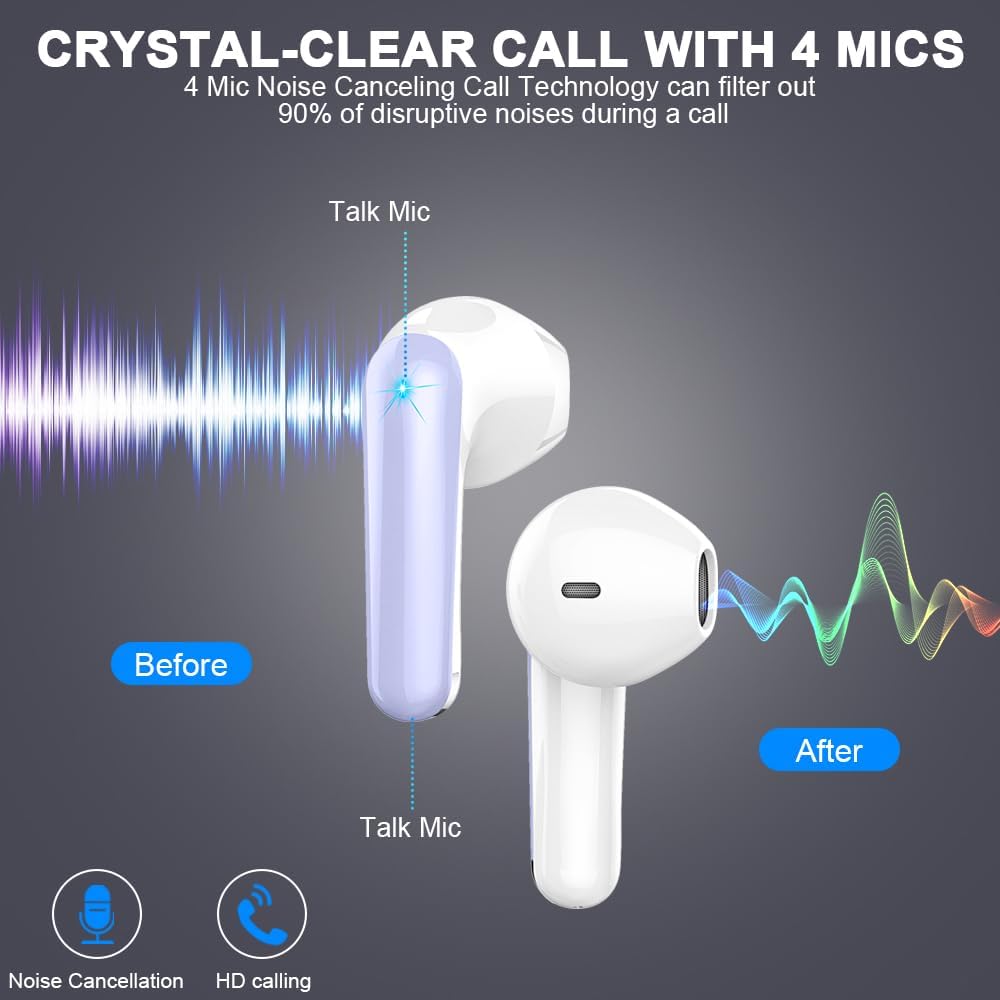
Image: A diagram illustrating how the 4 ENC noise-canceling microphones on the Drsaec I52 earbuds work to filter out 90% of disruptive noises during a call, showing a "Before" and "After" sound wave comparison.
Single Earbud Mode
You can use either the left or right earbud independently. Simply take one earbud out of the charging case, and it will automatically connect to your device. The other earbud can remain in the case or be used later.
Maintenance
Cleaning
Regular cleaning helps maintain sound quality and hygiene. Use a soft, dry, lint-free cloth to wipe the earbuds and charging case. Do not use harsh chemicals or abrasive materials. For earwax buildup, gently clean the earbud mesh with a small, soft brush.
Water Resistance (IP7)
The Drsaec I52 earbuds are IP7 waterproof, meaning they are protected against immersion in water up to 1 meter for up to 30 minutes. This makes them suitable for workouts and outdoor activities where they might be exposed to sweat or light rain. However, they are not designed for swimming or showering. Ensure the earbuds are completely dry before placing them back into the charging case to prevent damage.

Image: A visual emphasizing the ultra-lightweight design of the Drsaec I52 earbuds (4g) and their IPX7 waterproof rating, suitable for sports and active use.
Troubleshooting
| Problem | Possible Cause | Solution |
|---|---|---|
| Earbuds not pairing/connecting | Bluetooth off on device; Earbuds not in pairing mode; Interference; Already connected to another device. | Ensure Bluetooth is on. Open case to activate pairing. Turn off Bluetooth on other nearby devices. Forget "I52" in your device's Bluetooth settings and re-pair. |
| Only one earbud working | One earbud out of battery; Earbuds not properly synced. | Place both earbuds back in the charging case, close the lid, wait a few seconds, then open again. Ensure both are charged. |
| No sound or low volume | Volume too low on device/earbuds; Earbuds not properly seated; Dirty earbud mesh. | Increase volume on both your device and the earbuds. Adjust earbuds for a secure fit. Clean earbud mesh. |
| Charging case not charging | Faulty cable/adapter; Loose connection. | Try a different USB-C cable and power adapter. Ensure the cable is securely plugged into both the case and the power source. |
| Earbuds not charging in case | Poor contact with charging pins; Case battery low. | Ensure earbuds are correctly seated in the case. Clean charging pins on both earbuds and case with a dry cotton swab. Charge the case fully. |
Specifications
| Feature | Detail |
|---|---|
| Model Name | I52 |
| Connectivity Technology | Wireless (Bluetooth 5.3) |
| Bluetooth Range | Up to 15 meters |
| Audio Driver Type | Dynamic Driver |
| Audio Driver Size | 13 Millimeters |
| Battery Life (Earbuds) | 8 Hours (single charge) |
| Total Playtime (with Charging Case) | Up to 50 Hours |
| Charging Port | USB-C |
| Water Resistance Level | IP7 Waterproof |
| Control Method | Touch |
| Microphones | 4 ENC Mics |
| Material | Plastic |
| Product Dimensions | 1.18 x 1.18 x 1.57 inches |
| Item Weight | 3.52 ounces |
Warranty and Support
Drsaec products are manufactured to high quality standards. For any issues or inquiries regarding your Drsaec Wireless Earbuds, please refer to the seller's return policy or contact Drsaec customer support through the platform where you purchased the product. Please retain your proof of purchase for any warranty claims.


