
Introduction
This manual provides essential information for the safe and efficient use of your LENCENT 7-in-1 USB Wall Power Strip, Model PA037EU-2A2C. Please read these instructions carefully before use and retain them for future reference.
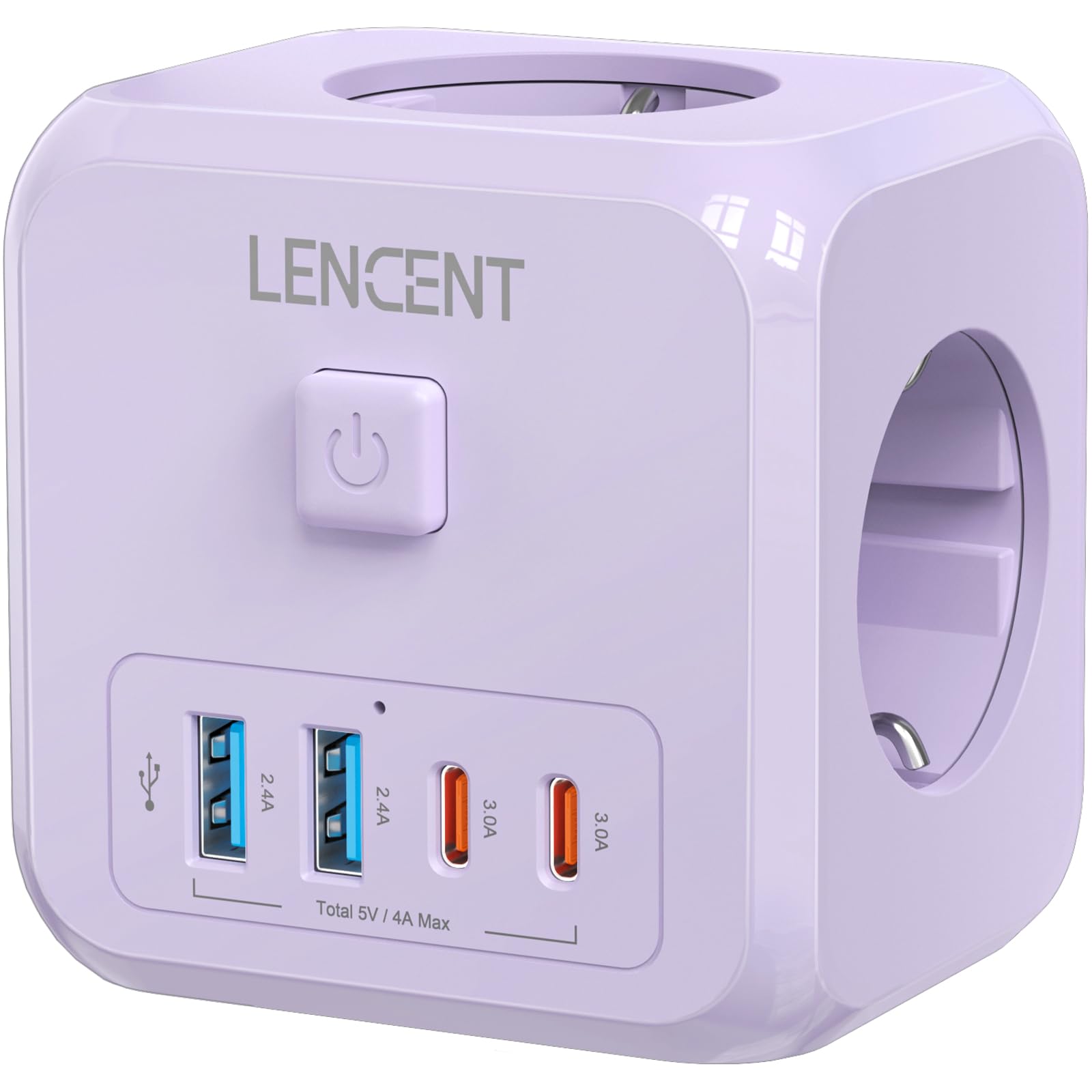
Image: The LENCENT 7-in-1 USB Wall Power Strip, highlighting its multiple ports.
Safety Instructions
- Maximum Power: Do not exceed the maximum power rating of 4000W. Overloading can cause damage to the device and pose a fire hazard.
- Indoor Use Only: This power strip is designed for indoor use in dry locations. Do not use it in wet or damp environments.
- Fire Retardant Material: The casing is made from 750℃ PC fire-retardant material for enhanced safety.
- Integrated Protections: The device includes multiple built-in protections such as overvoltage protection, child protection, and overheat protection.
- Do Not Disassemble: Do not attempt to open or modify the power strip. Refer all servicing to qualified personnel.
- Keep Away from Children: Store the device out of reach of children.

Image: Visual representation of the power strip's multiple safety protections and 4000W capacity.
Product Features
The LENCENT PA037EU-2A2C offers versatile charging capabilities with its compact design:
- 7-in-1 Connectivity: Features 3 standard European AC outlets, 2 USB-A ports, and 2 USB-C ports.
- USB-A Output: Each USB-A port provides a maximum current of up to 2.4A.
- USB-C Output: Each USB-C port provides 5V/3A, 15W.
- Total USB Output: Combined total output for all USB ports is 5V/4.0A Max.
- Non-Blocking Design: Spaced outlets prevent larger plugs from obstructing adjacent sockets.
- Integrated Power Switch: A convenient on/off switch allows you to control power to all connected devices.
- Compact and Portable: With dimensions of 7.7 x 6.3 x 7.7 cm and a weight of 182g, it is easy to carry and install.

Image: Detailed view of the 7-in-1 port configuration.

Image: Illustration of the non-blocking design, allowing multiple plugs to be used simultaneously.
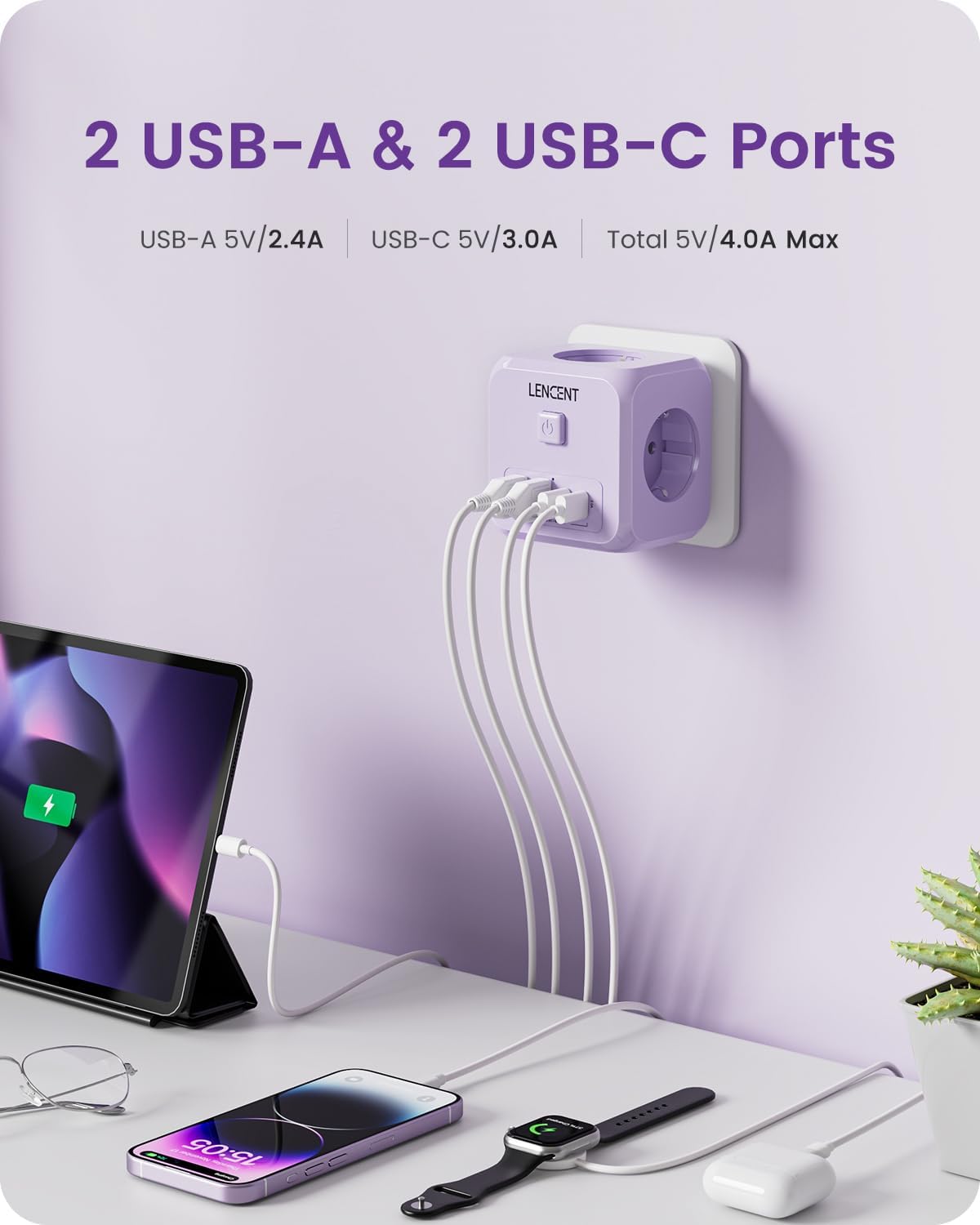
Image: The power strip actively charging various electronic devices via its USB-A and USB-C ports.

Image: The compact size and dimensions of the power strip.
Setup
- Unpack the LENCENT 7-in-1 USB Wall Power Strip from its packaging.
- Locate a standard European wall socket.
- Plug the power strip directly into the wall socket, ensuring a secure connection.
- The power strip is now ready for use.
Operating Instructions
- Connecting Devices: Plug your electronic devices into the available AC outlets, USB-A ports, or USB-C ports.
- Power On/Off: Press the integrated power switch located on the top of the cube to turn the power strip on or off. An indicator light will illuminate when the power strip is active.
- Charging: Once powered on, your connected devices will begin charging or receive power.
- Energy Saving: Use the power switch to turn off the power strip when not in use to save electricity.
Maintenance
- Cleaning: Always unplug the power strip from the wall socket before cleaning. Wipe the exterior with a dry, soft cloth. Do not use liquid cleaners, aerosols, or abrasive materials.
- Storage: When not in use for extended periods, store the power strip in a cool, dry place away from direct sunlight and moisture.
- Inspection: Periodically inspect the power strip for any signs of damage, such as frayed cables or cracked casing. If damage is found, discontinue use immediately and contact customer support.
Troubleshooting
| Problem | Possible Cause | Solution |
|---|---|---|
| No power to devices. | Power strip is not plugged in securely. Integrated switch is off. Wall socket is not functional. | Ensure the power strip is fully inserted into the wall socket. Press the power switch to the 'on' position. Test the wall socket with another device. |
| Devices not charging via USB ports. | Incorrect cable. Damaged cable. Device not compatible. Total USB output exceeded. | Use a compatible and undamaged USB cable. Ensure your device supports USB charging. Reduce the number of devices charging simultaneously if total output is exceeded. |
| Power strip feels warm. | Normal operation under load. Overload. | A slight warmth is normal. If it feels excessively hot, immediately unplug all devices and the power strip. Check if the total power consumption exceeds 4000W. |
Specifications
| Feature | Detail |
|---|---|
| Brand | LENCENT |
| Model Number | PA037EU-2A2C |
| Color | Violet |
| AC Outlets | 3 (Europe Type) |
| USB-A Ports | 2 (5V/2.4A Max per port) |
| USB-C Ports | 2 (5V/3A, 15W Max per port) |
| Total USB Output | 5V/4.0A Max |
| Maximum Power | 4000W |
| Voltage | 250V |
| Material | 750℃ PC Fire-Retardant |
| Dimensions (L x W x H) | 7.7 x 6.3 x 7.7 cm |
| Weight | 182 Grams |
| Special Features | USB Connector, Indicator light, On/Off switch, Non-blocking design, Multiple safety protections |
Warranty Information
The LENCENT PA037EU-2A2C comes with a 2-year manufacturer's warranty. This warranty covers defects in materials and workmanship under normal use. Please retain your proof of purchase for warranty claims. For specific terms and conditions, refer to the official LENCENT website or contact customer support.
Customer Support
For any questions, technical assistance, or warranty claims, please contact LENCENT customer service through the following channels:
- Official Website: Visit the LENCENT Brand Store for contact information and FAQs.
- Amazon Chat: If purchased via Amazon, you can use the Amazon chat support feature for assistance.
Please have your product model number (PA037EU-2A2C) and purchase details ready when contacting support.


