
1. Introduction
This manual provides detailed instructions for the QOFOWIN Wireless Remote Control Switch, designed for controlling various electrical appliances. This device features a 30A relay, supporting a wide voltage range from 90V to 264V, and offers a wireless control range of up to 328 feet (100 meters) in open areas. It is suitable for applications such as lighting, pumps, dust collectors, and motors.
2. Product Overview
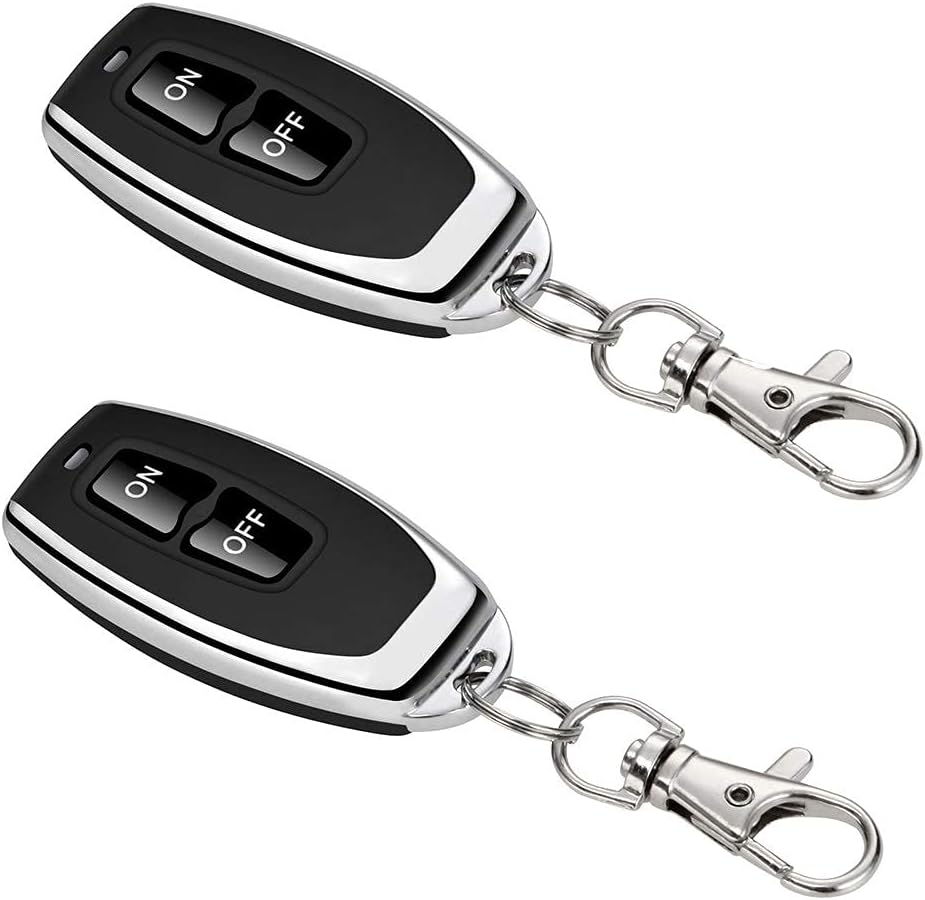
The QOFOWIN Wireless Remote Control Switch system includes a receiver unit and two remote control key fobs. The receiver unit is compact and designed for easy integration into existing electrical setups.

The receiver unit features an antenna for signal reception, input/output terminals for wiring, and a pairing button with an LED indicator. The remote key fobs are equipped with 'ON' and 'OFF' buttons for simple operation.


3. Specifications
| Feature | Specification |
|---|---|
| Brand | QOFOWIN |
| Model Number | 110V-240V/30A relay/328ft (PC-3250) |
| Input Voltage | 90V-264V AC |
| Output Current | 30A (Max) |
| Wattage | 3000 watts (Theoretical) |
| Working Frequency | 433MHz |
| Remote Range | Up to 328ft (100m) in open field |
| Connectivity Technology | Radio Frequency |
| Max Number of Supported Devices | 32 |
| Receiver Dimensions | 2.56 x 1.77 x 0.08 inches |
| Item Weight | 3.17 ounces |
| Special Feature | No Programming Required (for initial setup) |
| Compatible Devices | Industrial Lights, Motors, Wireless Controllers, Wireless Door Alarms, Wireless Security Alarms |
4. Setup and Installation
Safety Warning: Always disconnect the power supply to electrical appliances before installation to prevent electric shock.
The QOFOWIN Wireless Remote Control Switch is designed for straightforward installation. It requires basic electrical wiring knowledge.
4.1 Wiring Instructions
The receiver unit has clearly marked input and output terminals for Line (L) and Neutral (N) wires. Ensure correct polarity during connection.

For loads exceeding 2500W (up to the theoretical maximum of 3000W), it is recommended to use an external AC contactor to manage the higher current, protecting the switch and ensuring long-term stability.

4.2 Mounting
The receiver unit includes mounting tabs on its sides for secure installation. Alternatively, for applications where direct mounting is not feasible, the smooth back surface allows for attachment using strong double-sided adhesive tape.
4.3 Pairing a New Remote Controller
To pair a new remote controller with the receiver unit:
- Ensure the receiver unit is powered on.
- Press the pairing button on the side of the receiver unit three times. The LED indicator light will turn green.
- While the LED is green, press the 'ON' button on the new remote controller. The LED will blink three times, indicating successful pairing.
- Press the 'OFF' button on the new remote controller. The LED will blink three times, confirming the pairing is complete.
4.4 Clearing Memory
To clear all paired remote controllers from the receiver's memory, press and hold the pairing button on the receiver unit for approximately eight seconds until the LED indicator blinks rapidly. This will erase all previously paired remotes, allowing you to pair new ones.
5. Operating Instructions
Once the receiver unit is correctly installed and paired with a remote controller, operation is simple:
- Press the 'ON' button on the remote controller to activate the connected appliance.
- Press the 'OFF' button on the remote controller to deactivate the connected appliance.
The remote control utilizes RF technology, allowing for control through walls, floors, and doors within its effective range, without mutual interference.

6. Maintenance
The QOFOWIN Wireless Remote Control Switch is designed for durability and requires minimal maintenance. Keep the unit clean and free from dust and moisture. Periodically check wiring connections to ensure they remain secure. The remote control key fobs are powered by internal batteries; no user maintenance is required for the receiver unit itself beyond ensuring proper installation.
7. Troubleshooting
- Device Not Responding: Ensure the receiver unit is powered on and the remote controller batteries are functional. Re-attempt the pairing process as described in Section 4.3.
- Limited Range: The specified range of 328ft (100m) is for open areas. Obstacles such as walls, buildings, or sources of signal interference can reduce the effective range. Try repositioning the receiver or operating the remote from a different location.
- Intermittent Operation: Check all wiring connections for looseness or corrosion. Ensure the load connected does not exceed the 30A relay's capacity. For high-power devices, verify that an AC contactor is used if the load exceeds 2500W.
- Remote Buttons Malfunctioning: If only one button (ON or OFF) works, it may indicate a pairing issue. Clear the memory (Section 4.4) and re-pair the remote.
- Physical Damage: The housing of the receiver unit is made of plastic. Exercise caution during installation to avoid cracking or breaking the mounting tabs or casing.
8. Warranty and Support
For product support, technical assistance, or warranty inquiries, please contact QOFOWIN directly. You can visit the official QOFOWIN store on Amazon for more information and contact options: QOFOWIN Amazon Store.