
1. Product Overview
The Diyeeni Retro 3.5mm Mobile Phone Handset is designed to provide a classic telephone experience with modern mobile devices. It features a comfortable ergonomic design, high-definition audio, and a 3.5mm jack for wide compatibility. An included USB-C adapter extends its compatibility to devices without a 3.5mm port.
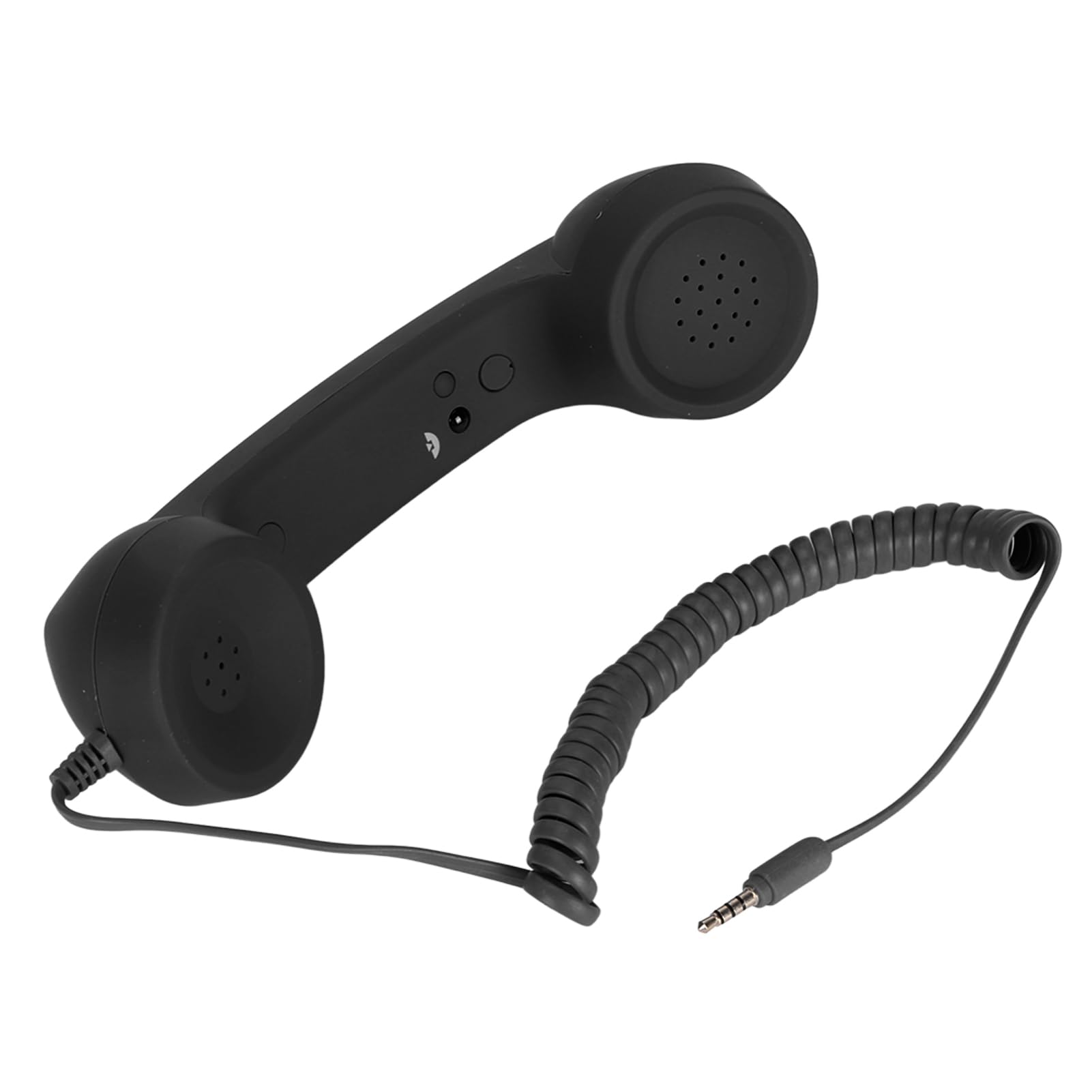
Image: The Diyeeni Retro Mobile Phone Handset in black, showcasing its classic design.

Image: Individuals using the Diyeeni Retro Mobile Phone Handset in a professional environment, demonstrating its practical application.
2. Package Contents
- Diyeeni Retro 3.5mm Mobile Phone Handset
- USB-C Adapter (for devices without a 3.5mm jack)
- User Manual (this document)
3. Setup
Follow these steps to connect your Diyeeni Retro Handset to your mobile device:
- Identify your device's audio port:
- If your mobile phone has a 3.5mm audio jack, proceed to step 2.
- If your mobile phone only has a USB-C port, use the provided USB-C adapter. Connect the 3.5mm jack of the handset into the adapter, then plug the adapter into your phone's USB-C port.
- For iOS devices (iPhone 7/7+ and later models), a separate Lightning to 3.5mm adapter (not included) may be required. Connect the handset's 3.5mm jack to this adapter, then plug the adapter into your iPhone's Lightning port.
- Connect the handset: Insert the 3.5mm jack (or the USB-C adapter with the handset connected) firmly into your mobile phone's audio port.
- Automatic Recognition: Your phone should automatically recognize the handset as an external audio device. No Bluetooth pairing is required.

Image: The handset connected to a smartphone, illustrating the use of the USB-C adapter for devices without a 3.5mm jack.

Image: A detailed view of the handset's 3.5mm plug and the accompanying USB-C adapter, ready for connection.
4. Operating Instructions
Once connected, the handset functions as an external speaker and microphone for your mobile phone calls.

Image: A diagram highlighting the volume control buttons and the decorative answer/hang up/mute button on the handset.
- Making/Receiving Calls: Use your mobile phone's interface to dial numbers or answer incoming calls. Once a call is active, speak into the handset's microphone and listen through its earpiece.
- Volume Control: Use the VOL + and VOL - buttons located on the side of the handset to adjust the call volume.
- Call Functions (Answer/Hang Up/Mute): The button labeled for answer, hang up, and mute functions is primarily for decorative purposes and may not be active on all devices. Please manage calls directly from your mobile phone's screen.
- Radiation Reduction: Using the handset keeps your mobile phone away from your head, potentially reducing exposure to mobile phone radiation.
5. Maintenance
Proper care will ensure the longevity of your Diyeeni Retro Handset.
- Cleaning: Wipe the handset with a soft, dry, or slightly damp cloth. Do not use harsh chemicals or abrasive cleaners.
- Storage: Store the handset in a cool, dry place away from direct sunlight and extreme temperatures.
- Cable Care: Avoid excessive pulling or bending of the coiled cord and the connection cable to prevent damage.
6. Troubleshooting
| Problem | Possible Cause | Solution |
|---|---|---|
| No sound from handset / Microphone not working |
|
|
| Call functions (answer/hang up/mute button) do not work |
|
|
7. Specifications
| Feature | Detail |
|---|---|
| Brand | Diyeeni |
| Model Number | Diyeenihqdggoixue-11 |
| Connectivity | 3.5mm audio jack (with included USB-C adapter) |
| Cable Length | Approximately 1 meter (3.28 feet) extension cable |
| Audio Quality | Integrated HD speaker and microphone |
| Functions | Volume adjustment, call answering/hanging up (via phone), redialing (via phone) |
| Special Features | Radiation reduction, plug-and-play operation |
| Country of Origin | China |
| ASIN | B0D2LT7W9K |
8. Compliance and Safety Information
This device complies with relevant safety standards. Please use the product as instructed to ensure safe operation.
- Do not expose the device to extreme temperatures or humidity.
- Keep out of reach of children.
- Do not attempt to disassemble or repair the device yourself.