
SPYPOINT FORCE-PRO-S 2.0
SPYPOINT Force-PRO-S 2.0 Solar Trail Camera User Manual
Model: FORCE-PRO-S 2.0
1. Introduction
The SPYPOINT Force-PRO-S 2.0 is a non-cellular trail camera designed for outdoor surveillance and wildlife monitoring. Featuring an integrated solar panel, it provides long-lasting power by charging an internal battery, ensuring extended operation in the field. This camera captures high-resolution 48MP photos and records crystal-clear 4K videos with sound, making it an ideal tool for detailed observation. Its robust design and advanced features are tailored for reliable performance in various outdoor conditions.

Figure 1: Key features of the SPYPOINT Force-PRO-S 2.0 camera.
2. What's in the Box
Upon unboxing your SPYPOINT Force-PRO-S 2.0, please verify that all components are present:
- Camera Body: The main unit of the Force-PRO-S 2.0 trail camera.
- Installation Strap: Used for securely mounting the camera to a tree or post.
- 32 GB SD Card: A memory card for storing captured photos and videos.

Figure 2: Package contents of the SPYPOINT Force-PRO-S 2.0.
3. Setup and Installation
3.1 Battery Installation
The Force-PRO-S 2.0 operates with an internal battery charged by the integrated solar panel. For initial setup or extended backup power, 8 AA batteries (not included) can be installed. Ensure correct polarity when inserting batteries.

Figure 3: Battery installation for the Force-PRO-S 2.0.
3.2 SD Card Formatting and Insertion
Before first use, it is crucial to format the included 32 GB SD card directly within the camera to ensure optimal performance and compatibility. Insert the formatted SD card into the designated slot.

Figure 4: SD card formatting and insertion.
3.3 Initial Settings Adjustment
Utilize the full-color 2.4-inch LCD screen and on-camera buttons to adjust settings such as photo resolution, video mode (4K/2K/1080p), multi-shot, continuous mode, time-lapse, and time-lapse+ modes. The screen also allows for reviewing captured content.

Figure 5: Adjusting camera settings via the LCD screen.
3.4 Camera Placement
For optimal detection and capture, mount the camera approximately 25 feet (7.5 meters) from the target area, at mid-body height of the animals you intend to monitor. Ensure the solar panel is exposed to direct sunlight for efficient charging.

Figure 6: Recommended camera placement for effective monitoring.

Figure 7: Securing the camera to a tree.
4. Operating the Camera
4.1 Power Modes
The camera features an OFF, SETUP, and ON switch.
- OFF: The camera is powered down.
- SETUP: Allows access to the LCD screen for viewing and managing camera settings.
- ON: The camera is in detection mode and will capture photos or videos based on configured settings. A red light will flash for 30 seconds to allow you to move away before the camera becomes fully active.

Figure 8: Camera power and setup switch.
4.2 Photo and Video Capture
The Force-PRO-S 2.0 offers versatile capture options:
- Photo Resolution: Capture images with 48MP clarity.
- Video Modes: Record videos in crystal clear 4K, 2K, or 1080p resolutions. Videos include sound.
- Photography Modes:
- Multi-shot mode: Capture up to 6 photos per detection.
- Continuous Mode: Records continuously for a set duration.
- Time-Lapse Mode: Captures images at predefined intervals.
- Time-Lapse+ Mode: Combines time-lapse with motion-triggered captures.

Figure 9: Reviewing captured content on the LCD screen.
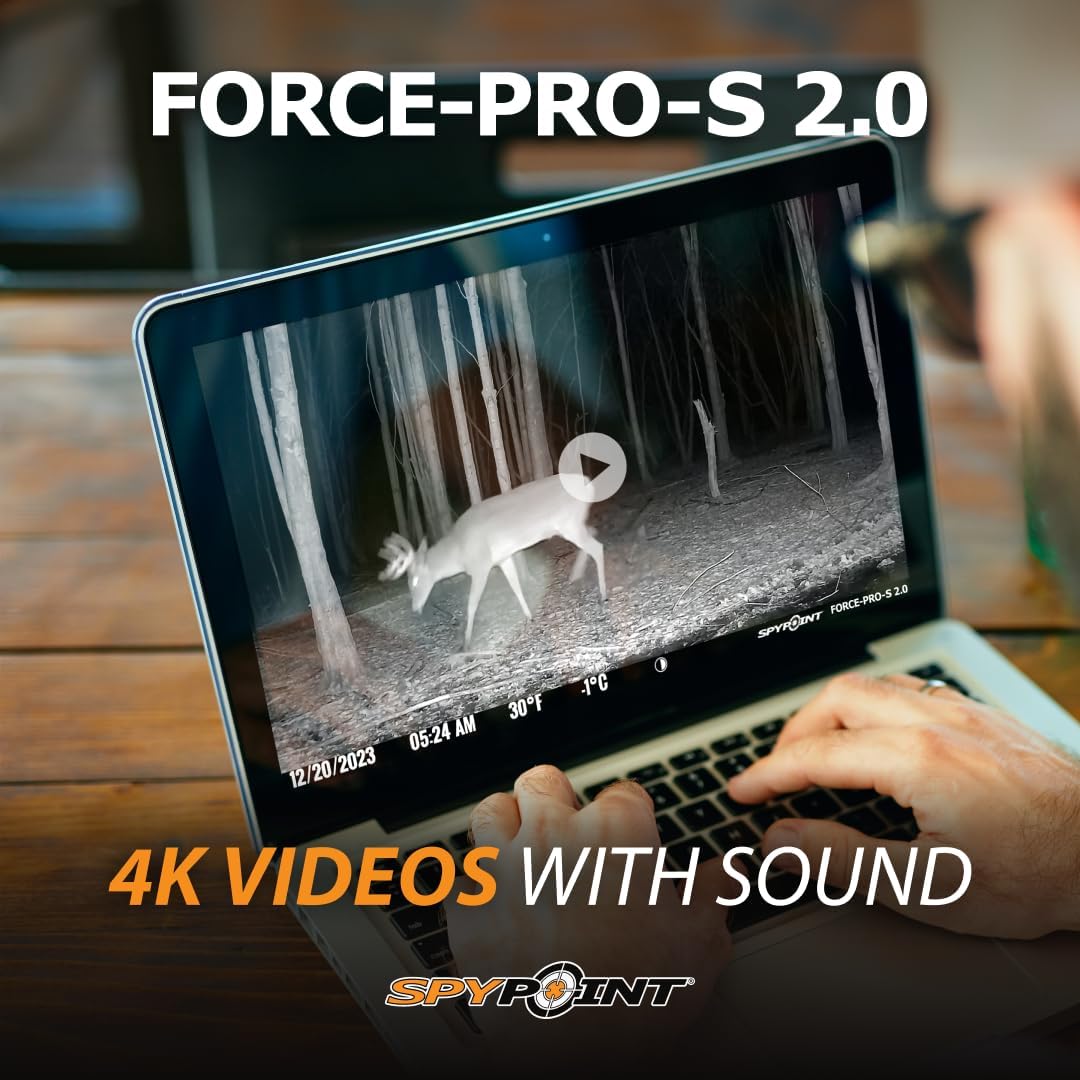
Figure 10: Example of 4K video with sound captured by the camera.
5. Maintenance
5.1 Solar Panel Care
Regularly inspect the integrated solar panel for dirt, debris, or snow accumulation. Clean the panel gently with a soft, damp cloth to ensure maximum sunlight absorption and efficient charging of the internal battery.
5.2 General Camera Care
- Keep the camera lens and motion sensor clear of obstructions.
- Ensure the camera housing is securely closed to maintain its IP54 weather resistance.
- Periodically check the SD card for available space and transfer data to prevent loss.
6. Troubleshooting
| Problem | Possible Cause | Solution |
|---|---|---|
| Camera not powering on. | Low internal battery, depleted AA batteries, incorrect battery insertion. | Ensure solar panel is exposed to light. Check AA battery orientation and charge level. |
| No photos/videos captured. | SD card not formatted, full SD card, incorrect settings, motion sensor obstructed. | Format SD card in camera. Check available space. Verify camera settings (e.g., detection delay, mode). Clear sensor area. |
| Poor image/video quality. | Dirty lens, low light conditions, incorrect resolution setting. | Clean the camera lens. Adjust resolution settings to higher quality if needed. Ensure adequate lighting or proper night vision activation. |
| Solar panel not charging. | Panel obstructed, insufficient sunlight, panel dirty. | Relocate camera to an area with direct sunlight. Clean the solar panel surface. |
7. Specifications
| Feature | Detail |
|---|---|
| Model | FORCE-PRO-S 2.0 |
| Photo Resolution | 48 Megapixels |
| Video Resolution | 4K/2K/1080p with sound |
| Trigger Speed | 0.2 seconds |
| Detection Range | 110 feet |
| Flash Range | 110 feet |
| Power Source | Integrated Solar Panel, Internal Battery, 8x AA Batteries (backup) |
| LCD Screen | 2.4-inch Full-Color |
| Included SD Card | 32 GB |
| Dimensions (L x W x H) | 8 x 5 x 3.5 inches |
| Weight | 1.2 pounds |
| IP Rating | IP54 |
8. Warranty and Support
The SPYPOINT Force-PRO-S 2.0 comes with a 2-year warranty. For technical support, troubleshooting assistance, or warranty claims, please visit the official SPYPOINT website or contact their customer service department. Keep your purchase receipt as proof of purchase.
For more information, visit the SPYPOINT Store on Amazon.
Related documentsFORCE-PRO-S 2.0


Ask a question about this manual
Ask about setup, troubleshooting, compatibility, parts, safety, or missing instructions. Manuals+ will review the question and use this page’s manual context to help answer it.