
UTRAI JS-9
UTRAI JS-9 Multi-functional Jump Starter User Manual
Model: JS-9 | Brand: UTRAI
1. Introduction
Thank you for choosing the UTRAI JS-9 Multi-functional Jump Starter. This device is an essential tool for any vehicle owner, combining a powerful jump starter, an efficient air compressor, a portable power bank, and a versatile LED emergency light into one compact unit. Designed for reliability and safety, the JS-9 ensures you are prepared for various roadside emergencies and outdoor adventures.

Figure 1: The UTRAI JS-9 Multi-functional Jump Starter, showcasing its compact design and included accessories like jump cables and air hose.
2. Safety Information
Your safety is paramount. The UTRAI JS-9 is equipped with multiple protection features to ensure safe operation. Please read and understand all safety instructions before use.
2.1 General Safety Precautions
- Do not expose the device to extreme temperatures (above 60°C or 140°F) or direct sunlight.
- Do not disassemble, modify, or attempt to repair the device.
- Keep out of reach of children.
- Ensure proper ventilation during use and charging.
- Avoid contact with water or other liquids.
2.2 Built-in Protection Features
The JS-9 incorporates advanced safety mechanisms:
- Short Circuit Protection: Prevents damage from accidental short circuits.
- Over-Discharge Protection: Protects the battery from excessive discharge.
- Surge Current Protection: Guards against sudden power surges.
- Reverse Current Protection: Prevents current flow in the wrong direction.
- Low Voltage Protection: Shuts off if voltage drops too low.
- High Voltage Protection: Protects against excessive voltage input.
- High Temperature Protection: Prevents overheating during operation.
- Overcharge Protection: Stops charging once the battery is full.
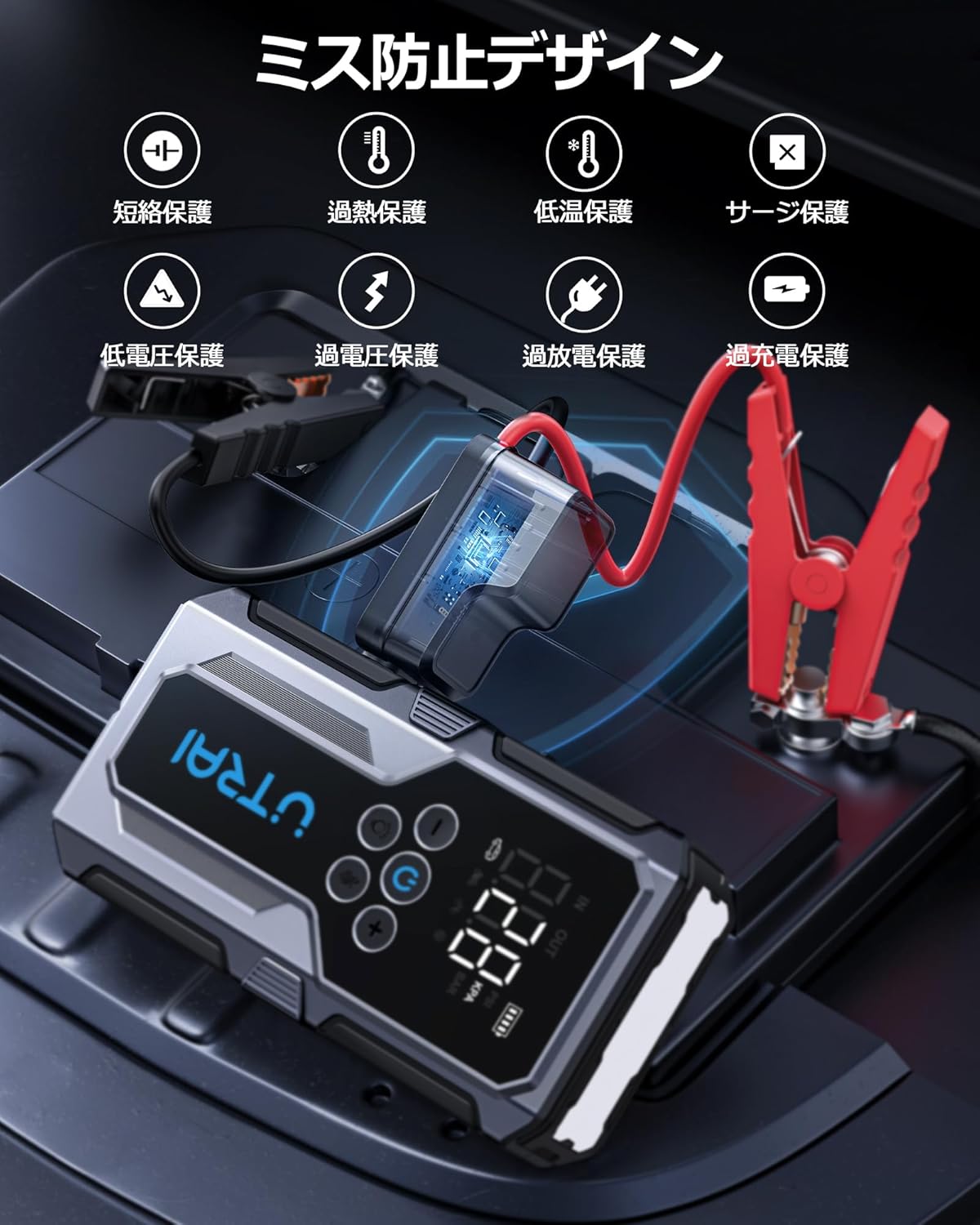
Figure 2: Visual representation of the comprehensive safety protection features integrated into the UTRAI JS-9, ensuring safe and reliable operation.
3. Product Overview and Components
Familiarize yourself with the components included in your UTRAI JS-9 package:
- UTRAI JS-9 Jump Starter Unit
- Smart Jump Start Cable with Clamps
- Pump Tube (Air Hose)
- Air Nozzles (x3)
- User Manual
- Type-C Charging Cable
- Tool Kit/Storage Case

Figure 3: All items included in the UTRAI JS-9 package, neatly arranged to show the jump starter unit, smart cables, air hose, nozzles, charging cable, and storage case.
3.1 Device Features
- Large LCD Screen: Displays battery level, air pressure (PSI, KPA, BAR), and operating modes.
- Control Buttons: Power, mode selection, pressure adjustment, and light control.
- USB Output Ports: For charging mobile devices.
- Type-C Input Port: For charging the jump starter itself.
- Jump Start Port: For connecting the smart jump cables.
- Air Hose Port: For connecting the air pump tube.

Figure 4: The large LCD screen of the UTRAI JS-9, providing clear readings for input/output status, air pressure units (PSI, KPA, BAR), and battery level.
4. Setup
4.1 Charging the Jump Starter
Before first use, fully charge the UTRAI JS-9. It is recommended to keep the device charged above 80% for optimal performance, especially for jump starting.
- Connect the provided Type-C charging cable to the Type-C input port on the jump starter.
- Connect the other end of the cable to a USB wall adapter (not included) or a compatible power source.
- The LCD screen will indicate charging status. Charging is complete when the battery icon is full.

Figure 5: The UTRAI JS-9 connected via its Type-C port for charging, demonstrating its function as a portable power source for various devices.
5. Operating Instructions
5.1 Jump Starting a Vehicle
This device is designed to jump start 12V vehicles with up to 8.5L gasoline engines or 6.5L diesel engines.
- Connect the Smart Jump Cable: Insert the blue plug of the smart jump cable into the jump start port on the UTRAI JS-9. Ensure it is fully inserted.
- Connect to Car Battery: Attach the red clamp (+) to the positive terminal of the car battery and the black clamp (-) to the negative terminal.
- Start the Vehicle: Once the smart cable indicator light is solid green, start your vehicle's engine.
- Remove Clamps: After the engine starts, immediately remove the clamps from the car battery, then disconnect the smart cable from the jump starter.

Figure 6: The UTRAI JS-9 in action, connected to a car battery for jump starting, illustrating its capability to revive various types of vehicles.
5.2 Using the Air Compressor
The built-in air compressor can inflate tires, balls, and other inflatables up to 1035 kPa (150 PSI).
- Connect Air Hose: Screw the air hose onto the air hose port on the jump starter.
- Attach to Item: Connect the other end of the air hose to the valve of the item you wish to inflate. Use appropriate air nozzles if necessary.
- Set Pressure: Turn on the device. Use the '+' and '-' buttons to set the desired pressure. Press the 'M/U' button to cycle through pressure units (PSI, KPA, BAR).
- Start Inflation: Press the power button to begin inflation. The device will automatically stop when the set pressure is reached.
- Note on Bicycle Valves: The hose supports American valves. For English or French bicycle valves, a valve adapter (not included) is required.

Figure 7: The UTRAI JS-9 connected to a car tire, demonstrating its air compressor function with the display showing pressure units (PSI, BAR, KPA).

Figure 8: The UTRAI JS-9's versatility in inflation, capable of inflating car tires, basketballs, and swimming rings using its integrated air compressor.
5.3 Using as a Power Bank
The 15000mAh capacity allows you to charge various electronic devices.
- Connect your device's USB charging cable to the USB output port on the UTRAI JS-9.
- The device will automatically begin charging. The LCD screen shows the remaining battery level.

Figure 9: The UTRAI JS-9 functioning as a fast-charging power bank, connected to and charging a smartphone and a tablet simultaneously.
5.4 Using the LED Light
The integrated LED light offers multiple modes for illumination and emergency signaling.
- Press the light button once for constant illumination (flashlight mode).
- Press again for SOS signal mode (flashing SOS pattern).
- Press a third time for strobe mode (rapid flashing).
- Press a fourth time to turn off the light.

Figure 10: The UTRAI JS-9's powerful LED light illuminating a dark environment, highlighting its utility for roadside repairs or as an emergency light during power outages.
6. Maintenance
6.1 Charging and Storage
- Recharge the device every 3-6 months, even if not used, to maintain battery health.
- Store the jump starter in a cool, dry place, away from direct sunlight and extreme temperatures.
- Keep the ports clean and free of dust and debris.
7. Troubleshooting
7.1 Common Issues and Solutions
| Problem | Possible Cause | Solution |
|---|---|---|
| Device won't turn on | Low battery; device malfunction | Charge the device fully. If still unresponsive, contact support. |
| Vehicle won't jump start | Low battery on jump starter; incorrect clamp connection; vehicle battery too dead | Ensure jump starter is fully charged. Check clamp polarity. Try again after a few minutes. |
| Air compressor not inflating | Hose not properly connected; pressure not set; item valve issue | Ensure air hose is securely screwed on. Set desired pressure. Check item valve for leaks. |
| Charging slow or not working (power bank function) | Cable issue; device not compatible; jump starter low battery | Try a different USB cable. Ensure jump starter has sufficient charge. |
8. Specifications
| Feature | Specification |
|---|---|
| Brand | UTRAI |
| Model Name | JS-9 |
| Peak Current | 2500 Amps |
| Battery Capacity | 15000mAh (Lithium-ion) |
| Vehicle Compatibility | 12V vehicles; up to 8.5L Gasoline, 6.5L Diesel engines |
| Air Compressor Max Pressure | 1035 kPa (150 PSI) |
| USB Output | 5V/3A, 9V/2A, 12V/1.5A (QC3.0) |
| Product Dimensions (L x W x H) | 4.8 x 10.5 x 20.2 cm |
| Product Weight | 1.43 kg |
| Certifications | PSE, CE, FCC, MSDS |
9. Warranty and Support
The UTRAI JS-9 Jump Starter comes with a 12-month manufacturer's warranty from the date of purchase. This warranty covers defects in materials and workmanship under normal use.
If you encounter any issues with your product or have questions, please contact UTRAI customer support directly. Provide your purchase details and a description of the issue for prompt assistance.
Related documentsJS-9


Ask a question about this manual
Ask about setup, troubleshooting, compatibility, parts, safety, or missing instructions. Manuals+ will review the question and use this page’s manual context to help answer it.