
Introduction
The DJI Osmo Action 3 is a robust and versatile action camera engineered for capturing high-quality footage in diverse outdoor environments. This manual provides essential information for setting up, operating, and maintaining your Osmo Action 3 Outdoor Combo.

Figure 1: DJI Osmo Action 3 camera with included accessories.
What's in the Box
The DJI Osmo Action 3 Outdoor Combo includes the following components:
- Osmo Action 3 ×1
- Osmo Action Extreme Battery ×2
- Osmo Action 3 Horizontal-Vertical Protective Frame ×1
- Osmo Action 3 Rubber Lens Protector ×2
- Osmo Action Quick-Release Adapter Mount ×1
- Type-C to Type-C PD Cable
- Osmo Action Chest Strap Mount
- Osmo Backpack Strap Mount
- Osmo Flat Adhesive Base
- Osmo Locking Screw
- Osmo Locking Screw ×2

Figure 2: All components included in the Osmo Action 3 Outdoor Combo.
Setup
- Charging the Battery: Connect the camera or the battery charging hub to a power source using the provided Type-C to Type-C PD Cable. Ensure batteries are fully charged before first use.
- Inserting a microSD Card: Open the battery compartment cover and insert a compatible microSD card (not included) into the designated slot. Ensure the card is inserted correctly.
- Attaching the Protective Frame: Slide the Osmo Action 3 into the Horizontal-Vertical Protective Frame. This frame provides protection and allows for versatile mounting options.
- Attaching Lens Protectors: Secure the Osmo Action 3 Rubber Lens Protectors onto the camera lens to prevent scratches.
- Mounting the Camera: Attach the Osmo Action 3 to the Quick-Release Adapter Mount. This can then be connected to accessories like the Chest Strap Mount or Backpack Strap Mount for hands-free operation.
Operating the Camera
Power On/Off
To power on the camera, press and hold the Power button. To power off, press and hold the Power button again until the camera shuts down.
Video Recording
The Osmo Action 3 supports 4K/120fps video recording with a super-wide field of view (FOV). It also features HDR video for vivid details in high-contrast scenarios and 10-bit color depth for over one billion colors.

Figure 3: The camera's super-wide FOV captures more of the scene.
Stabilization Modes
The Osmo Action 3 offers three stabilization modes to ensure smooth and level footage:
- RockSteady: Recommended for first-person perspective shooting, providing robust electronic image stabilization.
- HorizonBalancing: Corrects horizontal tilt within ±45 degrees, ideal for dynamic movements.
- HorizonSteady: Keeps footage horizontally level even over heavy bumps and 360-degree rotations, ensuring a perfectly level horizon.
Video 1: Demonstrates the different stabilization modes of the DJI Osmo Action 3, including RockSteady, HorizonBalancing, and HorizonSteady, showcasing their effectiveness in maintaining stable footage during active scenarios like mountain biking.

Figure 4: Visual comparison of RockSteady stabilization enabled versus disabled.

Figure 5: Visual comparison demonstrating the difference between HorizonSteady and RockSteady stabilization modes.
Durability and Resistance
The Osmo Action 3 is built to withstand challenging conditions:
- Waterproof: The camera body is waterproof down to 16 meters (52 feet) without the need for additional accessories. For long-duration underwater shooting or high-pressure environments, using the waterproof case is recommended.
- Cold Resistant: The camera can operate in temperatures as low as -20°C (-4°F), making it suitable for winter sports and cold climates.
- Long Battery Life: Enjoy up to 160 minutes of maximum battery life, with continuous recording for up to 150 minutes in cold temperatures.

Figure 6: The Osmo Action 3 is waterproof up to 16 meters.

Figure 7: The camera's endurance in cold environments and extended battery life.
Easy Vertical Mounting
The innovative quick-release mounting design allows for fast switches to vertical shooting. This design features a strong magnetic force and a positioning notch for secure attachment to various gear.

Figure 8: The quick-release vertical mount allows for easy orientation changes.
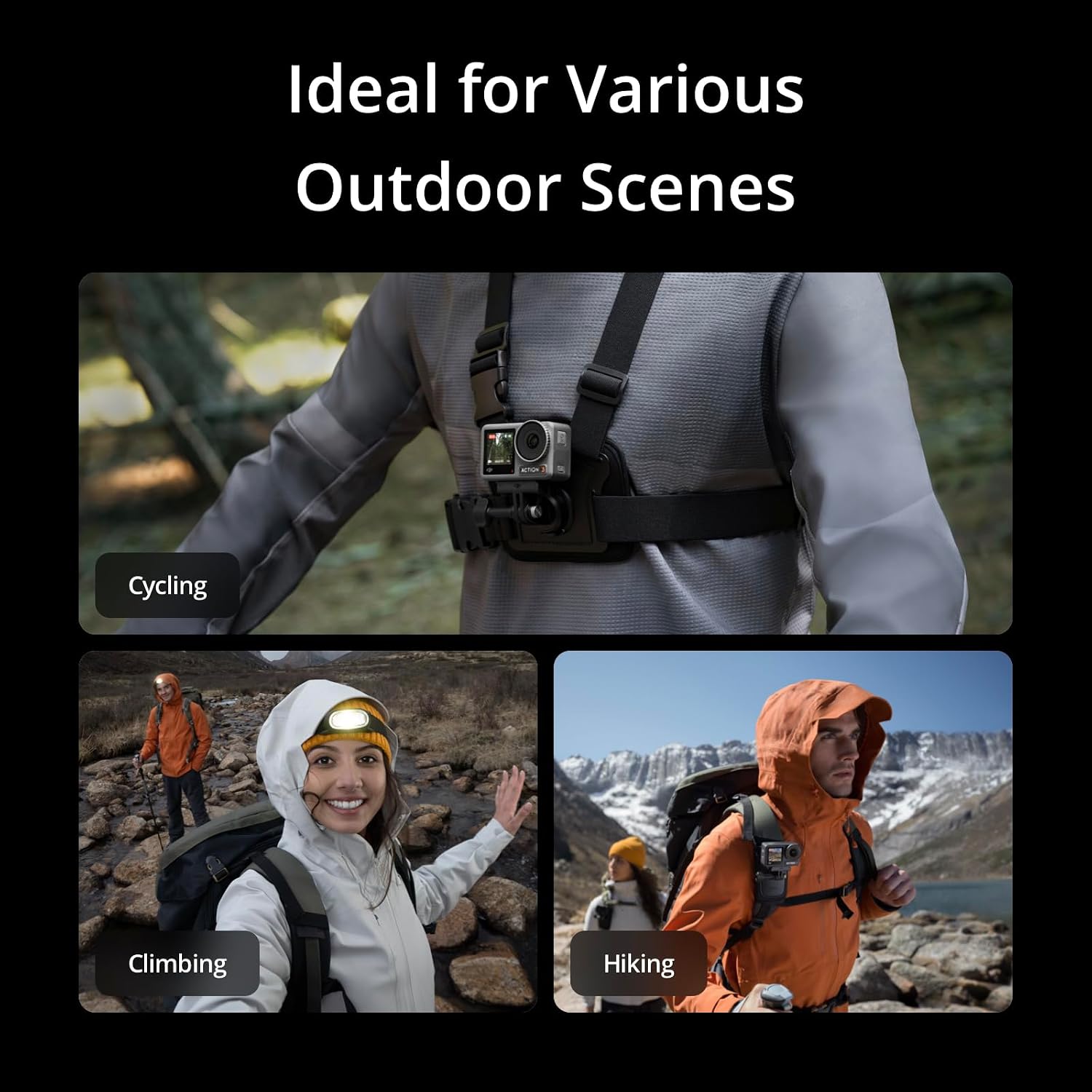
Figure 9: The Osmo Action 3 is ideal for various outdoor activities.
Maintenance
- Cleaning: After use, especially in saltwater or dusty environments, rinse the camera with fresh water and wipe it dry with a soft, clean cloth. Ensure all ports and covers are closed before rinsing.
- Storage: Store the camera in a cool, dry place away from direct sunlight and extreme temperatures. Remove the battery if storing for extended periods.
- Lens Care: Use a lens cleaning cloth to gently clean the lens and screens. Avoid using abrasive materials that could scratch the surfaces.
- Battery Care: Do not strike, crush, or drop the battery. Avoid exposing it to corrosive liquids.
Troubleshooting
If you encounter issues with your DJI Osmo Action 3, consider the following common solutions:
- Camera Not Powering On: Ensure the battery is fully charged and correctly inserted.
- Recording Issues: Check if the microSD card has sufficient free space and is formatted correctly. Ensure the camera's firmware is up to date.
- App Compatibility: The DJI Mimo app is required for full functionality. Due to platform compatibility issues, it may not be available on Google Play. Please download the latest version directly from the DJI official website for the best experience.
- Water Damage: Ensure the battery compartment cover and USB-C port cover are securely closed, and the Lens Protective Cover is tightened before any water exposure.
For more detailed troubleshooting or technical support, please visit the official DJI support website.
Specifications
| Feature | Detail |
|---|---|
| Product Dimensions | 2.76 x 1.73 x 1.3 inches |
| Item Weight | 5.1 ounces |
| Item Model Number | DJI Osmo Action 3 |
| Batteries | 1 CR5 batteries required (included) |
| Photo Sensor Technology | CMOS |
| Video Capture Resolution | 4K |
| Maximum Focal Length | 24 Millimeters |
| Maximum Aperture | 2.8 f |
| Flash Memory Type | Micro SD |
| Video Capture Format | MP4 |
| Supported Audio Format | 48 kHz; AAC |
| Screen Size | 2.25 Inches |
| Connectivity Technology | Bluetooth |
Warranty and Support
For detailed warranty information and customer support, please refer to the official DJI website or contact DJI customer service. Keep your proof of purchase for warranty claims.


