
MSHUKCOE MSHUKCOE-MD538
MSHUKCOE MD538 Wireless Bluetooth Headset User Manual
Model: MSHUKCOE-MD538
Brand: MSHUKCOE
1. Product Overview
The MSHUKCOE MD538 Wireless Bluetooth Headset is designed for comfortable, discreet audio listening, especially for side sleepers. These ultra-thin earbuds offer immersive sound in a lightweight, barely-there design, fitting comfortably without the bulk of traditional headphones.
Key features include an advanced Bluetooth chip for stable wireless connection, intuitive touch controls, and a compact charging case providing extended playtime. The design prioritizes comfort for prolonged wear, including during sleep.
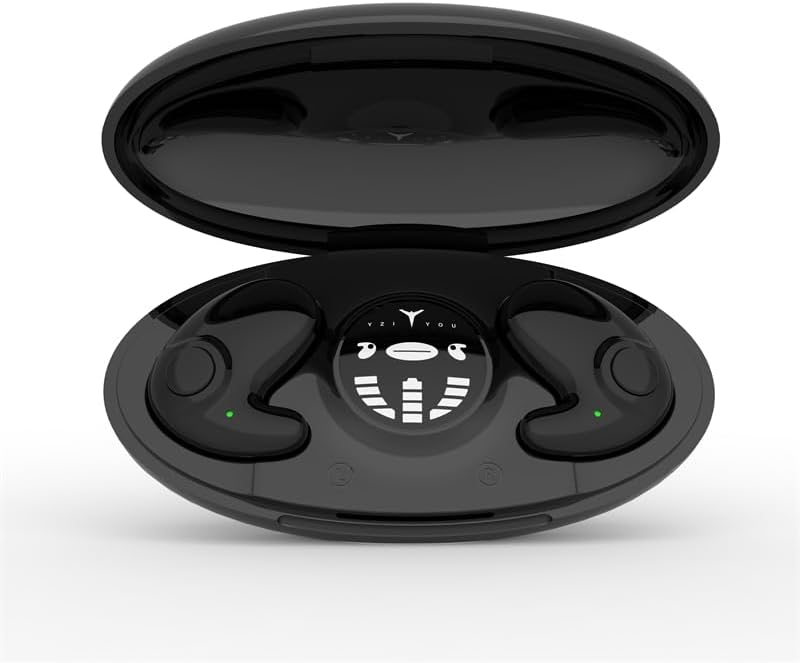
Figure 1: The MD538 earbuds resting in their open charging case, displaying the charging indicators.

Figure 2: An MD538 earbud shown worn in an ear, highlighting its small, invisible design and thin profile (10.6mm).
2. What's in the Box
Upon opening your MSHUKCOE MD538 package, you should find the following components:
- MSHUKCOE MD538 Wireless Earbuds (Left and Right)
- Portable Charging Case
- USB Charging Cable (Type-C)
- User Manual (this document)
Note: While the product data listed "DVD" as an included component, this is likely an error. The standard package includes the items listed above.
3. Setup Guide
3.1. Charging the Earbuds and Case
Before first use, ensure both the earbuds and the charging case are fully charged. The charging case provides multiple charges for the earbuds, extending their usage time significantly.
- Place the earbuds into their respective slots in the charging case. Ensure they are correctly seated; magnetic closures will help secure them.
- Connect the USB Type-C charging cable to the charging port on the case and the other end to a compatible USB power source (e.g., wall adapter, computer USB port).
- The charging case features a display that indicates the battery levels of both earbuds and the case itself. Allow approximately 1 hour for a full charge of the earbuds and 2 hours for the charging case.

Figure 3: The charging case display indicating individual earbud power levels and the charging compartment's power.
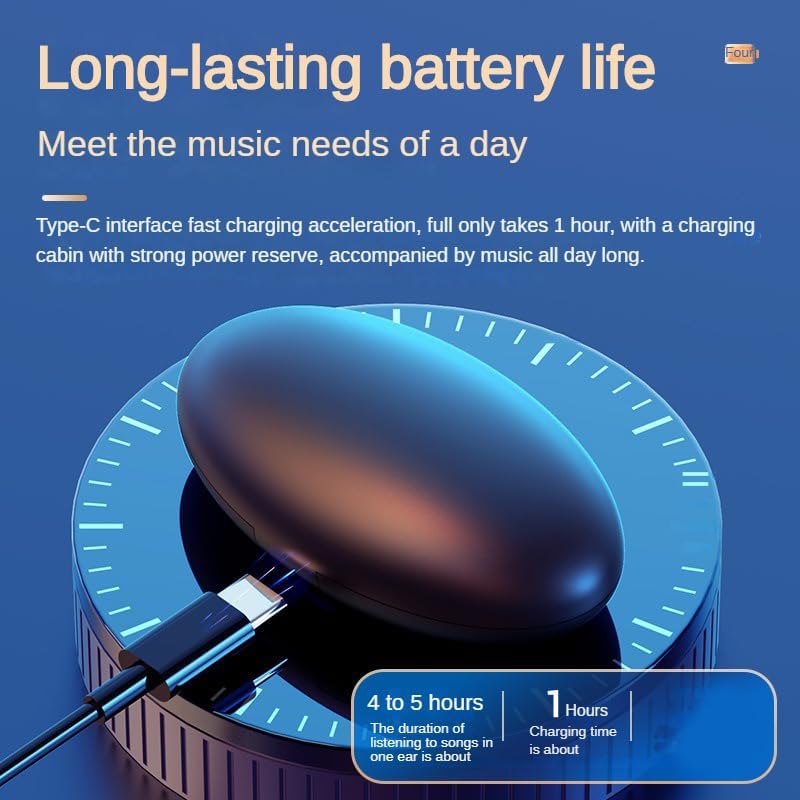
Figure 4: The earbud charging in its case, illustrating the Type-C fast charging capability and battery life.
3.2. Pairing with Your Device
The MD538 earbuds are designed for easy automatic pairing.
- Open the charging case. The earbuds will automatically enter pairing mode.
- On your device (smartphone, tablet, etc.), navigate to the Bluetooth settings.
- Search for available devices and select "MSHUKCOE-MD538" (or similar name) from the list.
- Once connected, you will hear an audible confirmation, and the earbuds will be ready for use.
Automatic Reconnection: After the initial successful pairing, the earbuds will automatically connect to the last used device when taken out of the charging case, enabling immediate use.
4. Operating Instructions
The MD538 earbuds feature intuitive touch controls for managing audio playback and calls.
4.1. Wearing the Earbuds
The MD538 earbuds are designed for an open-ear fit, resting gently on top of your ear without entering the ear canal. This design is particularly comfortable for side sleepers.

Figure 5: Illustration of the ergonomic design, showing how the earbud fits comfortably for side sleepers.
4.2. Touch Controls
Each earbud is equipped with a touch-sensitive area for control. Specific functions may vary slightly depending on your device and operating system.
- Play/Pause: Single tap on either earbud.
- Next Track: Double tap on the right earbud.
- Previous Track: Double tap on the left earbud.
- Answer/End Call: Single tap on either earbud during an incoming call.
- Reject Call: Press and hold on either earbud during an incoming call.
- Activate Voice Assistant: Triple tap on either earbud (e.g., Siri, Google Assistant).
5. Maintenance
Proper maintenance ensures the longevity and optimal performance of your MD538 earbuds.
- Cleaning: Use a soft, dry, lint-free cloth to wipe the earbuds and charging case. Do not use harsh chemicals, cleaning solvents, or strong detergents.
- Water Resistance: The earbuds are rated as Waterproof. However, this does not mean they are suitable for swimming or prolonged submersion. Avoid exposing them to excessive moisture or liquids. Dry them thoroughly if they get wet.
- Storage: When not in use, store the earbuds in their charging case to protect them from dust and damage. Store in a cool, dry place away from extreme temperatures.
- Battery Care: To preserve battery life, avoid fully discharging the earbuds or charging case frequently. Charge them regularly, even if not in constant use.
6. Troubleshooting
If you encounter issues with your MD538 earbuds, refer to the following common solutions:
| Problem | Possible Solution |
|---|---|
| Earbuds not pairing/connecting. |
|
| No sound from one or both earbuds. |
|
| Charging case not charging. |
|
| Poor audio quality. |
|
7. Specifications
Detailed technical specifications for the MSHUKCOE MD538 Wireless Bluetooth Headset:
| Model Name | MSHUKCOE-TWS-MD538-Black |
| Connectivity Technology | Wireless (Bluetooth) |
| Bluetooth Version | 5.3 |
| Bluetooth Range | 10 Meters (approx. 30 feet) |
| Earbud Weight (Each) | 3.2g (0.11 oz) |
| Earbud Thickness | 10.4mm |
| Battery Life (Earbuds) | Up to 6 Hours |
| Charging Case Battery Life | Up to 24 Hours (additional charges) |
| Charging Case Battery Capacity | 300 mAh |
| Charging Case Charging Time | 2 Hours |
| Frequency Response | 20000 Hz |
| Sensitivity | 90 dB |
| Impedance | 32 Ohm |
| Water Resistance Level | Waterproof |
| Control Type | Call Control, Button, Voice |
| Product Dimensions | 2.95 x 1.57 x 0.98 inches (Charging Case) |
| Total Item Weight | 2.12 Ounces (60.1 grams) |

Figure 6: Visual comparison highlighting the MD538's smaller, thinner, and lighter design compared to standard headphones.
8. Warranty and Support
For any questions or concerns regarding your MSHUKCOE MD538 Wireless Bluetooth Headset, please contact us directly via Amazon. Our team is dedicated to ensuring your satisfaction with our products.
Please note that specific warranty details are not provided in this manual. For warranty information, please refer to your purchase documentation or contact MSHUKCOE customer support through the Amazon platform.
Ask a question about this manual
Ask about setup, troubleshooting, compatibility, parts, safety, or missing instructions. Manuals+ will review the question and use this page’s manual context to help answer it.