
Introduction
Thank you for choosing the Ordtop i13 Wireless Earbuds. This manual provides detailed instructions for setting up, operating, and maintaining your earbuds to ensure optimal performance and longevity. Please read this manual carefully before use and retain it for future reference.
Package Contents
- Ordtop i13 Wireless Earbuds (L/R)
- Charging Case
- USB Charging Cable (Type-C, typically)
- Multiple Sizes of Ear Tips
- User Manual
Product Overview
The Ordtop i13 Wireless Earbuds are designed for comfort and high-quality audio, featuring Bluetooth 5.3 connectivity, IP7 waterproofing, and intuitive touch controls.
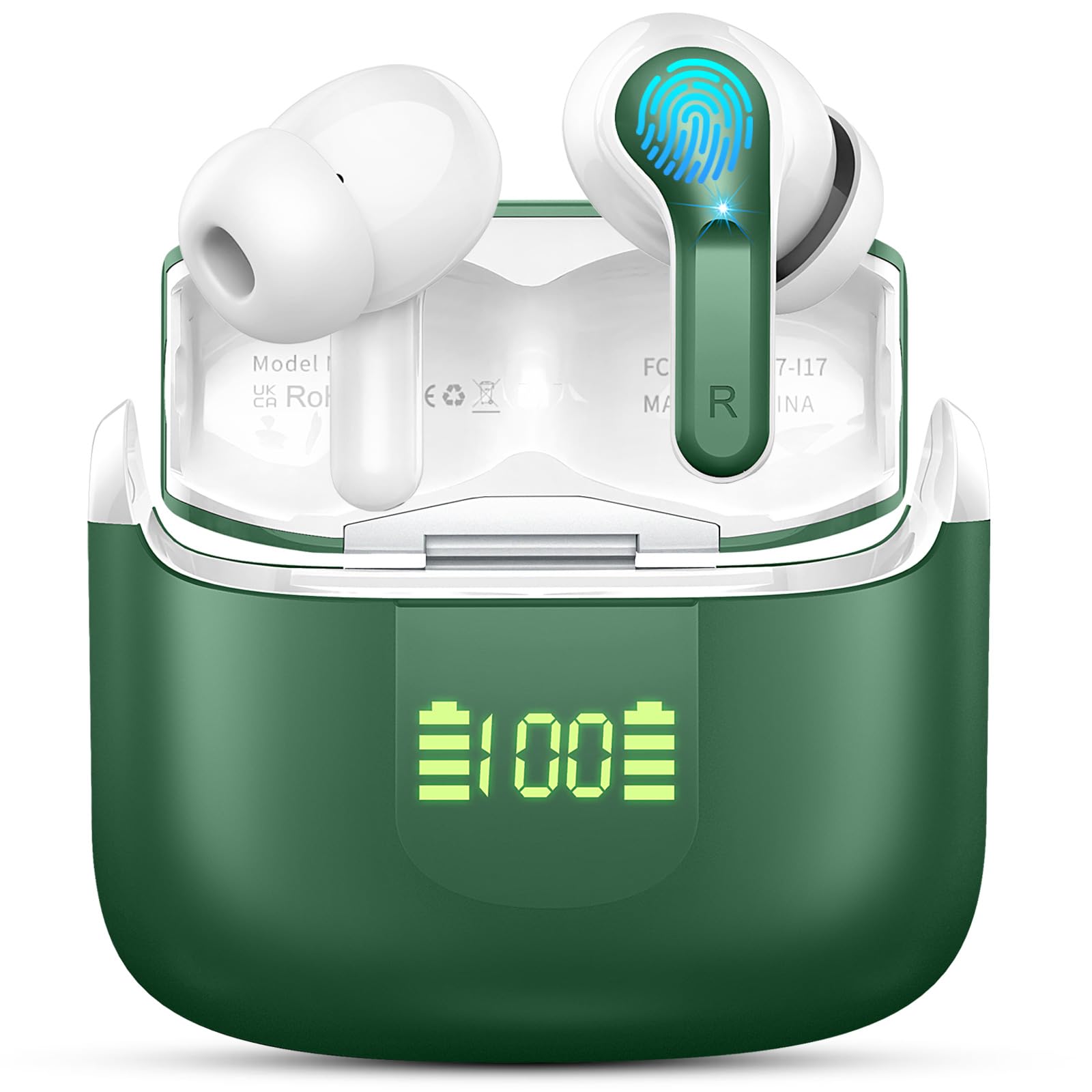
Image: Ordtop i13 Wireless Earbuds and Charging Case. This image displays the earbuds in their charging case, highlighting their compact design.
Key Features
- Advanced Bluetooth 5.3: Ensures stable connection, longer transmission range, and lower power consumption.
- Hi-Fi Stereo Deep Bass: Equipped with 13mm dynamic drivers for powerful bass and clear treble.
- Crystal-clear Calls: Enhanced microphones effectively block out 85% of background noise, making your voice clearer.
- IP7 Waterproof: Provides protection against rain, sweat, and splashes, suitable for various activities.
- Dual LED Power Display: Shows remaining battery capacity for both earbuds and the charging case.
- Smart Touch Control: Manage music, calls, and voice assistant with simple taps.
- Ergonomic Design: Super light (3.8g per earbud) and mini for a comfortable and secure fit.
Setup
1. Charging the Earbuds and Case
Before first use, fully charge the earbuds and the charging case.
- Place the earbuds into the charging case.
- Connect the USB charging cable to the charging port on the case and to a power source.
- The LED display on the case will show the charging status. A full charge for the case takes approximately 1.5 hours.
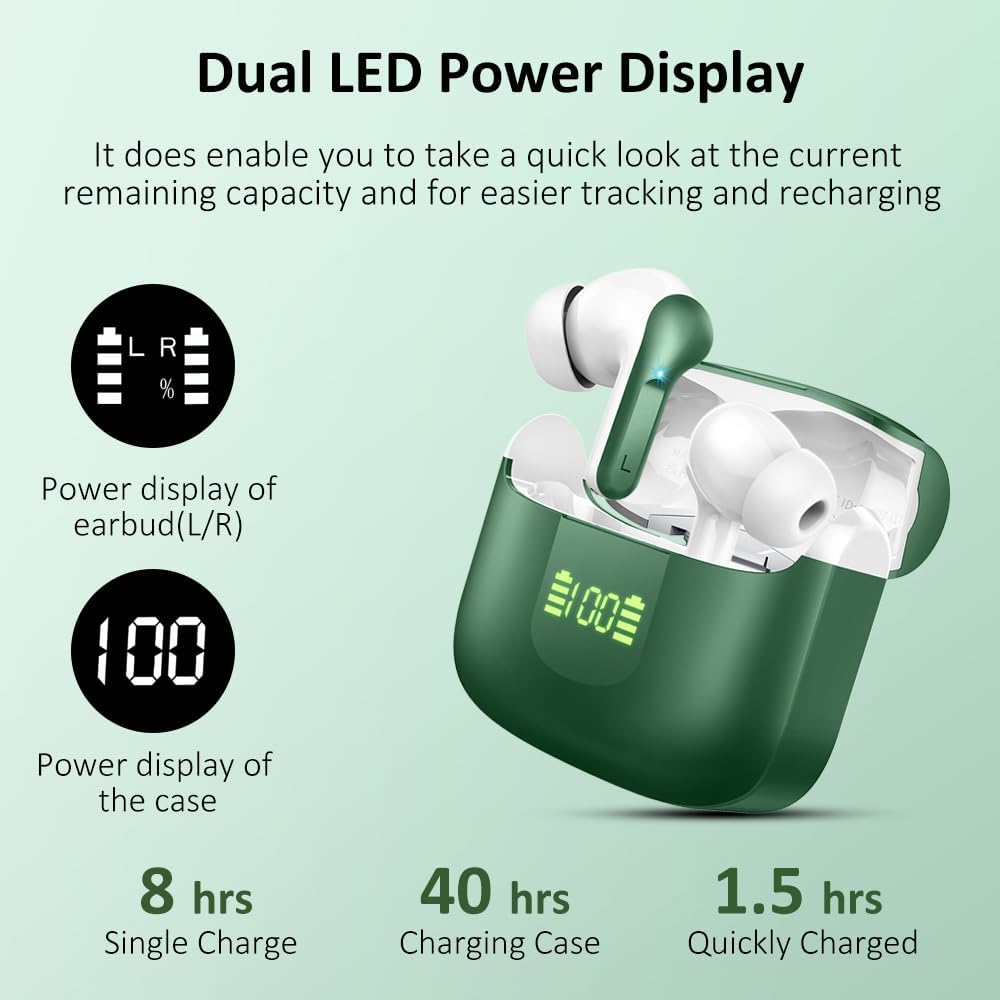
Image: Dual LED Power Display and Battery Life. This image illustrates the LED display on the charging case showing battery percentages for both earbuds and the case, along with battery life details.
2. Initial Pairing
The earbuds feature one-step pairing for convenience.
- Open the charging case. The earbuds will automatically power on and enter pairing mode.
- Enable Bluetooth on your device (smartphone, tablet, etc.).
- Search for "i13" in the list of available Bluetooth devices and select it to connect.
- Once connected, the earbuds will automatically pair with your device when you open the case for future use.

Image: One Step Pairing Process. This image shows the earbuds in their case and a smartphone screen displaying the Bluetooth pairing menu, with "i13" listed as a discoverable device.
Operating Instructions
Smart Touch Controls
The Ordtop i13 earbuds utilize touch sensors for various functions. The touch control area is located on the outer surface of each earbud.

Image: Smart Touch Control Functions. This image displays the touch-sensitive areas on the earbuds and lists various touch commands for functions like Siri, Answer/Reject calls, Volume control, Next/Previous track, and Play/Pause.
| Function | Action |
|---|---|
| Power On/Off | Automatically on when opening case, off when closing case. Long press touch area to manually power on/off. |
| Play/Pause Music | Single tap on either earbud. |
| Next Track | Double tap on the right earbud. |
| Previous Track | Double tap on the left earbud. |
| Volume Up | Triple tap on the right earbud. |
| Volume Down | Triple tap on the left earbud. |
| Answer/End Call | Single tap on either earbud during an incoming call or active call. |
| Reject Call | Long press on either earbud during an incoming call. |
| Activate Voice Assistant (Siri) | Long press on either earbud (when not on a call). |
Maintenance
Cleaning
- Regularly clean the earbuds and charging case with a soft, dry, lint-free cloth.
- Do not use abrasive cleaners, alcohol, or chemical solvents.
- Gently remove any earwax or debris from the ear tips and speaker mesh using a small brush or cotton swab.
Storage
- Store the earbuds in their charging case when not in use to protect them and keep them charged.
- Avoid storing in extreme temperatures (hot or cold) or high humidity.
Water Resistance (IP7)
The earbuds are IP7 waterproof, meaning they are protected against immersion in water up to 1 meter for 30 minutes. This makes them suitable for workouts and light rain.

Image: IP-X7 Waterproof Features. This image highlights the IP-X7 waterproof rating, indicating resistance to rainy days, sweat, and splashes.
Note: The charging case is not waterproof. Do not expose the charging case to water or moisture.
Troubleshooting
| Problem | Possible Solution |
|---|---|
| Earbuds not pairing with device |
|
| Only one earbud working |
|
| No sound or low volume |
|
| Charging case not charging |
|
| Poor call quality |
|
Specifications
| Feature | Detail |
|---|---|
| Model Number | i13 |
| Brand | Ordtop |
| Connectivity Technology | Wireless |
| Wireless Technology | Bluetooth 5.3 |
| Earbud Placement | In-Ear |
| Form Factor | In-Ear |
| Noise Control | Active Noise Suppression |
| Control Type | Touch Control |
| Earbud Weight | 3.8 grams (single earbud) |
| Water Resistance Level | IP7 (Waterproof) |
| Average Battery Life (Earbuds) | 8 hours (single charge) |
| Average Battery Life (with Case) | 48 hours total |
| Charging Case Battery Capacity | 350 mAh |
| Charging Time (Case) | 1.5 hours |
| Frequency Range | 20 Hz - 20,000 Hz |
| Compatible Devices | Bluetooth-enabled devices |
| Internal Material | Plastic |
| Case Dimensions (L x W x H) | 2 cm x 4 cm x 5 cm |
| Case Weight | 35 grams |
Warranty and Support
Ordtop products are designed for reliability and performance. For warranty information, please refer to the documentation included with your purchase or contact Ordtop customer support.
If you encounter any issues or have questions not covered in this manual, please contact our customer support team through the retailer's platform or the official Ordtop website for assistance.


