
1. Introduction
Thank you for choosing the OpenRock S Open-Ear Air Conduction Headphones. This manual provides essential information for setting up, operating, and maintaining your headphones to ensure optimal performance and longevity. Please read this manual thoroughly before use.
The OpenRock S headphones feature an open-ear design for comfort and situational awareness, Bluetooth 5.3 connectivity, up to 60 hours of total playtime with the charging case, IPX5 water resistance, and a built-in ENC microphone for clear calls.
2. What's in the Box
Please verify that all items are present in your package:
- 1x OpenRock S Wireless Headphones
- 1x USB-C Charging Cable
- 1x Charging Case
- 1x User Manual
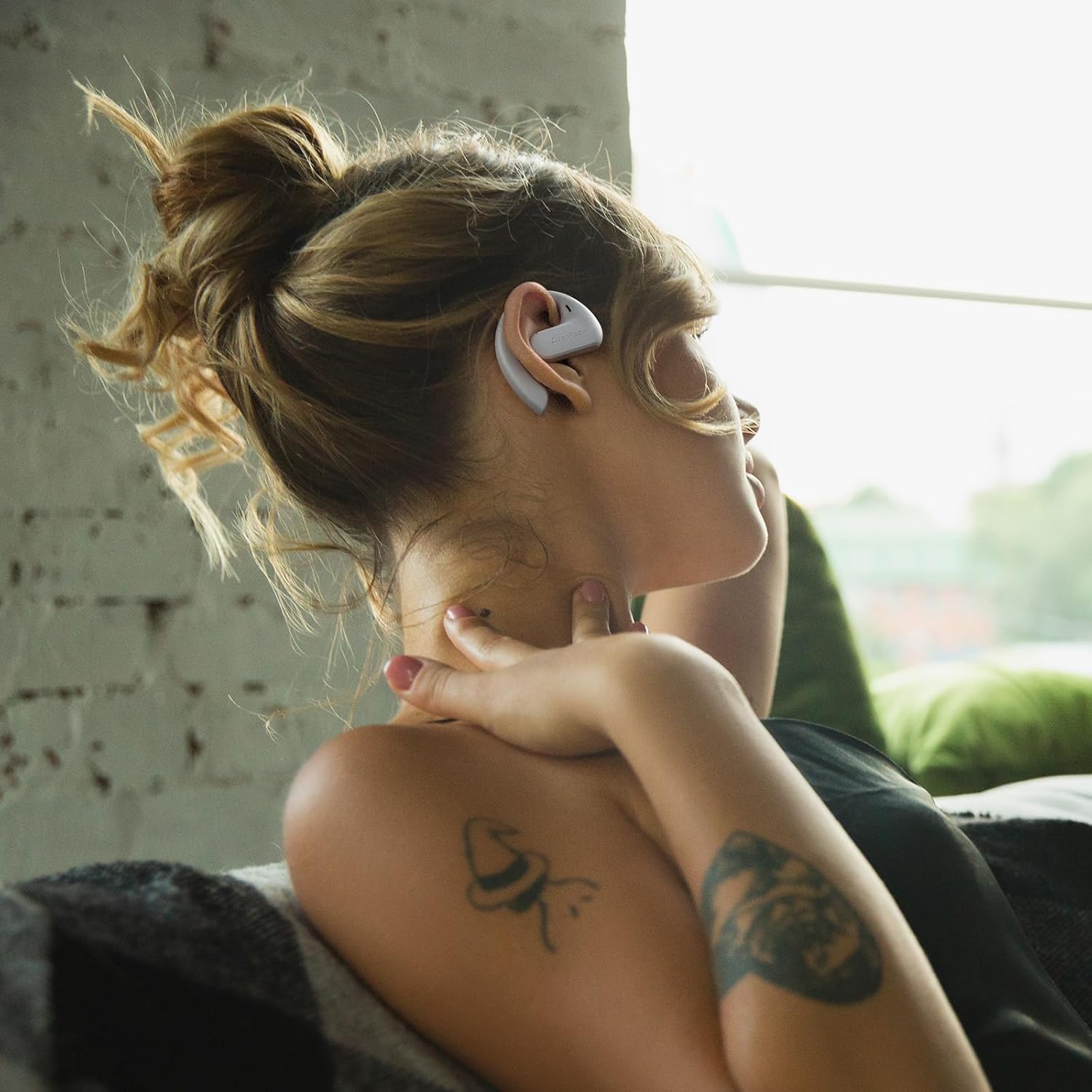
Image: The OpenRock S headphones, charging case, USB-C cable, and user manual as packaged.
3. Product Overview
Familiarize yourself with the components of your OpenRock S headphones and charging case.

Image: A pair of OpenRock S headphones, showcasing their open-ear design.
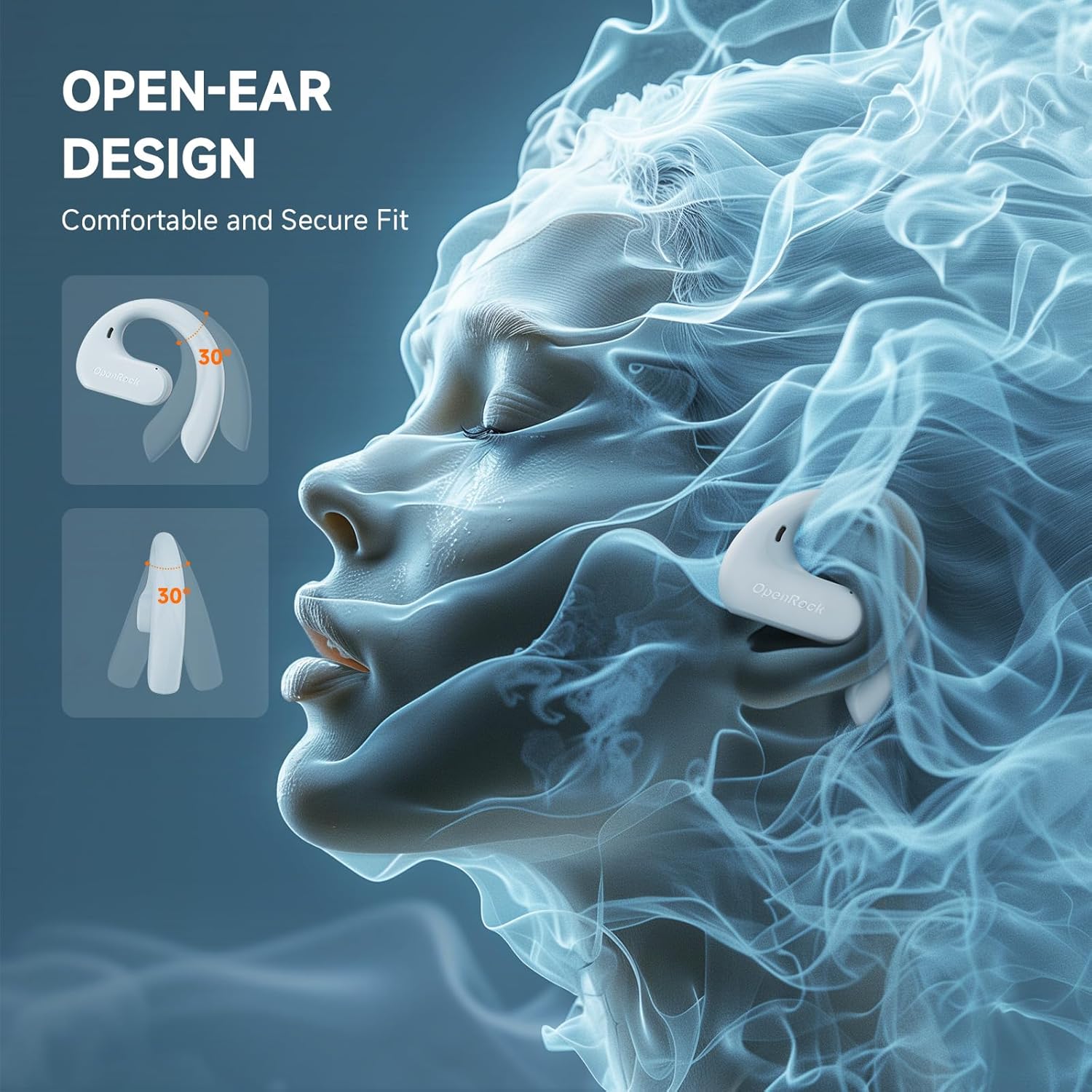
Image: A side view of the OpenRock S headphones, illustrating the ergonomic ear hook that secures them over the ear.
4. Setup
4.1 Initial Charging
Before first use, fully charge your OpenRock S headphones and charging case. Place the headphones into the charging case and connect the USB-C cable to the case and a power source. The indicator lights on the case will show charging status.

Image: The OpenRock S headphones nestled within their charging case, indicating they are ready for charging or storage.
4.2 Bluetooth Pairing
- Ensure the headphones are charged.
- Open the charging case. The headphones will automatically enter pairing mode, indicated by a flashing LED light.
- On your device (smartphone, tablet, etc.), go to Bluetooth settings and enable Bluetooth.
- Select "OpenRock S" from the list of available devices.
- Once connected, the LED indicator on the headphones will stop flashing.
The headphones will automatically reconnect to the last paired device when removed from the case, if Bluetooth is enabled on the device.
5. Wearing Instructions
The OpenRock S headphones feature adjustable ear hooks designed for a secure and comfortable fit. Gently place the ear hook over your ear, ensuring the speaker rests comfortably near your ear canal without entering it. Adjust the hook as needed for stability.

Image: A person wearing the OpenRock S headphones, demonstrating the over-ear fit and open-ear design.

Image: A person actively engaged while wearing the OpenRock S headphones, highlighting their secure fit during movement.

Image: A person wearing the OpenRock S headphones in a relaxed pose, illustrating comfort for extended wear.
6. Operating Controls
The OpenRock S headphones feature touch controls for various functions. Please note that direct volume control is not available via the headphone touch controls; volume must be adjusted on your connected device.
| Action | Function |
|---|---|
| Single Tap | Play/Pause music, Answer/End call |
| Double Tap (Left Earbud) | Previous Track |
| Double Tap (Right Earbud) | Next Track |
| Triple Tap | Activate Voice Assistant |
| Press and Hold (2 seconds) | Reject Call |
7. Charging
The OpenRock S headphones offer extended battery life with their charging case.
7.1 Charging the Headphones
Place the headphones into the charging case. They will automatically begin charging. The LED indicators on the headphones will show their charging status.
7.2 Charging the Case
Connect the provided USB-C cable to the charging port on the case and to a USB power adapter (not included). The case's indicator lights will show the charging progress. A full charge provides approximately 41 additional hours of playtime for the headphones.
7.3 Battery Life
The headphones provide up to 19 hours of listening time on a single charge. With the fully charged 750mAh charging case, the total playtime extends to approximately 60 hours. A quick 5-minute charge can provide up to 1 hour of playtime.

Image: A visual representation of the OpenRock S headphones' battery performance, showing 19 hours from earbuds and 41 hours from the case, totaling 60 hours.
8. Maintenance
8.1 Cleaning
Regularly clean your headphones and charging case with a soft, dry, lint-free cloth. Avoid using harsh chemicals or abrasive materials. Do not immerse the headphones or case in water, despite their water resistance.
8.2 Water Resistance (IPX5)
The OpenRock S headphones are IPX5 water-resistant, meaning they can withstand splashes and sweat. They are suitable for workouts and light rain but should not be submerged in water or exposed to pressurized water jets.

Image: The OpenRock S headphones shown with water droplets, emphasizing their IPX5 water-resistant capabilities.
8.3 Storage
When not in use, store the headphones in their charging case to protect them from dust and damage. Store in a cool, dry place away from extreme temperatures.
9. Troubleshooting
If you encounter issues with your OpenRock S headphones, refer to the following common problems and solutions:
- Headphones not pairing: Ensure headphones are charged and in pairing mode. Turn off and on your device's Bluetooth. Try forgetting the device in your Bluetooth settings and re-pairing.
- No sound: Check the volume level on your connected device. Ensure the headphones are properly connected via Bluetooth.
- Charging issues: Verify the USB-C cable is securely connected to both the case and the power source. Try a different charging cable or power adapter. Ensure the charging contacts on the headphones and case are clean.
- Intermittent connection: Move closer to your connected device. Avoid environments with strong Wi-Fi or other wireless interference.
If problems persist, please contact customer support for further assistance.
10. Specifications
| Feature | Detail |
|---|---|
| Model Name | Openrock S |
| Connectivity Technology | Wireless (Bluetooth) |
| Bluetooth Version | 5.3 |
| Bluetooth Range | 10 Meters |
| Ear Placement | Open Ear |
| Water Resistance Level | IPX5 |
| Audio Driver Type | Dynamic Driver (16.2mm) |
| Microphone | Built-in ENC Mic (4-Mics Call Noise-Canceling) |
| Battery Life (Earbuds) | Up to 19 hours |
| Total Playtime (with Case) | Up to 60 hours |
| Fast Charging | 5 minutes charge for 1 hour playtime |
| Control Type | Media Control (Touch) |
| Material | Acrylonitrile Butadiene Styrene (ABS), Metal, Silicone |
| Item Weight | 132 Grams (total) |
| Compatible Devices | Cellphones, Telephones |
11. Safety Information
- Do not use the headphones at high volume for extended periods to prevent hearing damage.
- Exercise caution when using headphones in situations requiring awareness of your surroundings, such as driving or cycling.
- Keep the headphones and accessories out of reach of children and pets.
- Avoid exposing the headphones to extreme temperatures, direct sunlight, or fire.
- Do not attempt to disassemble or modify the headphones. This may void the warranty and cause damage.
12. Warranty and Support
For warranty information or technical support, please refer to the documentation included with your purchase or contact OpenRock customer service. You can typically find contact details on the official OpenRock website or through your retailer.


