
Ulefone Ulefone Pad 3 PRO
Ulefone Armor PAD 3 PRO Rugged Tablet User Manual
Model: Ulefone Armor PAD 3 PRO
Brand: Ulefone
1. Product Overview
The Ulefone Armor PAD 3 PRO is a rugged industrial tablet designed for durability and high performance in challenging environments. It features a massive 33280mAh battery, 66W fast charging, up to 16GB RAM, 256GB ROM (expandable to 2TB), a 10.36-inch 2K display, and powerful 50MP rear and 32MP front cameras. Built to MIL-STD-810H and IP68/IP69K standards, it offers exceptional resistance to water, dust, and drops. Unique features include dual 1100 lumens camping lights, reverse charging capability, and an HDMI port for external display.

Image: Front and rear view of the Ulefone Armor PAD 3 PRO Rugged Tablet, highlighting its robust design and dual LED lights on the back, along with the large battery and memory specifications on the screen.
Key Features
- Ultra-Long Battery Life: Equipped with a 33280mAh battery and 66W fast charging, providing extended usage and quick power replenishment.
- Robust Performance: Powered by MediaTek MT8788 Octa-core processor, with 16GB RAM (8GB physical + 8GB virtual) and 256GB internal storage, expandable up to 2TB. Runs on Android 13.
- Durable Design: IP68/IP69K waterproof and dustproof, MIL-STD-810H certified for drop resistance, ensuring reliability in harsh conditions.
- High-Resolution Display: 10.36-inch 2K FHD+ display with 500 nits brightness and Corning Gorilla Glass 5 for clear visibility and enhanced durability.
- Advanced Cameras: Features a 50MP rear camera and a 32MP front camera for high-quality photos and video calls.
- Integrated Lighting: Dual 1100 lumens powerful camping lights for versatile illumination.
- Versatile Connectivity: Supports Dual 4G LTE, 2.4G+5G WiFi, OTG, GPS, NFC, and includes an HDMI port for external display.
- Enhanced Audio: Stereo front-facing dual speakers for immersive sound.
Product Video Overview
Video: An official overview of the Ulefone Armor PAD 3 Pro Rugged Tablet, showcasing its features, durability, and various use cases in industrial and outdoor settings.
2. Getting Started: Setup
2.1 Package Contents
Before you begin, ensure all items are present in the package:
- Ulefone Armor PAD 3 PRO Tablet
- Power Adapter (66W)
- USB-C Cable
- SIM Tray Ejector Tool
- User Manual (this document)
- Other accessories as specified on the product packaging (e.g., screen protector, hand strap, sound kit - sold separately).
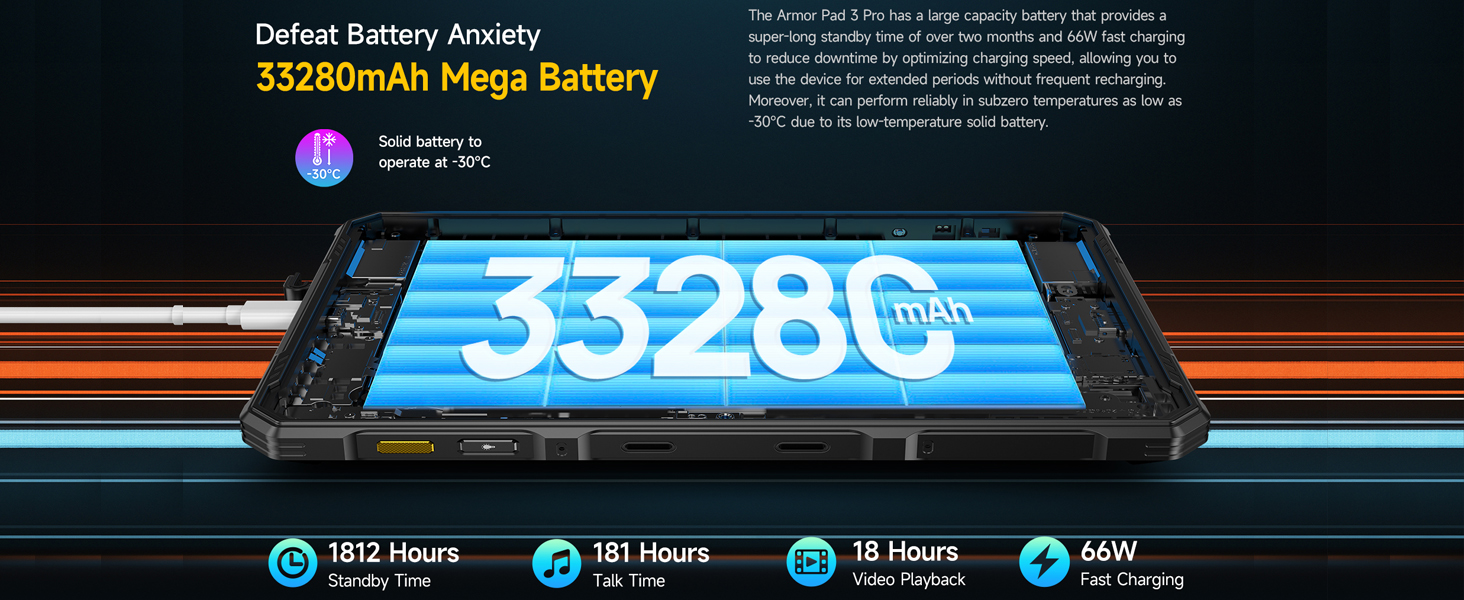
Image: The typical contents included with the Ulefone Armor PAD 3 PRO, showing the tablet, charger, cable, and other small accessories.
2.2 Initial Charging
For optimal performance, fully charge the tablet before first use. Connect the provided 66W power adapter to the USB-C port on the tablet and plug it into a power outlet. The charging indicator will show the charging status. The large 33280mAh battery may take several hours to fully charge.
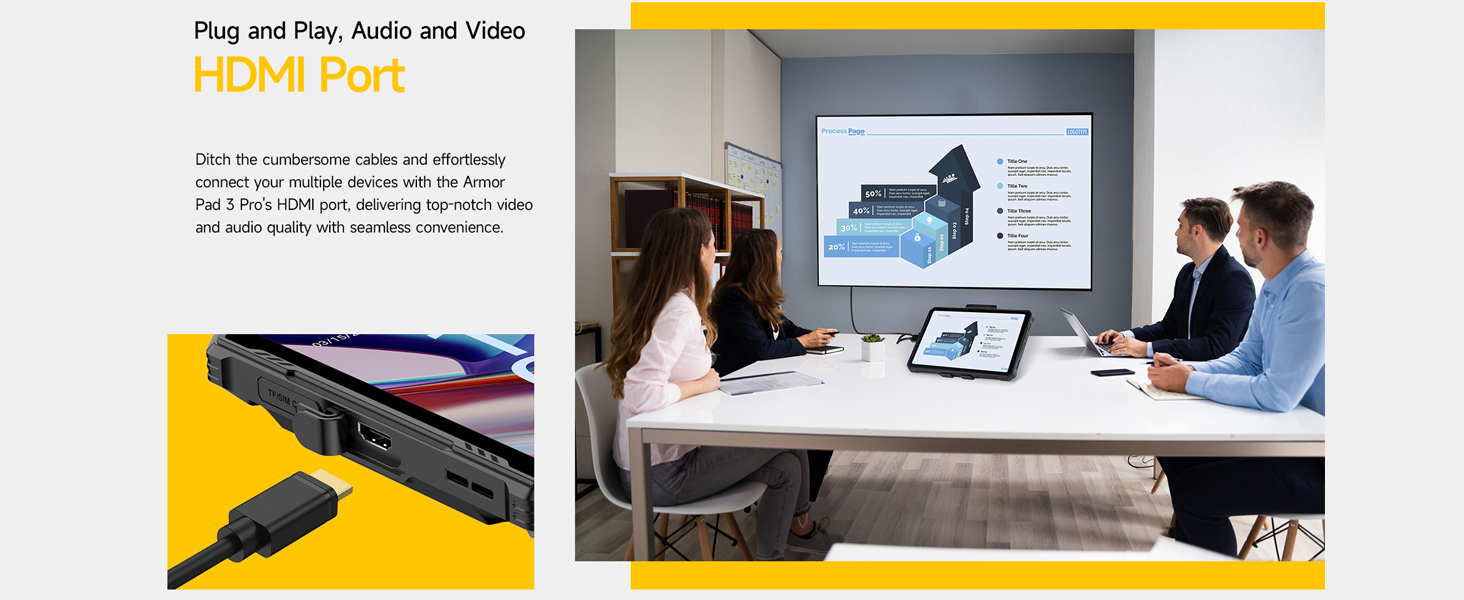
Image: The Ulefone Armor PAD 3 PRO connected to its 66W fast charger, illustrating the large battery capacity and charging speed.
2.3 SIM and MicroSD Card Installation
The tablet supports dual SIM cards and a MicroSD card for expanded storage (up to 2TB). Locate the SIM/MicroSD card tray on the side of the tablet. Use the provided ejector tool to open the tray. Carefully place your SIM cards and MicroSD card into the designated slots, ensuring correct orientation. Close the tray securely.

Image: A close-up view of the 3-card slot design on the Ulefone Armor PAD 3 PRO, showing space for two SIM cards and one MicroSD card.
2.4 Powering On and Initial Configuration
Press and hold the power button until the Ulefone logo appears. Follow the on-screen prompts to complete the initial setup, including language selection, Wi-Fi connection, Google account sign-in, and security settings. The tablet runs on Android 13, offering a personalized and privacy-focused interface.
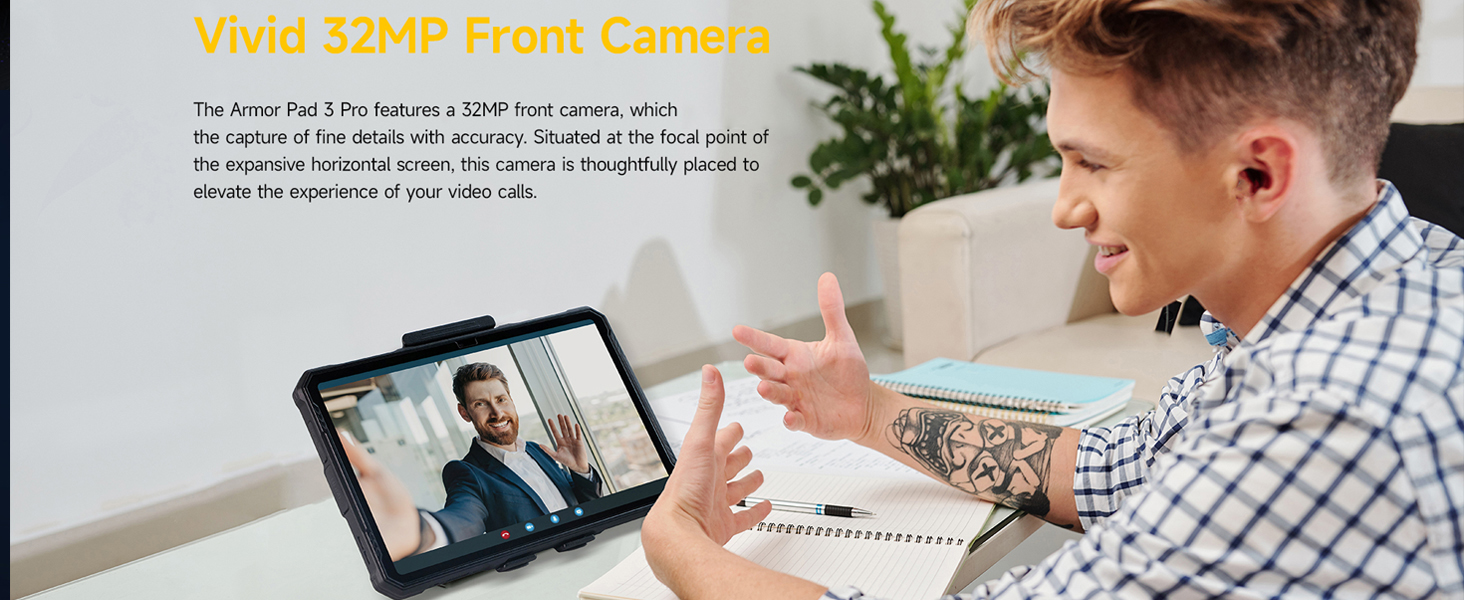
Image: The Android 13 operating system interface displayed on the Ulefone Armor PAD 3 PRO, showcasing its modern and user-friendly design.
3. Operating Instructions
3.1 Display and Interaction
The tablet features a 10.36-inch 2K display (1200 x 2000 Pixels) with 500 nits brightness, ensuring clear visibility even in direct sunlight. The screen is protected by Corning Gorilla Glass 5 for enhanced durability against drops and scratches. The touch screen supports multi-touch gestures.

Image: The vibrant 10.36-inch 2K display of the Ulefone Armor PAD 3 PRO, highlighting its aspect ratio, PPI, and screen-to-body ratio.
Gloves Mode
Activate Gloves Mode in settings to enable touch screen functionality while wearing gloves, ideal for industrial or outdoor use. This feature ensures continuous operation without needing to remove protective gear.
3.2 Performance and Storage
The Ulefone Armor PAD 3 PRO is powered by an Octa-core MediaTek MT8788 processor, providing efficient performance for various applications. It comes with 256GB of internal storage and 8GB of physical RAM, which can be virtually expanded by another 8GB for a total of 16GB RAM, ensuring smooth multitasking and app performance.

Image: An illustration detailing the 256GB internal storage and up to 16GB RAM (8GB physical + 8GB virtual) of the Ulefone Armor PAD 3 PRO.
3.3 Camera Functions
Capture high-quality images and videos with the tablet's advanced camera system:
- Rear Camera: 50MP main camera, ideal for detailed photos and documentation.
- Front Camera: 32MP front-facing camera, perfect for video calls and selfies.

Image: Detailed view of the Ulefone Armor PAD 3 PRO's 50MP rear camera, highlighting its sensor size, aperture, and pixel technology.

Image: A user engaging in a video call using the Ulefone Armor PAD 3 PRO, demonstrating the clarity of its 32MP front camera.
3.4 Connectivity
The tablet offers comprehensive connectivity options:
- Dual 4G LTE: For reliable cellular data and calls (check carrier compatibility).
- Wi-Fi: Supports 2.4G and 5G Wi-Fi (802.11ax) for fast internet access.
- Bluetooth: For connecting wireless accessories.
- GPS: Integrated GPS, GLONASS, and Galileo for accurate navigation.
- NFC: For contactless payments and data transfer.
- OTG (On-The-Go): Allows connecting USB peripherals like flash drives or keyboards.
- HDMI Port: Connect the tablet to an external display (monitor, TV, projector) using an HDMI cable for presentations or larger viewing experiences.
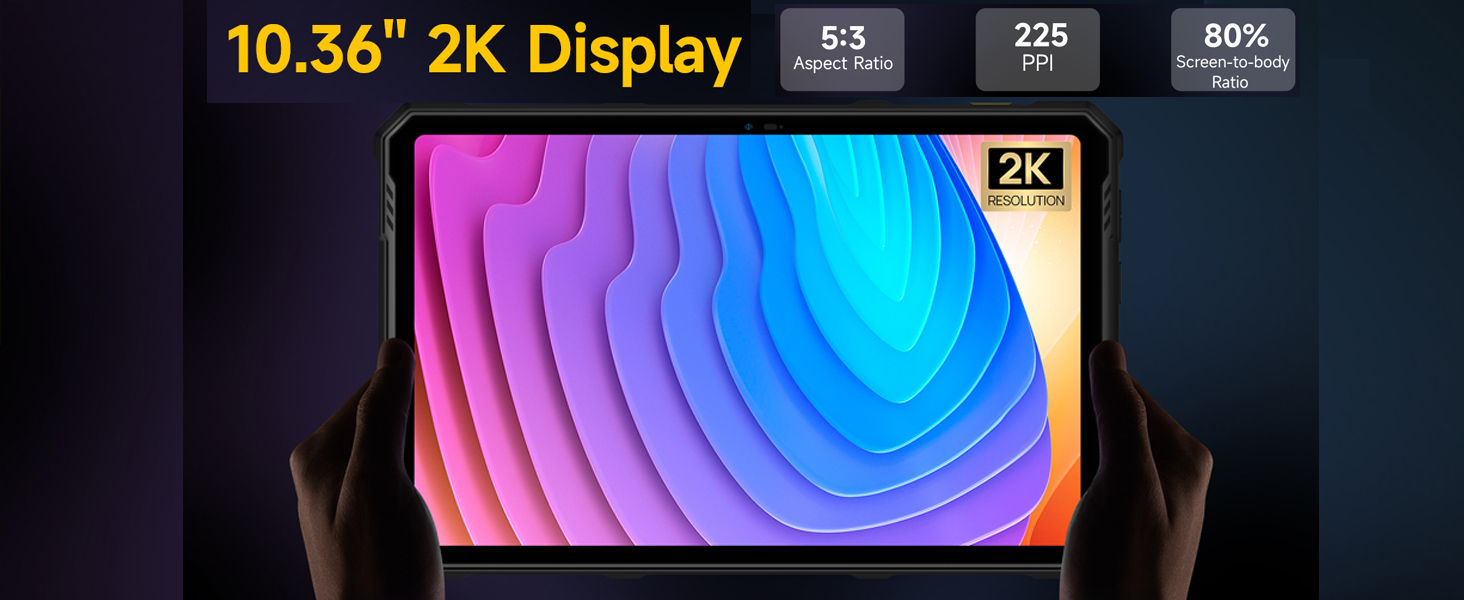
Image: The Ulefone Armor PAD 3 PRO connected to an external monitor via its HDMI port, demonstrating its capability for seamless video and audio output.
3.5 Special Features
- Dual 1100 Lumens Camping Lights: The tablet features two powerful LED lights on the back, providing significant illumination for outdoor activities or dark environments. These can be activated via a dedicated button or through the exclusive app.
- Reverse Charging: Utilize the tablet's large battery to charge other devices (e.g., smartphones, earbuds) via OTG, effectively turning it into a power bank.
- Multi-use Digital Toolbox: Access a suite of practical tools including Sound Meter, Compass, Pic Hanging, Gradienter, Height Measure, Magnifier, Warning, Plumb Bob, and Protractor, simplifying various tasks.
- Custom Key: Program a side button for quick access to frequently used functions or apps.
- Fingerprint ID & Face Unlock: Securely unlock your device using biometric authentication.
- Headset-free FM Radio: Enjoy FM radio without needing to connect headphones.
- 3.5mm Headphone Jack: For traditional wired audio connections.

Image: The Ulefone Armor PAD 3 PRO showcasing its dual 1100 lumens LED lights, designed for powerful illumination in various settings.
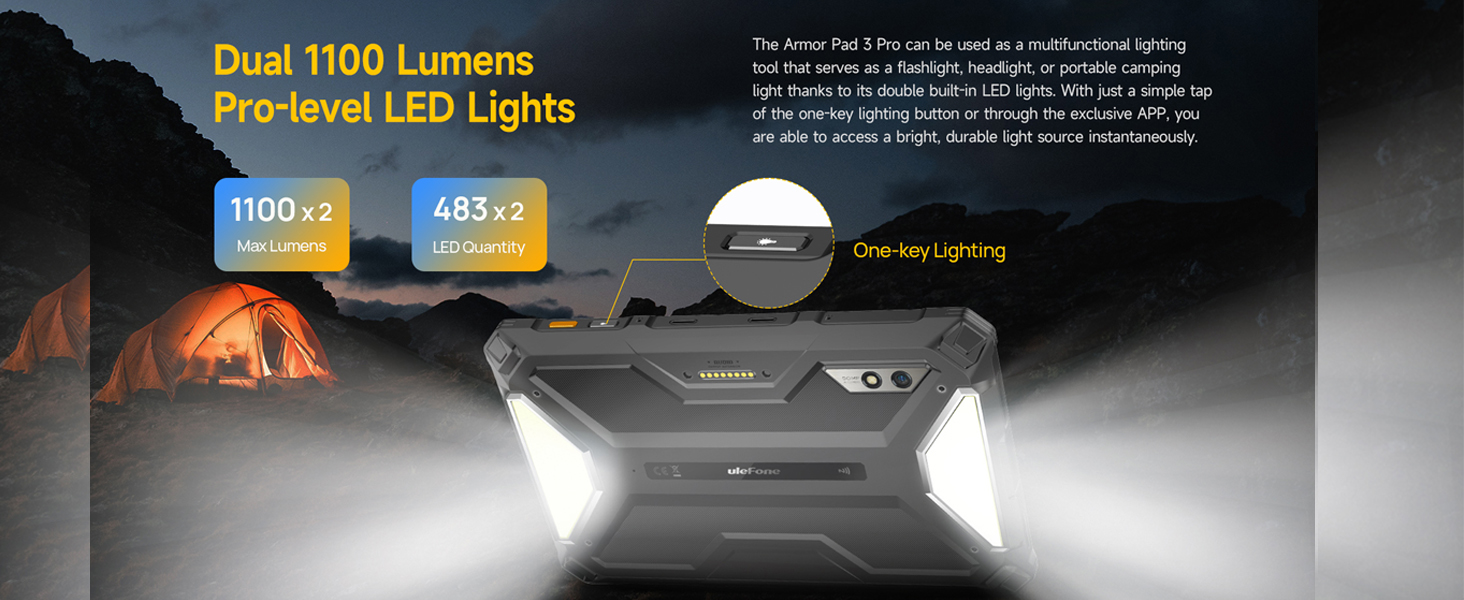
Image: The Ulefone Armor PAD 3 PRO demonstrating its reverse charging capability, powering other devices like a smartphone or earbuds.
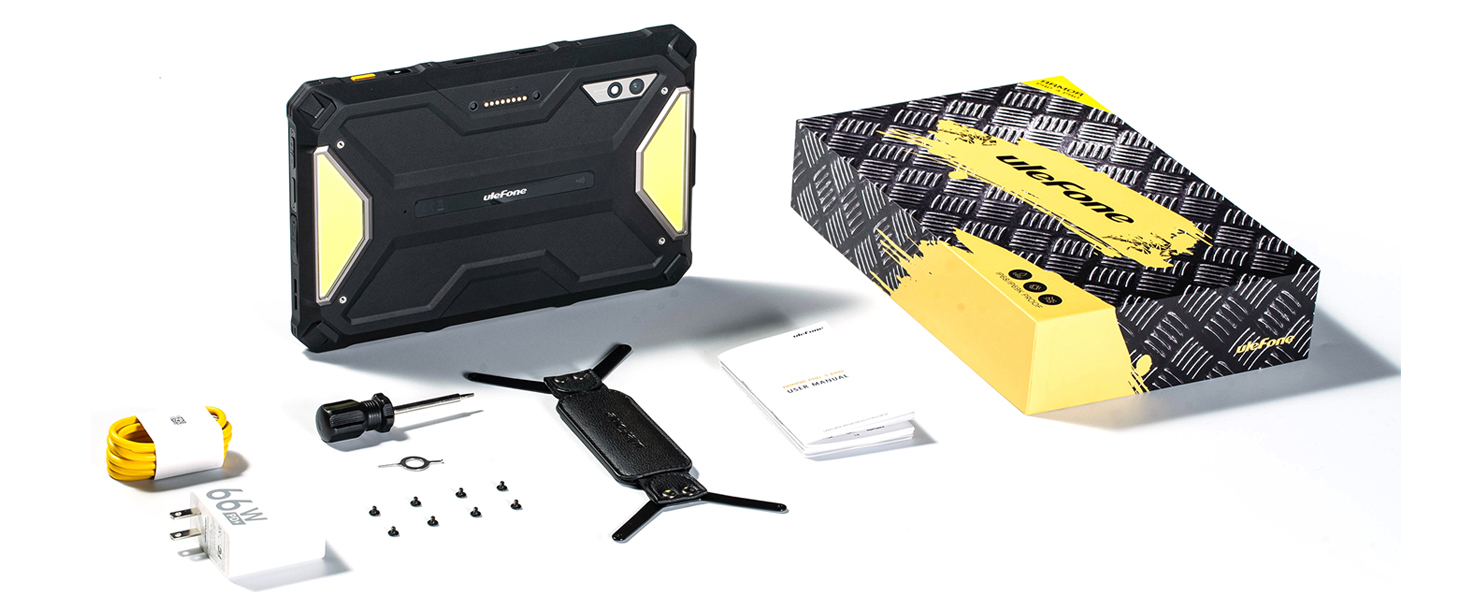
Image: The Ulefone Armor PAD 3 PRO displaying its multi-use digital toolbox, featuring various utility apps like compass, sound meter, and height measure.
3.6 Audio
The tablet is equipped with stereo front-facing dual speakers, providing clear and balanced audio output for an immersive multimedia experience, whether for music, videos, or calls.

Image: The Ulefone Armor PAD 3 PRO highlighting its stereo front-facing dual speakers, designed for enhanced audio quality.
4. Maintenance and Care
4.1 Cleaning
Due to its IP68/IP69K rating, the tablet can be cleaned with water. For general cleaning, wipe the device with a soft, damp cloth. For tougher dirt, you can rinse it under low-pressure tap water. Ensure all port covers are securely closed before exposing the device to water. Do not use harsh chemicals or abrasive materials.
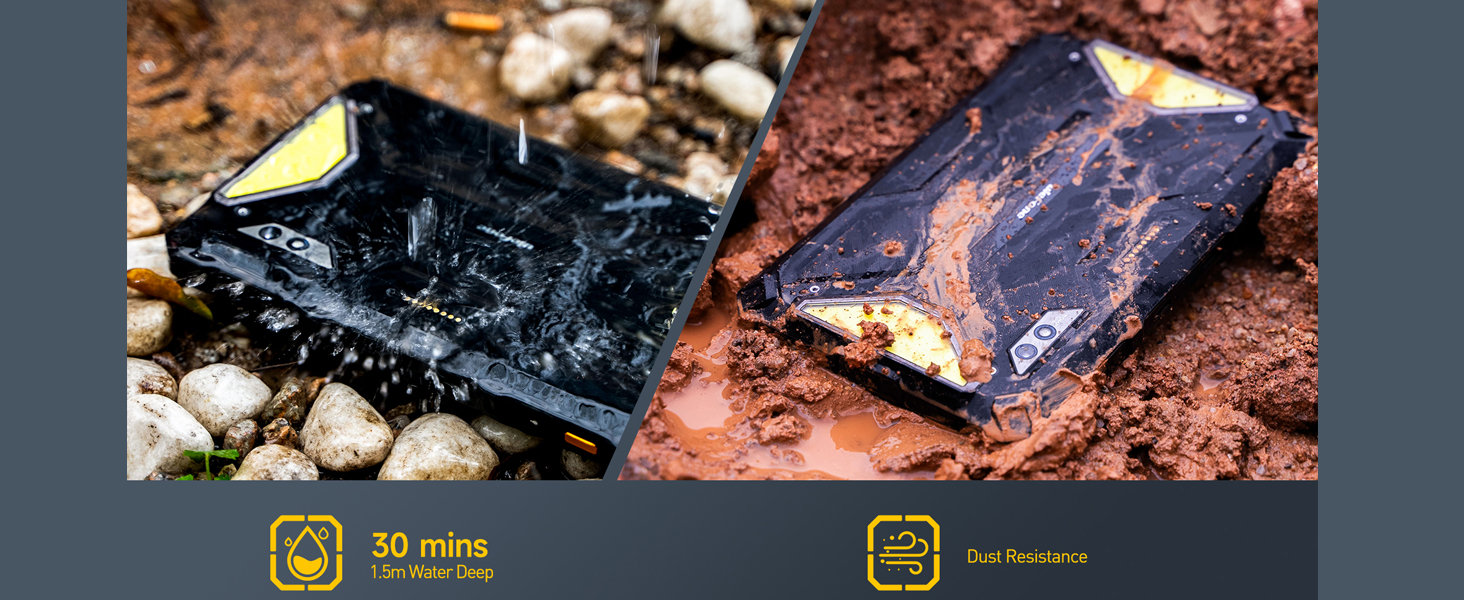
Image: The Ulefone Armor PAD 3 PRO demonstrating its water and dust resistance, showing it submerged in water and covered in mud.
4.2 Battery Care
To prolong the life of the 33280mAh battery:
- Avoid extreme temperatures.
- Use only the provided charger and cable.
- Do not fully discharge the battery regularly.
- If storing for a long period, charge the battery to around 50-60%.
4.3 Software Updates
Regularly check for and install system updates to ensure your tablet has the latest features, security patches, and performance improvements. You can usually find this option in the tablet's settings under "System" or "About tablet".
5. Troubleshooting
If you encounter issues with your Ulefone Armor PAD 3 PRO, try the following common troubleshooting steps:
- Device not turning on: Ensure the battery is charged. Connect the charger and wait a few minutes before attempting to power on again.
- Screen unresponsive: Restart the device by holding the power button. If unresponsive, force restart (refer to device-specific instructions if standard power button hold doesn't work).
- Connectivity issues (Wi-Fi/Cellular):
- Toggle Wi-Fi/Cellular data off and on.
- Restart your router (for Wi-Fi).
- Check SIM card installation.
- Apps crashing/freezing:
- Close and reopen the app.
- Clear the app's cache and data in settings.
- Uninstall and reinstall the app.
- Slow performance:
- Close unused background apps.
- Clear cache and temporary files.
- Ensure sufficient storage space.
For persistent issues or complex problems, please refer to the official Ulefone support resources or contact customer service.
6. Technical Specifications
| Feature | Specification |
|---|---|
| Model Name | Ulefone Armor PAD 3 PRO |
| Operating System | Android 13 |
| Processor | MediaTek MT8788 Octa-core, 2.2 GHz |
| RAM | 16GB (8GB physical + 8GB virtual) |
| Internal Storage | 256GB |
| Expandable Storage | Up to 2TB via MicroSD |
| Screen Size | 10.36 Inches |
| Screen Resolution | 1200 x 2000 Pixels (2K FHD+) |
| Brightness | 500 nits |
| Screen Protection | Corning Gorilla Glass 5 |
| Rear Camera | 50 MP |
| Front Camera | 32 MP |
| Battery Capacity | 33280mAh |
| Fast Charging | 66W |
| Wireless Type | 802.11ax (Wi-Fi), Bluetooth |
| Connectivity | Dual 4G LTE, GPS, NFC, OTG, HDMI |
| Durability Rating | IP68/IP69K, MIL-STD-810H Certified |
| Item Weight | 0.352 ounces (Note: This seems incorrect, likely a typo in source data. Actual weight is closer to 1.6kg as per a review.) |
| Product Dimensions | 10 x 8 x 1 inches |
7. Warranty and Support
Ulefone products are designed for reliability and performance. This product comes with a standard manufacturer's warranty. Please refer to the warranty card included in your package for specific terms and conditions, including warranty period and coverage details.
For technical support, troubleshooting assistance, or warranty claims, please visit the official Ulefone website or contact their customer service department. Keep your purchase receipt and product serial number handy when seeking support.
Online Resources:
- Official Ulefone Website: www.ulefone.com
- Amazon Store Page: Ulefone Amazon Store
Related documentsUlefone Pad 3 PRO


Ask a question about this manual
Ask about setup, troubleshooting, compatibility, parts, safety, or missing instructions. Manuals+ will review the question and use this page’s manual context to help answer it.