
1. Introduction
Thank you for choosing the iWALK 4,500mAh Portable Charger. This compact power bank is designed to provide convenient and reliable charging for your USB-C compatible devices, including the latest iPhone and Android smartphones. This manual provides essential information for the safe and efficient operation of your device.

Image 1.1: The iWALK 4,500mAh Portable Charger with its integrated USB-C connector plugged into a smartphone.
2. Product Overview
2.1 Key Features
- Built-in USB-C Connector: Tangle-free and cordless design for direct connection to devices.
- 4,500mAh Capacity: Provides approximately 1.1 charges for an iPhone 15 Pro or 1 full charge for an iPhone 15.
- Pass-Through Charging: Allows simultaneous charging of the power bank and a connected device.
- Low Heat Performance: Designed to maintain stable charging speeds with minimal heat generation.
- Compact and Lightweight: Pocket-sized for portability.
- LED Indicator Lights: Provides status indication.
2.2 Package Contents
- 1x iWALK 4,500mAh Portable Power Bank
- 1x USB-C to USB-C Cable
- 1x User Manual

Image 2.1: The iWALK portable charger, USB-C to USB-C cable, and user manual as included in the package.
3. Setup
3.1 Initial Charging of the Power Bank
- Connect the provided USB-C to USB-C cable to the power bank's USB-C input port.
- Connect the other end of the USB-C cable to a compatible USB wall adapter (not included).
- Plug the wall adapter into a power outlet. The LED indicator lights on the power bank will illuminate to show charging status.
- Charge the power bank fully before first use.
3.2 Compatibility
The iWALK portable charger features a built-in USB-C connector, making it compatible with a wide range of devices:
- iPhone 15 Series (iPhone 15, 15 Plus, 15 Pro, 15 Pro Max)
- iPhone 16 Series (iPhone 16, 16 Plus, 16 Pro, 16 Pro Max)
- Samsung Galaxy S22/S23/S24 Series
- Google Pixel Series
- Motorola Series
- Other Android Type-C smartphones and devices.

Image 3.1: Visual representation of various USB-C compatible smartphones that can be charged with this device.
4. Operating Instructions
4.1 Charging Your Device
- Ensure the iWALK portable charger is sufficiently charged.
- Carefully plug the built-in USB-C connector of the power bank directly into the USB-C charging port of your smartphone or compatible device.
- The device should begin charging automatically. The LED indicators on the power bank will show its remaining battery level.
- To stop charging, simply unplug the power bank from your device.

Image 4.1: The iWALK portable charger in use, demonstrating its ability to charge an iPhone 15 Pro approximately 1.1 times and an iPhone 15 approximately 0.95 times.
4.2 Recharging the Power Bank (Pass-Through Charging)
The iWALK portable charger supports pass-through charging, allowing you to charge both your phone and the power bank simultaneously.
- Connect your smartphone to the iWALK portable charger via its built-in USB-C connector.
- Connect the iWALK portable charger to a power source using the provided USB-C to USB-C cable and a wall adapter.
- The system is designed to prioritize charging your connected phone first, and once the phone is fully charged, it will then proceed to recharge the power bank.

Image 4.2: Pass-through charging in action, where the phone charges first, followed by the power bank.
4.3 LED Indicator Lights
The LED indicator lights on the power bank provide information about its battery status. Refer to the device itself for specific light patterns and their meanings (e.g., solid lights for charge level, blinking lights for charging status).
5. Maintenance
5.1 Cleaning
- Ensure the power bank is disconnected from all power sources and devices before cleaning.
- Wipe the exterior with a soft, dry, lint-free cloth.
- Do not use abrasive cleaners, solvents, or aerosol sprays.
5.2 Storage
- Store the power bank in a cool, dry place, away from direct sunlight and extreme temperatures.
- For long-term storage, it is recommended to charge the power bank to approximately 50-75% every three months to maintain battery health.
5.3 Battery Care
- Avoid fully discharging the power bank frequently.
- Do not expose the power bank to water or other liquids.
- The power bank is equipped with low-heat performance technology to prevent overheating during charging.
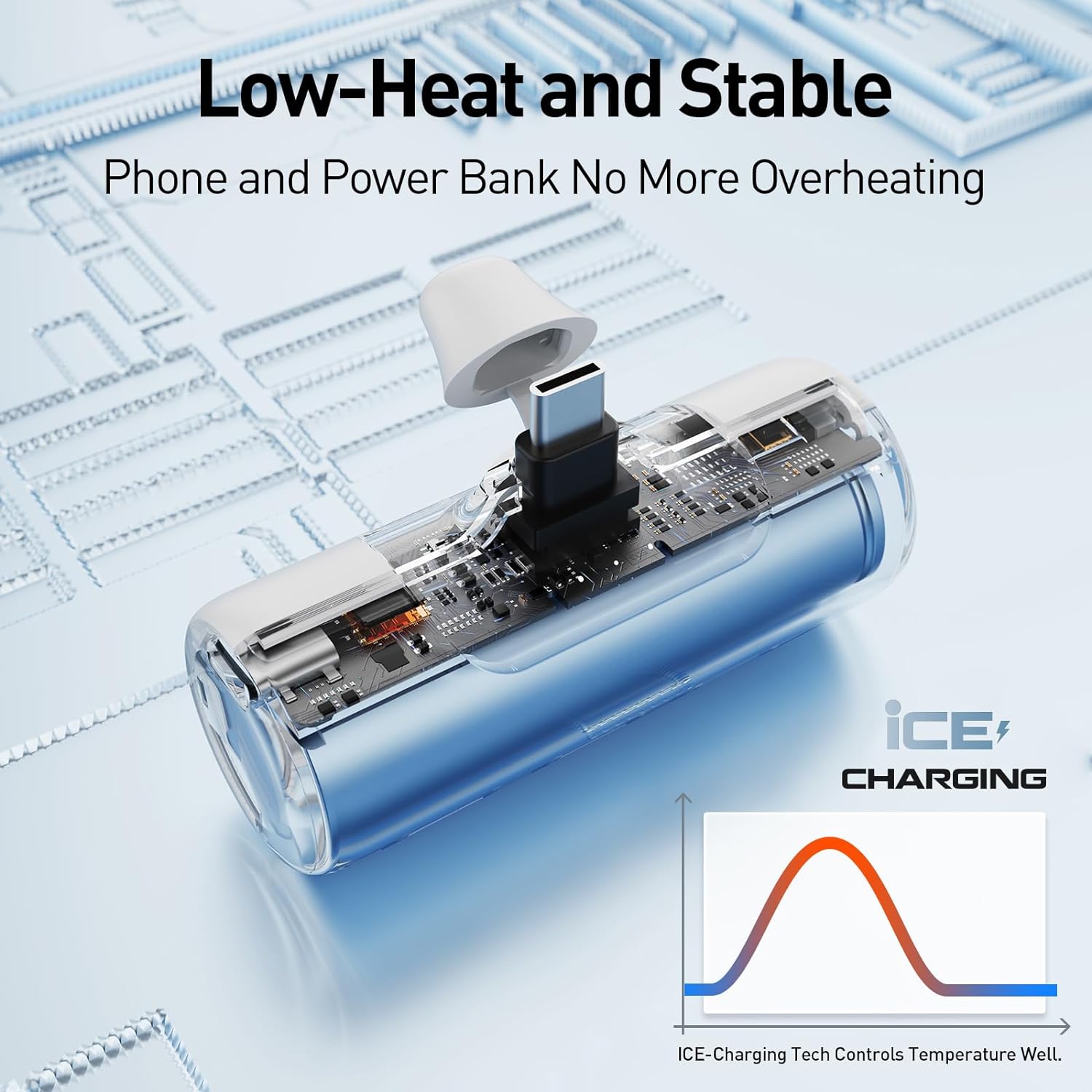
Image 5.1: Illustration of the internal low-heat charging technology, ensuring stable performance.
6. Troubleshooting
- Power bank not charging: Ensure the USB-C cable is securely connected to both the power bank and the wall adapter, and that the wall adapter is plugged into a working power outlet. Try a different cable or adapter if available.
- Device not charging from power bank: Ensure the power bank has sufficient charge. Verify that the built-in USB-C connector is fully inserted into your device's charging port. Some phone cases may prevent a full connection; if charging issues occur, try removing your phone case.
- Slow charging: Ensure both the power bank and your device are not excessively hot. High temperatures can sometimes reduce charging speed. Use a certified USB-C cable and a compatible wall adapter for optimal charging speed when recharging the power bank.
- LED indicators not working: If the power bank is not responding, try fully recharging it. If the issue persists, contact customer support.

Image 6.1: The USB-C plug depth, which is 0.17 inches, indicating potential compatibility issues with very thick phone cases.
7. Specifications
| Product Dimensions | 1.9 x 2.9 x 1.25 inches |
| Item Weight | 2.08 ounces |
| Model Number | LPB4500C |
| Battery Type | 1 Lithium Ion battery (included) |
| Battery Capacity | 4500 Milliamp Hours |
| Connector Type | USB Type C |
| Special Features | Built In Cable, LED Indicator Lights, Lightweight, Pocket Size |
| Color | White |
| Manufacturer | U2O GLOBAL CO.,LTD. |
8. Safety Information
- Do not disassemble, open, or shred the battery pack.
- Do not expose the power bank to heat or fire. Avoid storage in direct sunlight.
- Do not short-circuit the power bank. Do not store power banks haphazardly in a box or drawer where they may short-circuit each other or be short-circuited by conductive materials.
- Do not subject the power bank to mechanical shock.
- In the event of a power bank leaking, do not allow the liquid to come into contact with the skin or eyes. If contact has been made, wash the affected area with copious amounts of water and seek medical advice.
- Keep the power bank clean and dry.
- Do not leave a power bank on prolonged charge when not in use.
- Do not use any charger other than that specifically provided for use with the equipment.
- Battery usage by children should be supervised.
- Consult your local waste disposal authority for proper disposal of the power bank.
9. Warranty and Support
iWALK products are manufactured to high-quality standards. For information regarding warranty coverage, please refer to the warranty card included with your product or visit the official iWALK website. For technical support or customer service inquiries, please contact iWALK customer support through their official channels.


