
Towallmark KDO-V2
Towallmark Portable Air Conditioner User Manual
Model: KDO-V2
Introduction
Thank you for choosing the Towallmark Portable Air Conditioner. This 3-in-1 unit provides efficient cooling, dehumidification, and fan functions for spaces up to 550 sq. ft. Designed for ease of use and quiet operation, it ensures a comfortable indoor environment. Please read this manual thoroughly before operation to ensure proper use, maintenance, and safety.

Image: The Towallmark Portable Air Conditioner, a compact white unit with a remote control beside it. Air is shown flowing upwards from the top vent.
Safety Information
Always follow basic safety precautions when using electrical appliances to reduce the risk of fire, electric shock, and injury.
- Read all instructions before using the appliance.
- Do not operate the unit with a damaged cord or plug.
- Do not insert fingers or objects into the air outlet.
- Ensure the unit is placed on a stable, level surface.
- Unplug the unit before cleaning or servicing.
- Keep the unit away from flammable materials.
- This appliance is not intended for use by persons (including children) with reduced physical, sensory or mental capabilities, or lack of experience and knowledge, unless they have been given supervision or instruction concerning use of the appliance by a person responsible for their safety.
Product Overview
Components
- Main Unit (Portable Air Conditioner)
- Remote Control
- Exhaust Hose
- Window Sealing Kit
- Drain Hose (for dehumidification)
- User Manual (this document)
Control Panel & Remote
The unit features an LED display and intuitive buttons on the top panel. A full-function remote control is also included for convenient operation from a distance.

Image: The portable air conditioner unit positioned near a window with its exhaust hose connected to a window sealing kit. The remote control is shown in the foreground.
Setup Instructions
- Unpack the Unit: Carefully remove the air conditioner and all accessories from the packaging.
- Positioning: Place the unit on a flat, stable surface near a window and a grounded electrical outlet. Ensure there is at least 20 inches of space around the unit for proper airflow.
- Install Exhaust Hose:
- Attach one end of the exhaust hose to the air outlet on the back of the unit.
- Assemble the window sealing kit according to the instructions provided with the kit, fitting it into your window opening.
- Connect the other end of the exhaust hose to the window sealing kit, ensuring a secure and airtight connection to expel hot air outdoors.
- Power Connection: Plug the power cord into a grounded 120V electrical outlet.
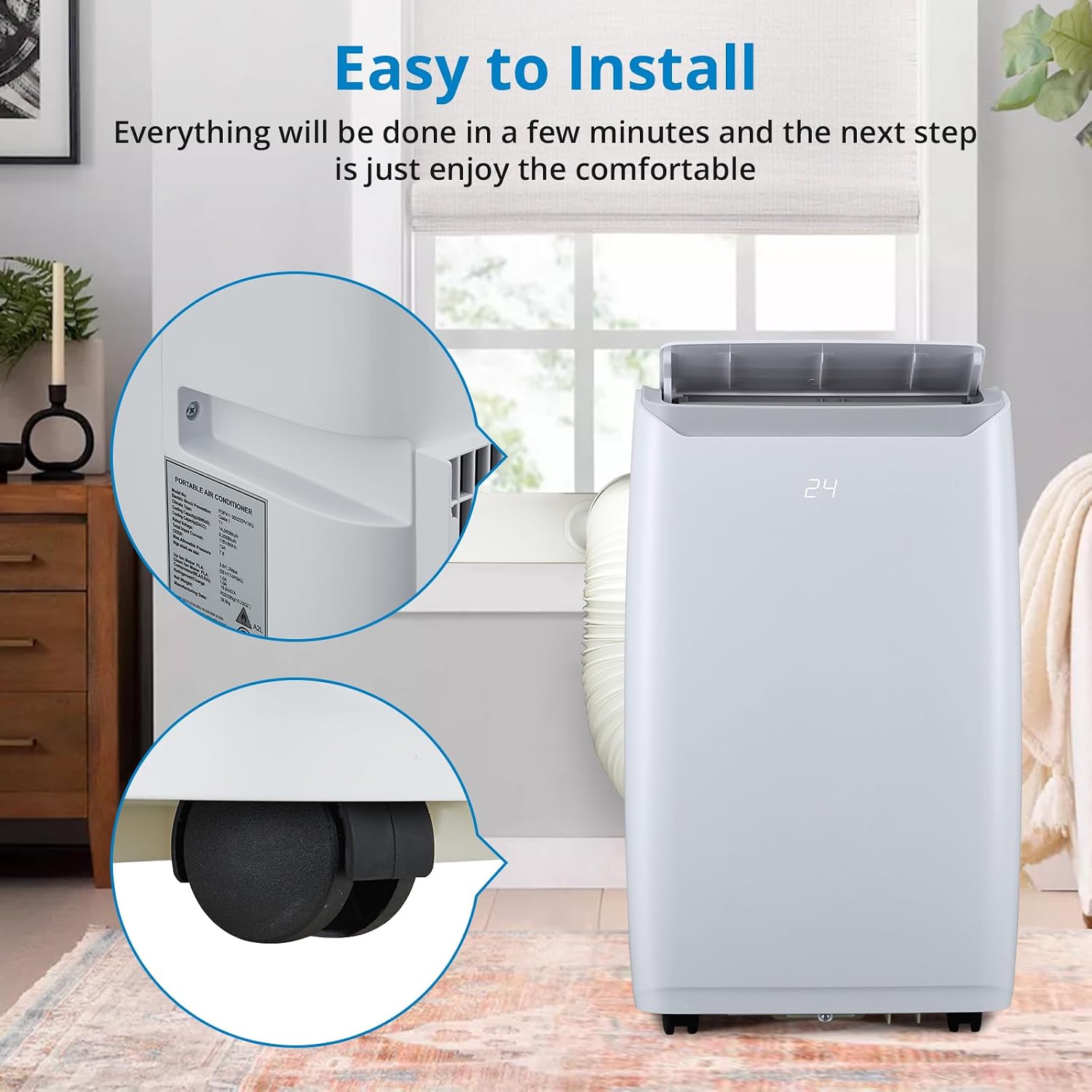
Image: A close-up view highlighting the smooth-rolling wheels at the base of the portable air conditioner for easy mobility, and a partial view of the product specification label on the side.
Operating Instructions
The Towallmark Portable Air Conditioner offers three primary operating modes: Cooling, Dehumidifier, and Fan.

Image: A triptych showing the portable air conditioner. The first panel depicts cooling with blue air, the second shows dehumidification with condensation, and the third shows fan mode with gentle airflow, illustrating the unit's multi-functionality.
Power On/Off
Press the Power button on the control panel or remote to turn the unit on or off.
Mode Selection
Press the Mode button to cycle through the available modes:
- Cooling Mode: For powerful cooling. Adjust temperature using the Up/Down arrows.
- Dehumidifier Mode: Removes excess moisture from the air. Connect the drain hose for continuous drainage.
- Fan Mode: Circulates air without cooling. Select fan speed (Low, Medium, High).
Temperature Adjustment (Cooling Mode)
Use the Up and Down arrow buttons to set your desired temperature. The temperature range is typically 61°F to 88°F (16°C to 31°C).
Fan Speed Adjustment
Press the Fan Speed button to select between Low, Medium, or High fan speeds.
Sleep Mode
Activate Sleep Mode for quiet operation and gradual temperature adjustment during nighttime hours, ensuring a peaceful sleep environment.

Image: A woman is shown sleeping soundly in bed, with the portable air conditioner operating quietly in the foreground, emphasizing its low noise operation feature.
Timer Function
Use the Timer button to set a delayed start or stop time for the unit, up to 24 hours.
Auto Swing
Press the Swing button to activate the automatic louver swing, distributing air more evenly throughout the room.
Maintenance
Regular maintenance ensures optimal performance and extends the lifespan of your air conditioner.
Cleaning the Air Filter
The air filter should be cleaned every two weeks or more frequently depending on usage and air quality.
- Unplug the unit from the power outlet.
- Locate and remove the air filter from the back or side of the unit.
- Wash the filter with warm, soapy water. Rinse thoroughly.
- Allow the filter to air dry completely before reinserting it into the unit.
Draining Water
The unit has an internal water tank that collects condensate. When full, the unit will stop operating and display an indicator. Drain the water as follows:
- Turn off and unplug the unit.
- Place a shallow pan or bucket under the drain port at the bottom rear of the unit.
- Remove the drain plug to allow water to flow out.
- Once drained, replace the drain plug securely.
- For continuous dehumidification, attach the provided drain hose to the drain port and direct it to a floor drain or suitable container.
Cleaning the Unit Exterior
Wipe the exterior of the unit with a soft, damp cloth. Do not use harsh chemicals or abrasive cleaners.
Troubleshooting
| Problem | Possible Cause | Solution |
|---|---|---|
| Unit does not turn on. | No power; Power cord unplugged; Full water tank. | Check power outlet; Plug in power cord securely; Drain water tank. |
| Unit is not cooling effectively. | Dirty air filter; Exhaust hose not properly installed; Room too large; Doors/windows open. | Clean air filter; Ensure exhaust hose is sealed; Use in recommended room size (up to 550 sq. ft.); Close doors and windows. |
| Unit is noisy. | Unit not on a level surface; Obstruction in fan. | Place on a level surface; Check for and remove any obstructions. |
| Water leaking from unit. | Drain plug loose; Drain hose not connected properly (dehumidifier mode). | Ensure drain plug is secure; Check drain hose connection. |
Specifications
- Model: KDO-V2
- Cooling Capacity: 12000 BTU
- Coverage Area: Up to 550 sq. ft.
- Functions: Cooling, Dehumidifier, Fan
- Noise Level: 51 dB
- Voltage: 120 Volts
- Product Dimensions: 18.5"D x 34.8"W x 14.9"H
- Item Weight: 68 pounds
- Warranty: 18 months
Warranty and Support
This Towallmark Portable Air Conditioner is covered by an 18-month warranty from the date of purchase. This warranty covers defects in materials and workmanship under normal use.
For technical support, warranty claims, or any questions regarding your product, please contact Towallmark customer service. Refer to the contact information provided on the product packaging or the official Towallmark website.
Please have your model number (KDO-V2) and purchase date available when contacting support.
Ask a question about this manual
Ask about setup, troubleshooting, compatibility, parts, safety, or missing instructions. Manuals+ will review the question and use this page’s manual context to help answer it.