
Introduction
Thank you for choosing the VOLT PLUS TECH TG01 Portable Bluetooth Earbuds. These earbuds are designed to provide a high-quality audio experience with features such as Bluetooth 5.0 connectivity, CVC 8.0 noise reduction, and an integrated power bank charging case. This manual will guide you through the setup, operation, and maintenance of your new earbuds.

Image: The VOLT PLUS TECH TG01 Portable Bluetooth Earbuds shown with their charging case, highlighting their compact design.
What's in the Box
Upon unboxing, please ensure all the following items are present:
- VOLT PLUS TECH TG01 Portable Bluetooth Earbuds (Left and Right)
- Portable Charging/Storage Case with LED Display and Loop
- USB-C Charging Cable
- Two pairs of different sized earbud tips (Small, Large)
- User Manual (this document)

Image: A visual representation of the earbuds, charging case, and accessories included in the package.
Setup and Pairing
Follow these steps to set up and pair your earbuds with your device:
- Power On: Remove both earbuds from the charging case. They will automatically power on, indicated by a blue light. Alternatively, press and hold the touch panel on both earbuds for 3 seconds until a blue indicator light flashes.
- Initial Pairing: After powering on, you will hear voice prompts, and both earbuds will flash blue and red indicators alternatively as they pair with each other.
- Device Connection: Once the earbuds are paired with each other, you will hear a voice prompt 'pairing'. Enable Bluetooth on your mobile device (e.g., Xiaomi Redmi K60) and search for "JS25" in the list of available devices.
- Connect: Select "JS25" to pair and connect. The earbuds will prompt "Connected" upon successful connection.
- Automatic Reconnection: Once successfully connected, your earbuds will automatically connect to the previously paired device when turned on and Bluetooth is enabled on the device.
- Troubleshooting Pairing: If pairing fails, place the earbuds back into the charging case and repeat the steps above.

Image: A visual guide illustrating the quick pairing process, showing earbuds and charging case with pairing steps.

Image: Depicts the earbuds automatically connecting to a smartphone upon removal from the charging case, and automatically shutting down when placed back in.
Operating Instructions
Touch Controls
The earbuds feature touch-sensitive controls for various functions:
- Play/Pause: Single tap on either earbud.
- Next Song: Double tap the right earbud.
- Previous Song: Double tap the left earbud.
- Answer/End Call: Single tap on either earbud.
- Reject Call: Press and hold either earbud for 2 seconds.
- Activate Voice Assistant: Triple tap on either earbud.
- Volume Adjustment: Specific gestures may vary; refer to your device's Bluetooth settings or experiment with long presses on left/right earbuds.
LED Digital Display
The charging case is equipped with an intelligent LED digital display that shows the accurate power level of both the charging case and the individual earbuds. This allows for convenient monitoring of battery status.

Image: The charging case displaying battery levels for itself and the earbuds via its LED digital screen.
Features
- Bluetooth 5.0 Connectivity: Ensures a stable and efficient wireless connection.
- CVC 8.0 Intelligent Noise Reduction: Reduces ambient noise by approximately 19 dB, providing clearer audio for calls and music.
- IPX4 Water Resistance: The earbuds feature an IPX4 waterproof nano-coating, protecting them from splashes, sweat, and light rain. This makes them suitable for sports and outdoor activities. Note: The charging case is NOT waterproof.
- Integrated Power Bank: The charging case has a built-in 2000mAh battery, capable of recharging the earbuds multiple times for up to 24 hours of music playback or 100 hours of call time.
- 8D Stereo Surround Sound: Delivers an immersive audio experience.

Image: Highlights the ergonomic design of the earbuds, suggesting a comfortable fit and superior sound quality.
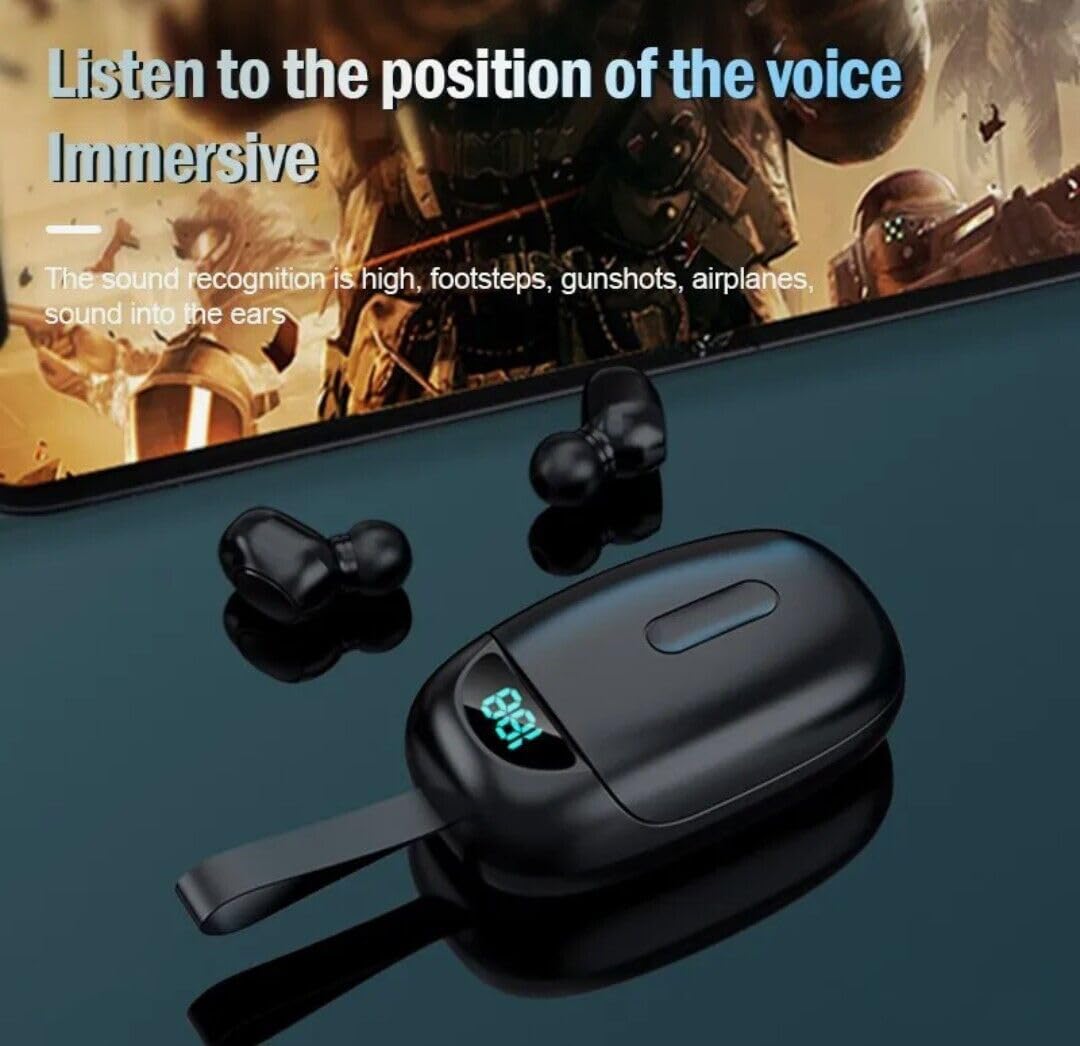
Image: Illustrates the immersive sound capabilities of the earbuds, particularly for gaming, by emphasizing sound recognition for footsteps and gunshots.
Maintenance
- Cleaning: Regularly clean the earbuds and charging case with a soft, dry cloth. Avoid using harsh chemicals or abrasive materials.
- Charging Contacts: Ensure the charging contacts on both the earbuds and inside the case are clean and free of debris to maintain proper charging.
- Water Exposure: While the earbuds are IPX4 water-resistant, avoid submerging them in water. The charging case is not waterproof; keep it dry.
- Storage: Store the earbuds in their charging case when not in use to protect them and keep them charged.
- Temperature: Avoid exposing the product to extreme temperatures (hot or cold) or high humidity.
Troubleshooting
| Problem | Possible Cause | Solution |
|---|---|---|
| Earbuds not pairing with device | Bluetooth is off on device; earbuds not in pairing mode; incorrect device selected. | Ensure Bluetooth is enabled. Place earbuds back in case, then remove to re-enter pairing mode. Select "JS25" from device's Bluetooth list. |
| Only one earbud working | Earbuds not paired with each other; low battery. | Place both earbuds in the charging case, close the lid, then open and remove them to force re-pairing. Ensure both earbuds are charged. |
| Earbuds not charging | Charging contacts are dirty; charging case battery is low; cable issue. | Clean charging contacts on earbuds and case. Charge the charging case. Try a different USB-C cable and power source. |
| Poor sound quality | Earbuds not properly seated; low battery; interference. | Adjust earbud position for a secure fit. Ensure earbuds are charged. Move away from sources of strong electromagnetic interference. |
Specifications
| Feature | Detail |
|---|---|
| Model Name | TG01 |
| Brand | VOLT PLUS TECH |
| Connectivity Technology | Bluetooth 5.0 |
| Noise Control | Active Noise Cancellation (CVC 8.0) |
| Water Resistance Level | IPX4 (Earbuds only) |
| Charging Case Battery Capacity | 2000mAh (approx.) |
| Playback Time | Up to 24 hours (with charging case) |
| Call Time | Up to 100 hours (with charging case) |
| Headphones Jack | USB-C (for charging case) |
| Control Method | Touch |
| Compatible Devices | Xiaomi Redmi K60 and other Bluetooth-enabled devices |
| Item Weight | 4 Ounces (approx.) |
| Product Dimensions | 1 x 1.7 x 1.5 inches (approx.) |
Warranty and Support
VOLT PLUS TECH products are designed for reliability and performance. For specific warranty information, please refer to the documentation included with your purchase or contact your retailer. For technical support or further assistance, please reach out to the VOLT PLUS TECH customer service department through the contact information provided on our official website or your purchase platform.