
1. Product Overview
This GHUST replacement remote control is designed for various Samsung Crystal DU7200 Series HDR Smart TVs and other compatible Samsung models. It offers a direct replacement solution without requiring any complex programming or setup. Simply insert batteries, and the remote is ready for use.
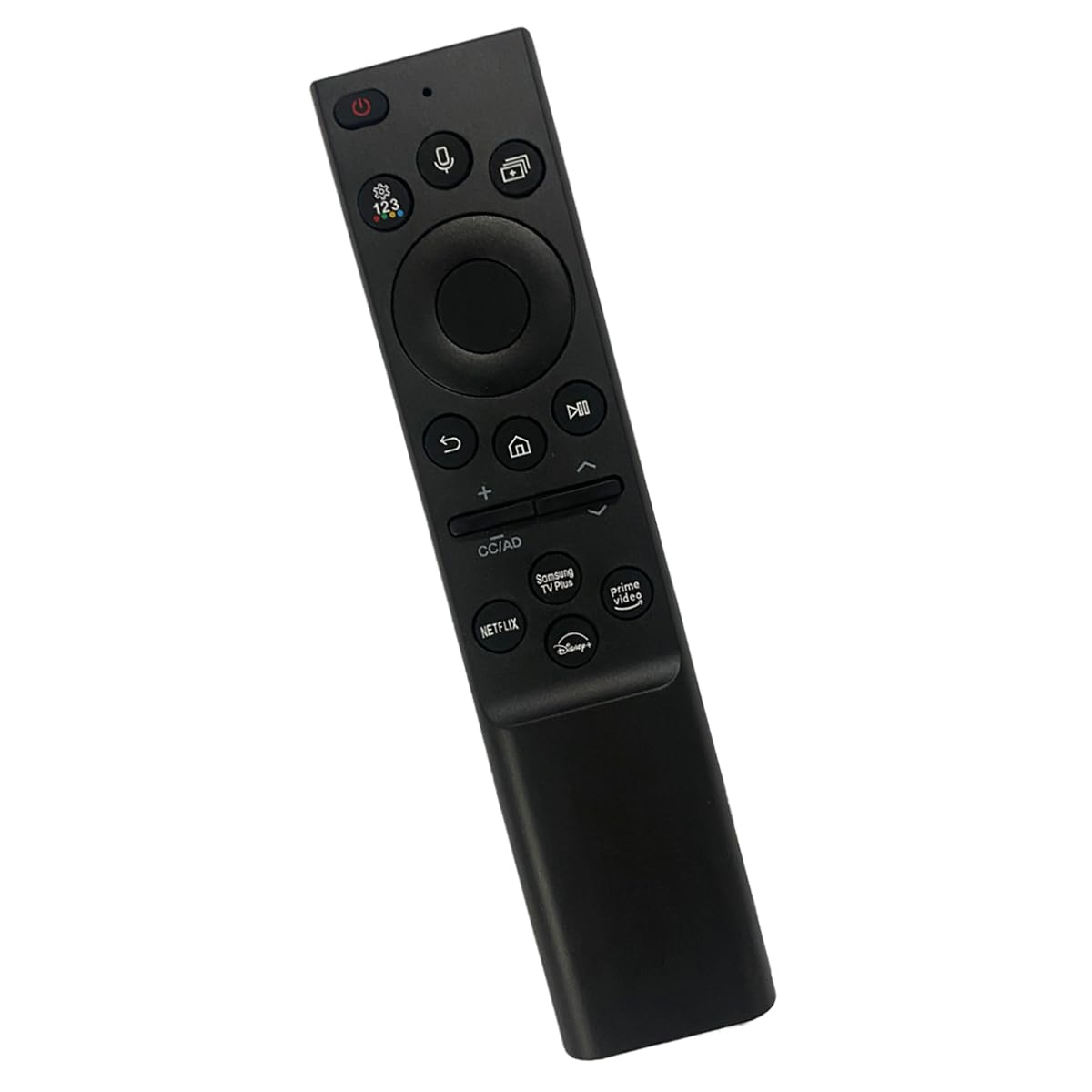
Image: The GHUST replacement remote control, featuring a sleek black design with clearly labeled buttons.
2. Setup and Battery Installation
The GHUST replacement remote control requires no programming or complex setup. Its operation is straightforward: install the batteries, and it is ready for immediate use with your compatible Samsung Smart TV.
2.1 Battery Installation
- Locate the battery compartment on the back of the remote control.
- Slide the battery compartment cover downwards to open it.
- Insert two (2) AAA batteries (not included) into the compartment, ensuring the positive (+) and negative (-) terminals align correctly with the indicators inside.
- Slide the battery compartment cover back into place until it clicks securely.
The remote control is now ready for use.

Image: The back of the remote control with the battery compartment open, illustrating the insertion of two AAA batteries. Text indicates "Requires 2 AAA Batteries Not Included" and highlights low battery consumption.
3. Operating Instructions
This remote control is designed for intuitive operation, providing precise control and signal stabilization for a seamless user experience.
3.1 Key Features
- Key Sensitive: Buttons are responsive to touch for accurate command input.
- Durable Construction: Made from high-quality ABS materials for extended longevity.
- Advanced Chip: Incorporates an advanced chip for precise control and reliable performance.
- Signal Stabilization: Ensures consistent and strong signal transmission to your television.
- Multiple Functions: Supports all standard television remote functions.
- Compact Design: Small and compact size for comfortable grip and ease of handling.

Image: The remote control positioned in front of a television, with annotations pointing to its key sensitive buttons, construction from ABS materials, and an advanced chip for precise control.

Image: The remote control emitting signal waves, accompanied by text emphasizing its durability, signal stabilization, multiple functions, and the absence of setup or programming requirements.
3.2 Shortcut Buttons
The remote control includes dedicated shortcut buttons for quick access to popular streaming applications:
- Netflix: Direct access to the Netflix streaming service.
- Prime Video: Direct access to Amazon Prime Video.
- Disney+: Direct access to Disney+.
- Samsung TV Plus: Direct access to Samsung's free streaming service.

Image: A close-up of the remote control highlighting the shortcut buttons for Netflix, Prime Video, Disney+, and Samsung TV Plus, enabling quick application access.
3.3 Compatible TV Models
This remote control is compatible with a wide range of Samsung Smart TV models, including but not limited to:
- Samsung Crystal DU7200 Series: UN43DU7200FXZA, UN50DU7200FXZA, UN55DU7200FXZA, UN60DU7200FXZA, UN65DU7200FXZA, UN70DU7200FXZA, UN75DU7200FXZA, UN85DU7200FXZA
- Samsung DU8000 Series: UN43DU8000FXZA, UN50DU8000FXZA, UN55DU8000FXZA, UN65DU8000FXZA, UN743DU8000FXZA, UN85DU8000FXZA
- Samsung Q60D Series: QN32Q60DAFXZA, QN43Q60DAFXZA, QN50Q60DAFXZA, QN55Q60DAFXZA, QN65Q60DAFXZA, QN70Q60DAFXZA, QN75Q60DAFXZA, QN85Q60DAFXZA
- Samsung QN90D Series: QN43QN90DAFXZA, QN50QN90DAFXZA, QN55QN90DAFXZA, QN65QN90DAFXZA, QN75QN90DAFXZA, QN85QN90DAFXZA, QN98QN90DAFXZA
- Samsung QN85D Series: QN55QN85DAFXZA, QN65QN85DAFXZA, QN75QN85DAFXZA, QN85QN85DAFXZA
- Samsung S95D Series: QN55S95DAFXZA, QN65S95DAFXZA, QN77S95DAFXZA
- Samsung LS03D Series: QN32LS03DAFXZA, QN43LS03DAFXZA, QN50LS03DAFXZA, QN55LS03DAFXZA, QN65LS03DAFXZA, QN75LS03DAFXZA, QN85LS03DAFXZA
- Samsung Q80D Series: QN50Q80DAFXZA, QN55Q80DAFXZA, QN65Q80DAFXZA, QN755Q80DAFXZA, QN85Q80DAFXZA
- Samsung QN800D Series: QN65QN800DAFXZA, QN75QN800DAFXZA, QN85QN800DAFXZA
- Samsung QN900D Series: QN65QN900DAFXZA, QN75QN900DAFXZA, QN85QN900DAFXZA
- And many other Samsung Smart TV models compatible with remote control models BN59-01432A, BN59-01363A, BN59-01357A, BN59-01330A, BN59-01330B, BN59-01330C, BN59-01330H, BN59-01329A, BN59-01329B, BN59-01312A, BN59-01312B, BN59-01312F, BN59-01312G, BN59-01312H, BN59-01312M, BN59-01312Q, BN59-01298A, BN59-01298C, BN59-01298G, BN59-01266A, BN59-01385A, BN59-01385B, BN59-01386B.
4. Maintenance
4.1 Battery Replacement
When the remote control's performance diminishes or it stops responding, it is likely time to replace the batteries. Follow the steps in Section 2.1 to replace the two AAA batteries.
4.2 Cleaning
To clean the remote control, use a soft, dry cloth. For stubborn dirt, lightly dampen the cloth with water. Avoid using harsh chemicals, abrasive cleaners, or excessive moisture, as these can damage the remote's surface or internal components.
5. Troubleshooting
If you encounter issues with your GHUST replacement remote control, please refer to the following common solutions:
- Remote Not Responding:
- Ensure batteries are inserted correctly with the correct polarity (+/-).
- Replace old batteries with new AAA batteries.
- Check for any obstructions between the remote control and the TV's infrared receiver.
- Verify that the TV is powered on and not in standby mode.
- Buttons Not Working:
- Clean the remote control's surface and buttons to remove any dirt or debris that might be interfering with button presses.
- Ensure the remote is pointed directly at the TV.
- Intermittent Operation:
- This could indicate low battery power; replace the batteries.
- Minimize sources of interference, such as strong lights or other electronic devices.
If these steps do not resolve the issue, please contact customer support.
6. Product Specifications
| Brand | GHUST |
| Model Name | GHUST-716151612947 |
| Model Number | a91260c9-7e62-405f-b369-61e23213711e |
| Color | Black |
| Special Feature | No Programming Required |
| Compatible Devices | Television |
| Max Number of Supported Devices | 1 |
| Connectivity Technology | Bluetooth |
| Button Quantity | 35 |
| Maximum Range | 10 Meters |
| Battery Type | AAA |
| Number of Batteries Required | 2 (not included) |
7. Warranty Information
This GHUST remote control comes with a 30-day guarantee from the date of purchase. This warranty covers manufacturing defects under normal use. Please retain your proof of purchase for any warranty claims.
8. Customer Support
Should you have any questions regarding the quality, operation, or compatibility of your GHUST remote control, please do not hesitate to contact our customer service team. We are committed to resolving any issues promptly to ensure your satisfaction.
For support, please refer to the contact information provided with your purchase or on the retailer's website.