
1. Introduction
Thank you for choosing the ELECTROPRIME LANGTU LT700 Wired Silent Punk Keyboard. This keyboard features a unique punk keycap design, silent operation, and strong compatibility, making it suitable for various computing tasks. Its ergonomic design ensures a comfortable typing experience, even during extended use. This manual provides essential information for setting up, operating, maintaining, and troubleshooting your keyboard.
2. Safety Information
- Do not expose the keyboard to liquids or excessive moisture.
- Avoid extreme temperatures.
- Do not attempt to disassemble or repair the keyboard yourself. Contact qualified service personnel if needed.
- Keep out of reach of children.
- Clean the keyboard with a soft, dry cloth. Avoid harsh chemicals.
3. Package Contents
Verify that all items are present in your package:
- ELECTROPRIME LANGTU LT700 Wired Silent Punk Keyboard
- User Manual (this document)
4. Setup
The LANGTU LT700 keyboard is designed for simple plug-and-play operation.
- Unpack the keyboard from its packaging.
- Locate an available USB port on your computer.
- Plug the USB connector of the keyboard into the USB port on your computer.
- Your operating system should automatically detect and install the necessary drivers. No additional software installation is typically required.
- The keyboard is now ready for use.
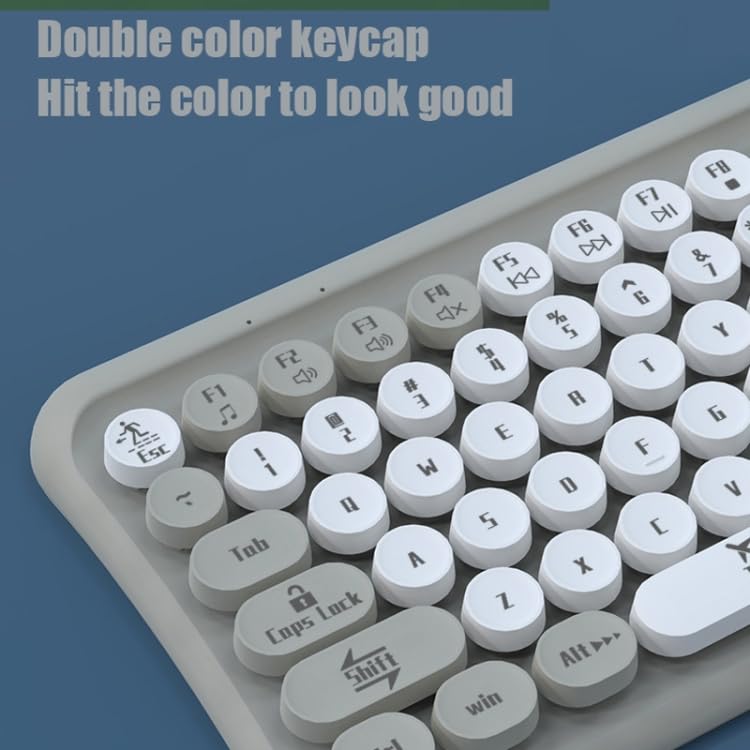
Image: The ELECTROPRIME LANGTU LT700 keyboard connected via its USB cable to a desktop computer, ready for use.
5. Operating Instructions
5.1 Basic Typing
The keyboard functions as a standard 85-key layout. Simply press the desired keys to input text or commands into your computer.
5.2 Silent Operation
The keycaps utilize noise reduction technology, significantly reducing the sound of keystrokes for a quieter typing experience.
5.3 Function Keys
The top row of keys (F1-F12) includes standard function keys and may have secondary multimedia functions accessible by pressing the 'Fn' key in combination with the respective function key. Refer to the icons printed on the keycaps for specific functions such as volume control, media playback, or screen brightness.
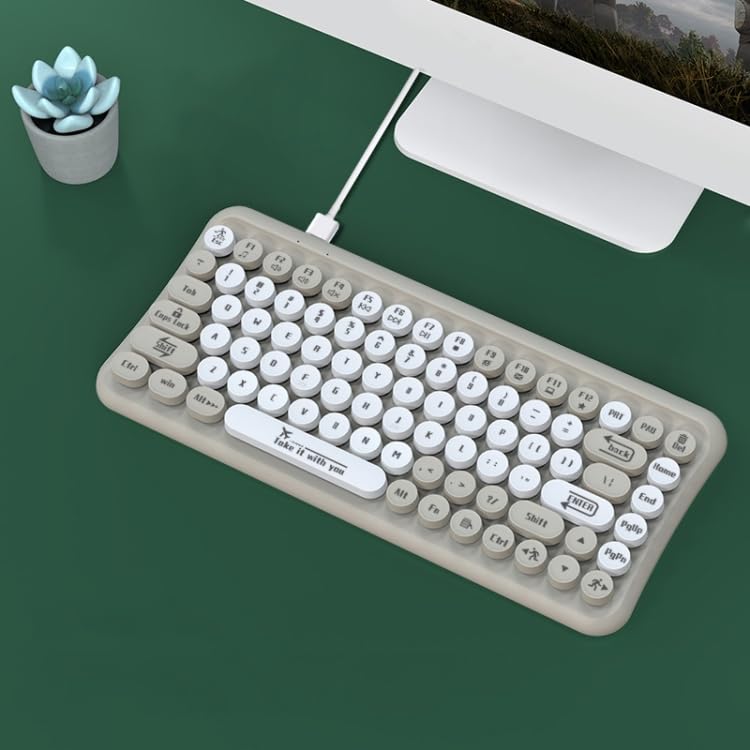
Image: A close-up view of the keyboard's double-color keycaps, highlighting the ergonomic design and the icons on the function keys (F1-F12) for multimedia control.
6. Maintenance
6.1 Cleaning
- Disconnect the keyboard from your computer before cleaning.
- Use a soft, lint-free cloth to wipe the surface of the keyboard.
- For dust and debris between keys, use compressed air or a small brush.
- Do not use abrasive cleaners, solvents, or spray cleaners directly on the keyboard.
6.2 Storage
When not in use for extended periods, store the keyboard in a cool, dry place away from direct sunlight and extreme temperatures.
7. Troubleshooting
7.1 Keyboard Not Responding
- Ensure the USB cable is securely plugged into both the keyboard and the computer.
- Try plugging the keyboard into a different USB port on your computer.
- Restart your computer.
- Test the keyboard on another computer to determine if the issue is with the keyboard or the computer.
7.2 Specific Keys Not Working
- Check for any debris or obstructions under the non-functional key. Gently clean around the key.
- If cleaning does not resolve the issue, the key mechanism may be damaged.
If you continue to experience problems, refer to the Warranty and Support section.
8. Specifications
| Feature | Specification |
|---|---|
| Model | LANGTU LT700 |
| Interface | USB Wired |
| Number of Keys | 85 Keys |
| Keycap Type | Punk Keycap, Chocolate Keycaps |
| Button Life | Approximately 10 million times |
| Cable Length | 1.5 meters |
| Dimensions (L x W) | Approximately 315mm x 150mm |
| Weight | Approximately 0.60 kg (1.33 lbs) |
| Compatibility | Plug and Play with most operating systems |
9. Warranty and Support
For warranty information or technical support, please refer to the documentation provided at the time of purchase or contact your retailer. Keep your proof of purchase for any warranty claims.