
1. Important Safety Instructions
Please read all instructions carefully before using the WantJoin Professional Countertop Blender. Failure to follow these instructions may result in injury or damage to the appliance.
- Always unplug the blender from the power outlet before cleaning or when not in use.
- Keep hands and utensils out of the container while blending to reduce the risk of severe injury to persons or damage to the blender. A scraper may be used but only when the blender is not running.
- Blades are sharp. Handle with extreme care when removing or cleaning.
- Do not operate any appliance with a damaged cord or plug, or after the appliance malfunctions or has been dropped or damaged in any manner.
- Ensure the lid is securely in place before operating the blender.
- Do not immerse the motor base in water or other liquids.
- This appliance is not intended for use by persons (including children) with reduced physical, sensory or mental capabilities, or lack of experience and knowledge, unless they have been given supervision or instruction concerning use of the appliance by a person responsible for their safety.
2. Product Overview
The WantJoin Professional Countertop Blender is designed for both home and commercial use, offering powerful blending capabilities for a variety of ingredients.

Image: WantJoin Blender showcasing its 2200ml large capacity for making multiple drinks.
Key Features:
- Powerful Motor: Max 1800W (3 peak horsepower) motor for efficient blending and crushing.
- Durable Blades: Hardened stainless-steel blades, reaching up to 30,000 RPM, for faster crushing and smoother blending.
- Large Capacity Pitcher: 2200ml (approximately 68 oz) BPA-free pitcher, suitable for family or commercial use.
- Variable Speed Control: Adjustable speed dial for precise control over blending consistency.
- Pre-set Functions: Dedicated settings for smoothies, frozen desserts, hot soups, juice, ice, and nuts.
- Timer Function: Built-in timer for automated blending cycles up to 5 minutes.
- Pulse Function: Instant high-speed blending for quick bursts and chunky textures.
- Tamper Included: For pushing down ingredients during blending.

Image: The blender's pitcher is made from safe, BPA-free materials, suitable for preparing drinks for all ages.
3. Setup
- Unpack: Carefully remove all components from the packaging. Retain packaging for future storage or transport.
- Clean Components: Wash the pitcher, lid, and tamper with warm, soapy water before first use. Rinse thoroughly and dry. The pitcher is dishwasher safe.
- Place Base: Position the motor base on a clean, dry, and stable surface. Ensure it is near a power outlet.
- Assemble Pitcher: Place the pitcher securely onto the motor base. The blender features a jar safety switch, meaning it will not operate unless the pitcher is correctly seated.
- Connect Power: Plug the power cord into a suitable electrical outlet.
4. Operating Instructions
Familiarize yourself with the control panel for optimal blending results.

Image: The control panel features a power switch, variable speed dial, pulse button, and timer settings for various blending needs.
Basic Blending:
- Add ingredients to the pitcher. Do not exceed the MAX fill line.
- Secure the lid firmly onto the pitcher.
- Turn the POWER switch to the 'ON' position.
- Rotate the speed dial to your desired setting (MIN to MAX, or Slow down/Speed up). Start with a lower speed and gradually increase as needed.
- Once blending is complete, turn the POWER switch to 'OFF'.
Specific Functions:
- Smoothie/Frozen Desserts/Hot Soups: Use the dedicated settings on the speed dial for these specific preparations.
- Juice/Ice/Nuts: The timer dial also includes specific settings for these functions. Rotate the dial to the desired function (e.g., 'Ice') and the blender will run for a pre-programmed duration.
- Timer: For precise blending times, rotate the timer dial to select a duration from 1 to 5 minutes. The blender will automatically stop once the time elapses.
- Pulse: For quick bursts of power or to achieve chunky textures, press and hold the 'PULSE' switch. Release to stop.
Using the Tamper:
The tamper can be used to push down thick or frozen ingredients towards the blades while the blender is running. Remove the small cap from the center of the lid and insert the tamper. Do not use the tamper if the lid is not securely in place.
Video: A demonstration of the WantJoin 200D Blender's features and blending capabilities for various ingredients.
5. Cleaning and Maintenance
Proper cleaning and maintenance ensure the longevity and optimal performance of your blender.
Auto-Cleaning Function:
- After use, rinse the pitcher.
- Fill the pitcher halfway with warm water and add a drop of dish soap.
- Secure the lid.
- Press the 'PULSE' button for a few seconds, or run on a medium speed for 30-60 seconds.
- Empty the pitcher and rinse thoroughly.
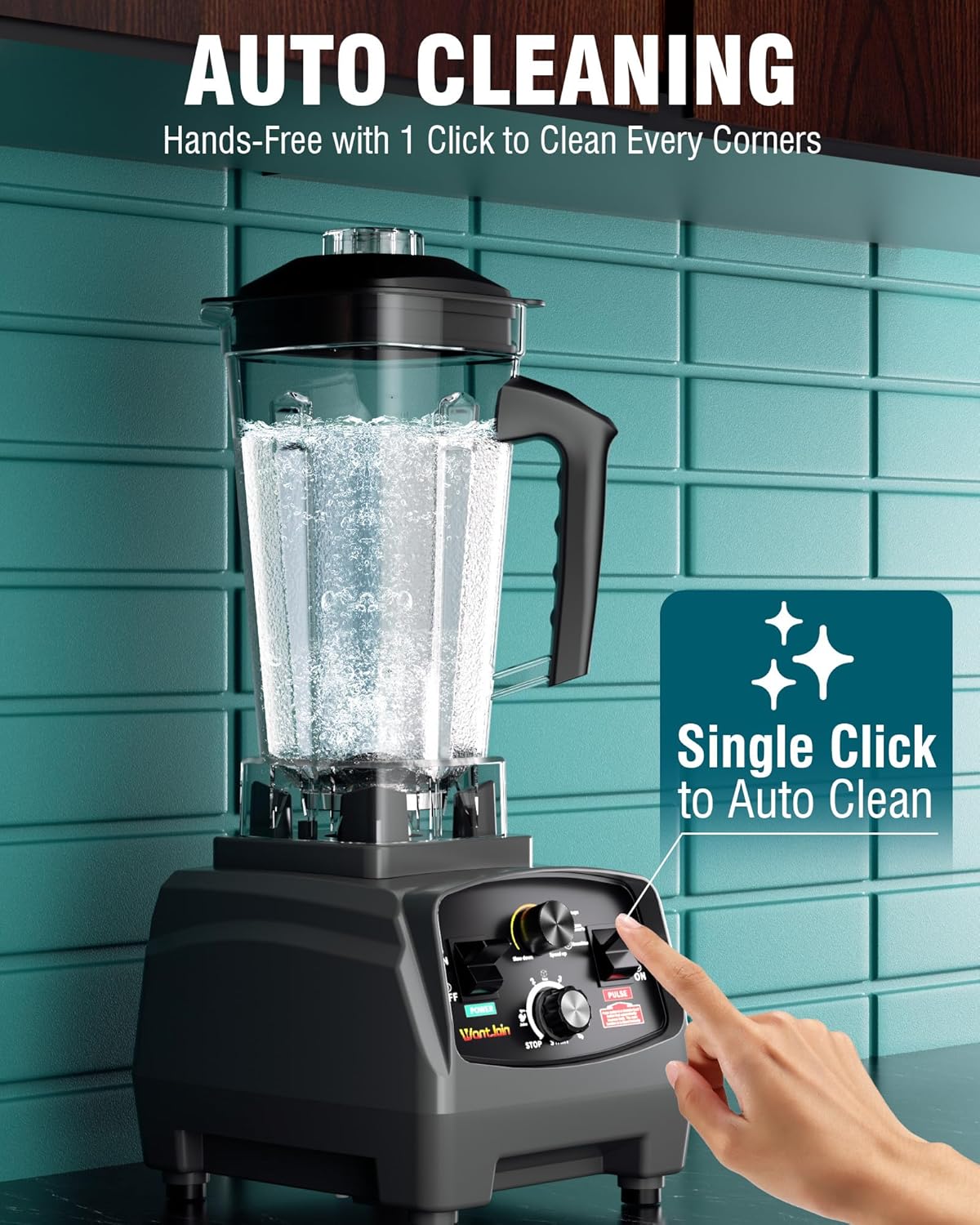
Image: The blender features an auto-cleaning function, activated by adding water and pressing the pulse button.
Deep Cleaning:
- The pitcher is dishwasher safe.
- To remove the blades for thorough cleaning, use the provided wrench tool to unscrew the blade assembly from the bottom of the pitcher. Exercise extreme caution as blades are very sharp.
- Wipe the motor base with a damp cloth. Do not immerse it in water.
6. Troubleshooting
| Problem | Possible Cause | Solution |
|---|---|---|
| Blender does not turn on. | Power cord not plugged in; pitcher not correctly seated on base. | Ensure power cord is securely plugged in. Verify the pitcher is properly aligned and seated on the motor base to activate the safety switch. |
| Ingredients are not blending smoothly. | Too little liquid; ingredients are too large or dense; speed setting is too low. | Add more liquid. Cut ingredients into smaller pieces. Increase the speed setting gradually. Use the tamper to push ingredients towards the blades. |
| Blender stops during operation. | Overload protection activated. | Unplug the blender and allow it to cool down for 15-20 minutes. Remove some ingredients if the load is too heavy. |
7. Specifications

Image: Detailed diagram showing the dimensions of the WantJoin Professional Countertop Blender.
- Model Number: 200D
- Power: Max 1800W (3 Peak Horsepower)
- Voltage: 220 Volts
- Pitcher Capacity: 2200ml (approx. 68 oz)
- Blade Speed: Up to 30,000 RPM
- Product Dimensions: 9.06 x 7.87 x 19.69 inches (L x W x H)
- Item Weight: 9.98 pounds
- Material: Stainless Steel (blades), BPA-free plastic (pitcher)
- Dishwasher Safe: Yes (pitcher)
8. Warranty and Support
For warranty information, please refer to the documentation included with your purchase or contact WantJoin customer support directly. Keep your proof of purchase for any warranty claims.
For technical assistance or further inquiries, please visit the official WantJoin website or contact their customer service department.
