
1. Product Overview
This NINETOM 10.25-inch touchscreen multimedia car radio receiver is designed to enhance your driving experience with modern connectivity and display features. It integrates seamlessly with compatible Mercedes Benz vehicles, offering a stable and responsive interface.
- Compatibility: Specifically designed for Mercedes Benz GLK Class X204 GLK250 GLK300 GLK350 (2013-2015) with NTG 4.5/4.7 systems. Not compatible with other systems or earlier models (2008-2012 with NTG4.0).
- Operating System: Operates on a Linux system for stable performance without freezing issues.
- Integrated Connectivity: Features built-in wired and wireless CarPlay & Android Auto for smartphone integration.
- Original Function Retention: Retains all original car functions including radio, amplifier, joystick control, and factory reversing camera.
- High-Resolution Display: 1920x720 HD touchscreen with automatic light sensitivity for day and night modes.
- Easy Installation: Plug-and-play design using original car cables, requiring no cutting or breaking of wires.
2. Compatibility Check
Before installation, it is crucial to verify your vehicle's compatibility. This unit is exclusively for Mercedes Benz GLK Class X204 models from 2013-2015 equipped with the NTG 4.5 or NTG 4.7 system. It is not compatible with NTG 4.0 or NTG 5.0 systems.
Step 1: Check your original car dashboard picture.

Image: Visual guide for identifying compatible Mercedes Benz GLK Class X204 dashboards (2013-2015 with NTG4.5/4.7) versus incompatible older models (2008-2012 with NTG4.0).
Step 2: Verify your original car system type.

Image: Guide to distinguish between NTG 4.0, 4.5, 4.7, and 5.0 systems by their radio interface and card slot type.
3. What's in the Box
The package includes the 10.25-inch touchscreen unit and all necessary cables for installation.
- 10.25-inch Touchscreen Display
- Power Cable
- LVDS / USB Cable

Image: Contents of the product package, including the display unit and essential wiring harnesses.
4. Setup and Installation
The installation process is designed to be plug-and-play, utilizing the original car cables without requiring modifications like cutting or breaking wires. If you encounter any difficulties, professional assistance is recommended.
Visual Comparison: Before and After Installation

Image: Demonstrates the aesthetic transformation of the car's interior with the new display.
Optical Fiber Cable Installation
This video demonstrates how to properly relocate the optical fiber cables to the new harness during installation. This step is crucial for maintaining audio functionality.
Video: Instructions for relocating optical fiber cables to the Linux harness for Mercedes Benz vehicles.
5. Operating Instructions
Wireless CarPlay Setup
This video guides you through the process of setting up wireless CarPlay on your NINETOM display. Ensure the CarPlay option is enabled in the Smart Phone settings before proceeding.
Video: Step-by-step instructions for connecting your iPhone to the display via wireless CarPlay.
AirPlay Connection
Learn how to connect your iPhone to the display using AirPlay for screen mirroring. This video demonstrates the necessary steps to enable AirPlay and mirror your device's screen.
Video: Guide on how to set up AirPlay for screen mirroring from an iPhone to the car display.
Resolution Settings
It is essential to set the correct screen resolution for optimal display of the original car system. This video shows you how to access and adjust the resolution settings to match your vehicle's original screen.
Video: Instructions for configuring the original resolution settings for Mercedes Benz displays.
System Switching
Easily switch between the NINETOM system and your original car's interface by long-pressing the 'OEM Car Info' button.

Image: Visual guide for seamless system switching.
Day and Night Mode
The display features automatic light sensitivity, adjusting between day and night modes based on your car's original headlights for optimal visibility and comfort.

Image: Demonstrates the display's adaptive brightness for different lighting environments.
6. Features
The NINETOM touchscreen offers a range of features designed to integrate modern technology with your vehicle's existing systems.
- Wireless & Wired CarPlay/Android Auto: Access navigation, calls, messages, and music directly from your smartphone.
- Mirror Link Functionality: Supports AirPlay for iPhone and AutoLink for Android devices.
- High Definition Display: 1920x720 resolution for clear visuals and movie viewing.
- Original Car Function Support: Retains original radio, amplifier, joystick control, and reversing camera. Compatible with original or aftermarket rearview cameras and DVR systems.
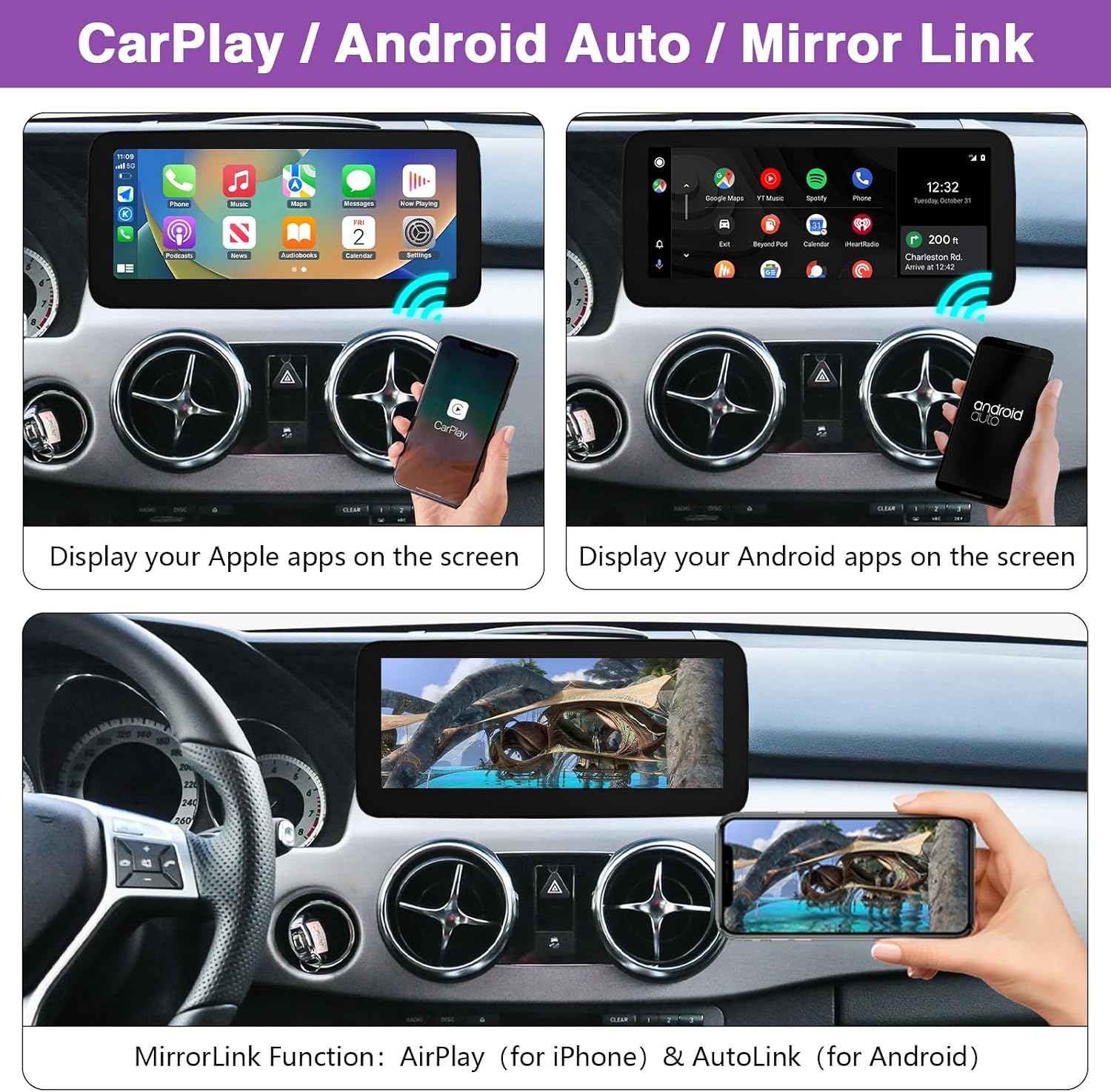
Image: Displaying CarPlay, Android Auto, and Mirror Link features in action.

Image: Illustrates the flexibility of wireless and wired connectivity for CarPlay and Android Auto.
Enhanced Screen Resolution
The 1920x720 HD resolution provides approximately 1,368,000 pixels, an increase of about 120% compared to standard 1280x480 displays, resulting in superior color brightness and clarity.

Image: Visual comparison of the product's high resolution (1920x720) against a lower resolution (1280x480).

Image: Before and after upgrade comparison showcasing the visual benefits of the higher resolution screen.
Supported Original Car Settings
The NINETOM system is designed to maintain and support various original car functions, ensuring a seamless integration without losing existing features.

Image: Overview of original car features that remain functional with the NINETOM display.
Product Functionality Overview

Image: Icons representing the various functions available on the NINETOM Linux screen.
7. Specifications
| Feature | Detail |
|---|---|
| Brand | ninetom |
| Model Number | NINETOM-1025-CARPLAY |
| Connectivity Technology | USB, Bluetooth |
| Controller Type | Android, Touch |
| Special Feature | Touchscreen |
| Compatible Devices | Smartphone, Car |
| Audio Output Mode | Stereo, Surround |
| Surround Sound Channel Configuration | 5.1 |
| Video Encoding | H.264, H.265/HEVC |
| Color | Black |
| Number of Channels | 6 |
| Audio Output Type | Speakers |
| Item Weight | 2.08 Kilograms |
8. Troubleshooting
If you encounter any issues during installation or operation, please review the relevant sections of this manual. Common issues often relate to incorrect wiring or resolution settings. Ensure all connections are secure and the resolution is correctly configured for your vehicle's original system.
For persistent problems, please refer to the support section for contact information.
9. Warranty and Support
NINETOM is committed to providing reliable, high-performing, and easy-to-install automotive screens. Our team is available to assist you before and after your purchase.
For technical support, installation guidance, or warranty inquiries, please contact NINETOM customer service through the seller's page on Amazon. You can typically find a 'Ask a question' button on the seller's profile.

Image: Guide on how to contact NINETOM support via Amazon.


