
1. Introduction
Thank you for choosing the MSHUKCOE SK19 Sleep Earbuds. These invisible, ultra-small wireless Bluetooth earphones are specifically designed for comfort, especially for side sleepers. Their ergonomic design ensures a snug fit without causing earache, making them ideal for extended wear. The SK19 earbuds feature advanced sound quality with effective sound leakage reduction, providing a private and immersive audio experience. This manual will guide you through the setup, operation, maintenance, and troubleshooting of your new earbuds.
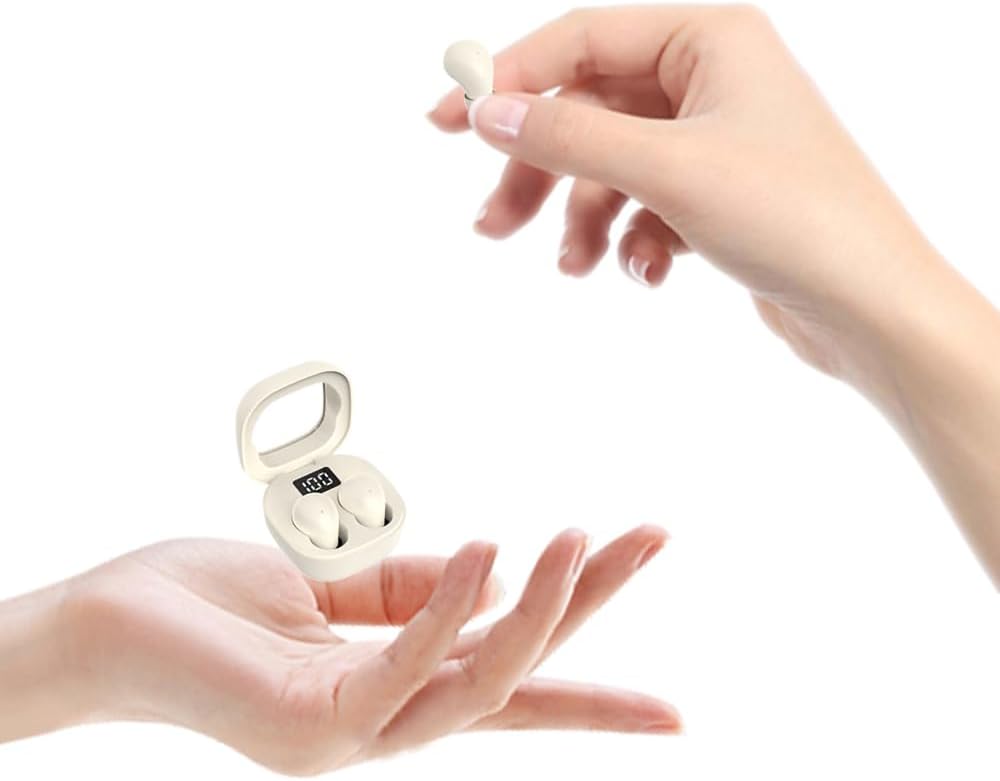
The SK19 Sleep Earbuds in Khaki color, shown with their compact charging case.
2. Product Overview
2.1 Key Features
- Invisible Design & Ergonomics: Mini design fits snugly in the ear, ideal for side sleepers and small ears, preventing discomfort during long wear.
- Premium Sound Quality: Patented speaker and acoustic cavity technology reduce sound leakage, ensuring high-quality audio and privacy.
- Comfortable to Wear: Weighing only 0.08 ounces per earbud, made of soft liquid silicone for all-day comfort.
- Sleep Assistant & Noise Block: Excellent ergonomic in-ear noise cancellation combined with ENC call noise reduction for quiet sleep.
- Extended Battery Life & Fast Charging: 4-5 hours of listening per charge, with the charging case extending total usage to 25 hours. TYPE-C fast charging provides 90 minutes of listening from a 10-minute charge.
2.2 Package Contents
Please check the package for the following items:
- SK19 Sleep Earbuds (Left and Right)
- Portable Charging Case
- USB Type-C Charging Cable
- User Manual
- Multiple sizes of ear tips (typically Small and Medium included)
2.3 Product Components and Dimensions

The SK19 earbuds and their charging case. The touch control area on each earbud is highlighted.

Detailed dimensions of the SK19 earbuds and their charging case, illustrating their compact size.
3. Setup
3.1 Charging the Earbuds and Case
Before first use, fully charge the earbuds and the charging case.
- Connect the provided USB Type-C cable to the charging port on the case and a power source.
- The digital display on the charging case will show the battery percentage.
- Place the earbuds into the charging case. They will automatically begin charging.
- A full charge for the earbuds takes approximately 10 minutes for 90 minutes of listening, or longer for a full charge. The case provides up to 25 hours of additional battery life.
3.2 Pairing with Your Device
Follow these steps to pair your SK19 Sleep Earbuds with your Bluetooth-enabled device:
- Ensure the earbuds are charged and placed inside the charging case.
- Open the charging case lid. The earbuds will automatically enter pairing mode, indicated by a flashing light on the earbuds.
- On your device (smartphone, tablet, etc.), go to Bluetooth settings and turn Bluetooth on.
- Search for available devices. Select "SK19" or "MSHUKCOE-SK19" from the list.
- Once connected, a voice prompt will confirm successful pairing, and the indicator light on the earbuds will stop flashing.
- The earbuds will automatically reconnect to the last paired device when removed from the case, if Bluetooth is enabled on the device.
4. Operating Instructions
The SK19 Sleep Earbuds feature intuitive touch controls. The touch area is located on the outer surface of each earbud.

Visual guide to the touch control functions on the SK19 Sleep Earbuds.
4.1 Touch Controls
- Power On/Off: Press and hold the touch area for 3 seconds.
- Volume Control:
- Press and hold the Left earbud for 1.5 seconds to decrease volume.
- Press and hold the Right earbud for 1.5 seconds to increase volume.
- Play/Pause: Double-click the touch area on either earbud.
- Next Track: Triple-click the Right earbud.
- Previous Track: Triple-click the Left earbud.
- Answer/End Call: Double-click the touch area on either earbud.
- Reject Incoming Call: Press and hold the touch area for 1.5 seconds.
- Activate Voice Assistant (Siri, Google Assistant): Quadruple-tap the touch area on either earbud.
- Game Mode: Touch the Right earphone four times.

The SK19 earbuds are designed to be comfortable for side sleepers, minimizing pressure on the ears.
5. Maintenance
5.1 Cleaning
- Regularly clean the earbuds and charging case with a soft, dry, lint-free cloth.
- Gently remove any earwax or debris from the ear tips and speaker mesh using a small, soft brush or cotton swab.
- Do not use abrasive cleaners, alcohol, or chemical solvents.
5.2 Storage
- When not in use, always store the earbuds in their charging case to protect them and keep them charged.
- Store in a cool, dry place away from direct sunlight and extreme temperatures.
5.3 Water Resistance
The SK19 Sleep Earbuds are rated as Waterproof. While they can withstand splashes and sweat, they are not designed for submersion in water. Avoid using them during swimming or showering. Ensure the earbuds are dry before placing them back in the charging case.
6. Troubleshooting
If you encounter any issues with your SK19 Sleep Earbuds, please refer to the following common problems and solutions:
| Problem | Possible Solution |
|---|---|
| Earbuds not turning on/charging. | Ensure the charging case is charged. Clean the charging contacts on both the earbuds and the case. Re-seat the earbuds firmly in the case. |
| Cannot pair with device. | Ensure Bluetooth is enabled on your device. Make sure earbuds are in pairing mode (open case lid). Forget the device in your phone's Bluetooth settings and try pairing again. Move earbuds closer to your device. |
| No sound or poor sound quality. | Check device volume. Ensure earbuds are properly seated in your ears. Try different ear tip sizes for a better seal. Clean earbud speaker mesh. Reconnect Bluetooth. |
| Touch controls are unresponsive or too sensitive. | Ensure your fingers are clean and dry. Avoid accidental touches by adjusting how you handle the earbuds. A factory reset (if available, check full manual) might resolve persistent issues. |
| Earbuds disconnect frequently. | Ensure earbuds are within Bluetooth range (up to 10 meters). Avoid obstacles between earbuds and device. Fully charge earbuds and device. |
7. Specifications
| Feature | Specification |
|---|---|
| Model Name | MSHUKCOE-TWS-SK19-Khaki |
| Connectivity Technology | Wireless (Bluetooth 5.3) |
| Bluetooth Range | 10 Meters |
| Noise Control | Sound Isolation, ENC Call Noise Reduction |
| Battery Life (Earbuds) | 4-5 Hours (listening) |
| Charging Case Battery Life | Up to 25 Hours total usage |
| Charging Time | 10 minutes for 90 minutes listening (fast charge) |
| Control Type | Touch Control, Call Control |
| Water Resistance Level | Waterproof |
| Item Weight (Earbuds) | 0.08 ounces (per earbud) |
| Material | Liquid Silicone (earbuds), Plastic (case) |
| Product Dimensions (Case) | 1.57 x 1.57 x 1.06 inches |
| Frequency Response | 20-20000 Hz |
| Sensitivity | 90 dB |
| Impedance | 32 Ohm |
8. Warranty and Support
MSHUKCOE products are manufactured to the highest quality standards. For information regarding warranty coverage, returns, or technical support, please refer to the warranty card included in your product packaging or contact MSHUKCOE customer service directly through their official website or the retailer where you purchased the product.
Please retain your proof of purchase for any warranty claims.
