
1. Important Safety Instructions
Please read all instructions carefully before operating the appliance. Retain this manual for future reference.
- Electrical Safety: Ensure the appliance is connected to a properly grounded 230V electrical outlet (Type F - 2 pins, Germany standard). Do not use extension cords or adapters.
- Refrigerant: This appliance uses R600a refrigerant. Handle with care and ensure proper ventilation during installation and servicing. Only qualified personnel should service the refrigerant system.
- Ventilation: Maintain adequate clearance around the appliance for proper air circulation to prevent overheating.
- Placement: Do not place the appliance in direct sunlight or near heat sources.
- Cleaning: Always unplug the appliance before cleaning. Use non-abrasive cleaners.
- Children: Keep children away from the appliance, especially during operation and cleaning.
2. Product Overview
The GGM Gastro KSS600SRN is an ECO stainless steel storage refrigerator designed for commercial use, offering a gross volume of 600 liters. It features forced air cooling and automatic defrost for efficient temperature management.
Key Features:
- Exterior casing in AISI 430 stainless steel with 40 mm thermal insulation.
- Forced air cooling system with powerful motor.
- Automatic defrost function.
- Temperature range: 0 °C to 8 °C.
- Digital thermostat for precise temperature control.
- Plastic interior with rounded corners for easy cleaning.
- Full stainless steel door with interchangeable hinge.
- Secure key lock provided.
- Height-adjustable screw feet for leveling.
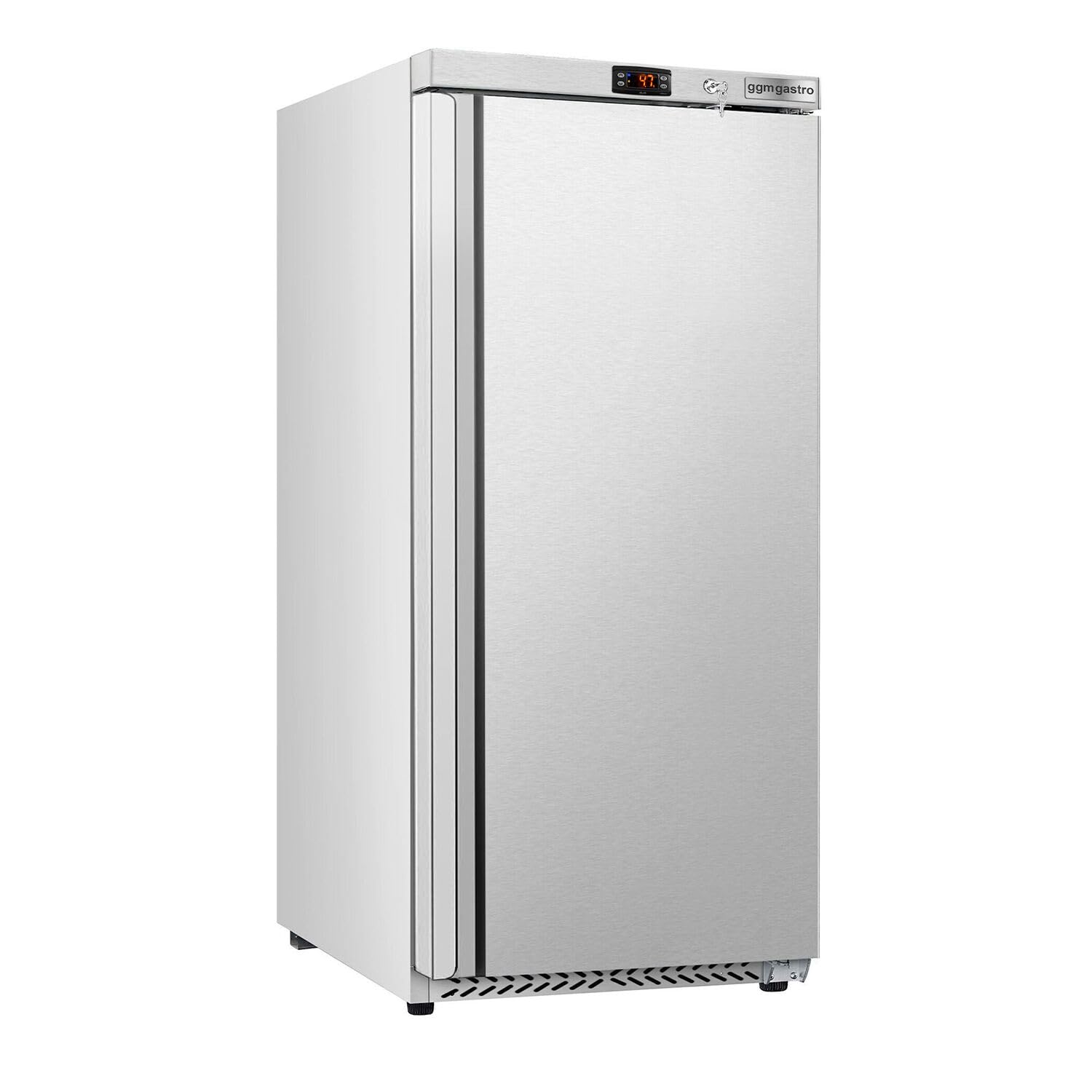
Figure 2.1: GGM Gastro KSS600SRN refrigerator with external dimensions: 775mm width, 723mm depth, 1840mm height.

Figure 2.2: Front view of the refrigerator.
3. Unpacking and Installation
3.1 Unpacking
- Carefully remove all packaging materials. Inspect the appliance for any shipping damage. Report any damage to your supplier immediately.
- Remove all internal packing, including tape and protective films.
3.2 Placement
- Place the refrigerator on a firm, level surface capable of supporting its weight when fully loaded.
- Ensure sufficient space around the unit for proper ventilation. A minimum of 10 cm (4 inches) clearance from walls and other objects is recommended.
- Avoid placing the unit near heat sources (e.g., ovens, radiators) or in direct sunlight.
3.3 Leveling
The refrigerator is equipped with height-adjustable screw feet. Use a spirit level to ensure the appliance is perfectly level. Adjust the feet by turning them clockwise or counter-clockwise until the unit is stable and level.
3.4 Electrical Connection
- Before connecting, ensure the voltage and frequency specified on the rating plate match your power supply.
- Plug the appliance into a dedicated 230V, 50Hz, grounded electrical outlet (Type F - 2 pins).
- Do not use multi-sockets or extension cords.
3.5 Shelf Installation
The refrigerator includes four support grids, each measuring 670 x 530 mm with an individual load capacity of 30 kg. Install them at desired heights using the internal shelf supports.

Figure 3.1: Adjustable wire shelf installation.
4. Operation
4.1 Initial Startup
- After installation, wait at least 2-4 hours before plugging in the appliance to allow the refrigerant to settle.
- Plug in the refrigerator. The digital display will show the current internal temperature.
- Allow the unit to run empty for several hours (e.g., 4-6 hours) to reach the set temperature before loading with products.
4.2 Temperature Control
The GGM Gastro KSS600SRN features a digital thermostat for precise temperature adjustment. The operating temperature range is between 0 °C and 8 °C.

Figure 4.1: Digital thermostat display.
Refer to the specific instructions for the digital thermostat model (Eliwell EWPPlus 974) for detailed programming and setting adjustments.
4.3 Loading the Refrigerator
- Do not overload the shelves. Ensure proper air circulation around items for efficient cooling.
- Distribute weight evenly on shelves. Each shelf has a maximum load capacity of 30 kg.
- Close the door promptly after opening to maintain internal temperature.

Figure 4.2: Refrigerator interior with products.
5. Maintenance and Cleaning
Regular maintenance ensures optimal performance and longevity of your refrigerator.
5.1 General Cleaning
- Always unplug the appliance before cleaning.
- Clean the interior with a mild detergent and warm water. The plastic interior with rounded corners facilitates easy cleaning.
- Wipe down the exterior stainless steel surfaces with a soft cloth and a specialized stainless steel cleaner. Avoid abrasive cleaners or scouring pads.
- Clean the door gasket regularly to ensure a tight seal.
- Ensure all surfaces are dry before plugging the appliance back in.
5.2 Automatic Defrost
The KSS600SRN features an automatic defrost system, eliminating the need for manual defrosting. During the defrost cycle, water will drain into an evaporation tray and evaporate automatically.
5.3 Condenser Cleaning
Periodically clean the condenser coils (located at the back or bottom of the unit) to ensure efficient cooling. Use a soft brush or vacuum cleaner to remove dust and debris. Ensure the unit is unplugged before cleaning the condenser.

Figure 5.1: Inspecting the door seal for proper insulation.
6. Troubleshooting
Before contacting service, check the following common issues:
| Problem | Possible Cause | Solution |
|---|---|---|
| Refrigerator does not operate | No power supply Power cord not plugged in | Check power outlet and circuit breaker Ensure power cord is securely plugged in |
| Temperature is not cold enough | Door not closed properly Thermostat set too high Excessive door openings Unit overloaded Poor ventilation | Check door seal and ensure it's fully closed Adjust thermostat to a lower setting Minimize door openings Reduce load, ensure air circulation Ensure adequate clearance around the unit |
| Unusual noise | Unit not level Components vibrating | Adjust leveling feet Check for loose parts or contact with walls |
| Water on floor | Drainage system blocked Defrost water overflow | Check and clear the drain hole Ensure the evaporation tray is correctly positioned |
If the problem persists after checking these points, please contact qualified service personnel.
7. Technical Specifications
| Specification | Value |
|---|---|
| Brand | GGM Gastro |
| Model | KSS600SRN |
| Capacity (Gross) | 600 Liters |
| Exterior Dimensions (W x D x H) | 775 mm x 723 mm x 1840 mm |
| Interior Dimensions (W x D x H) | 690 mm x 570 mm x 1630 mm |
| Color | Stainless Steel |
| Temperature Range | 0 °C to 8 °C |
| Cooling Method | Forced Air (Compressor) |
| Defrost System | Automatic (No Frost) |
| Insulation Thickness | 40 mm |
| Electrical Connection | 230V, 50Hz |
| Power Consumption | 228 Watt |
| Refrigerant | R600a |
| Sound Level | 61 dB (during continuous use) |
| Number of Doors | 1 (Single Door) |
| Shelves Included | 4 (670 x 530 mm each) |
| Shelf Load Capacity | 30 kg per shelf |
| Special Features | No Frost System, Digital Thermostat, Adjustable Temperature Control |
8. Warranty and Support
For warranty information and customer support, please refer to the documentation provided with your purchase or visit the official GGM Gastro website. Keep your purchase receipt and model number (KSS600SRN) handy when contacting support.

Figure 8.1: Key lock for secure storage.


