
1. Important Safety Information
Please read all instructions carefully before using the Toputure 9% Inclined Treadmill. Retain this manual for future reference.
- Ensure the treadmill is placed on a flat, stable, and non-slip surface. Maintain a clear area of at least 2 meters behind and 0.6 meters on each side of the treadmill.
- This treadmill is designed for home use only. Do not use it in a commercial or institutional setting.
- The maximum user weight capacity for this treadmill is 130 kg (286 lbs). Do not exceed this limit.
- Keep children and pets away from the treadmill during operation.
- Always wear appropriate athletic footwear while using the treadmill.
- If you experience any pain, dizziness, or shortness of breath, stop exercising immediately and consult a physician.
- Do not operate the treadmill if it is damaged or malfunctioning. Contact customer support for assistance.
- Unplug the treadmill from the power outlet when not in use or before cleaning and maintenance.
2. Product Overview and Components
The Toputure 9% Inclined Treadmill (Model TP3) is a compact and versatile fitness machine designed for walking and jogging. It features a 9% fixed incline, a powerful yet quiet 2.5 HP motor, an LED display, and Bluetooth connectivity for app control.

Figure 2.1: Overall view of the Toputure 9% Inclined Treadmill, showcasing its compact design and integrated LED display.
Key Components:
- Running Belt: 100 x 40 cm (39.4 x 15.7 inches) spacious running area with a 5-layer anti-slip and shock-absorbing design for joint protection.
- LED Display: Integrated touch-sensitive LED screen displaying real-time data such as distance, speed, time, and calories burned.
- Motor: Advanced 2.5 HP silent motor, providing smooth and quiet operation (below 45dB).
- Incline Mechanism: Manual 9% fixed incline to simulate uphill walking/jogging.
- Magnetic Remote Control: Easy-to-use remote for adjusting speed and mode, with a magnetic design for convenient storage on the treadmill body.
- Transport Wheels: Two wear-resistant transport wheels for easy movement and storage.
- Lubrication Hole: Convenient access point for maintenance.
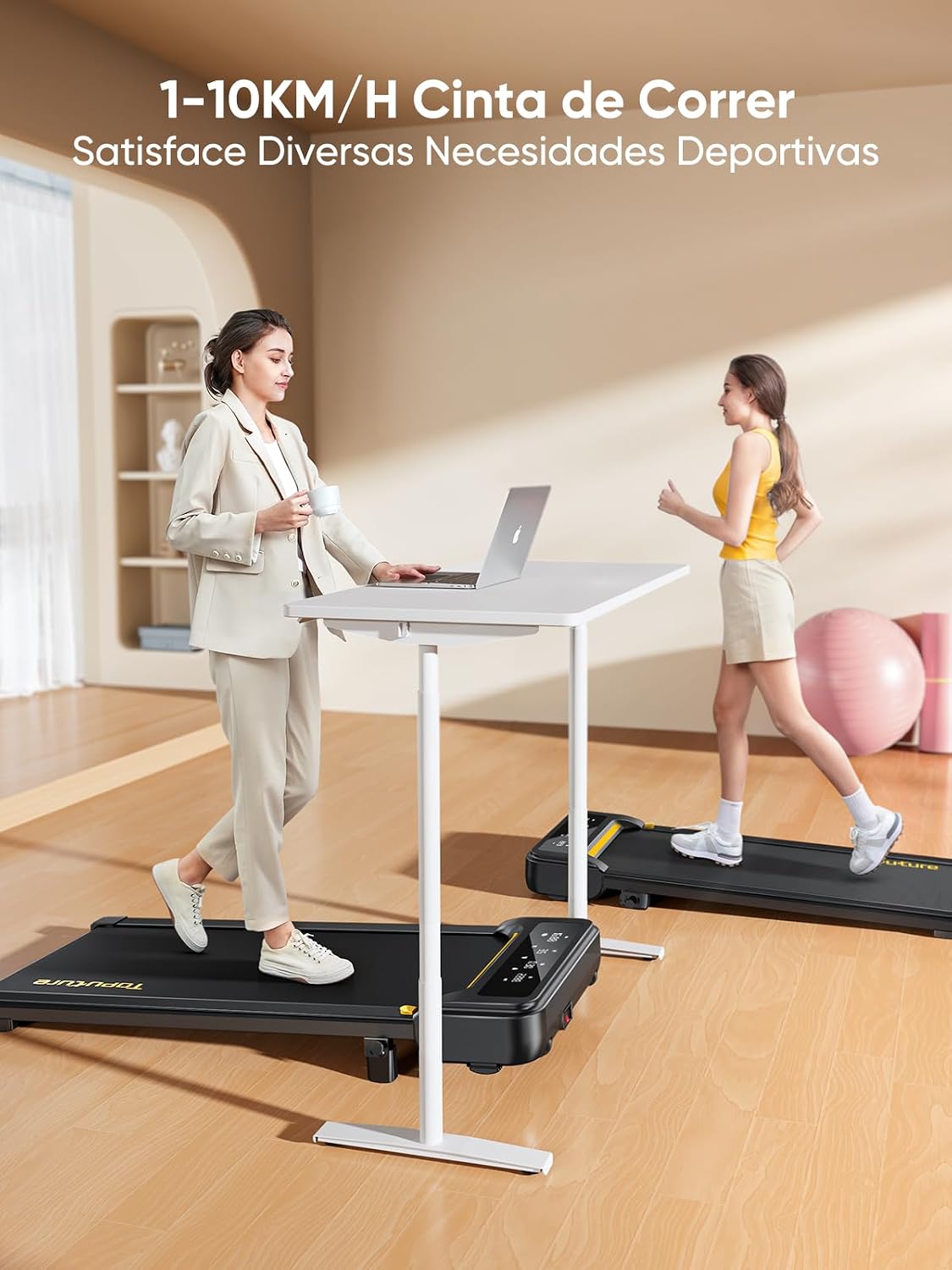
Figure 2.2: Close-up of the clear LED display, showing real-time exercise data including distance, speed, time, and calories.

Figure 2.3: Internal view highlighting the powerful and silent 2.5 HP motor, designed for quiet operation.

Figure 2.4: Diagram illustrating the 5-layer anti-slip and shock-absorbing running belt, designed to reduce impact on joints.
3. Setup and Assembly
The Toputure 9% Inclined Treadmill comes pre-assembled, requiring no complex setup. Follow these steps to prepare your treadmill for use:
- Unpacking: Carefully remove the treadmill from its packaging.
- Placement: Place the treadmill on a firm, level surface. Ensure there is adequate space around the unit as described in the Safety Information section.
- Power Connection: Plug the power cord into a grounded electrical outlet.
- Adjusting Incline: The treadmill features a fixed 9% incline. To adjust, follow these steps:
- Step 1: Remove the bolt and rotate the incline block to the desired position (either flat or 9% incline).
- Step 2: Reinsert the bolt into the upper hole to secure the incline block.

Figure 3.1: Instructions for manually adjusting the treadmill's incline to 9% or flat position.
4. Operating Instructions
4.1 Powering On/Off
- To power on, ensure the treadmill is plugged in and press the power button located on the unit. The LED display will illuminate.
- To power off, press and hold the power button or unplug the unit from the wall outlet.
4.2 Using the Remote Control
The treadmill is controlled via a magnetic remote control, allowing for easy speed and mode adjustments.

Figure 4.1: The magnetic remote control for convenient speed and mode adjustments, designed to attach to the treadmill body.
- Start/Stop: Press the start/stop button to begin or end your workout.
- Speed Adjustment: Use the '+' and '-' buttons to increase or decrease the speed. The speed range is approximately 1-10 KM/H.
- Mode Selection: Cycle through the 12 preset sports modes using the mode button. These modes allow you to customize your training plan.
- Pause Function: The remote control includes a pause button. Pressing it will temporarily halt your workout while preserving your exercise data.
4.3 LED Display
The integrated LED display provides real-time feedback on your workout progress:
- Distance: Shows the total distance covered during your session.
- Speed: Displays your current speed in KM/H.
- Time: Tracks the duration of your workout.
- Calories: Estimates the number of calories burned.
4.4 Bluetooth App Connectivity
Connect your treadmill to a sports application via Bluetooth to track and share your exercise data.

Figure 4.2: The treadmill connected to a sports application via Bluetooth, allowing for data tracking and sharing.
- Download the compatible sports app (refer to product packaging or manufacturer's website for app name).
- Enable Bluetooth on your mobile device.
- Open the app and follow the on-screen instructions to pair with your Toputure treadmill.
- Once connected, the app will accumulate your exercise data and allow you to share results on social platforms.
5. Maintenance
Regular maintenance ensures the longevity and optimal performance of your Toputure treadmill.
5.1 Cleaning
- Always unplug the treadmill before cleaning.
- Wipe down the treadmill frame and display with a soft, damp cloth. Avoid using abrasive cleaners or solvents.
- Periodically vacuum under the treadmill to prevent dust and debris buildup.
5.2 Lubrication
The running belt requires periodic lubrication to reduce friction and extend its lifespan. The treadmill features a convenient lubrication hole on the top right side.
- Refer to the specific lubrication schedule provided in the full user manual (if applicable) or lubricate every 3-6 months depending on usage.
- Use only 100% silicone treadmill lubricant.
- Apply a small amount of lubricant into the lubrication hole.
- Run the treadmill at a low speed (e.g., 1-2 KM/H) for a few minutes to distribute the lubricant evenly.
5.3 Belt Adjustment
If the running belt feels loose, slips, or is off-center, it may need adjustment. Consult the full user manual for detailed instructions on how to tension and center the running belt using the provided tools.
6. Troubleshooting
This section addresses common issues you might encounter with your Toputure treadmill. For problems not listed here, please contact customer support.
| Problem | Possible Cause | Solution |
|---|---|---|
| Treadmill does not power on. | Not plugged in; power switch off; circuit breaker tripped. | Ensure power cord is securely plugged in. Check the main power switch on the treadmill. Reset the household circuit breaker if necessary. |
| Running belt slips or hesitates. | Belt too loose; insufficient lubrication. | Adjust belt tension (refer to full manual). Apply silicone lubricant to the running deck. |
| Unusual noise during operation. | Loose parts; motor issue; belt friction. | Check for any loose screws or components. Lubricate the running belt. If noise persists, contact customer support. |
| Remote control not responding. | Battery low/dead; remote not paired. | Replace remote control battery. Ensure remote is within operating range and pointed towards the treadmill's receiver. |
7. Specifications
| Feature | Specification |
|---|---|
| Model Number | TP3 |
| Brand | Toputure |
| Motor Power | 2.5 HP (Horsepower) |
| Speed Range | 1 - 10 KM/H |
| Incline | Fixed 9% Manual Incline |
| Running Area | 100 cm x 40 cm (39.4 in x 15.7 in) |
| Max User Weight | 130 kg (286 lbs) |
| Product Dimensions (L x W x H) | 120.8 cm x 52.1 cm x 12.8 cm (47.6 in x 20.5 in x 5.0 in) |
| Product Weight | 18.5 kg (40.8 lbs) |
| Noise Level | Below 45dB |
| Material | Carbon Steel |
8. Warranty and Support
Toputure is committed to providing high-quality products and excellent customer service.
- Warranty Information: Specific warranty details may vary by region and retailer. Please refer to your purchase documentation or contact Toputure customer support for precise warranty terms and conditions.
- Customer Support: If you have any questions, concerns, or require assistance with your Toputure 9% Inclined Treadmill, please do not hesitate to contact our customer service team. We are dedicated to providing prompt and professional support.
- Contact Information:
- For support, please visit the official Toputure website or refer to the contact details provided with your product packaging.
- You can also reach out to the seller directly through the platform where you purchased the product.


