
Important Safety Instructions
Please read and understand all safety instructions before operating this appliance. Failure to follow these instructions may result in electric shock, fire, or serious personal injury.
- Always unplug the fan from the power outlet before cleaning, servicing, or moving.
- Do not operate any fan with a damaged cord or plug. Discard fan or return to an authorized service facility for examination and/or repair.
- Do not run cord under carpeting. Do not cover cord with throw rugs, runners, or similar coverings. Arrange cord away from traffic area and where it will not be tripped over.
- Do not insert or allow fingers or foreign objects to enter any ventilation or exhaust opening as this may cause an electric shock or fire, or damage the fan.
- Do not use outdoors. This fan is designed for indoor use only.
- Ensure the fan is securely mounted to a sturdy wall surface to prevent it from falling.
- Keep children and pets away from the fan during operation.
Product Overview
The Aottop 16-inch Wall Mount Fan is designed to provide efficient air circulation with convenient remote control operation. It features multiple speed settings, wind modes, and a timer function for personalized comfort.
Key Features
- 16-inch diameter with 3-speed settings.
- Remote control for easy operation.
- Left-to-right automatic oscillation.
- Adjustable up-down head.
- 3 wind modes: Normal, Natural, Sleep.
- Timer function.
- Space-saving wall mount design.
- Low noise operation.
Product Components
The fan package includes the main fan unit, a remote control, and necessary mounting hardware.

Image: The Aottop 16-inch Wall Mount Fan, showcasing its black finish and wall-mounted design.

Image: A person relaxing on a couch, using the remote control to operate the wall-mounted fan, highlighting its 20ft/6m remote control range.

Image: The 16-inch Oscillating Wall Mount Fan installed in a living room, demonstrating its ability to circulate air quietly and efficiently.
Setup and Installation
This fan is designed for easy wall mounting. Follow these steps for secure installation.
Mounting the Fan
- Select a suitable location on a wall, ensuring it is near a power outlet and has sufficient clearance for air circulation and oscillation.
- Mark the drilling points on the wall using the fan's mounting bracket as a template.
- Drill holes and insert appropriate wall anchors (if necessary, depending on wall material).
- Secure the mounting bracket to the wall using screws.
- Carefully attach the fan unit to the mounted bracket, ensuring it is firmly seated.
- Connect the fan's power cord to a compatible electrical outlet.

Image: A four-step visual guide demonstrating the installation process of the wall mount fan, from attaching the motor to securing the fan on the wall bracket.
Assembly of Fan Blades and Grille (if not pre-assembled)
- Remove the spinner nut from the motor shaft.
- Place the rear grille onto the motor housing, aligning the notches.
- Slide the fan blade onto the motor shaft, ensuring it clicks into place.
- Secure the fan blade with the spinner nut.
- Attach the front grille to the rear grille, securing it with clips or screws provided.
Video: A demonstration of the assembly and basic operation of the Aottop 16-inch Oscillating Mount Fan, including attaching the fan blades and grille, and using the remote control.
Operating Instructions
The Aottop Wall Mount Fan can be operated using the control panel on the unit or the included remote control.
Control Panel Functions
- ON/SPEED: Press to turn the fan on and cycle through speed settings (Low, Medium, High).
- OFF: Press to turn the fan off.
- OSC (Oscillation): Press to activate or deactivate the automatic left-to-right oscillation.
- TIMER: Press to set the auto-off timer (0.5H, 1H, 2H, 4H).
- MODE: Press to cycle through wind modes (Normal, Natural, Sleep).
Remote Control Functions
The remote control duplicates all functions available on the control panel, offering convenient operation from a distance.
- OFF: Turns the fan off.
- TIMER: Sets the auto-off timer.
- MODE: Cycles through wind modes.
- ON/SPEED: Turns the fan on and adjusts speed.
- SWING: Activates/deactivates oscillation.
- LAMP: (If applicable, for models with light) Turns the light on/off.

Image: A person reading near the wall-mounted fan, illustrating the three-speed settings (Low, Medium, High) for customized airflow.
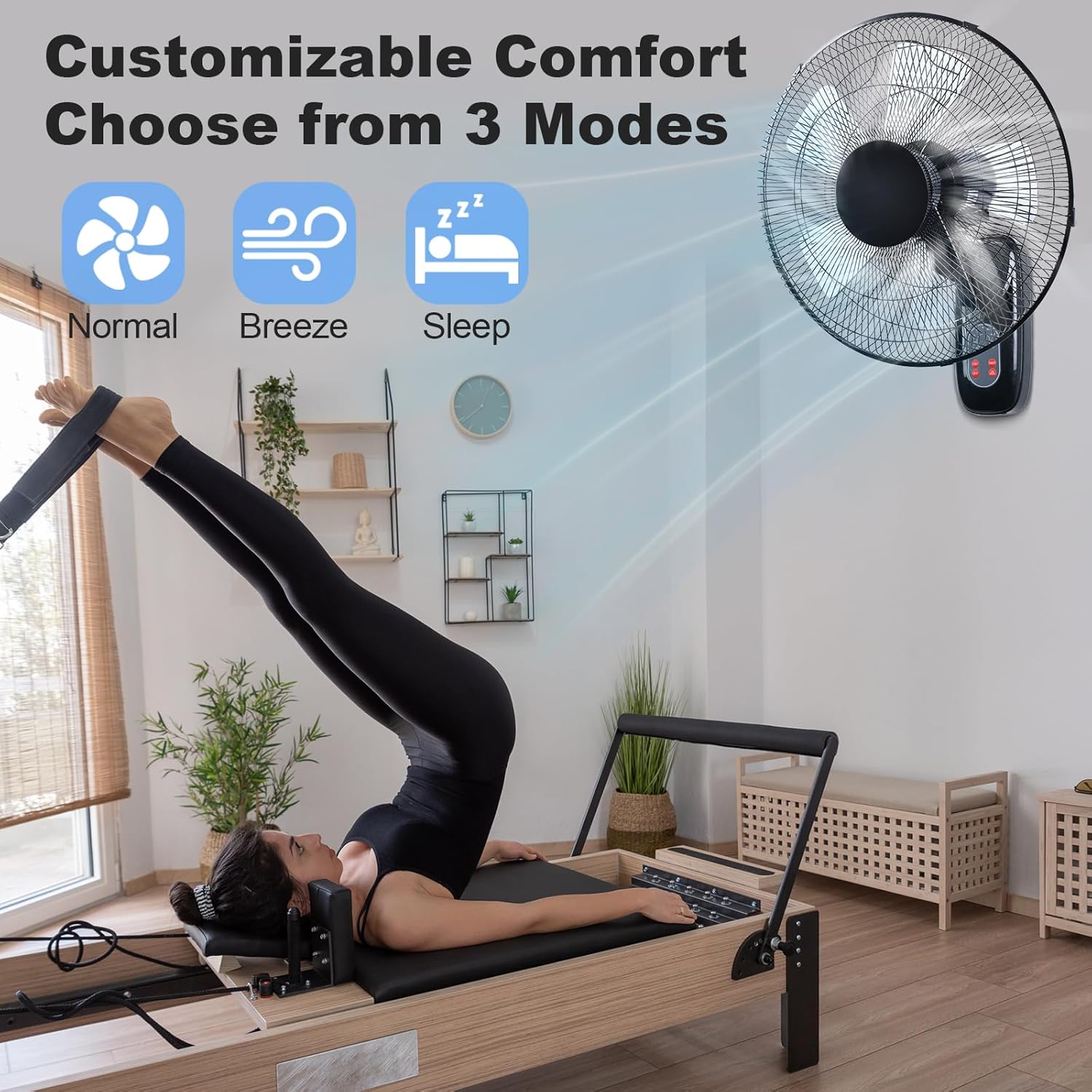
Image: A person exercising with the wall-mounted fan in the background, showing the three customizable comfort modes: Normal, Breeze, and Sleep.
Video: A demonstration of the assembly and basic operation of the Aottop 16-inch Oscillating Mount Fan, including attaching the fan blades and grille, and using the remote control.
Maintenance and Care
Regular cleaning and maintenance will ensure optimal performance and longevity of your fan.
- Cleaning: Unplug the fan before cleaning. Use a soft, damp cloth to wipe down the exterior surfaces. For the fan blades and grilles, use a vacuum cleaner with a brush attachment or a soft cloth to remove dust. Do not use abrasive cleaners or solvents.
- Storage: If storing the fan for an extended period, cover it to protect from dust and store in a dry place.
- Motor: The motor is permanently lubricated and requires no additional oiling.
Troubleshooting
- Fan does not turn on: Ensure the power cord is securely plugged into a working outlet. Check if the circuit breaker has tripped. Verify the fan is not set to a timer that has expired.
- Weak airflow: Check for obstructions around the fan. Ensure the fan blades and grilles are clean and free of dust buildup.
- Unusual noise: Turn off and unplug the fan. Check for any loose parts or foreign objects caught in the blades or motor housing. Ensure the fan is securely mounted.
- Remote control not working: Check the batteries in the remote control and replace if necessary. Ensure there are no obstructions between the remote and the fan's receiver.
Specifications
| Feature | Detail |
|---|---|
| Brand | Aottop |
| Model Number | WF-B1-16 |
| Color | Black |
| Product Dimensions | 12"D x 16"W x 21"H |
| Item Weight | 5.5 Pounds |
| Power Source | AC/DC |
| Number of Speeds | 3 |
| Noise Level | 45 Decibels |
| Wattage | 40 watts |
| Air Flow Capacity | 1765 Cubic Feet Per Minute |
| Voltage | 120 Volts |
| Mounting Type | Wall Mount |
| Controller Type | Remote Control |
| Material | Plastic |
| Indoor/Outdoor Usage | Indoor |
Warranty and Support
For warranty information or technical support, please contact the seller directly through your purchase platform. Ensure you have your model number (WF-B1-16) and purchase details ready for faster assistance.