
Introduction
This manual provides comprehensive instructions for the installation, use, and maintenance of your Bruni Screen Protector, specifically designed for the Point Mobile PM84. This protective film is engineered to safeguard your device's display from scratches, impacts, and daily wear while maintaining optimal touch sensitivity and visual clarity.

Image: The retail packaging for the Bruni Screen Protector, indicating its brand and purpose.
Product Features
The Bruni Screen Protector offers a range of features designed for superior device protection and user experience:
- Precision Fit: Accurately and specifically developed for the Point Mobile PM84.
- High Transparency: Made of highly transparent PET material, ensuring unadulterated display of screen contents.
- Scratch Resistance: Features a 4H hardness rating, providing robust protection against scratches.
- Impact Resistance: Designed to withstand impacts, offering protection against drops up to 1 meter.
- Easy, Bubble-Free Application: Can be applied easily and without bubbles, and can be removed or repositioned at any time without residue.
- Optimal Adhesion: Glue-free film ensures no slipping once attached, with optimal edge adhesion.
- Sensitive Touch: Optimized for use on touch displays, ensuring lightning-fast, highly sensitive, and precise touch response.
- Made in Germany: Manufactured with high-quality standards in Germany.
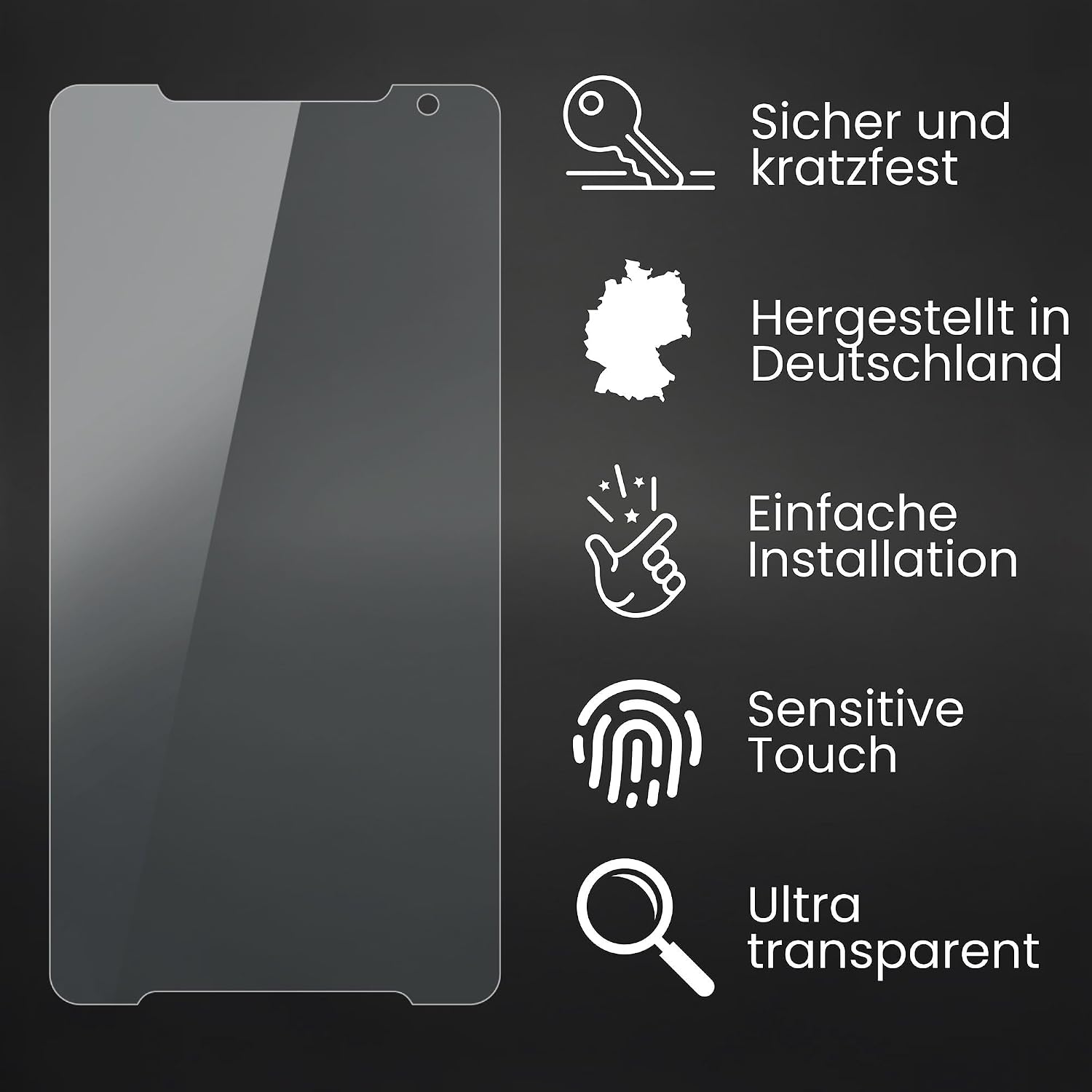
Image: An infographic detailing the key benefits of the screen protector, including secure and scratch-resistant properties, easy installation, sensitive touch, and ultra-transparency.

Image: A visual representation of the screen protector's scratch-resistant capabilities, showing a key unable to damage the surface.

Image: A hand interacting with a device screen, illustrating the screen protector's ability to maintain fast and sensitive touch response.

Image: A smartphone displaying vivid colors, highlighting that the screen protector does not diminish the original display quality or color vibrancy.

Image: A graphic illustrating the screen protector's impact resistance, capable of protecting against drops from up to 1 meter.
Package Contents
Your Bruni Screen Protector package includes the following items:
- Bruni Screen Protector Film (2X)
- Mounting Tool (Squeegee)
- Microfiber Cleaning Cloth
- Installation Instructions (this manual)

Image: A visual breakdown of the items included in the Bruni screen protector package.
Installation Guide
For optimal results, please follow these steps carefully. Ensure you are in a clean, dust-free environment before beginning the installation.
- Clean the Device Screen:
Thoroughly clean the screen of your Point Mobile PM84 using the provided microfiber cloth. Ensure there are no dust particles, smudges, or fingerprints. For stubborn marks, a screen cleaning solution can be used, but ensure the screen is completely dry before proceeding.
- Align the Screen Protector:
Carefully peel back a small portion of the protective layer (usually marked "Step 1" or similar) from one end of the screen protector. Align the exposed edge of the screen protector with the corresponding edge of your device's screen. Pay close attention to cutouts for cameras, sensors, and speakers to ensure perfect alignment.
- Apply and Smooth:
Slowly and steadily peel off the remaining protective layer while simultaneously applying the screen protector to the device screen. Use the provided squeegee or a credit card wrapped in the microfiber cloth to gently push out any air bubbles from the center towards the edges as you apply. Apply even pressure to ensure proper adhesion.

Image: A visual guide demonstrating the process of applying the screen protector to a device, emphasizing ease of installation.
- Remove Top Protective Layer:
Once the screen protector is fully adhered and all bubbles have been smoothed out, carefully peel off the top protective layer (usually marked "Step 2" or similar), if present. Your Bruni Screen Protector is now installed.
Operating Instructions
The Bruni Screen Protector is designed to seamlessly integrate with your Point Mobile PM84, preserving its original functionality.
- Touch Sensitivity: The protector is optimized for touch displays, ensuring no impairment of usability. You should experience the same responsive and precise touch interactions as without the protector.
- Display Clarity: The crystal clear film ensures an unadulterated display of your screen's contents, maintaining true colors and brightness.
Maintenance
To keep your Bruni Screen Protector in optimal condition and ensure maximum clarity:
- Cleaning: Use a soft, lint-free microfiber cloth (like the one provided) to gently wipe the screen protector. For smudges or fingerprints, slightly dampen the cloth with water or a mild, screen-safe cleaning solution. Avoid harsh chemicals or abrasive materials.
- Avoid Sharp Objects: While the protector is scratch-resistant, extreme pressure from very sharp objects can still cause damage.
- Storage: If you have spare protectors, store them in their original packaging in a cool, dry place to prevent damage before use.
Troubleshooting
Here are solutions to common issues you might encounter during or after installation:
| Issue | Possible Cause | Solution |
|---|---|---|
| Bubbles under the protector | Dust particles trapped underneath or uneven application. |
|
| Protector not adhering at edges | Dust on the edges, improper alignment, or curved screen edges (less common for flat protectors). |
|
| Reduced touch sensitivity | Rare, but could be due to improper installation or a faulty protector. |
|
Technical Specifications
| Attribute | Detail |
|---|---|
| Brand | Bruni |
| Model Number | Bruni Basics-Clear 4052225991492 |
| Compatible Devices | Point Mobile PM84 |
| Material | Polyethylenterephthalat (PET) |
| Item Hardness | 4H |
| Finish Type | Glossy (Glänzend) |
| Screen Surface Description | Smooth (Glatt) |
| Product Dimensions | 5.94 x 2.91 x 0.5 inches (Packaging) / 5.9"L x 2.9"W (Film) |
| Item Weight | 0.353 ounces |
| Manufacturer | atFoliX GmbH |
| Country of Origin | Germany |
Warranty and Support
Bruni products are manufactured by atFoliX GmbH, a company known for high-quality screen protection since 2007.
- Return Policy: This product is typically eligible for a refund or replacement within 30 days of purchase, subject to the retailer's return policy.
- Manufacturer Support: For any specific product inquiries or assistance, please refer to the contact information provided by the manufacturer, atFoliX GmbH, or the seller from whom you purchased the product.
For further assistance, please contact your point of purchase or visit the manufacturer's official website.