
1. Introduction
The CF Wireless Pool Robot 45 CL is designed for efficient and autonomous cleaning of private pool floors. This manual provides essential information for the safe and effective operation, maintenance, and troubleshooting of your robotic pool cleaner. Please read this manual thoroughly before initial use and retain it for future reference.
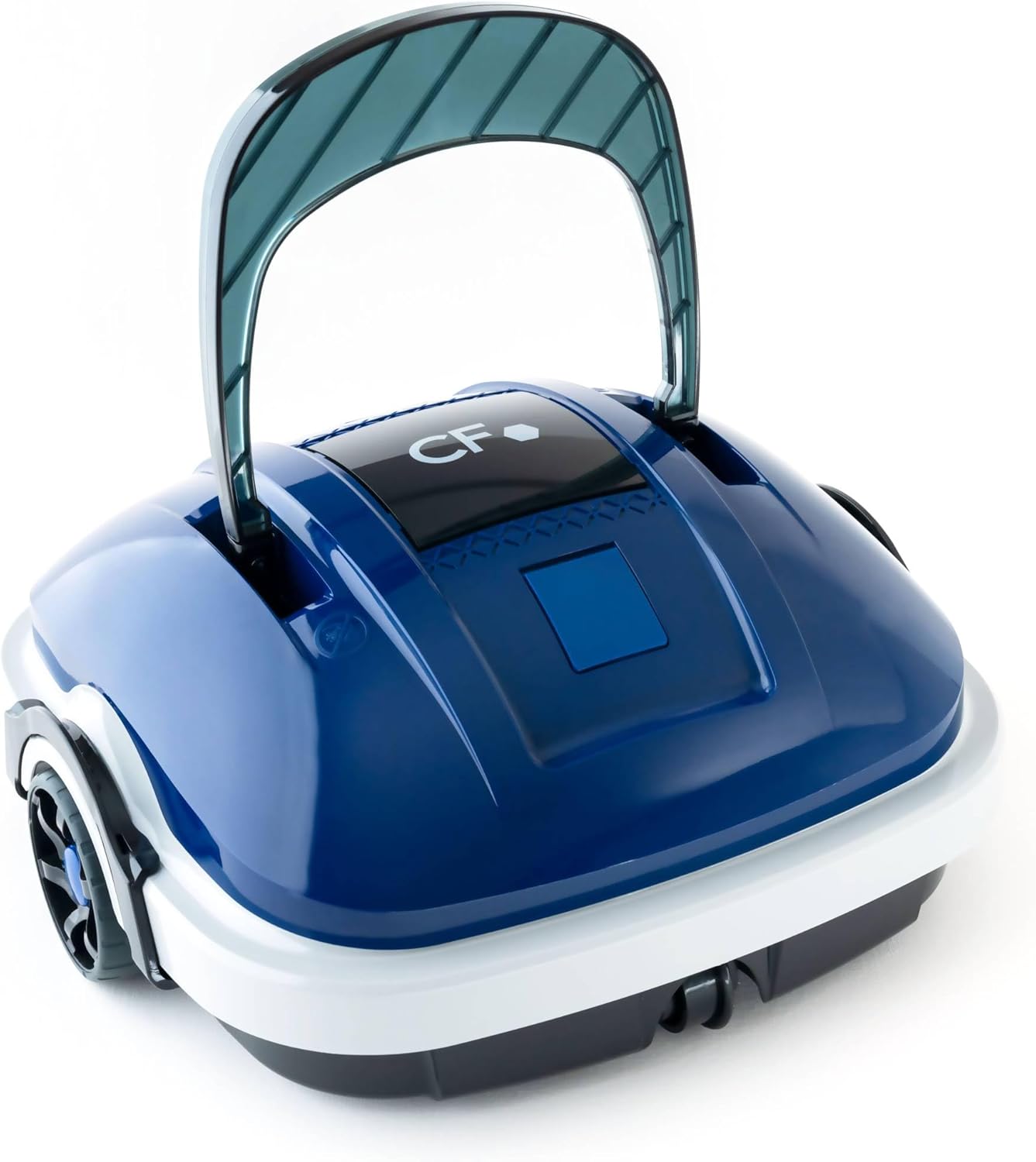
Image 1.1: The CF Wireless Pool Robot 45 CL. This image shows the compact, blue and white robotic pool cleaner with its handle raised, ready for use.
2. Important Safety Instructions
To reduce the risk of injury, electric shock, or damage to the unit, observe the following safety precautions:
- Read all instructions before using the appliance.
- Do not operate the robot if the power cord or charger is damaged.
- Ensure the charging port is dry before connecting the charger.
- Keep children and pets away from the pool area during operation.
- Only use the charger supplied by the manufacturer.
- Do not attempt to repair the robot yourself. Contact qualified service personnel.
- Remove the robot from the pool before adding chemicals or performing maintenance.
3. Package Contents
Verify that all items are present in the package:
- CF Wireless Pool Robot 45 CL
- Power Adapter / Charger
- Retrieval Hook
- Instruction Manual (this document)

Image 3.1: The CF Wireless Pool Robot 45 CL positioned next to a pool, accompanied by its power adapter and retrieval hook. This illustrates the main components included with the robot.
4. Product Components
Familiarize yourself with the main parts of your CF Wireless Pool Robot 45 CL:
- Handle: For easy placement and retrieval.
- Power Button: Located on the underside for starting and stopping cleaning cycles.
- Filter Basket: Accessible for cleaning and maintenance.
- Rubber Lip Brushes: Designed to effectively scrub and collect debris from the pool floor.
- Charging Port: For connecting the power adapter.

Image 4.1: Front view of the robot, highlighting its compact design and front wheels.

Image 4.2: Top-down view, showing the CF logo and the overall shape of the cleaner.

Image 4.3: Side view of the robot, illustrating the handle and wheel design.
5. Charging the Robot
Before first use, fully charge the robot. A full charge takes approximately 3 hours.
- Ensure the robot's charging port is clean and dry.
- Connect the power adapter to the robot's charging port.
- Plug the power adapter into a standard electrical outlet.
- The charging indicator light will illuminate (refer to product for specific light behavior).
- Once fully charged, disconnect the power adapter from the outlet and then from the robot.
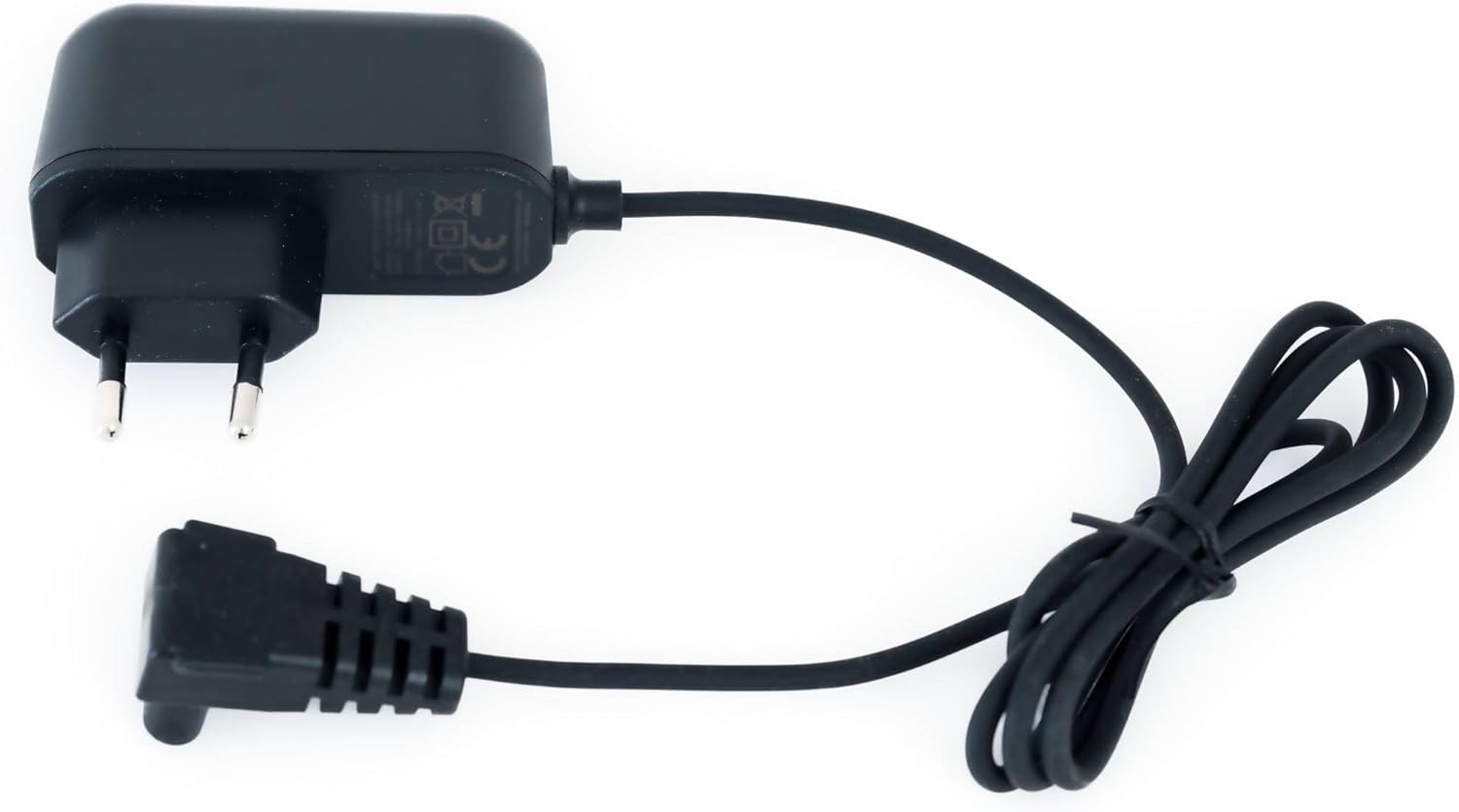
Image 5.1: The power adapter for charging the CF Wireless Pool Robot 45 CL. This image shows the charger with its cable and plug.
6. Operating Instructions
The CF Wireless Pool Robot 45 CL is designed for simple, one-touch operation.
- Preparation: Ensure the robot is fully charged and the filter basket is clean.
- Start Cleaning: Locate the power switch on the bottom of the robot. Press the switch to turn the robot ON.
- Placement: Gently lower the robot into the pool. It will sink to the bottom and begin its cleaning cycle automatically.
- Cleaning Cycle: The robot will operate for approximately 50 minutes, cleaning the pool floor up to 50 m².
- Completion: Once the cleaning cycle is complete, the robot will typically move to the edge of the pool or stop.
- Retrieval: Use the provided retrieval hook to carefully lift the robot out of the pool.

Image 6.1: Close-up view of the red power button located on the underside of the robot, used to initiate the cleaning cycle.

Image 6.2: The black retrieval hook accessory, used to safely lift the robot from the pool after a cleaning cycle.
7. Maintenance
Regular maintenance ensures optimal performance and longevity of your pool robot.
7.1 Cleaning the Filter Basket
The robot features a 180µ fine filter basket that should be cleaned after each use.
- Remove the robot from the pool.
- Open the robot's housing to access the filter basket (refer to product diagrams for specific access points).
- Remove the filter basket.
- Empty any coarse debris from the basket.
- Rinse the filter basket thoroughly with a garden hose to remove fine particles.
- Ensure the filter basket is completely dry before reinserting it into the robot.
- Close the robot's housing securely.
7.2 Storage
When not in use for extended periods:
- Clean the robot and filter basket thoroughly.
- Charge the battery to approximately 50-70% before storing.
- Store the robot in a cool, dry place, away from direct sunlight and extreme temperatures.
8. Troubleshooting
If you encounter issues with your CF Wireless Pool Robot 45 CL, refer to the following table:
| Problem | Possible Cause | Solution |
|---|---|---|
| Robot does not start | Battery is low or depleted. | Charge the robot fully. |
| Robot stops prematurely | Battery is low. | Charge the robot fully. |
| Poor cleaning performance | Filter basket is clogged. | Clean the filter basket thoroughly. |
| Robot gets stuck | Obstruction in the pool. | Remove any large debris or toys from the pool. |
If the problem persists after attempting these solutions, please contact customer support.
9. Technical Specifications
| Feature | Specification |
|---|---|
| Model Number | CF45CL |
| Maximum Pool Size | 50 m² |
| Cleaning Cycle | 50 minutes |
| Cleaning Area | Pool Floor |
| Filter Fineness | 180µ |
| Battery Type | Lithium Ion |
| Battery Capacity | 2600 mAh |
| Battery Charging Time | 3 hours |
| Electrical Consumption | 30 W |
| Product Dimensions (L x W x H) | 13.46 x 13.74 x 12.99 inches (34.2 x 34.9 x 33 cm) |
| Item Weight | 9.02 pounds (3.6 kg) |
10. Warranty and Customer Support
For warranty information, please refer to the documentation included with your product packaging or visit the official CF website. For technical assistance, troubleshooting beyond this manual, or to inquire about replacement parts, please contact CF customer support through the contact information provided on your product packaging or the official brand website.


