
1. Introduction and Overview
This manual provides essential information for setting up, operating, and maintaining your Xiaomi POCO F6 Pro smartphone. Please read it carefully to ensure optimal performance and longevity of your device.
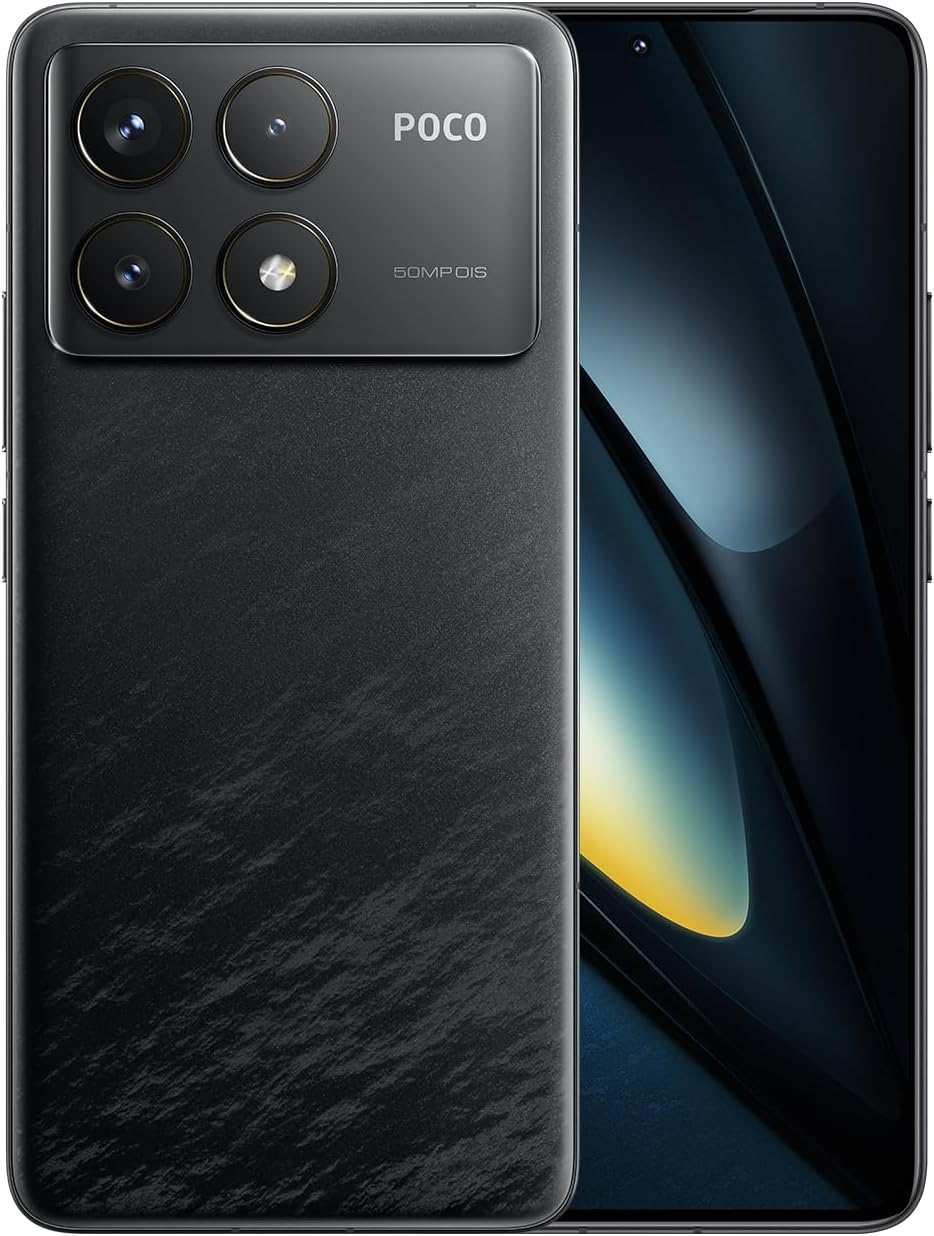
Figure 1.1: Xiaomi POCO F6 Pro device overview.
Key Features:
- High-Performance Processor: Equipped with the Qualcomm Snapdragon 8 Gen 2, a 4nm flagship processor offering approximately 20% improvement in CPU and GPU performance for a superior user experience.
- Advanced Cooling System: Features LiquidCool Technology 4.0 with a large stainless steel IceLoop system (approx. 5000mm²) for efficient heat dissipation, maintaining peak performance during intensive tasks.
- Rapid Charging and Long Battery Life: A 5000mAh battery combined with 120W Xiaomi HyperCharge technology allows for a 100% charge in approximately 19 minutes.
- Stunning Display: A WQHD+ (3200x1440) 1-120Hz LTPO C8 OLED display with a peak brightness of 4000 nits, offering high light efficiency, low power consumption, and hardware-level low blue light protection.
- Advanced Camera System: A triple camera setup with a 50MP main sensor, Optical Image Stabilization (OIS), and Light Fusion 800 image sensor for professional-quality photos in various lighting conditions.
2. Setup Guide
2.1 Package Contents
Before starting, verify that all items are present in the package:
- Xiaomi POCO F6 Pro Smartphone
- AC Adapter (120W HyperCharge)
- USB Type-C Cable
- SIM Eject Tool
- Soft Case
- Quick Start Guide
2.2 Inserting the SIM Card
- Locate the SIM card tray on the side of your device.
- Insert the SIM eject tool into the small hole next to the tray and press gently until the tray pops out.
- Place your Nano-SIM card(s) into the tray with the gold contacts facing down. Ensure they are correctly seated.
- Carefully push the tray back into the slot until it is flush with the device.
2.3 Initial Power On and Setup
- Press and hold the Power button until the Xiaomi logo appears.
- Follow the on-screen instructions to select your language, region, and connect to a Wi-Fi network.
- Sign in with your Google account or create a new one.
- Set up your screen lock method (PIN, pattern, password, fingerprint, or face unlock).
- Review and accept the terms and conditions.
- Your device is now ready for use.
3. Operating Instructions
3.1 Display and Navigation
The POCO F6 Pro features a WQHD+ 120Hz LTPO OLED display. Navigate the interface using gestures or traditional navigation buttons, configurable in the settings.

Figure 3.1: Display specifications and features.
- Refresh Rate: The adaptive refresh rate (1-120Hz) optimizes smoothness and power consumption.
- Brightness: Adjust brightness manually or enable adaptive brightness for automatic adjustment based on ambient light.
- Eye Comfort: The hardware-level low blue light design helps reduce eye strain. Enable Reading Mode in settings for a more comfortable viewing experience.
- Fingerprint Sensor: The in-display fingerprint sensor provides quick and secure unlocking. Ensure your finger is clean and dry for optimal performance.
3.2 Performance and Gaming
The Snapdragon 8 Gen 2 processor and LiquidCool Technology 4.0 ensure high performance, especially for gaming.

Figure 3.2: WildBoost Optimization 3.0 for enhanced gaming.
- Game Turbo: Access Game Turbo by swiping from the left edge during gameplay to optimize performance, manage notifications, and record screen.
- WildBoost Optimization 3.0: This feature enhances performance scheduling and game control for an improved overall gaming experience.
3.3 Camera Features
The POCO F6 Pro features a versatile triple camera system for high-quality photography.

Figure 3.3: POCO F6 Pro triple camera system.
- Main Camera: 50MP with OIS for stable, high-resolution photos.
- Ultra-Wide Camera: 8MP for capturing broader scenes.
- Macro Camera: 2MP for detailed close-up shots.
- AI Features: Utilize AI for image enhancement, object removal, and smart search within your gallery.
3.4 Battery and Charging
The device is equipped with a 5000mAh battery and supports 120W Xiaomi HyperCharge.

Figure 3.4: 120W HyperCharge technology.
- Fast Charging: Use the provided 120W charger and cable for optimal charging speeds.
- Battery Optimization: The POCO battery management system, featuring Surge P2 charging chipset and Surge G1 battery chipset, provides smart and safe management.
- Hibernation Mode: The device can enter hibernation mode to conserve battery when not in use for extended periods.
3.5 Connectivity
The POCO F6 Pro offers various connectivity options.

Figure 3.5: Connectivity and audio features.
- Wi-Fi 7: Supports the latest Wi-Fi standard for faster and more reliable wireless connections.
- Bluetooth 5.3: For connecting wireless accessories like headphones and speakers.
- NFC: Multifunctional NFC for contactless payments and data transfer.
- IR Blaster: Use your phone as a universal remote control for compatible devices.
- GNSS: High-precision Global Navigation Satellite System for accurate location services.
4. Maintenance
Proper maintenance ensures the longevity and optimal performance of your POCO F6 Pro.
- Cleaning: Use a soft, lint-free cloth to clean the screen and body. Avoid abrasive materials or harsh chemicals.
- Software Updates: Regularly check for and install system updates to ensure your device has the latest features and security patches.
- Storage Management: Periodically clear unnecessary files and apps to free up storage space and maintain performance.
- Battery Care: Avoid exposing the device to extreme temperatures. While fast charging is convenient, occasional slower charging can help prolong battery health.
- Protection: Use a screen protector and the provided soft case to guard against scratches and minor impacts.
5. Troubleshooting
If you encounter issues with your device, refer to the following common troubleshooting steps:
- Device Not Responding: Press and hold the Power button for about 10-15 seconds to force a restart.
- Battery Draining Quickly: Check background app usage in battery settings. Reduce screen brightness or disable unnecessary features like GPS, Bluetooth, or Wi-Fi when not in use.
- Network Connectivity Issues: Toggle Airplane Mode on and off. Restart your device. Check if your SIM card is properly inserted. Contact your network provider if the issue persists.
- Apps Crashing/Freezing: Clear the cache and data for the problematic app in App Info settings. If the issue continues, uninstall and reinstall the app.
- Overheating: Close background applications, reduce screen brightness, and avoid using the device while charging for extended periods. If gaming, ensure the device has adequate ventilation.
- Fingerprint Sensor Issues: Ensure your finger and the sensor area are clean and dry. Re-register your fingerprints if recognition is inconsistent.
For more complex issues, consult the official Xiaomi support website or contact customer service.
6. Specifications
| Feature | Specification |
|---|---|
| Operating System | Android 14 |
| Processor | Qualcomm Snapdragon 8 Gen 2 |
| CPU Speed | 3.2 GHz |
| Installed RAM Memory Size | 12 GB |
| Memory Storage Capacity | 256 GB |
| Display Technology | OLED |
| Readout Resolution | 3200 x 1440 (WQHD+) |
| Battery Power Rating | 5000 mAh |
| Wireless Communication Technology | Cellular, Wi-Fi 7, Bluetooth 5.3 |
| Connectivity Technology | USB, NFC, IR Blaster |
| GPS | Yes |
| Form Factor | Slate |
| Color | Black |
| Product Model Number | MZB0HEJJP |
| Item Weight | 580 g |
| Package Dimensions | 18.7 x 9.4 x 6.1 cm |
7. Warranty and Support
Your Xiaomi POCO F6 Pro is covered by a standard manufacturer's warranty. For detailed warranty terms and conditions, please refer to the warranty card included in your product packaging or visit the official Xiaomi support website.
For technical support, service, or inquiries, please contact Xiaomi customer service through their official channels. Keep your proof of purchase handy when seeking support.
Official Xiaomi Support: https://www.mi.com/global/support


