
SHIWOJIA ST-518-TY-3M-WIFI
SHIWOJIA ST-518-TY-3M-WIFI Outdoor Solar WiFi Camera User Manual
Model: ST-518-TY-3M-WIFI | Brand: SHIWOJIA
1. Introduction
Thank you for choosing the SHIWOJIA ST-518-TY-3M-WIFI Outdoor Solar WiFi Camera. This manual provides detailed instructions for the installation, operation, and maintenance of your new security camera. Please read this manual thoroughly before use to ensure proper functionality and safety.
This camera is designed for outdoor surveillance, offering 3MP high-definition video, 360° pan-tilt-zoom (PTZ) capabilities, color night vision, two-way audio communication, and passive infrared (PIR) motion detection. Its solar-powered design ensures continuous operation without the need for external power sources.
2. Product Overview
2.1 Key Features
- 100% Wireless & Solar Powered: Operates entirely on solar energy and built-in batteries, eliminating the need for power cables.
- 3MP HD Video & 360° PTZ: Captures clear 3-megapixel video with a wide 360-degree viewing angle, controllable remotely.
- Advanced PIR Motion Detection: Reduces false alarms by detecting human body heat, sending instant notifications to your smartphone.
- Color Night Vision: Equipped with 6 white LEDs and 4 infrared LEDs, providing clear color video recordings at night. Integrated floodlight enhances night visibility.
- Two-Way Audio: Built-in microphone and speaker allow for real-time communication with visitors or to deter intruders.
- IP65 Weatherproof: Designed to withstand various outdoor conditions, including rain and dust.
- Multiple Storage Options: Supports local storage via Micro SD card (up to 128GB) and cloud storage services.
- Smart Life/Tuya App Compatibility: Manage and monitor your camera conveniently through the Smart Life or Tuya mobile applications.
- Integrated Garden Light: The side lamp provides approximately 800 lumens of brightness, useful for illuminating your garden at night.
2.2 Product Components
The SHIWOJIA ST-518-TY-3M-WIFI camera system includes the main camera unit with an integrated solar panel and mounting bracket. The package typically contains the camera unit, solar panel, mounting accessories (screws, anchors), and this user manual.
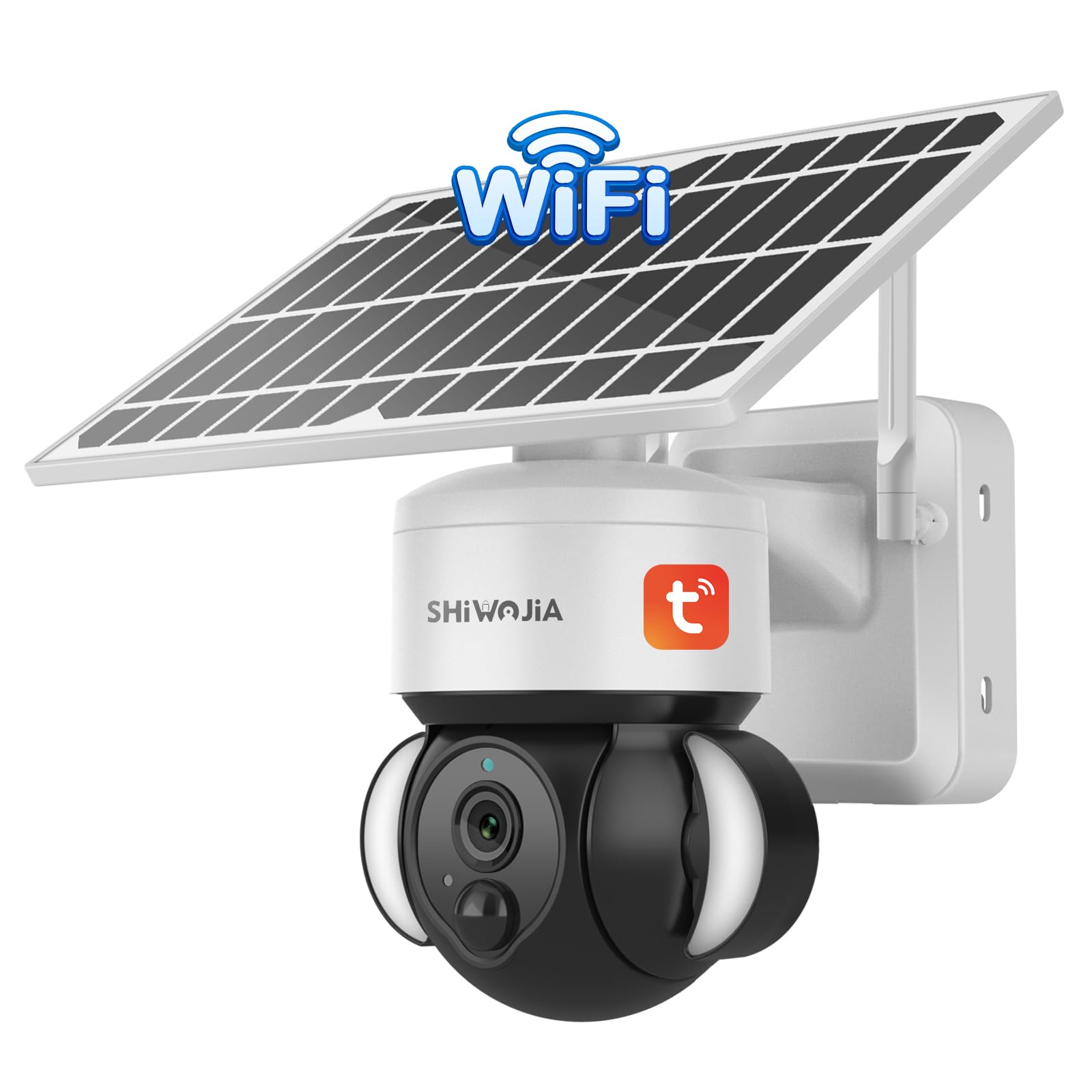
Image: The SHIWOJIA ST-518-TY-3M-WIFI outdoor solar WiFi camera, showing the main camera unit with its solar panel mounted above, designed for continuous power.
3. Setup Instructions
3.1 Choosing an Installation Location
- Select a location with ample direct sunlight exposure for the solar panel to ensure optimal battery charging.
- Ensure the camera is within range of your 2.4GHz Wi-Fi network. Installing it close to your Wi-Fi router is recommended for stable connectivity.
- Avoid installing the camera near corners or obstructions that might block the view or solar panel.
- The recommended installation height is between 2.5 to 3.5 meters for optimal coverage and detection.

Image: An outdoor solar camera mounted on a house exterior, illustrating a typical installation scenario for optimal solar charging and surveillance.
3.2 App Installation and Camera Pairing
- Download the "Smart Life" or "Tuya Smart" app from your smartphone's app store (iOS or Android).
- Register for an account or log in if you already have one.
- Power on the camera. Follow the in-app instructions to add a new device. This typically involves scanning a QR code on the camera or selecting the device type manually.
- Connect the camera to your 2.4GHz Wi-Fi network as prompted by the app.
- Once successfully paired, you can view the live feed and access camera settings.

Image: A smartphone displaying the camera's live feed, demonstrating remote access and control from anywhere in the world.
4. Operating Instructions
4.1 Live View and PTZ Control
- Open the Smart Life/Tuya Smart app and select your camera to access the live view.
- Use the on-screen joystick or swipe gestures to pan (355°) and tilt (90°) the camera lens to adjust the viewing angle.
- Digital zoom functionality is available within the app to magnify specific areas of the live feed.

Image: An illustration of the camera's pan (355°) and tilt (90°) capabilities, providing a wide surveillance area.
4.2 Motion Detection and Alerts
- The camera features PIR human detection. When motion is detected, the camera will send notifications to your smartphone.
- Recordings triggered by motion events are saved to the installed Micro SD card or cloud storage.
- Adjust motion detection sensitivity and set detection zones within the app settings to minimize false alarms.

Image: A visual representation of the PIR human detection feature, showing the camera detecting a person and sending an alert to a mobile phone.
4.3 Night Vision Modes
The camera offers three night vision modes:
- Auto Mode: The camera automatically switches between IR (infrared) and color night vision based on ambient light conditions.
- IR Mode: Uses infrared LEDs for black and white night vision.
- Color Mode: Activates the built-in white LEDs (floodlight) to provide full-color night vision.
You can select your preferred night vision mode in the app settings.

Image: A split image demonstrating the difference between color night vision (top) and infrared (IR) night vision (bottom) captured by the camera.
4.4 Two-Way Audio
Utilize the two-way audio feature to communicate through the camera. Tap the microphone icon in the live view interface to speak, and the camera's built-in speaker will transmit your voice. You can also hear audio from the camera's location.

Image: A scene depicting a person communicating with someone at their door via the camera's two-way audio feature, shown on a smartphone screen.
4.5 Storage Options
The camera supports two primary storage methods for recordings:
- Micro SD Card: Insert a Micro SD card (up to 128GB, not included) into the designated slot for local storage of video recordings.
- Cloud Service: Subscribe to a cloud storage plan through the app for secure and remote backup of your video data.

Image: An illustration showing the two storage options for the camera: Micro SD card for local storage and cloud service for remote, secure backup.
5. Maintenance
5.1 Cleaning
- Regularly clean the solar panel to ensure maximum sunlight absorption. Dust, dirt, or debris can reduce charging efficiency.
- Wipe the camera lens with a soft, damp cloth to maintain clear image quality. Avoid abrasive cleaners.
5.2 Battery Care
- The camera is equipped with a rechargeable battery (7800 mAh). Ensure the solar panel receives adequate sunlight to keep the battery charged.
- In periods of prolonged low sunlight, the battery may require manual charging via the USB-C port.
5.3 Weather Resistance
The camera has an IP65 rating, indicating it is protected against dust ingress and low-pressure water jets from any direction. While designed for outdoor use, extreme weather conditions may still affect performance or longevity. Ensure all covers and seals are properly secured.

Image: The SHIWOJIA solar camera shown in rainy conditions, highlighting its IP65 weather-resistant design for outdoor durability.
6. Troubleshooting
| Problem | Possible Cause | Solution |
|---|---|---|
| Camera not connecting to Wi-Fi or frequent disconnections. | Weak Wi-Fi signal; camera too far from router; 5GHz Wi-Fi network used. |
|
| Battery not charging or low battery. | Insufficient sunlight on the solar panel; dirty solar panel; prolonged cloudy weather. |
|
| Poor image quality or pixelation. | Dirty lens; weak Wi-Fi signal; app display settings. |
|
| False motion alarms or no detection. | Incorrect sensitivity settings; environmental factors (e.g., moving branches, pets). |
|
| Two-way audio not working. | Microphone/speaker issues; app permissions; network latency. |
|
7. Specifications
| Model Name | ST-518-TY-3M-WIFI |
| Brand | SHIWOJIA |
| Connectivity Technology | Wireless (Wi-Fi 2.4GHz) |
| Resolution | 3MP (1296p) |
| Pan/Tilt Angle | Pan: 355°, Tilt: 90° |
| Night Vision | Color Night Vision, Infrared Night Vision |
| Audio | Two-Way Audio (Built-in Microphone & Speaker) |
| Motion Detection | PIR Human Detection |
| Power Source | Solar Powered, Battery Powered (7800 mAh) |
| Water Resistance | IP65 |
| Storage Options | Micro SD Card (up to 128GB), Cloud Storage |
| Compatible Apps | Smart Life, Tuya Smart |
| Dimensions | 24.6 x 20 x 13.5 cm |
| Weight | 1600 Grams |
| Alexa Compatibility | Not Supported |
8. Warranty and Support
For warranty information and technical support, please refer to the documentation included with your product or contact SHIWOJIA customer service directly. Details can often be found on the manufacturer's official website or through your purchase platform.
Please retain your proof of purchase for any warranty claims.
Ask a question about this manual
Ask about setup, troubleshooting, compatibility, parts, safety, or missing instructions. Manuals+ will review the question and use this page’s manual context to help answer it.