1. Introduction
Thank you for choosing the Greenworks Pro 60-Volt Max Leaf Blower. This manual provides essential information for the safe operation, assembly, maintenance, and troubleshooting of your new tool. Please read this manual thoroughly before operating the product and keep it for future reference.
2. Safety Information
Always follow basic safety precautions to reduce the risk of fire, electric shock, and personal injury when using power tools. This product is designed for outdoor use only.
General Safety Warnings:
- Read all instructions: Familiarize yourself with the controls and proper use of the appliance.
- Wear appropriate personal protective equipment (PPE): Always wear eye protection (safety glasses), hearing protection, long pants, and sturdy footwear.
- Keep bystanders away: Do not allow children or untrained individuals to operate this blower. Keep children, pets, and other people at a safe distance from the work area.
- Inspect the work area: Before operation, clear the area of objects that could be thrown or become entangled in the blower.
- Avoid dangerous environments: Do not use the blower in wet conditions or in the presence of flammable liquids or gases.
- Maintain proper balance and footing: Do not overreach. Always ensure stable footing on slopes.
- Battery safety: Use only Greenworks 60-Volt batteries and chargers. Do not charge batteries in damp or wet locations.
- Proposition 65 Warning: This product may contain chemicals known to the State of California to cause cancer and birth defects or other reproductive harm.
3. Product Description and Features
The Greenworks Pro 60-Volt Max Leaf Blower is a powerful, cordless electric tool designed for efficient debris clearing. It features a brushless motor for enhanced efficiency and durability.
Key Features:
- Brushless Motor: Intelligent technology maximizing efficiency and reliability for heavy-duty usage.
- High Performance: Delivers 660 CFM (Cubic Feet per Minute) and 180 MPH (Miles Per Hour) airflow, providing power equivalent to a 27cc gas engine.
- Variable Speed Trigger with Cruise Control: Allows for precise control over airflow.
- Turbo Button: Provides an instant boost of power to loosen wet leaves and clear stubborn debris.
- Lightweight and Ergonomic Design: Ensures comfortable handling and reduced user fatigue.
- Guaranteed Start Every Time: No prime, no choke, no pull starting.

Figure 3.1: Overview of the Greenworks Pro 60-Volt Max Leaf Blower, highlighting the cruise control, variable speed trigger, turbo button, brushless motor, and performance specifications (660 CFM, 180 MPH).

Figure 3.2: Performance metrics of the Greenworks Pro 60-Volt Max Leaf Blower, showing up to 50 minutes runtime on a single charge, 27 CC gas engine equivalent power, and 40 minutes recharge time with a 3-Amp charger.
4. What's in the Box
Your Greenworks Pro 60-Volt Max Leaf Blower package includes the following items:
- Greenworks Pro 60-Volt Max Leaf Blower Unit
- Concentrator Nozzle
- User Manual
Note: The 60-Volt battery and charger are not included with this model and must be purchased separately.
5. Setup
Follow these steps to prepare your leaf blower for operation.
5.1 Attaching the Concentrator Nozzle
- Align the concentrator nozzle with the blower tube outlet.
- Push the nozzle firmly onto the blower tube until it clicks into place or is securely seated. Ensure it is fully engaged to prevent it from detaching during use.
5.2 Installing the Battery
- Ensure the battery is fully charged before first use. Refer to your Greenworks 60-Volt battery charger manual for charging instructions.
- Locate the battery compartment on the blower.
- Slide the charged 60-Volt battery into the battery compartment until it locks securely into place. You should hear a 'click'.
- To remove the battery, press the battery release button and slide the battery out.
6. Operating Instructions
Always wear eye and hearing protection during operation.
6.1 Starting the Blower
- Ensure the battery is properly installed.
- Hold the blower firmly with both hands.
- Press the variable speed trigger to start the blower. The airflow speed will increase as you press the trigger further.
6.2 Using Cruise Control
The cruise control lever allows you to set a desired airflow speed without continuously holding the trigger.
- Start the blower by pressing the variable speed trigger to your desired speed.
- Move the cruise control lever forward to lock in the current speed.
- Release the trigger. The blower will continue to operate at the set speed.
- To disengage cruise control, press the trigger again or move the cruise control lever back.
6.3 Activating Turbo Mode
For maximum power to clear stubborn debris, use the Turbo button.
- While the blower is running, press the Turbo button.
- The blower will temporarily operate at its highest speed.
- Release the Turbo button to return to the previously set speed or variable trigger control.
6.4 Stopping the Blower
Release the variable speed trigger to turn off the blower. If cruise control is engaged, disengage it first.
7. Maintenance
Regular maintenance ensures optimal performance and extends the life of your tool. Always remove the battery before performing any maintenance.
7.1 Cleaning
- Keep the air vents free of debris to prevent overheating.
- Use a soft brush or cloth to clean the exterior of the blower. Do not use water, solvents, or abrasive cleaners.
- Periodically check the blower tube and nozzle for blockages and clear any obstructions.
7.2 Storage
- Store the blower in a dry, well-ventilated area, out of reach of children.
- Remove the battery from the blower before storing for extended periods.
- Store batteries in a cool, dry place, away from direct sunlight and extreme temperatures.
8. Troubleshooting
If you encounter issues with your leaf blower, refer to the following table for common problems and solutions.
| Problem | Possible Cause | Solution |
|---|---|---|
| Blower does not start | Battery not installed correctly Battery is discharged Trigger not pressed fully | Ensure battery is fully seated and locked Charge the battery Press the trigger completely |
| Low airflow or power | Battery is low Blower tube/nozzle obstructed Air vents blocked | Charge the battery Clear any obstructions from the tube/nozzle Clean the air vents |
| Blower stops during operation | Battery is depleted Overheating protection activated | Replace with a charged battery Allow the blower to cool down before resuming use |
If you continue to experience problems, please contact Greenworks customer support.
9. Specifications
Technical specifications for the Greenworks Pro 60-Volt Max Leaf Blower, Model BL60L253.
| Specification | Value |
|---|---|
| Model Number | BL60L253 |
| Brand | Greenworks |
| Voltage | 60 Volts |
| Power Source | Battery Powered |
| Maximum Airflow | 660 CFM |
| Maximum Air Speed | 180 MPH |
| Noise Level | 90 Decibels (78 dB stated in image) |
| Form Factor | Handheld |
| Item Weight | 6.93 pounds |
| Product Dimensions | 29"L x 9"W x 12"H |
| Included Components | Concentrator Nozzle, User Manual |
| Material | Plastic |
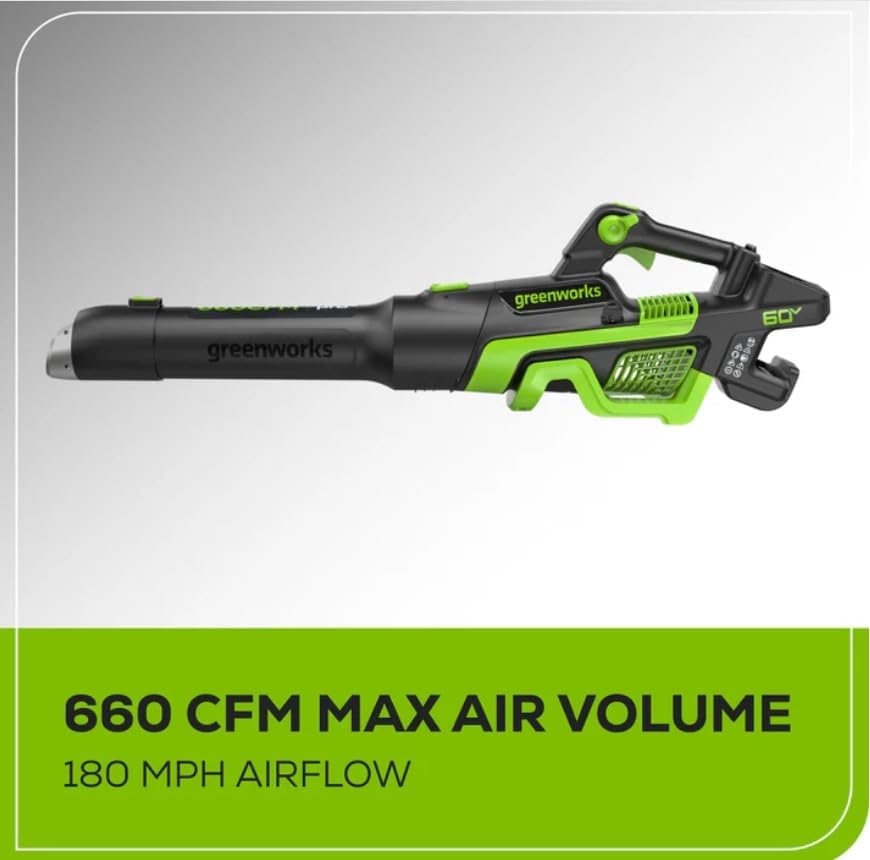
Figure 9.1: The Greenworks Pro 60-Volt Max Leaf Blower demonstrating its maximum air volume of 660 CFM and airflow of 180 MPH.

Figure 9.2: The Greenworks Pro 60-Volt Max Leaf Blower is designed to be quieter than gas-powered alternatives, operating at approximately 78 dB.
10. Warranty Information
Greenworks products are manufactured to the highest quality standards and are backed by a manufacturer's warranty. Specific warranty terms and conditions may vary by product and region. Please refer to the warranty card included with your product or visit the official Greenworks website for detailed warranty information.
Keep your proof of purchase (receipt) for warranty claims.
11. Support and Contact Information
For technical assistance, replacement parts, or general inquiries, please contact Greenworks customer support.
- Website: Visit the official Greenworks website for FAQs, product registration, and support resources.
- Customer Service: Refer to your product packaging or the Greenworks website for current contact numbers and operating hours.
When contacting support, please have your product model number (BL60L253) and serial number ready.


