
1. Introduction
Thank you for choosing the FREDEES Tall Corner Cabinet with LED Light. This manual provides essential information for the safe assembly, operation, and maintenance of your new cabinet. Please read these instructions thoroughly before beginning assembly and retain them for future reference.
2. Safety Information
Important Safety Instructions:
- Always secure the cabinet to the wall using the provided anti-toppling device to prevent tipping. Do not attempt to move or assemble the cabinet without first securing it to the wall.
- Keep the area around the cabinet clear of obstacles to prevent accidents.
- Always unplug the charging station before cleaning or maintaining the cabinet.
- Ensure all screws and fasteners are tightened securely before use. Periodically check for loose connections.
- Do not overload shelves. Refer to the specifications for weight limits.

3. Package Contents
Before assembly, verify that all components are present and undamaged. If any parts are missing or damaged, please contact customer support.
- Corner Cabinet x 1
- Assembly Guide x 1
- Installation Package (includes screws, fasteners, anti-tip device) x 1
4. Product Features
- Customizable Storage Solution: This cabinet offers tailored storage space with dimensions of 19.68'' (Width) x 19.68'' (Depth) x 66.92'' (Height). It features removable shelves at both the top and bottom, providing additional storage flexibility. Its unique triangular design efficiently utilizes corner spaces, helping to maintain an organized home environment.

Figure 4.1: Detailed diagram illustrating the cabinet's dimensions and the weight capacity for each shelf. 
Figure 4.2: Close-up view highlighting the black metal decoration, removable shelves, convenient handles, and farmhouse barn doors. - Ambiance-enhancing LED Lighting: The tall corner cabinet includes three-color LED lighting (yellow/blue/white) to enhance the ambiance of your living space. It also features human sensor functionality for effortless item retrieval at night and energy saving.

Figure 4.3: The cabinet illuminated with its three distinct LED lighting options: cool white, warm light, and blue white. Video 4.1: This video demonstrates the various features of the FREDEES Tall Corner Cabinet, including the LED lighting options, charging station, and storage capabilities.
- Convenient Charging Station: Equipped with a USB port and a Type-C port, this cabinet provides a convenient charging station for your devices, eliminating the need for additional sockets.
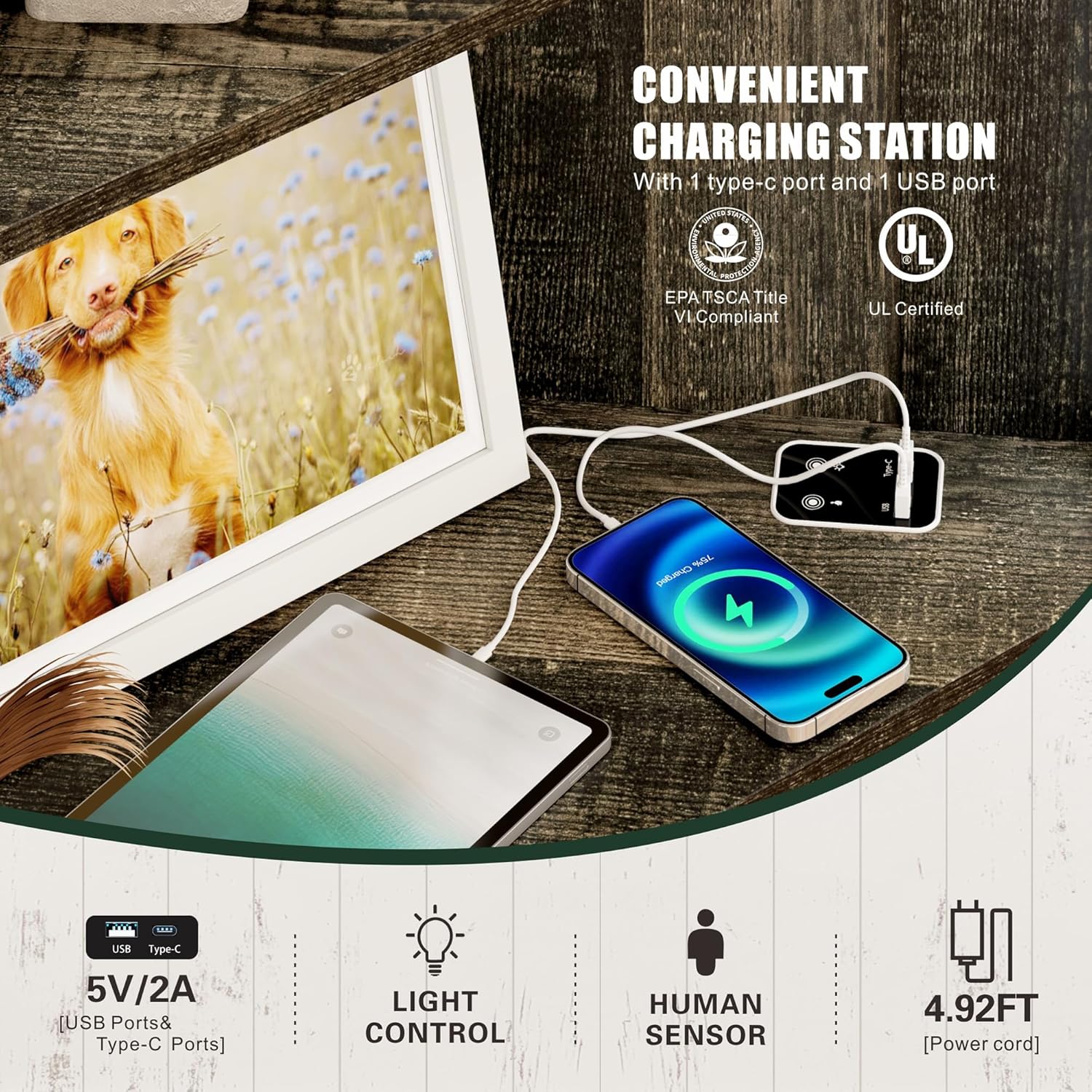
Figure 4.4: A detailed view of the cabinet's integrated charging station, featuring both USB and Type-C ports for device charging. - Sturdy and Safe Design: The 90° right-angle design allows the cabinet to fit snugly into corners. It includes a sturdy base and an anti-tip device for enhanced safety and stability, protecting against accidental tipping.
- Rustic Farmhouse Style: Featuring a rustic barn door style and weathered finishes with metal accents, this cabinet blends farmhouse charm with modern aesthetics, suitable for various rooms.
- Easy Assembly: Crafted from wood, the cabinet comes with simple step-by-step instructions and labeled components for straightforward assembly.
5. Specifications
| Feature | Detail |
|---|---|
| Brand | FREDEES |
| Model Name | Tall Corner Cabinet |
| Item Model Number | BL-97026-40 |
| Color | Rustic Brown |
| Product Dimensions | 19.68"D x 19.68"W x 66.92"H |
| Item Weight | 48.39 Pounds |
| Material | Wood |
| Number of Shelves | 5 (3 open, 2 enclosed) |
| Special Features | 2 Doors, 3 Removable Shelves, Human Sensor Function, Three-color LED Lighting, USB & Type-C Charging Ports |
| Mounting Type | Floor Mount (with anti-tip device for wall attachment) |
| Assembly Required | Yes |
| UPC | 756940844920 |
6. Setup and Assembly Instructions
Please follow the detailed step-by-step instructions provided in the included Assembly Guide. All components are labeled to facilitate the process.
- Unpack and Identify Parts: Carefully unpack all components and hardware. Compare them with the parts list in the Assembly Guide to ensure everything is present.
- Assemble the Frame: Follow the guide to connect the main panels and shelves using the designated screws and fasteners.
- Install Doors and Handles: Attach the barn doors and handles as instructed.
- Install LED Lighting and Charging Station: Integrate the LED light strips and connect the charging station according to the electrical diagrams in the guide. Ensure all cables are neatly routed and secured.
- Position the Cabinet: Place the cabinet in its desired corner location.
- Secure with Anti-Tip Device: This is a critical safety step. Attach the anti-tip device to the back of the cabinet and securely fasten it to the wall using appropriate wall anchors.
For visual assistance, refer to the Assembly Guide for diagrams and specific instructions for each step.
7. Operating Instructions
7.1 LED Lighting Operation
The cabinet features three-color LED lighting and a human sensor. The control panel is typically located discreetly on one of the shelves or the top panel.
- Changing Colors: Short press the light control button to cycle through the three available colors: Cool White, Warm Light, and Blue White.
- Human Sensor: The human sensor automatically detects movement within approximately 1 meter and illuminates the cabinet. The light will turn off after a period of inactivity.
- Adjusting Brightness: Long press the light control button to adjust the brightness level of the LED lights.


7.2 Charging Station Usage
The integrated charging station provides 5V/2A power output via one USB port and one Type-C port.
- Connect the cabinet's power cord to a standard wall outlet.
- Plug your device's USB or Type-C charging cable into the corresponding port on the cabinet.
- Ensure your device indicates that it is charging.
8. Maintenance
- Cleaning: Wipe the cabinet surfaces with a soft, damp cloth. Avoid using harsh chemicals or abrasive cleaners, as they may damage the finish.
- Dusting: Regularly dust the shelves and surfaces to prevent buildup.
- Electrical Components: Ensure the charging ports and LED lights are free from dust and debris. Unplug the cabinet before cleaning electrical components.
- Hardware Check: Periodically inspect all screws and connections to ensure they remain tight. Tighten any loose hardware as needed.
9. Troubleshooting
| Problem | Possible Cause | Solution |
|---|---|---|
| LED lights not turning on | Power cord not plugged in; loose connection; faulty LED strip. | Check power connection; ensure all internal wiring is secure; contact customer support if lights remain off. |
| Charging station not working | Cabinet not powered; device cable faulty; charging port damaged. | Verify cabinet is plugged in; try a different charging cable/device; contact customer support. |
| Human sensor not responding | Sensor obstructed; sensor setting off; faulty sensor. | Ensure sensor area is clear; check control panel settings; contact customer support. |
| Cabinet feels unstable | Anti-tip device not installed or loose; uneven floor; loose assembly screws. | Install or re-secure the anti-tip device to the wall; place shims under the base if the floor is uneven; tighten all assembly screws. |
10. Warranty and Support
For warranty information or technical support, please refer to the contact details provided with your purchase documentation or visit the official FREDEES website. Please have your model number (BL-97026-40) and purchase date available when contacting support.