1. Introduction
Welcome to the instruction manual for your new 24HOCL BD-613 61-Key Digital Kids Piano Keyboard. This manual provides essential information for setting up, operating, and maintaining your instrument. Please read it thoroughly to ensure proper use and to maximize your musical experience.
2. What's Included
Your package should contain the following items:
- 61 Keys Piano Keyboard
- Microphone
- DC5V UL Adapter
- Audio Cable
- 2M USB Power Cord
- Music Sheet Stand
- Piano Stand
- Instruction Manual
- Keyboard Sticker
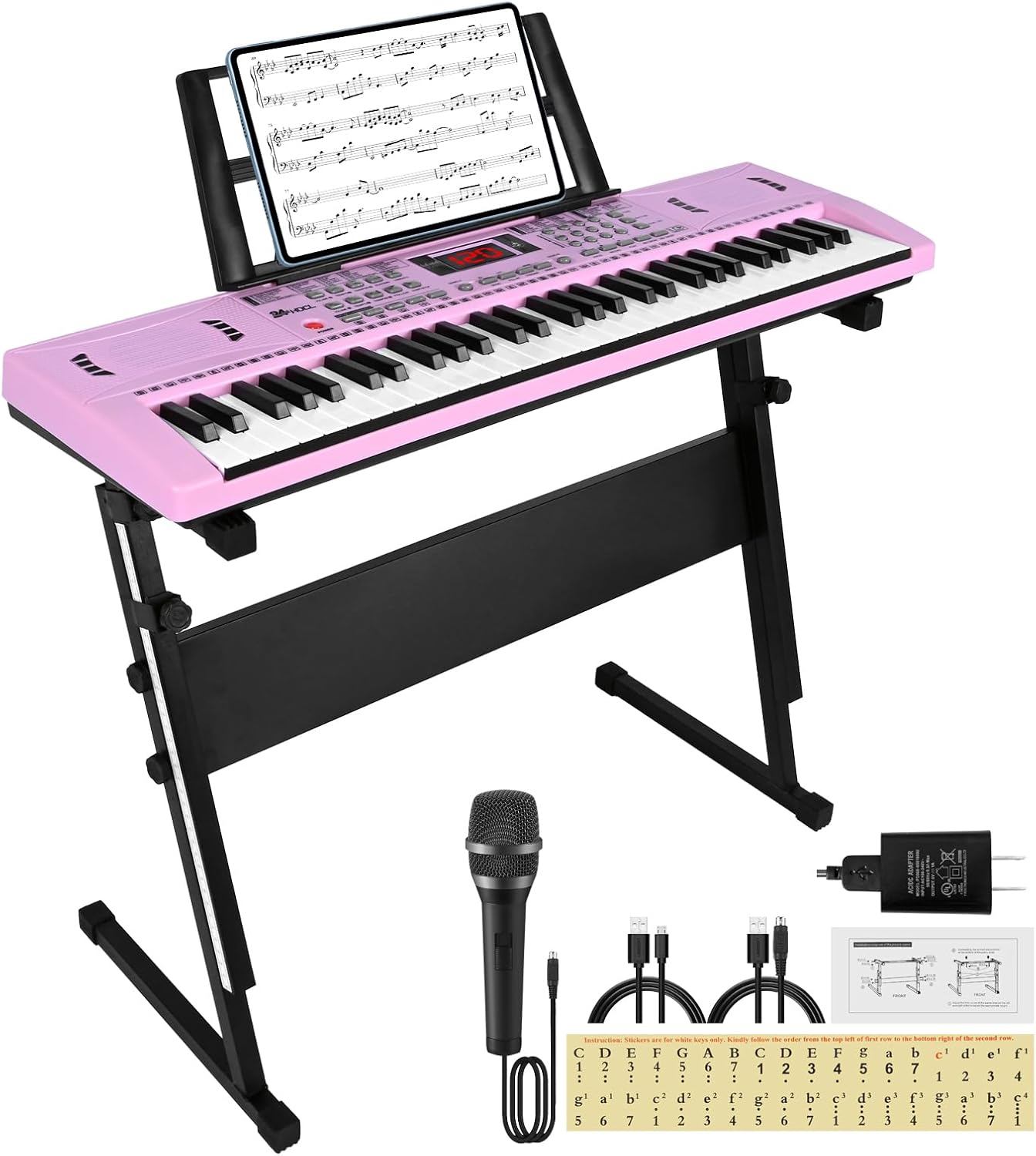
Image: The 24HOCL 61-Key Digital Kids Piano Keyboard, shown in pink, assembled on its stand with the included microphone, headphones, power adapter, and music sheet stand.
3. Setup
3.1 Assembling the Piano Stand
The piano stand is adjustable and designed for stability. Follow these steps for assembly:
- Unfold the X-style stand components.
- Align the top bars of the stand with the screw holes on the underside of the keyboard.
- Secure the keyboard to the stand using the provided screws.
- Adjust the height of the stand to a comfortable playing position using the adjustment knobs. Ensure all connections are tight and the stand is stable before placing the keyboard.

Image: A detailed diagram illustrating the adjustable piano stand, highlighting the screw points for securing the keyboard, adjustable height mechanism, and rubber feet for stability. Dimensions are provided for length (74cm/29in) and height (50-82cm/19.7-32.8in).
Video: A demonstration by the seller, 24HOC Direct, showing the step-by-step process of installing the keyboard onto its stand, ensuring a secure and stable setup.
3.2 Powering the Keyboard
Your keyboard offers two power options:
- AC Power Adapter: Connect the DC5V UL Adapter to the power input jack on the back of the keyboard and plug it into a standard US wall outlet.
- Battery Power: For portable use, insert 4 AA batteries (not included) into the battery compartment on the underside of the keyboard. Ensure correct polarity.
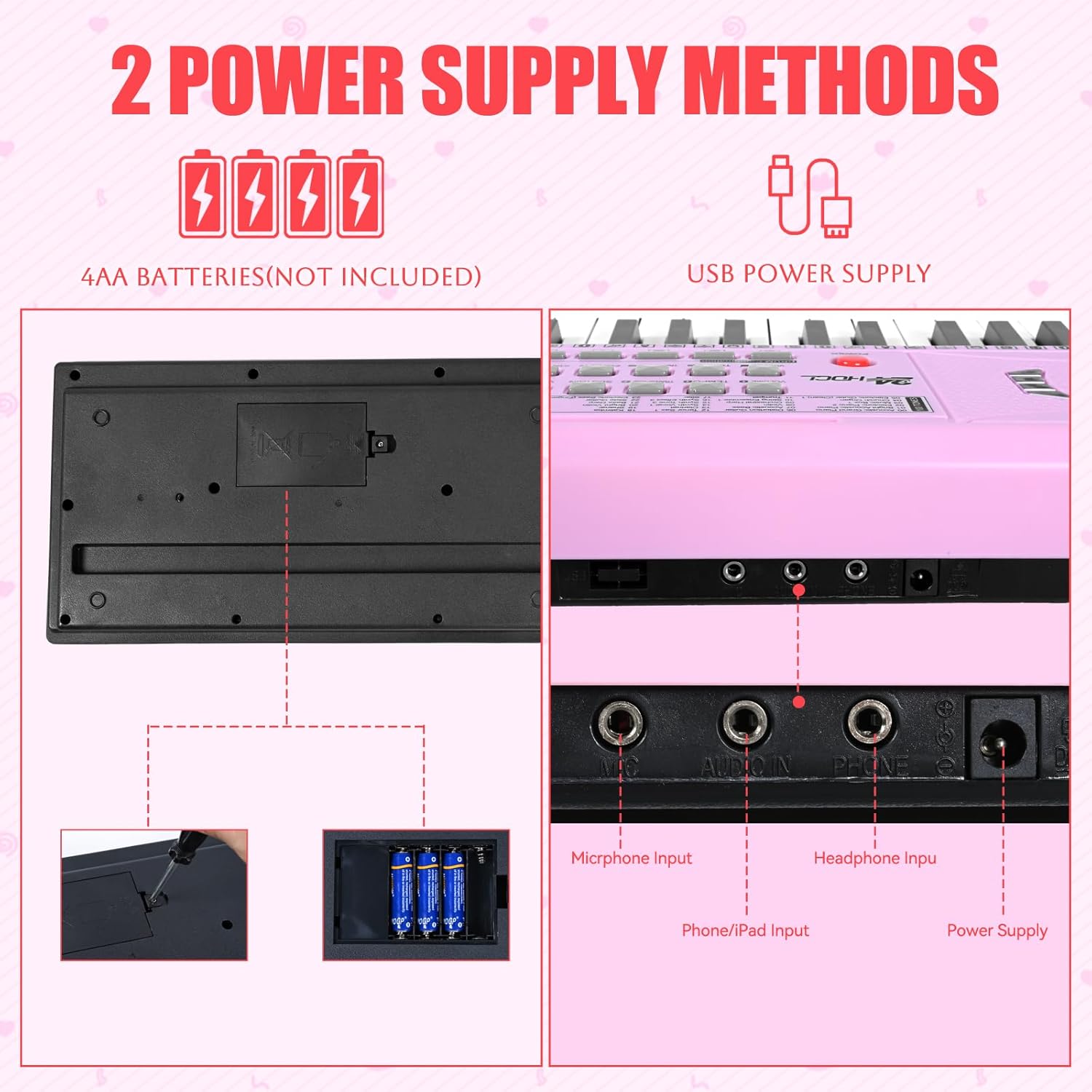
Image: A visual guide detailing the two power options for the keyboard: using 4 AA batteries (not included) by opening the battery compartment, and connecting via a USB power supply to the designated port.
3.3 Connecting Accessories
- Microphone: Plug the included microphone into the "MIC" input jack.
- Headphones: For private practice, connect headphones to the "PHONE" input jack.
- External Audio: Use the Audio Cable to connect an external audio device (e.g., smartphone, tablet) to the "AUDIO IN" jack to play along with your favorite tracks.

Image: A close-up view of the keyboard's connectivity panel, clearly labeling the ports for microphone input, audio input, headphone output, and power supply.
4. Operating Instructions
4.1 Basic Functions
- Power ON/OFF: Use the red "POWER" switch located on the left side of the control panel to turn the keyboard on or off.
- Volume Control: Adjust the master volume using the "VOLUME +" and "VOLUME -" buttons.
- Tempo Control: Modify the playback speed of rhythms and demo songs using the "TEMPO +" and "TEMPO -" buttons.
- LCD Screen: The integrated LCD screen displays current settings, selected tones, rhythms, and lesson progress.

Image: A close-up of the keyboard's LCD screen, showing a digital display of "0.8" and a graphical representation of the keys, indicating active notes or settings.
4.2 Learning Modes and Features
The keyboard is equipped with features designed to aid learning:
- 3 Teaching Modes: Engage with game-like practice sessions. These modes guide users through melodies and rhythms.
- Lighted Keys: Keys illuminate to indicate which notes to play during demo songs or learning modes, making it easier for beginners to follow. This feature can be toggled on/off.
- Sound Library: Explore 100 timbres (tones), 100 rhythms, 10 demo songs, and 5 percussions. Use the "TONE" and "RHYTHM" buttons along with the number selection pad to choose different sounds and beats.
- Record & Playback: Use the "REC" button to record your playing and the "PLAY" button to listen back. This helps in self-assessment and improvement.
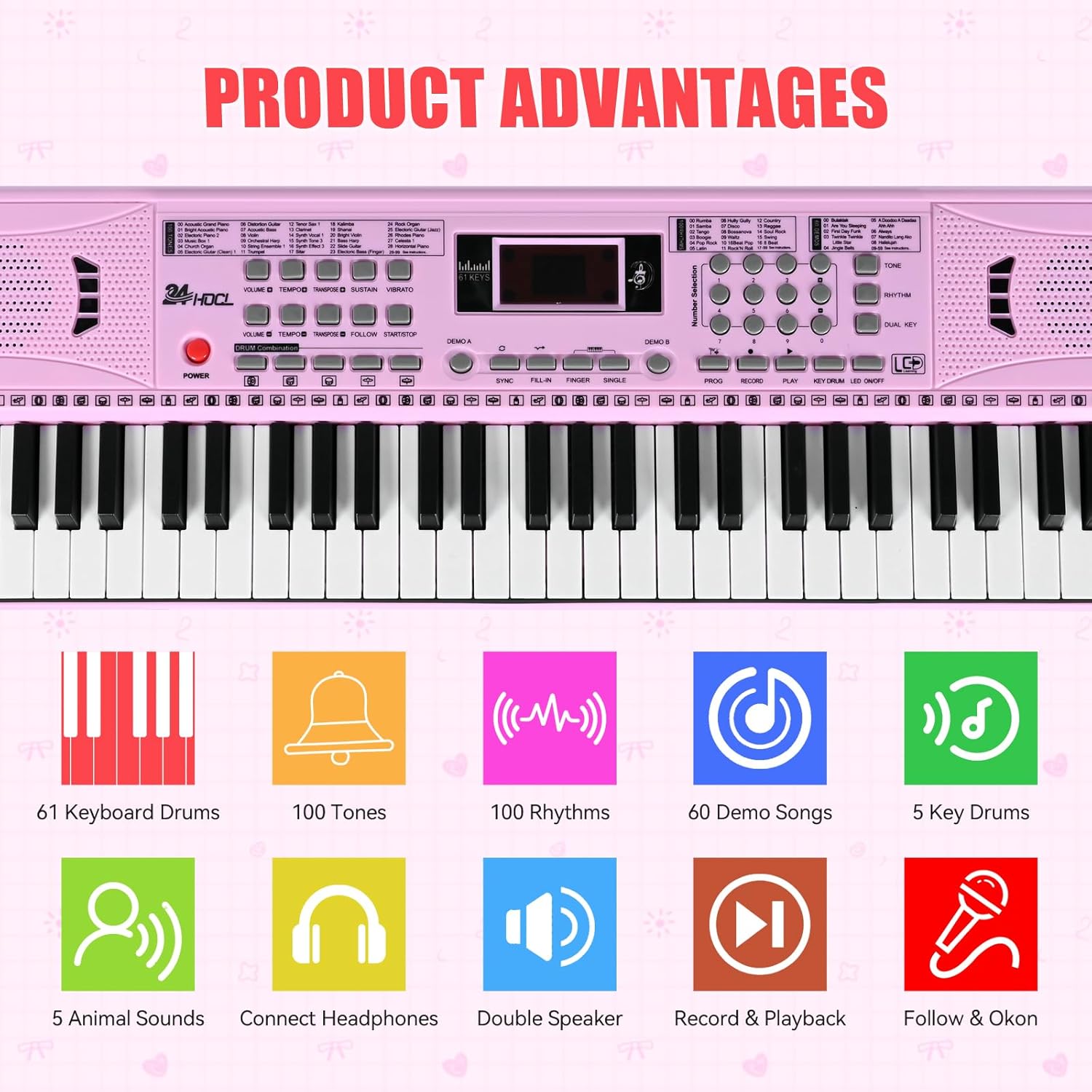
Image: A visual representation of the keyboard's main features, including the number of keys, tones, rhythms, demo songs, and various functions like recording, playback, and different sound effects.

Image: A detailed view of the keyboard's control panel, displaying comprehensive lists of 100 available tones, 100 rhythms, and 60 demo songs, each with a corresponding numerical code for selection.
Video: A seller-provided video showcasing the 61-key keyboard piano with its stand, demonstrating various features and sounds, including the lighted keys function.
Video: A short demonstration by the seller, Gezhen Store, featuring the piano playing Easter-themed songs, highlighting its musical capabilities and sound quality.
5. Maintenance
- Cleaning: Use a soft, dry cloth to wipe the surface of the keyboard. Avoid using abrasive cleaners or solvents.
- Storage: When not in use, store the keyboard in a dry, cool place away from direct sunlight and extreme temperatures.
- Battery Care: If using batteries, remove them if the keyboard will not be used for an extended period to prevent leakage.
6. Troubleshooting
| Problem | Solution |
|---|---|
| No power | Ensure the power adapter is securely connected and plugged into a working outlet, or check if batteries are correctly inserted and not depleted. |
| No sound | Check the volume level. Ensure headphones are not plugged in if you want sound from the speakers. |
| Keys not lighting up | Verify that the lighted keys feature is enabled via the control panel. |
7. Specifications
| Feature | Detail |
|---|---|
| Model Name | BD-613 |
| Number of Keys | 61 |
| Product Dimensions | 29.92 inches (L) x 9.4 inches (W) x 2.4 inches (H) |
| Item Weight | 2.2 pounds (1 Kilogram) |
| Power Source | DC 5V UL Adapter or 4 AA batteries (not included) |
| Connectivity Technology | Auxiliary, USB |
| Connector Type | USB, 3.5mm Jack |
| Material Type | ABS Environmental Protection Plastic |
| Special Features | 3 Teaching Modes, Lighted Keys, 100 Tones, 100 Rhythms, 10 Demo Songs, 5 Percussions, Record & Playback, Dual Speakers, Microphone Input, Headphone Output |
8. Warranty and Support
For warranty information or technical support, please refer to the contact details provided with your purchase documentation or visit the official 24HOCL website. Keep your purchase receipt as proof of purchase.


