
Introduction
This manual provides instructions for the setup, operation, and maintenance of your Generic DS-3633L Digital LED Mirror Alarm Clock. Please read this manual thoroughly before using the device to ensure proper function and longevity.
The DS-3633L LED Mirror Clock features a large LED display, clock and alarm functions, a night light, and a snooze function. Its sleek and modern design is energy-saving and suitable for various home decors.
Package Contents
Upon unpacking, please verify that all the following items are included:
- LED Mirror Clock (DS-3633L)
- USB Power Cable
- Instruction Manual
- Bubble Protection Bag (for transit)
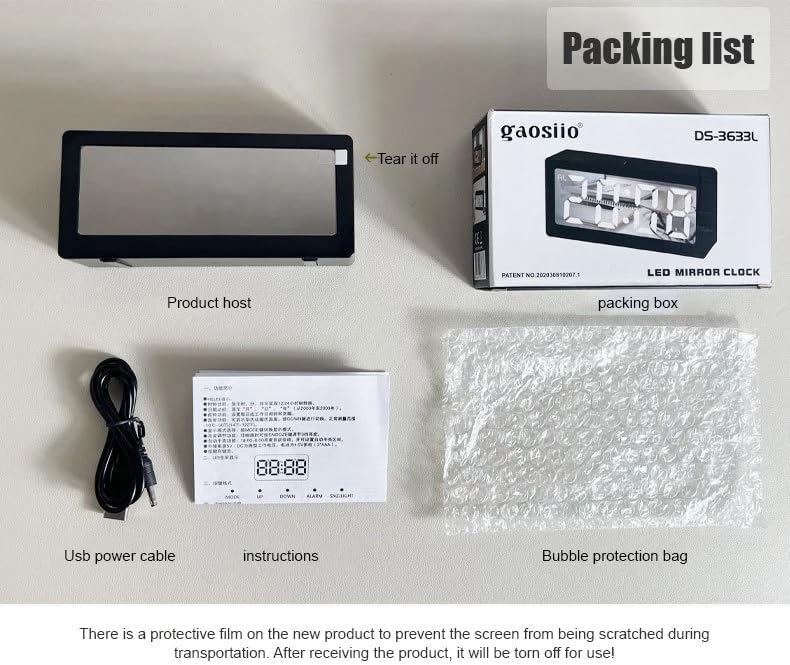
Figure 1: Package Contents. The image displays the LED mirror clock, a USB power cable, the instruction manual, and a bubble protection bag, all neatly arranged next to the product's retail box.
Setup
1. Removing the Protective Film
The clock's display comes with a protective film to prevent scratches during shipping. Gently peel off this film from the screen before first use to ensure clear visibility.

Figure 2: Removing Protective Film. The image illustrates the process of peeling off the protective film from the clock's mirror display.
2. Powering the Device
The clock can be powered in two ways:
- USB Power Cable: Connect the included USB power cable to the clock and plug the other end into a standard USB power adapter (not included) or a powered USB port.
- AAA Batteries: Insert 3 AAA batteries (not included) into the battery compartment located on the back of the clock. Batteries provide backup power and allow for portable use, but continuous display brightness may be reduced compared to USB power.
For optimal performance and continuous display, it is recommended to use the USB power cable.
Operating Instructions
1. Setting the Time
Specific buttons for time setting are usually located on the back or top of the clock. Look for buttons labeled "TIME SET", "MODE", or similar. Typically, you will:
- Press and hold the "TIME SET" or "MODE" button until the hour digits begin to flash.
- Use the "+" or "-" buttons (or "UP"/"DOWN") to adjust the hour.
- Press "TIME SET" or "MODE" again to switch to minute adjustment.
- Use the "+" or "-" buttons to adjust the minutes.
- Press "TIME SET" or "MODE" one last time to confirm and exit time setting mode.

Figure 3: Time Display. The clock shows the current time, 19:16, on its bright LED screen.
2. Setting the Alarm
To set the alarm:
- Press and hold the "ALARM SET" or "MODE" button until the alarm hour digits flash. An alarm icon (e.g., "AL") may appear on the display.
- Use the "+" or "-" buttons to adjust the alarm hour.
- Press "ALARM SET" or "MODE" again to switch to alarm minute adjustment.
- Use the "+" or "-" buttons to adjust the alarm minutes.
- Press "ALARM SET" or "MODE" to confirm. The alarm is now set and activated.
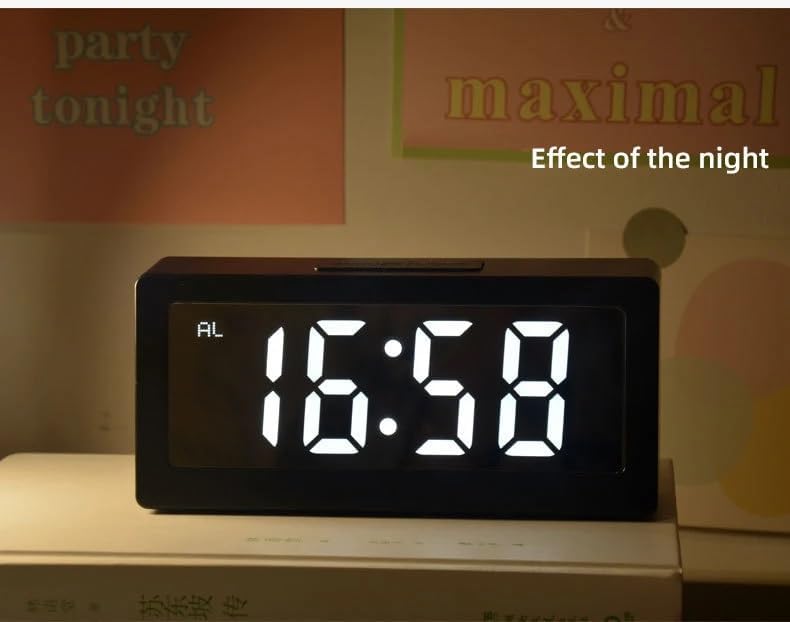
Figure 4: Alarm Indicator. The display shows the time with an "AL" symbol, indicating the alarm is set.
3. Using the Snooze Function
When the alarm sounds, press the "SNOOZE/LIGHT" button (usually located on the top of the clock). The alarm will temporarily stop and sound again after a few minutes (typically 5-9 minutes, depending on the model). To turn off the alarm completely, press any other button.
4. Night Light / Brightness Adjustment
The clock features a backlight for visibility in low light conditions. The "SNOOZE/LIGHT" button may also control the display brightness or activate a night light feature. Pressing this button briefly (when the alarm is not sounding) may cycle through brightness levels or turn the night light on/off.
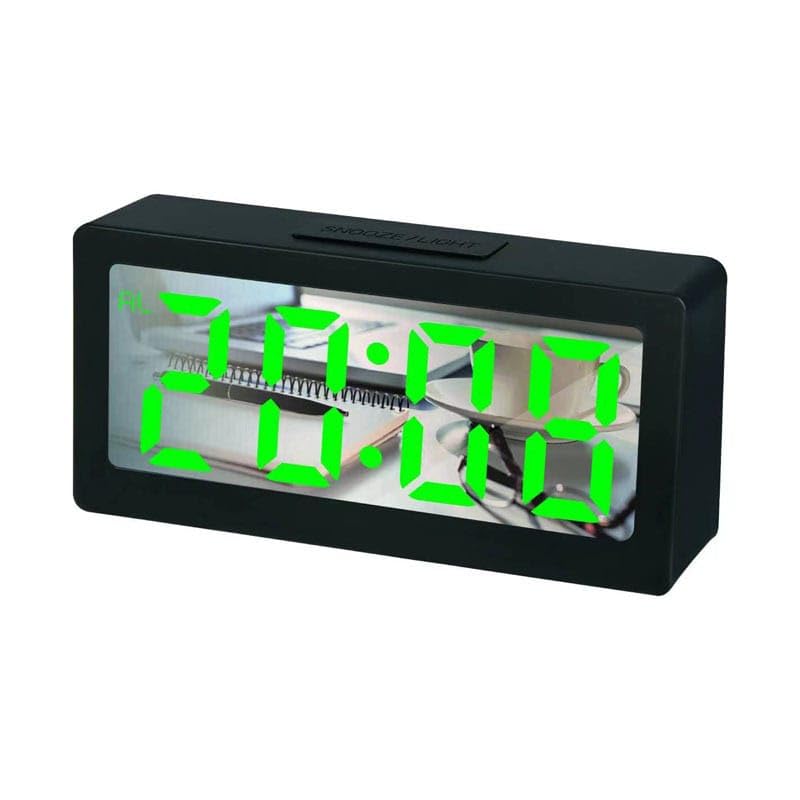
Figure 5: Night Display Effect. The clock's LED display is clearly visible in a low-light environment.
Maintenance
To ensure the longevity and proper functioning of your LED Mirror Alarm Clock, follow these simple maintenance guidelines:
- Cleaning: Use a soft, dry cloth to wipe the display and casing. Avoid abrasive cleaners or solvents, as they may damage the surface.
- Placement: Place the clock on a stable, flat surface away from direct sunlight, excessive heat, or moisture.
- Battery Replacement: If using batteries, replace them when the display dims or functions become erratic. Ensure correct polarity when inserting new batteries.
Troubleshooting
If you encounter issues with your clock, refer to the following common problems and solutions:
| Problem | Possible Cause | Solution |
|---|---|---|
| Display is blank or dim. | No power, low batteries, or protective film still on. | Ensure USB cable is securely connected or replace AAA batteries. Remove any protective film from the screen. |
| Alarm does not sound. | Alarm not set or turned off. | Verify alarm time is set correctly and the alarm function is activated (check for "AL" icon). |
| Buttons are unresponsive. | Temporary software glitch or low power. | Disconnect and reconnect power (USB cable) or remove and reinsert batteries to reset the device. |
Specifications
| Feature | Detail |
|---|---|
| Brand Name | Generic |
| Product Type Name | LED Mirror Alarm Clock 3633 |
| Model Number | DGG3791821 (DS-3633L) |
| Part Number | GS8748613 |
| Color | Multicolor |
| Display Type | Digital |
| Style | Art Deco |
| Special Features | Alarm, Snooze |
| Product Dimensions (Width x Height) | 8 cm x 15 cm |
| Power Source | Battery Powered (USB cable included for primary power) |
| Room Type | Bedroom |
| Item Shape | Rectangular |
| Material | Plastic |
| Are Batteries Included? | No |
| Mounting Type | Tabletop |
| Alarm Clock | Yes |
| Operation Mode | Electrical |
| Clock Movement | Automatic |
| Item Weight | 300 grams |
| Size | Large |
| Number of Items | 1 |
Warranty and Support
For warranty information and customer support, please refer to the documentation provided by your retailer or contact the manufacturer directly. Keep your purchase receipt as proof of purchase for any warranty claims.