
Product Overview
The PPLEE Alarm Clock (Model: CR1001EPRO) is an upgraded digital clock designed for bedrooms, featuring a large, bold number display for easy readability. It includes dual alarms, weekend/weekday modes, adjustable brightness and volume, and convenient Type-C and USB charging ports. This clock is designed to provide reliable timekeeping and alarm functions with power-off memory for uninterrupted use.

Figure 1: PPLEE Alarm Clock with large white LED display and charging phone.
Key Features
- Large Bold LED Display: 2.2-inch digits for clear visibility day and night, with an upgraded week display.
- Adjustable Brightness & Volume: 5 levels of brightness and volume to suit individual preferences and light sensitivity.
- Dual Alarms: Set two independent alarms with daily, weekday (MON-FRI), and weekend (SAT-SUN) modes for flexible scheduling.
- USB + Type-C Charging Ports: Conveniently charge mobile devices directly from the clock.
- DST & 12/24H Format: Easy Daylight Saving Time (DST) adjustment and switch between 12-hour and 24-hour time formats.
- Big Snooze Button: Allows for an extra 9 minutes of sleep.
- Power Off Memory: Retains time and alarm settings during power outages (requires backup batteries, not included).

Figure 2: Adjustable brightness levels of the alarm clock display.
Setup
1. Power Connection
Connect the provided AC adapter to the DC 5V IN port on the back of the alarm clock and plug it into a standard wall outlet. The display will light up.

Figure 3: Rear view of the alarm clock with power and charging ports.
2. Battery Backup (Optional)
For power-off memory function, insert 2 AAA batteries (not included) into the battery compartment on the back of the clock. This will preserve time and alarm settings during power interruptions.

Figure 4: Illustration of the battery backup feature for power outage memory.
Operating Instructions
1. Setting the Time
- Press the SET TIME button once. The hour digits will flash.
- Use the HOUR button to adjust the hour.
- Press the MIN button to adjust the minutes.
- Press SET TIME again or wait a few seconds for the setting to save automatically.
2. Setting Alarms (Dual Alarms)
The clock supports two independent alarms (ALARM1 and ALARM2).
- Press the ALARM1 or ALARM2 button. The alarm time will flash.
- Use the HOUR and MIN buttons to set the desired alarm time.
- Press the ALARM1 or ALARM2 button again to confirm and activate the alarm. An alarm icon will appear on the display.
- To select alarm mode (Daily, Weekday, Weekend), press the corresponding ALARM button repeatedly until the desired mode icon appears.

Figure 5: Dual alarm settings with weekday and weekend options.
3. Snooze Function
When an alarm sounds, press the large SNOOZE/OK button on top to temporarily silence the alarm for 9 minutes.
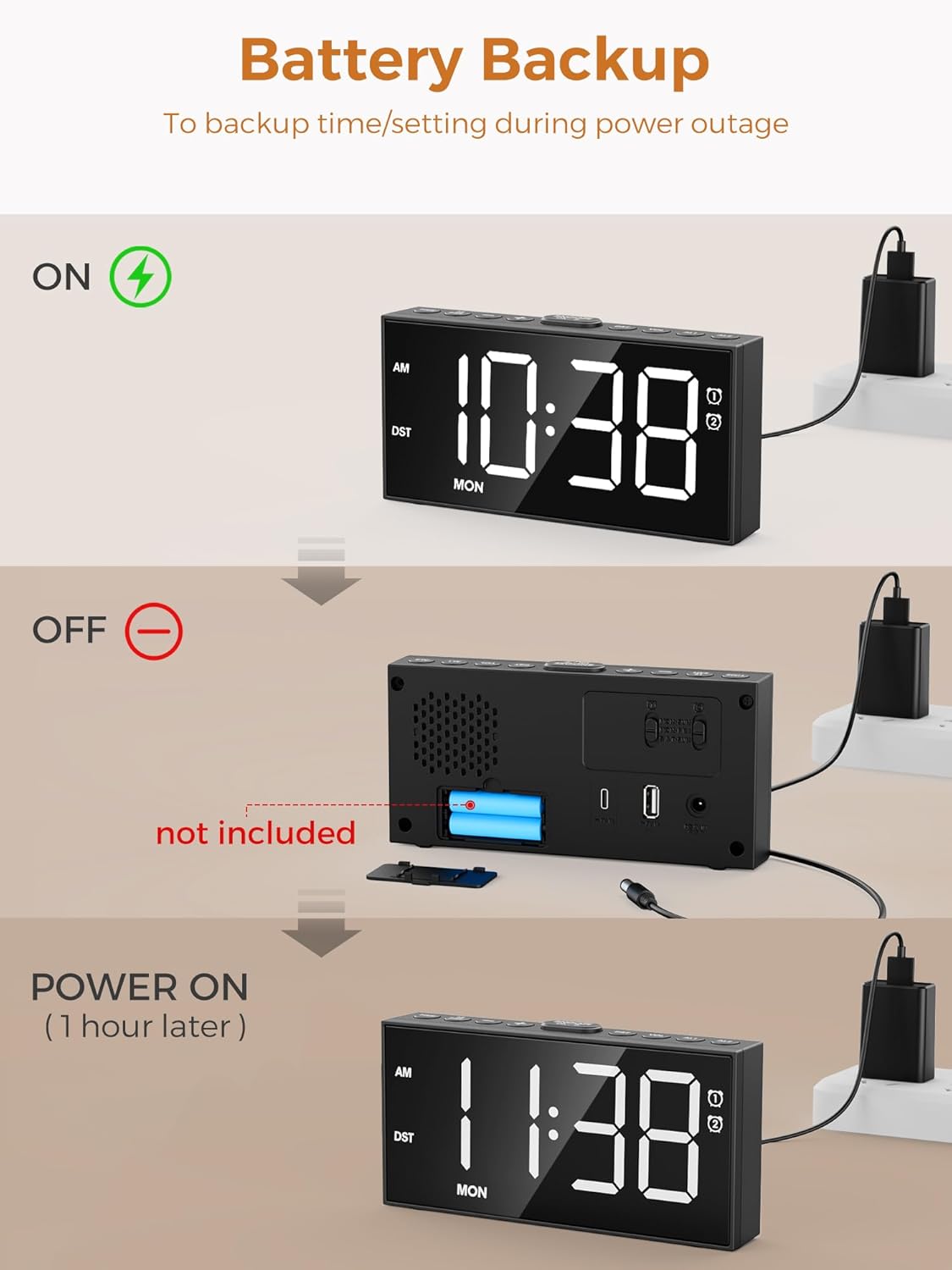
Figure 6: The large snooze button for temporary alarm silencing.
4. Adjusting Brightness
Press the DIMMER button repeatedly to cycle through 5 levels of display brightness.
5. Adjusting Volume
Use the VOL+ and VOL- buttons on the side to adjust the alarm volume (5 levels).
6. 12/24 Hour Format & DST
Press the 12/24H button to switch between 12-hour (with AM/PM indicator) and 24-hour formats. Hold the DST button for 3 seconds to activate/deactivate Daylight Saving Time, which will adjust the time by one hour.

Figure 7: Time format and DST adjustment options.
Maintenance
- Keep the clock clean by wiping it with a soft, dry cloth. Avoid abrasive cleaners.
- Ensure proper ventilation around the clock.
- Avoid exposing the clock to extreme temperatures, direct sunlight, or high humidity.
- If using battery backup, replace batteries annually or when the display shows signs of dimming during power outages.
Troubleshooting
| Problem | Possible Cause | Solution |
|---|---|---|
| Clock display is off or dim. | No power or low brightness setting. | Check AC adapter connection. Press DIMMER button to increase brightness. |
| Alarm does not sound. | Alarm not activated, volume too low, or incorrect alarm mode. | Ensure alarm icon is displayed. Increase volume using VOL+. Verify correct alarm mode (Daily/Weekday/Weekend). |
| Time/settings lost after power outage. | No backup batteries or batteries are dead. | Install or replace 2 AAA backup batteries. |
| Cannot charge devices via USB/Type-C. | Cable issue or device incompatibility. | Ensure charging cable is functional. Check device compatibility with 5V 1A output. |
Specifications
- Model: CR1001EPRO
- Brand: PPLEE
- Display Type: LED
- Power Source: Corded Electric (AC adapter included)
- Battery Backup: 2 x AAA batteries (not included)
- Charging Ports: 1 x USB (5V 1A), 1 x Type-C (5V 1A)
- Product Dimensions: 6.8"W x 3.4"H
- Item Weight: 9.9 ounces
- Material: Acrylonitrile Butadiene Styrene
Warranty and Support
This PPLEE Alarm Clock comes with an extended warranty. For any product inquiries, technical support, or warranty claims, please contact PPLEE Customer Service at Support@ppleee.net.
Please refer to the official PPLEE website for the most up-to-date warranty information and support resources.


